















No piece of hardware lasts forever. Organizations that treat device replacement as a surprise end up paying more than they should. The hardware lifecycle is the framework that turns that unpredictability into a managed, budgeted, and auditable process. From the moment a device is requested to the moment it is retired and disposed of, every stage has cost, security, and compliance implications that compound when left unmanaged.
In this guide, we cover what the hardware lifecycle is, why managing it matters, the key stages involved, how long different asset types typically last, and the best practices that keep a hardware fleet running efficiently. We also show how InvGate Asset Management centralizes the entire process, from automated discovery and lifecycle tracking to End-of-Life (EOL) alerts and refresh planning, so IT teams can stop reacting and start planning.
The hardware lifecycle is the complete sequence of stages a physical IT asset passes through, from the moment it is requested and procured to the moment it is decommissioned and disposed of. It is an ongoing process that, when managed well, determines how much value an organization extracts from every device it owns.
In an IT context, the lifecycle covers assets like laptops, workstations, servers, networking equipment, and peripherals. These are the physical components that directly support digital operations. Tools like InvGate Asset Management centralize this journey in a single record: from purchase date and deployment to warranty expiration and disposal, every stage is tracked, timestamped, and auditable without relying on manual updates or fragmented spreadsheets.
Hardware is one part of the broader IT Asset Lifecycle Management picture, which also includes software, SaaS, and cloud resources.
Hardware Lifecycle Management focuses specifically on physical assets: how they are acquired, deployed, maintained, and retired. IT Asset Management (ITAM) is the broader discipline. It includes HLM but also covers software licenses, cloud resources, SaaS subscriptions, and the financial and compliance governance that connects all of these.
In practice, every hardware lifecycle is managed within ITAM, but ITAM extends well beyond hardware. A full IT Asset Management software like InvGate Asset Management handles the hardware lifecycle as part of a larger system, without requiring separate tools for each asset category.
Managing the hardware lifecycle is a prerequisite for operational stability. Here is what happens when organizations skip it:
When handled proactively, HLM turns an unpredictable cost center into a strategic advantage: lower total cost of ownership, better security posture, and infrastructure that supports business goals.
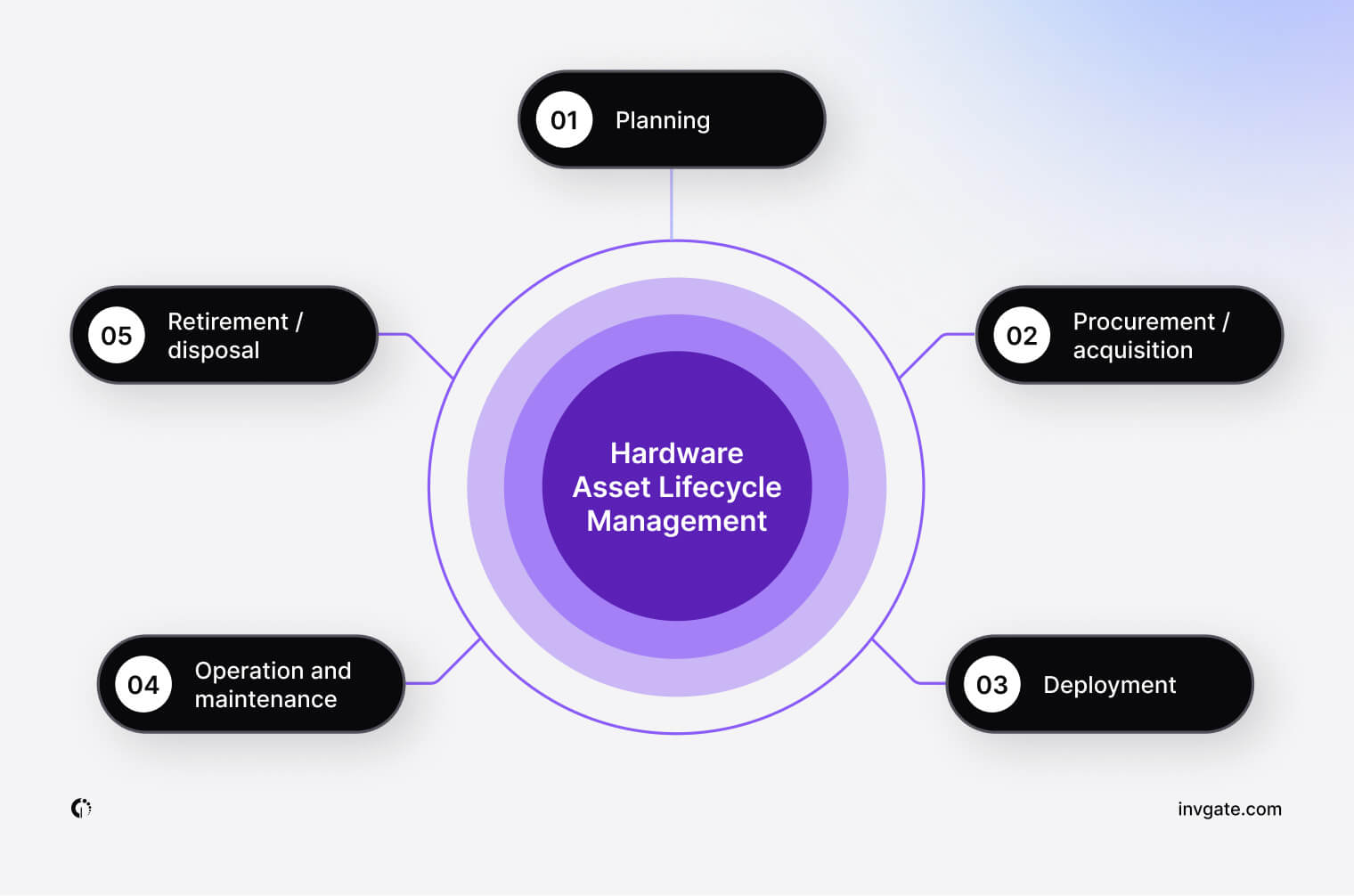
The specific stages of the hardware lifecycle, and the tasks performed at each one, depend on the asset type, organizational size, industry, and regulatory context. Even so, most IT environments follow a consistent sequence of five stages.
Planning is the stage where organizations assess current and future hardware needs before any procurement decision is made. It involves mapping demand to business objectives, setting budgets, evaluating vendor options, and establishing criteria for standardization.
Done well, planning prevents two common and costly mistakes: overprovisioning (buying more than needed) and underprovisioning (creating bottlenecks by not buying enough). It also establishes the foundation for everything that follows. A purchase made without a clear plan for deployment, support, or retirement will create problems at every subsequent stage.
Procurement is the stage where organizations formally acquire hardware through approved vendors, following structured approval workflows and budget controls. It includes purchase orders, vendor negotiations, warranty terms, and delivery timelines.
Beyond the transaction itself, procurement should establish two things that will matter throughout the lifecycle: a reliable record of acquisition date (for depreciation and warranty tracking) and a clear chain of custody from the moment the device arrives. These records become the foundation for every downstream lifecycle decision.
Deployment is the stage where acquired hardware is configured, tagged, and integrated into the organization's IT environment. It involves installing the necessary software and security settings, registering the asset in the inventory system, and assigning it to a user, department, or location.
Asset tagging, whether through barcodes, QR codes, or Radio Frequency Identification (RFID), is especially important here. It connects the physical device to its digital record, enabling accurate tracking without manual updates.
Operation and maintenance is the continuous stage where hardware is monitored, kept secure, and repaired to extend its useful life. It covers firmware updates, security patch application, performance monitoring, incident tracking, and scheduled physical inspections. Those inspections usually run as audits by site: someone walks each location, scans the asset tags, and checks what is there against what the inventory says.
This stage is where reactive versus proactive IT management becomes most visible. Organizations that track asset health metrics, including uptime, ticket volume per device, battery degradation, and warranty status, can intervene before failures occur. Those relying on manual processes or spreadsheets tend to discover problems only after they cause downtime.
Retirement is the stage where assets that have reached the end of their useful life are formally decommissioned and removed from active inventory. It begins with a decision about the appropriate disposition path, followed by data sanitization and documentation of the entire process.
The available disposition options are:
A structured approach to managing End-of-Life equipment protects the organization on two fronts: data security and regulatory compliance. Devices that are not correctly sanitized can expose sensitive information. Improper disposal can trigger regulatory penalties. Acting too late also means losing the residual market value the asset still had.
Lifecycle duration varies significantly by asset type, workload intensity, and the demands of the environment where the device operates. The ranges below are reference points. Actual retirement decisions should incorporate warranty status, vendor support timelines, accumulated maintenance costs, and security requirements.
In IT environments, lifecycles are shorter than in other industries because of rapid technological change, evolving security standards, and compatibility requirements. A device that was fully capable three years ago may today represent a security liability if its vendor has ended patch support, even if it still powers on.
InvGate Asset Management is built to support every stage of the hardware lifecycle from a single platform. The sections below show how the tool maps to each stage of the process described above.

Good planning depends on having an accurate picture of the current hardware environment. InvGate Asset Management provides configurable dashboards that visualize the state of the entire IT ecosystem: warranty status, End-of-Life timelines, depreciation levels, assets by location, and more. These dashboards make it easier to identify what needs attention before it becomes urgent, and to build a refresh budget based on real data.
The IT financials recorded on each asset, such as acquisition date and cost, current value, and cost center, also feed the out-of-the-box Financial Planning & Refresh dashboard, built for the questions Finance brings to IT before every refresh cycle. It shows how much the hardware fleet is worth and how that value changed over the last six months, how much was spent on hardware this year compared with last year (by location and by cost center), how old each device type is, and how many devices reach End of Support in the next six months.
Two indicators built on Smart Tags count the devices flagged for decommission and those overdue for retirement, and teams can adjust the rules behind those tags to match their own refresh policy.
Scheduled reports complement this view by delivering key metrics automatically, without requiring anyone to run manual queries. But the most direct support for planning comes from the platform's native automations. Two examples that are especially relevant at this stage:
Beyond these prebuilt automations, InvGate Asset Management allows teams to create custom automation rules that fit their own processes and thresholds. That way, the platform adapts to how each organization already works.
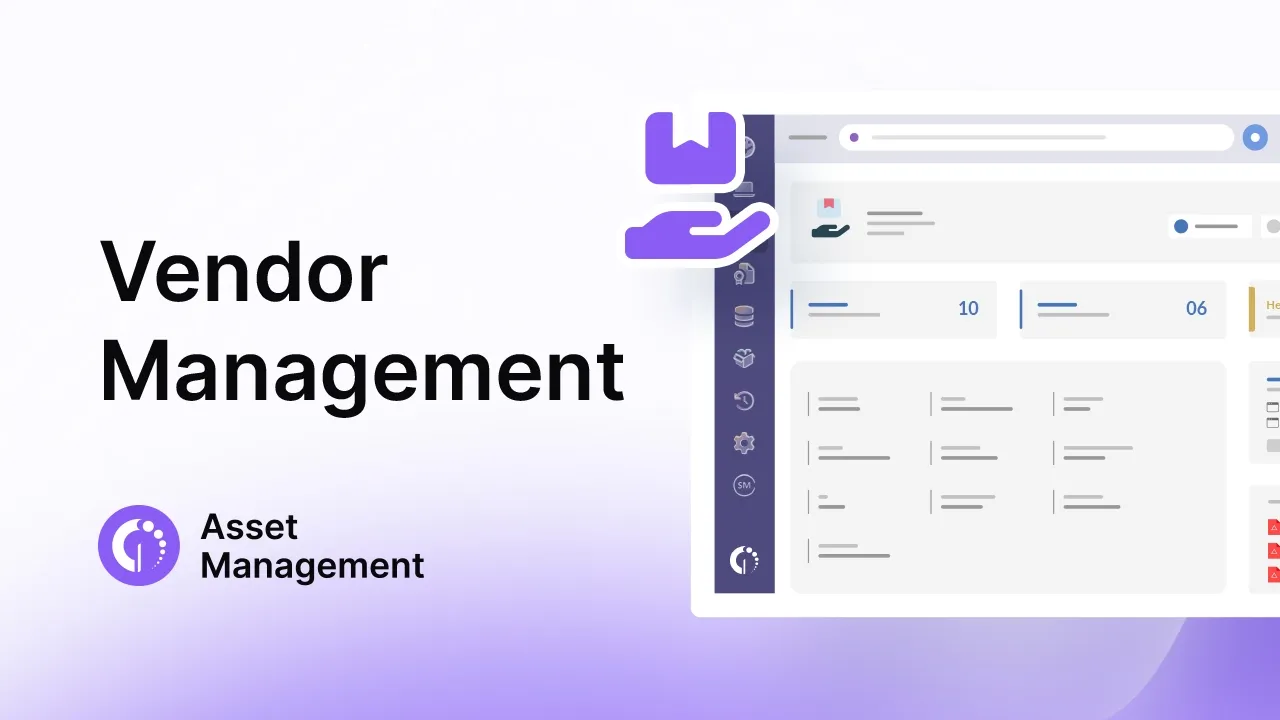
InvGate Asset Management includes a dedicated Procurement module that covers the purchasing process through Vendors and Purchase Orders.
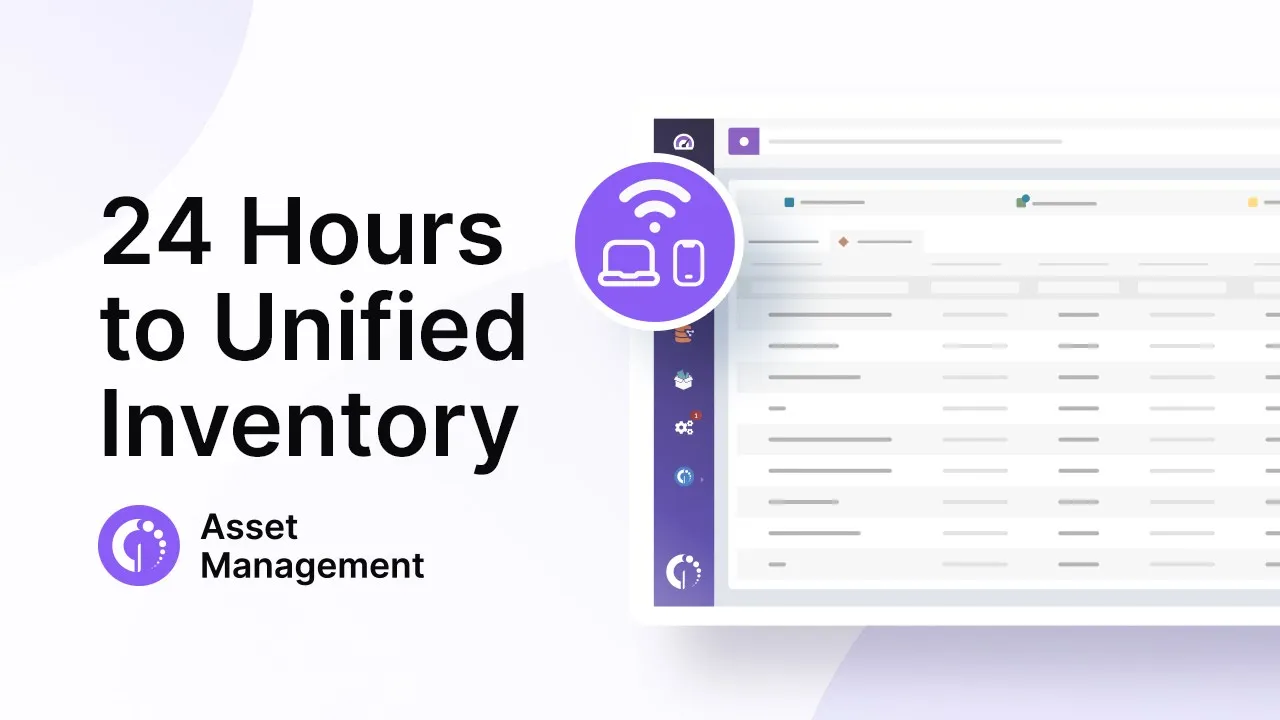
Once hardware arrives, InvGate Asset Management can register it through the Agent, network discovery, integrations such as Microsoft Intune and Jamf, or a manual or CSV import. Two processes work in parallel to make deployment faster and more traceable.
The first is the InvGate Asset Management Agent: a lightweight software installed on each device that connects it to the platform and retrieves hardware data, software inventory, performance metrics, and usage information on a recurring schedule. From the moment the Agent is installed, the device begins reporting its status automatically, with no manual data entry required.
The second is QR code tagging. InvGate Asset Management generates a unique QR code for every asset in the inventory, including non-IT and non-networked devices. The code travels with the asset through its entire lifecycle, and anyone with access can scan it to pull up the full asset record instantly. This is especially useful for devices in storage, repair, or redeployment that may not have an active Agent connection.
InvGate Asset Management tracks each asset through its lifecycle stages and allows teams to customize that process. Assets move through statuses such as Active, In Stock, In Repair, and Decommissioned, and teams can create custom statuses and define the conditions that trigger transitions between them. Automations handle those transitions, so the lifecycle record stays current without relying on manual updates.
Maintenance workflows are also supported through native automations. A few examples of what is available out of the box:
These are starting points. Teams can build additional automations based on the conditions and thresholds that matter in their environment.
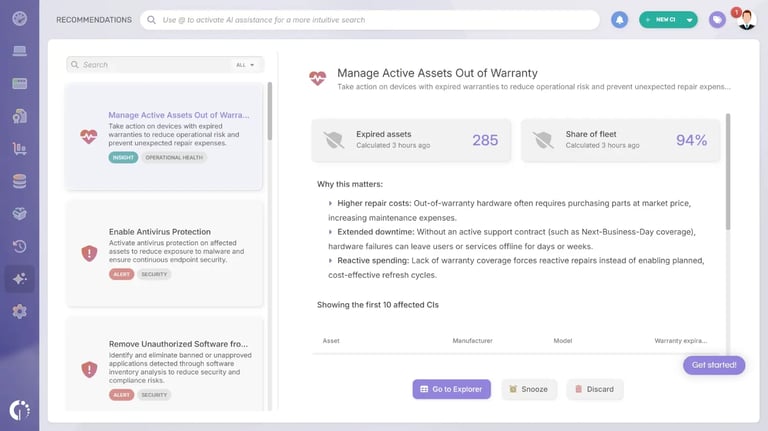
Two AI-powered components accelerate this stage significantly:
Physical audits cover what discovery cannot confirm, such as a monitor, a spare laptop in a storage room, or a device that moved to another office. Each audit covers one location: the team scans tags with an RFID reader or reads QR codes with a phone camera from the mobile app, and InvGate Asset Management compares every scan with what the inventory expects at that site.
InvGate Asset Management supports the retirement stage by giving teams the tools to document and close the lifecycle record of every asset. When a device is ready to be decommissioned, teams change its status to Decommissioned, or to a custom status such as Pending retirement if they need an intermediate step. The chosen disposition method (redeployment, resale, certified recycling, or secure destruction) can be logged in a custom field, with the disposal certificate attached to the asset record.
The full asset history remains accessible for audit purposes even after the device has left active inventory. This matters because retirement is the stage most likely to be audited: regulators, security teams, and internal compliance functions all need to confirm that data was sanitized, that disposal followed regulatory requirements, and that the chain of custody was documented from procurement to disposal. InvGate Asset Management provides that record without requiring any additional documentation effort.
Connect our solutions with the apps you use every day.
Explore InvGate's integrations
Standardize device models to simplify support and reduce procurement complexity. When the hardware fleet consists of a manageable set of approved models, support workflows are faster, spare parts inventory is smaller, and compatibility issues are rarer.
Understanding what Hardware Asset Management involves at the organizational level helps teams apply these practices beyond IT and into procurement, finance, and operations.
Effective Hardware Lifecycle Management requires a platform built for the job. A spreadsheet stretched past its limits or a generic IT tool with an asset module added on leaves gaps between stages.
When evaluating Hardware Asset Management software options, look for the following capabilities:
InvGate Asset Management covers all of these capabilities in a single platform. It also includes Smart Tags for automated asset classification, a native Configuration Management Database (CMDB) for infrastructure dependency mapping, and flexible deployment options, including on-premises and air-gapped environments, for organizations with strict security requirements.
Managing the hardware lifecycle is about making better decisions with the information you already have. When every asset has a clear record of its procurement date, warranty status, maintenance history, and lifecycle stage, the questions that used to require manual investigation answer themselves: what needs to be replaced, when, and what it will cost.
InvGate Asset Management gives IT teams the structure to manage that process from a single platform, without spreadsheets, without gaps, and without waiting for a failure to trigger action.
Start a free 30-day trial, no credit card required. Or talk to Sales to see how InvGate Asset Management fits your environment.
The hardware lifecycle typically covers five stages: planning, procurement, deployment, operation and maintenance, and retirement and disposal. The specific tasks at each stage vary by organization, but the sequence is consistent. InvGate Asset Management tracks assets through each stage with timestamped records and automated alerts.
Hardware Lifecycle Management is the structured practice of overseeing physical IT assets from acquisition through disposal. It includes procurement planning, deployment tracking, maintenance scheduling, warranty monitoring, and compliant retirement. HLM is a core component of IT Asset Management.
Lifecycle duration depends on the asset type and operating environment. As a general reference: laptops and workstations last 3 to 5 years; servers 5 to 7 years; networking equipment 5 to 8 years; and peripherals 5 or more years depending on workload. Retirement decisions should weigh age together with warranty status, vendor End-of-Life dates, and security requirements.
Hardware Lifecycle Management focuses on physical assets: how they are acquired, deployed, maintained, and retired. IT Asset Management is the broader discipline that includes HLM but also covers software licenses, cloud resources, and SaaS subscriptions. Every hardware lifecycle is managed within ITAM, but ITAM extends well beyond hardware.
Effective hardware lifecycle tracking requires a dedicated ITAM platform. InvGate Asset Management centralizes lifecycle data in a single inventory: each asset record includes purchase date, assigned owner, lifecycle stage, warranty expiration, and full status history. Smart Tags flag refresh candidates automatically, so lifecycle decisions are driven by data.
Start from the inventory: for each device, check its age, warranty expiration, and End of Support date, and note the quarter in which it crosses your refresh criteria. Multiply the devices due in each quarter by the cost of their replacement model, and add a margin for unexpected failures and new hires. For computers, the replacement signals covered in our guide to Computer Lifecycle Management help decide which machines can wait another year, and a hardware refresh plan turns the budget into a replacement schedule.

