If you are searching for a Freshworks alternative, you need to compare IT Service Management (ITSM) platforms based on features, pricing, customization, and how well they fit your organization’s needs.
Freshworks’ Freshservice is a widely used service management platform, with capabilities for IT Service Management, automation, and employee support. Other ITSM platforms offer different approaches to these areas, with variations in functionality, pricing, integrations, and deployment options.
In this blog post, we’ll list highlights for seven popular Freshservice competitors: their standout features, user opinions, pricing structure, and more.
TL;DR
If you’re comparing Freshservice alternatives, InvGate Service Management stands out for its balance of usability, deployment flexibility, and affordability, while platforms like ServiceNow and Jira Service Management target larger or more specialized needs. Zendesk and ManageEngine ServiceDesk Plus are also solid options depending on your organization’s priorities.
Freshservice vs. Freshdesk: what each one is for
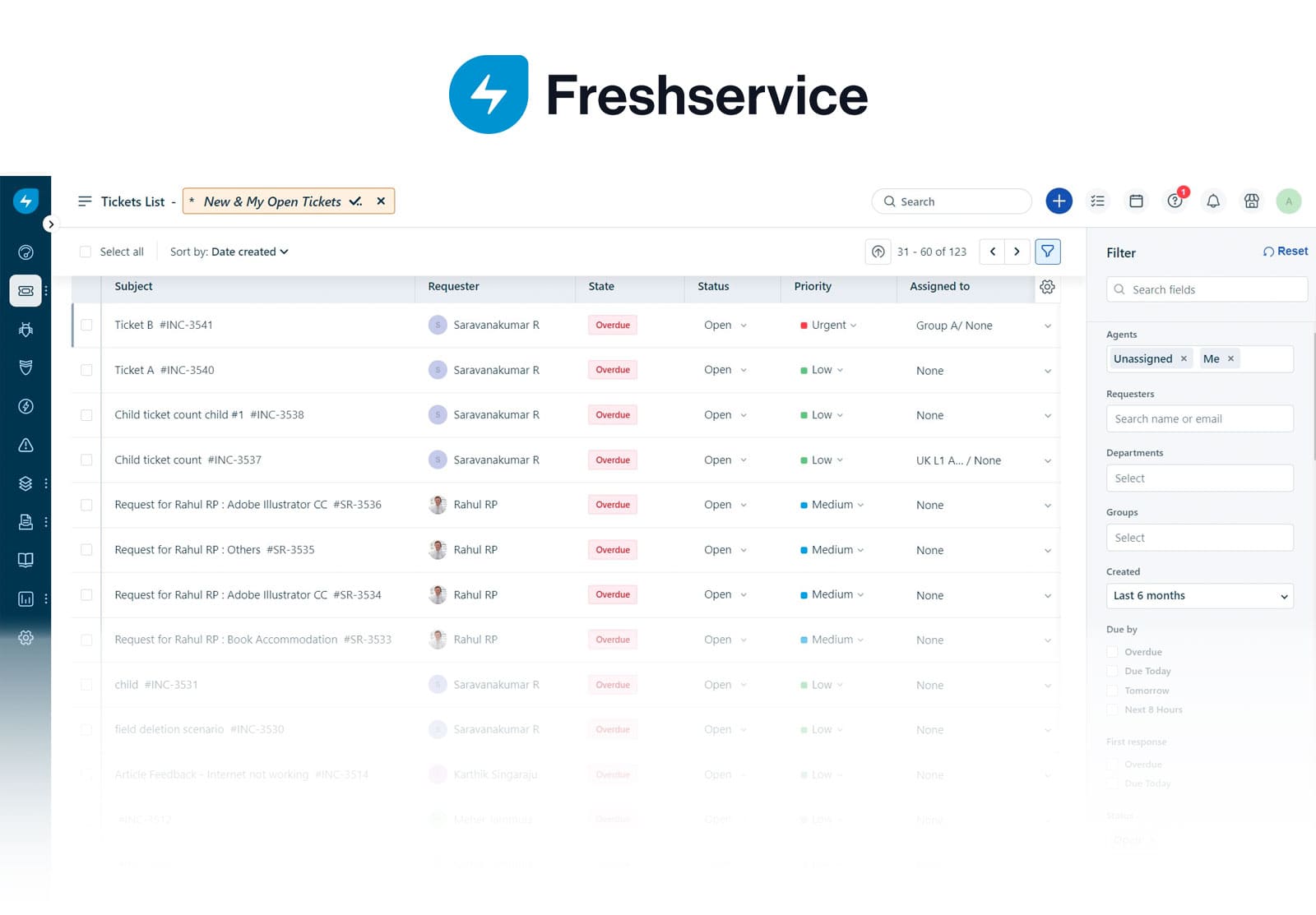
Freshworks sells two products whose names are easy to mix up, and they solve different problems. Freshdesk is its customer service software: a tool for external support teams fielding questions from customers across email, chat, phone, and social, with omnichannel ticketing, automated workflows, and Freddy AI for resolution and agent assistance. It's built around the people who buy from a company, not the employees who work inside it.
Freshservice is Freshworks' IT Service Management (ITSM) platform. It's built on ITIL best practices and brings service, IT operations, and asset management onto one platform for internal IT teams — the ones keeping employees, devices, and systems running, with a CMDB, incident and change management, and asset tracking. That's the product this comparison looks at.
Why teams look for Freshservice alternatives
The sticking point is where the important features live. Freshservice keeps the core ITIL processes most IT teams come for — Change, Problem, and Release Management — out of the entry plans; they don't appear until Pro, the third tier up.
The features Freshservice bundles in — the Freddy AI Agent and the Insights analytics — only show up on Enterprise, the top plan; the tiers below don't get them. The one piece of AI you can add lower down is Freddy AI Copilot, the agent-assist layer, and even that isn't included in a plan: it's a $29-per-agent-per-month add-on you can only buy once you're on Pro.
How much does Freshservice cost?
Monthly billing is available but runs higher than the annual rates shown. - Verified in September 2026 on the official site.
7 Freshservice alternatives at a glance
If you’re exploring Freshservice alternatives, several ITSM tools offer similar capabilities with different strengths, deployment options, and pricing models. The following chart provides a quick overview to help you compare hosting flexibility, trial availability, and entry-level costs for each platform.
Pricing and ratings checked September, 2026, against each vendor's official site and Gartner Peer Insights. *Zendesk's Gartner score is from the customer service market (CRM Customer Engagement Center); it isn't rated as an ITSM platform.
Methodology note: InvGate develops IT Service Management and IT Asset Management software, so we’re directly involved in the same market as some of the vendors mentioned here. Even so, our purpose is to share reliable and unbiased information to help you evaluate your options.
Our assessment is based on publicly available data, including vendor sites, documentation, analyst research, and user feedback from platforms like Gartner Peer Insights.
1. InvGate Service Management
InvGate Service Management is a modern ITSM platform for teams that want power without complexity—or surprise add-ons. While Freshservice often pushes paid extras (AI, asset packs, orchestration, advanced analytics), InvGate ships core capabilities out-of-the-box with predictable pricing.
Why organizations choose InvGate over Freshservice
For a deeper look at how InvGate could be a better fit for your organization, reach out to InvGate's sales specialists.
InvGate Service Management key features
- ITIL-aligned practices; configurable self-service portal and unified catalog.
- Advanced reporting & dashboards (no SQL required).
- No-code workflow builder, with AI workflow generator.
- Self-service portal with conversational experience.
- Visual CMDB with InvGate Asset Management (sold separately).
InvGate Service Management pricing
InvGate offers flexible pricing plans that scale to meet the unique needs of your organization.
- Starter: 24.98/agent/month billed annually and 5 agents minimum - $1499/year.
- Pro: $500/agent/year. 5-100 agents.
- Enterprise: Custom pricing for larger organizations.
All prices are subject to change and provided for informational purposes only. Final pricing depends on a formal evaluation; a signed quote from an authorized Sales Representative is required for all binding agreements.
InvGate Service Management user reviews and ratings
Customers highlight how quickly teams can get up and running compared to more complex ITSM tools, and how intuitive the platform is for both agents and end users.
InvGate was recently recognized as a 2025 Customers’ Choice in the Gartner® Peer Insights™ Voice of the Customer report for IT Service Management Platforms — a distinction based entirely on verified customer feedback. This recognition reflects InvGate’s top-tier ratings in product capabilities, ease of implementation, and customer experience.
2. Jira Service Management
Developed by Atlassian, Jira Service Management is widely used for IT Service Management and DevOps-oriented teams. It’s known for strong integrations with Jira Software and Confluence, making it a natural choice for organizations already working within the Atlassian ecosystem.
Jira Service Management features
- Native integration with Jira Software and Confluence
- Request portals for IT and business teams
- Incident, problem, and change management (change management on Premium)
- Automation rules and SLA management
- Assets and configuration management
- A conversational virtual service agent for self-service (Premium)
Jira Service Management pros and cons
Pros:
- Ideal for organizations already using Atlassian products.
- Strong DevOps alignment.
- Marketplace with thousands of add-ons.
Cons:
- It can be complex to configure.
- Pricing may increase quickly with add-ons.
Jira Service Management pricing
Priced per agent, per month, billed annually (75 agents, prices increase for smaller implementations):
- Standard — $20/agent/month
- Premium — $51.42/agent/month (adds change management, asset and configuration management, virtual service agent, 99.9% uptime SLA)
- Enterprise — custom quote
- Checked on the Atlassian pricing page, September, 2026.
Jira Service Management user reviews and ratings
Gartner Peer Insights: 4.4 out of 5, based on verified reviews in the IT Service Management Platforms market (source, checked September, 2026).
3. ServiceNow
ServiceNow is the market’s leading enterprise ITSM platform, built primarily for very large and complex organizations. It goes far beyond service desk capabilities, offering an extensive suite that covers IT operations, workflows, and broader business process management. Highly scalable and feature-rich, ServiceNow is best suited for enterprises with global reach and complex requirements. While it is primarily delivered as a cloud solution, some hybrid deployment options are also available.
For a detailed head-to-head comparison, see our ServiceNow vs. Freshservice article
ServiceNow features
Its feature set reaches well beyond the service desk. It includes:
-
Full ITSM suite with extensive automation and workflow orchestration.
-
Service catalog and request management for enterprise-scale operations.
-
CMDB and Asset Management modules.
-
Wide integration capabilities with enterprise and third-party tools.
ServiceNow pros and cons
Pros
-
Unmatched scalability for complex, global environments.
-
Extensive marketplace and ecosystem of apps and integrations.
-
Advanced analytics and reporting dashboards.
Cons
-
Very high total cost of ownership compared to mid-market alternatives.
-
Steep learning curve, requiring specialized expertise and configuration time.
-
Longer implementation cycles before value is realized.
ServiceNow pricing
ServiceNow doesn't publish standard pricing. Costs are quote-only, negotiated per organization, and generally sit at the high end of the market — typically viable for large enterprises with substantial IT budgets.
ServiceNow user reviews and ratings
Gartner Peer Insights: 4.3 out of 5, based on verified reviews in the IT Service Management Platforms market (source, checked September, 2026).
4. TOPdesk
TOPdesk is a service management platform aimed at mid-sized organizations, and its feature set covers the core of ITSM alongside enterprise and facility Service Management.
TOPdesk features
- Incident, problem, and change & request management
- Asset management with a built-in CMDB
- Self-service portal, knowledge base, and service catalog
- Contract & SLA management and project management
- Dashboards and reporting, with unlimited assets, tickets, and end users on every plan
- AI-assisted service management, including TOPdesk Robin, an AI assistant that answers tickets and drafts knowledge items
- Open API and 90+ marketplace integrations
TOPdesk pros and cons
Pros:
- Unlimited assets, tickets, and end users regardless of plan, with only agents counted toward the license
- Covers IT, HR, and facilities from one platform, which suits organizations running shared service teams
- Per-agent pricing drops as you add agents, and updates are included at no extra cost
- Strong reputation for hands-on, local support
Cons:
- Entry pricing sits higher than many competitors, and there's no permanent free plan
- Most AI capabilities are gated to the top tiers — basic AI categorization, knowledge generation, and search begin on Engaged, while summarization, the writing and translation assistants, AI triage, and TOPdesk Robin are Excellent-only
- Exact pricing is quote-based, so the published per-agent rates are starting points rather than a checkout price
TOPdesk pricing
TOPdesk is priced per agent, per month, with volume discounts that lower the per-agent rate as your team grows. Published starting rates (5 agents).
- Essential — $76/agent/month: incident and asset management, self-service portal, knowledge base, dashboards, unlimited assets/tickets/end users
- Engaged — $109/agent/month: adds change, problem, contract & SLA, and operations management, plus AI categorization, knowledge generation, and search
- Excellent — $155/agent/month: adds project management, webshop, benchmark reporting, and the full AI set (TOPdesk Robin, AI triage, summarization, writing/translation assistants)
Pricing checked on the TOPdesk pricing page, September, 2026.
TOPdesk reviews and ratings
Gartner Peer Insights: 4.4 out of 5, based on verified reviews in the IT Service Management Platforms market (source, checked September, 2026).
5. Sysaid
SysAid features
SysAid is an AI-powered ITSM platform built for IT teams, and its feature set pairs a full service desk with agentic AI throughout. The platform includes:
- Incident, request, change, and problem management
- Knowledge management, service catalog, and a self-service portal
- IT asset management with a CMDB and license management
- Workflow designer and no-code automations
- SysAid Copilot for agents and end users, plus prebuilt AI agents and an AI agent builder
- Reporting and BI analytics
- 1,000+ integrations via native connectors and an open API
SysAid pros and cons
Pros:
- AI is included on both paid plans, with no usage caps on agentic AI
- Asset management, CMDB, and license management come built in rather than as separate products
- No-code workflow and automation builders make it approachable for smaller IT teams
- Fast implementation, typically within 30 days
Cons:
- Pricing isn't fully transparent — Professional lists a public rate, but Enterprise is quote-only
- Several capabilities are paid add-ons, including Splashtop remote support, patch management, Lansweeper discovery, and advanced license management
- The Enterprise plan starts at a 20-agent minimum, and some support options (live chat, callback) are Enterprise-only
SysAid pricing
SysAid is priced per agent, with AI included on both plans:
- Professional — $89/agent/month: request, incident, change, and problem management; all-in-one asset management (250 assets included); AI Copilot for agents and end users; prebuilt AI agents; SLA management, dashboards, and BI analytics
- Enterprise — custom quote, starting at 20 agents: everything in Professional plus a sandbox environment, tailor-made AI agents, advanced BI, more integration credits, and the Gold support package
A free trial is available. Some capabilities (remote support, patch management, advanced discovery, extra asset packs) are add-ons.
- Pricing checked on the SysAid pricing page, September, 2026.
SysAid reviews and ratings
Gartner Peer Insights score: 4.5, based on verified reviews in the IT Service Management Platforms market (source, checked September, 2026).
6. ManageEngine ServiceDesk Plus
ManageEngine ServiceDesk Plus is an ITSM solution developed by Zoho Corporation. It supports ITIL-aligned processes and offers flexibility with cloud and on-premise deployments. It’s popular among mid-sized organizations seeking IT service desk functionality without the higher costs of enterprise tools.
ManageEngine ServiceDesk Plus features
- Incident, problem, and Change Management.
- Asset Management capabilities.
- Knowledge base for self-service.
- Integrations with Zoho and third-party apps.
ManageEngine ServiceDesk Plus pros and cons
Pros:
- Affordable compared to enterprise competitors.
- ITIL-aligned out of the box.
- Flexible deployment options.
Cons:
- Interface can feel dated compared to newer tools.
- Some users report scalability issues with large environments.
ManageEngine ServiceDesk Plus pricing
Pricing is tiered based on edition and number of agents. There’s a free edition for up to 5 technicians. The Standard edition starts at $10 per technician per month (on-premise) or $13 per technician per month (cloud).
ManageEngine ServiceDesk Plus user reviews and ratings
Gartner Peer Insights: 4.4 out of 5, based on verified reviews in the IT Service Management Platforms market (source, checked September, 2026).
7. Zendesk
Zendesk is primarily known as a customer service platform, but it also offers IT service desk capabilities. It’s a cloud-based tool with a simple interface, widely adopted in industries focused on customer experience.
Zendesk features
- Ticketing system with multichannel support.
- Knowledge base and self-service portal.
- Automation for ticket routing and workflows.
- Marketplace with integrations.
Zendesk pros and cons
Pros:
- Easy to set up and use.
- Strong customer service features.
- Wide variety of integrations.
Cons:
- Limited ITIL support compared to ITSM-focused tools.
- Reporting features are less robust than enterprise platforms.
Zendesk pricing
Zendesk's Customer Service Suite, per agent, per month, billed annually:
- Suite Team — $55/agent/month
- Suite Growth — $89/agent/month
- Suite Professional — $115/agent/month
- Suite Enterprise — custom quote
An email-only Support Team plan starts at $19/agent/month, and the Copilot add-on is $50/agent/month.
Checked on the Zendesk pricing page, September, 2026.
Zendesk user reviews and ratings
Gartner Peer Insights: 4.4 out of 5, based on verified reviews in the CRM Customer Engagement Center (customer service) market — Zendesk isn't rated in the ITSM Platforms market (source, checked September, 2026).
In conclusion
Choosing the right ITSM solution is crucial for businesses looking to optimize their operations while staying within their budgetary constraints. Although Freshworks' Freshservice is a reputable platform, it may not suit every organization's unique requirements.
To gain deeper insights into InvGate Service Management, request a 30-day free trial or schedule a meeting with our experts if you have any questions or concerns!
Frequently asked questions
What does the Freshservice Enterprise plan add?
Freshservice Enterprise includes everything in Pro, plus a sandbox, audit logs, Freddy AI Agent (Classic), and Freddy AI Insights. Each Enterprise license also includes 1,200 Freddy AI Agent (Classic) sessions per year.
Does Freshservice include AI in every plan?
No. Freshservice's AI capabilities vary by plan. Freddy AI Copilot is available as a paid add-on on Pro and Enterprise for $29 per agent/month when billed annually. Enterprise also includes Freddy AI Agent (Classic) and Freddy AI Insights at no additional charge.
What is the difference between Freshdesk and Freshservice?
Freshdesk is designed for customer service and support, with a focus on customer-facing ticket management. Freshservice is an ITSM and ESM platform for employee services, covering areas such as ITSM, ITOM, ITAM, and services provided by teams such as HR, Finance, and Legal.
Disclaimer: All product names, logos, and brands are property of their respective owners. All company, product, and service names used on this site are for identification purposes only. Use of these names, trademarks, and brands does not imply endorsement. Comparisons are based on publicly available information as of September 2026 and are provided for informational purposes only. ServiceNow is a registered trademark of ServiceNow, Inc. InvGate is not affiliated with, sponsored by, or endorsed by ServiceNow.