















IT budgets rarely go unquestioned. Finance wants justification for every renewal, every new laptop, and every cloud invoice, and IT leaders are often the ones left explaining spend they can't fully trace back to a system of record. IT Cost Management is the discipline built to change that: a structured way to plan, track, and control the money that goes into hardware, software, cloud services, and the people who support them.
This guide breaks down what IT Cost Management means in practice, why it matters beyond the finance conversation, and the concrete steps to build a plan that holds up under scrutiny. It also covers the specific tactics IT teams use to control and optimize IT spend today, from cloud cost optimization to software license consolidation, and where the right IT Asset Management (ITAM) platform fits into that picture.
IT Cost Management refers to the process of planning, tracking, and controlling the costs associated with an organization's technology, including hardware, software, cloud services, and the staff who manage them. It is sometimes called Technology Cost Management, IT Spend Management, or simply Cost Management in IT, and it covers everything from forecasting a year's infrastructure costs to catching a forgotten software subscription still being billed every month.
In practice, this means forecasting costs accurately, allocating budget across categories like hardware refreshes or cloud consumption, monitoring spend as it happens, and adjusting the plan when reality doesn't match the forecast. IT Cost Management applies at any scale, from a five-person IT team tracking laptops in a spreadsheet to a global enterprise reconciling cloud bills across dozens of accounts.
Controlling IT costs shapes more than the finance conversation. It determines whether IT can fund the projects that matter, respond to unplanned incidents, and be seen as a function that adds value instead of one that only spends. A clear view of where money goes also makes it easier to defend the budget in front of leadership.
Consider an IT team that renews every software contract automatically without reviewing usage first. Over a year, the organization ends up paying for licenses nobody uses, hardware that sits in a storage room past its useful life, and cloud instances nobody remembers spinning up. None of this shows up as a single dramatic failure, but it quietly erodes the budget that could have funded a needed upgrade or a new hire.
Implementing IT Cost Management brings a handful of concrete benefits to any IT organization:
For example, an IT team that trims spend on unused software licenses, idle cloud instances, and aging hardware can free up a meaningful share of its annual budget without cutting a single project, redirecting those savings into initiatives like automation or a much-needed platform upgrade.
Even with the best intentions, a few recurring challenges make IT Cost Management harder than it sounds:
Most of these challenges share a root cause: IT teams don't have a single, trustworthy view of what they own, what it costs, and how it's being used. That gap is exactly what the rest of this guide, and the tools covered later, are built to close.
Not all IT costs behave the same way on a balance sheet, and the distinction matters for planning. Capital Expenditures (CapEx) cover upfront investments like servers, laptops, or networking hardware that get depreciated over several years. Operating Expenses (OpEx) cover recurring costs like cloud subscriptions, SaaS (Software as a Service) licenses, and maintenance contracts that hit the budget every month or year.
Many IT organizations have shifted a large share of their spend from CapEx to OpEx as they move workloads to the cloud and adopt more subscription-based software, which changes how budgets get approved and forecasted. On top of that split, it helps to separate direct costs, like hardware, software licenses, and cloud consumption tied to a specific project or team, from indirect costs such as electricity, data center cooling, or the salaries of the staff managing it all.
With those cost categories defined, building an actual plan comes down to four sequential steps. Most IT teams already do a version of this informally, but writing it down as a repeatable process is what makes it hold up from one budget cycle to the next.
Start by identifying every cost the plan needs to cover: direct costs like hardware and software licenses, and indirect costs like electricity, data center cooling, or the salaries of the people managing it all. This step also means deciding upfront whether new needs get met with new purchases, leased equipment, or resources reallocated from somewhere else in the environment.
Once costs are identified, estimate them using historical data, vendor quotes, and input from the teams that will actually use the resources. Building in a reasonable risk allowance here avoids the common mistake of underestimating multi-year contracts or the true cost of scaling a cloud workload.
Turn those estimates into a detailed IT Budget Management plan with category-specific allocations, whether that's a line for cloud consumption, one for hardware refreshes, or one for software renewals. A good budget leaves enough flexibility to absorb the kind of price changes that are common in cloud and SaaS pricing.
With a budget in place, the real work starts: comparing actual spend to what was planned on a regular basis, flagging variances early, and acting on them before they compound. This is also the step where most of the tactics covered in the next section, like cutting cloud waste, consolidating licenses, or renegotiating contracts, actually get applied.
Once resource planning, estimating, and budgeting are in place, IT cost optimization becomes a matter of applying the right tactics consistently rather than cutting costs once and hoping they stay down. These are the areas where most organizations find real, sustained savings.
Cloud spend is often the fastest-growing and least visible line in an IT budget, since it's easy to spin up a resource and forget to shut it down when the project ends. Regularly auditing usage, right-sizing instances, and shutting down what's no longer needed can meaningfully reduce that waste, especially when the effort recurs on a schedule rather than as an occasional cleanup.
Most organizations end up paying for more SaaS than they actually use, whether that's duplicate tools purchased by different teams or seats nobody logged into in months. Reviewing usage against license counts on a regular basis, and consolidating overlapping tools where possible, is one of the more straightforward ways to cut recurring costs without touching a single project budget.
Every vendor contract is a negotiation opportunity, but only if someone is tracking renewal dates, usage trends, and market pricing before the renewal deadline arrives. A disciplined approach to IT Vendor Management turns contract renewals from a reactive scramble into a planned conversation with real leverage.
Hardware that stays in service past its useful life tends to cost more in maintenance and support than replacing it would, while hardware retired too early wastes money that was already spent. Following a structured Asset Lifecycle Management approach, from procurement through retirement, helps time replacements around actual wear and business need instead of guesswork.
Total Cost of Ownership (TCO) analysis looks beyond the sticker price of an asset or a piece of software to include maintenance, support, training, and eventual replacement costs. Running a TCO analysis before a major purchase, rather than after, often changes the decision entirely, especially when comparing a cheaper option with a shorter lifespan against a pricier one that lasts longer.

Everything covered so far depends on one thing: knowing exactly what IT owns. InvGate Asset Management is built to answer that question by creating a complete inventory of an organization's technology resources, which is the necessary starting point for monitoring and controlling IT costs. Without that inventory, cost control tactics like renegotiating a contract or right-sizing cloud usage are built on guesswork.
That inventory keeps the financial side of hardware closely tracked, including acquisition price, warranty dates, and end-of-life (EOL) timelines, so replacement decisions are based on data instead of memory. On the software side, it tracks which licenses support each application, how that software is actually being used, and whether usage stays within what existing contracts allow, which is where a lot of unplanned IT cost comes from in the first place.
Within that general picture, five capabilities are the ones IT teams use most directly to manage IT costs day to day. Before we get started, feel free to start a free trial and follow along, or talk to Sales to find out how to trim your IT spend.
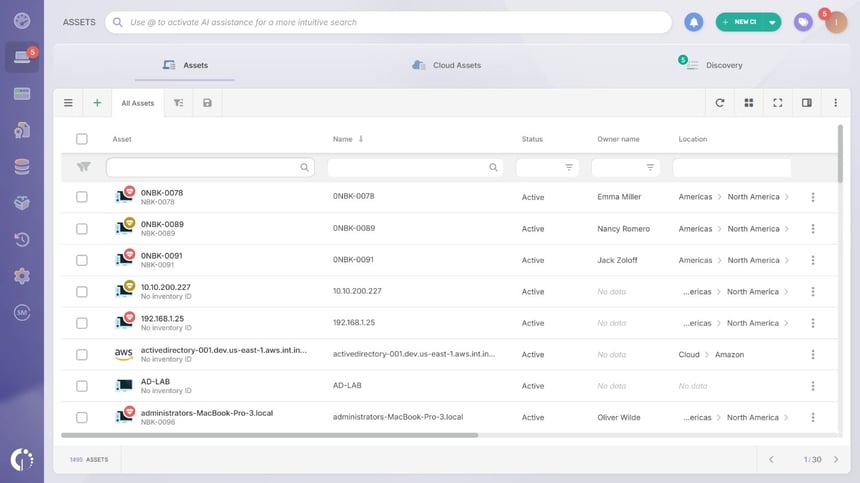 Instead of relying on manual spreadsheets, InvGate Asset Management builds the inventory automatically through network discovery, an installable Agent, integrations, manual entries, and API connections. Hardware, software, cloud assets, and any other technology resource stay up to date without someone chasing the data by hand every time something changes.
This automated inventory is the first thing any IT Cost Management effort needs, since it is impossible to control the cost of assets nobody can confirm exist. The same underlying data also powers a Configuration Management Database (CMDB), which is why CMDB tools and asset inventory tools tend to overlap so heavily in practice.
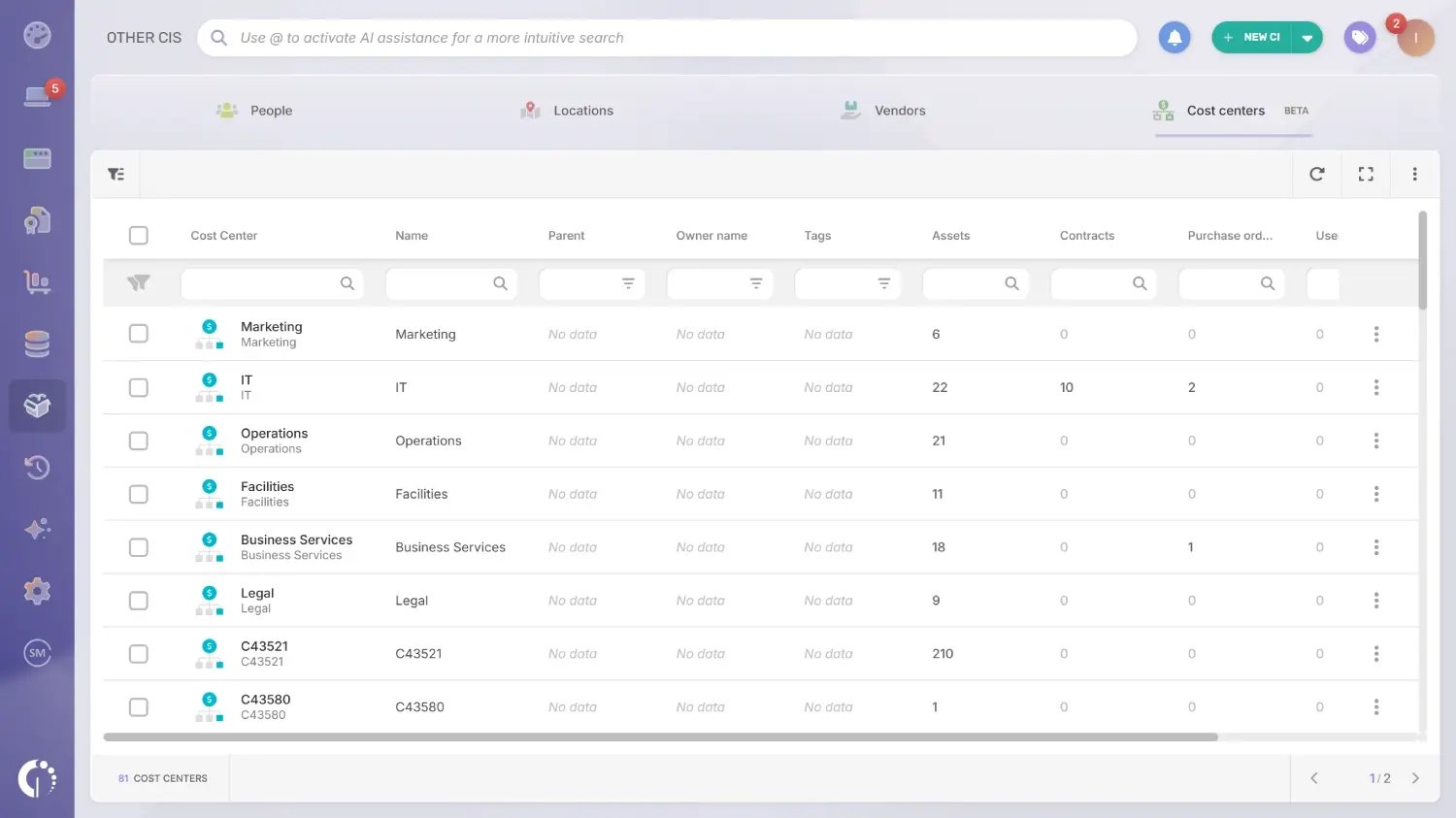 Cost centers can be created and organized in a hierarchy, then assigned directly to hardware, contracts, purchase orders, and the people who use them. Live counters on each cost center show at a glance how many assets, contracts, or users sit under it, without running a separate report.
That structure makes it possible to see which department, project, or business unit is actually driving a given cost, instead of treating the whole IT budget as one undifferentiated total. It is also the foundation for chargeback and cost reporting further down the line.
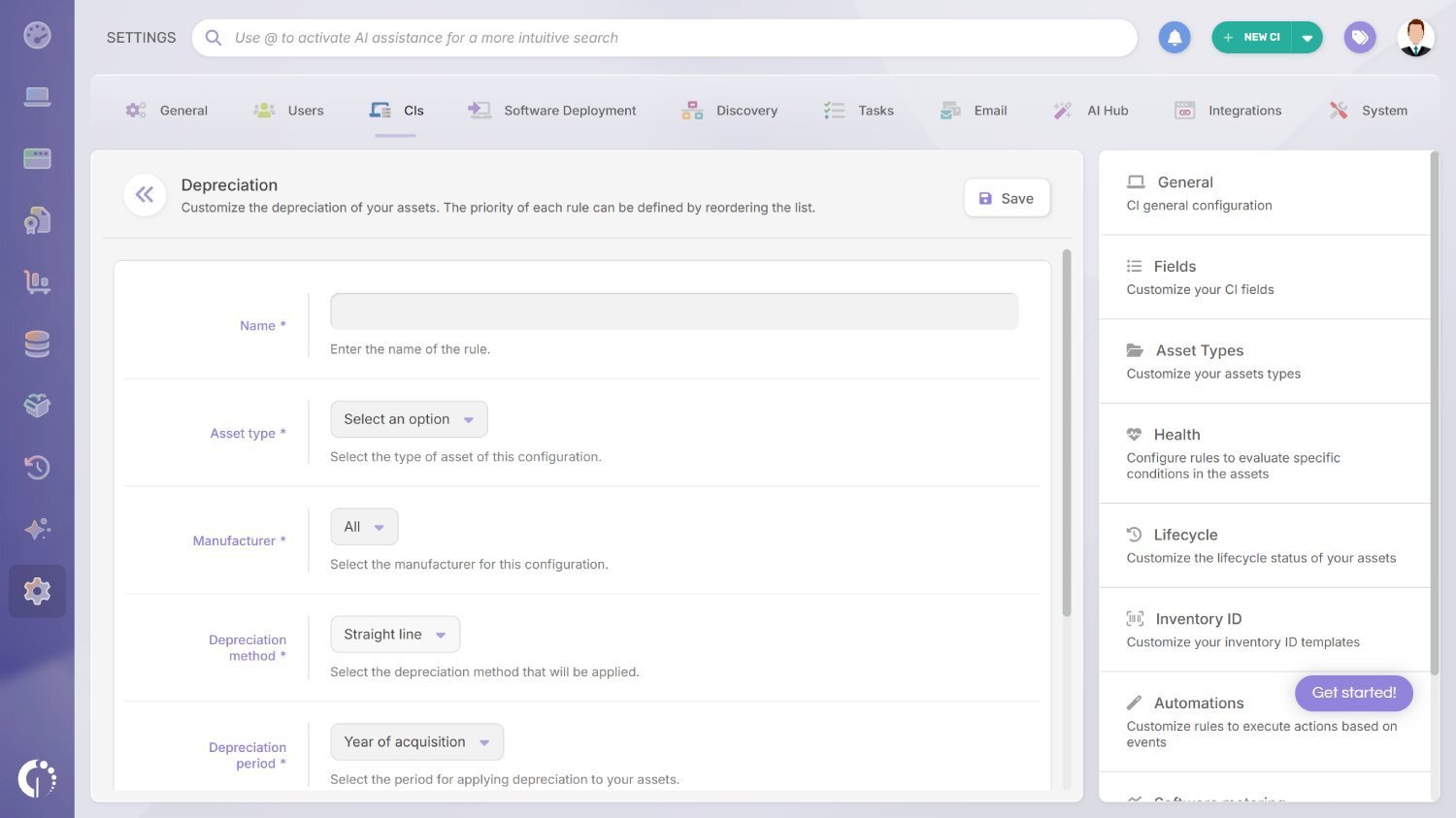 The depreciation of IT assets is calculated automatically as assets age, which matters most for hardware, where the difference between book value and replacement cost directly affects budget planning. There is no need to maintain a separate depreciation spreadsheet alongside the inventory.
This removes a task that is easy to get wrong when done by hand and gives finance teams depreciation figures they can use in reporting without asking IT to recalculate them manually. It also feeds directly into decisions about when a piece of hardware is actually worth replacing.
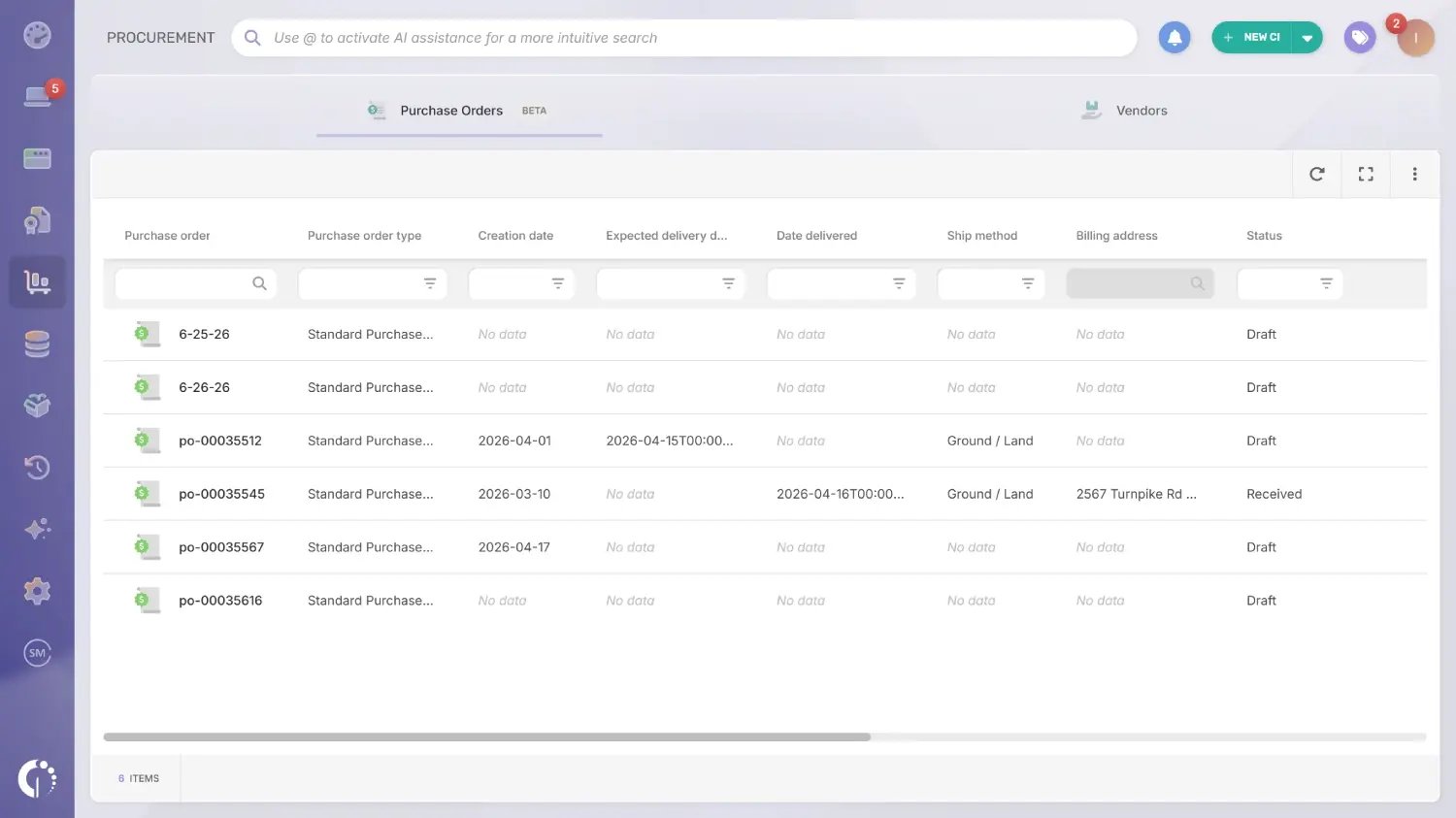 The procurement module covers vendors and purchase orders in one place, so buying hardware or services starts with an accurate record of who the vendor is, what was ordered, and what it cost. Purchase order items can be loaded in bulk, which keeps larger orders from turning into manual data entry.
That connection carries forward once the asset arrives, linking the original purchase cost straight to the device or license it paid for. From that point on, every cost conversation about that asset starts from a documented number instead of a guess.
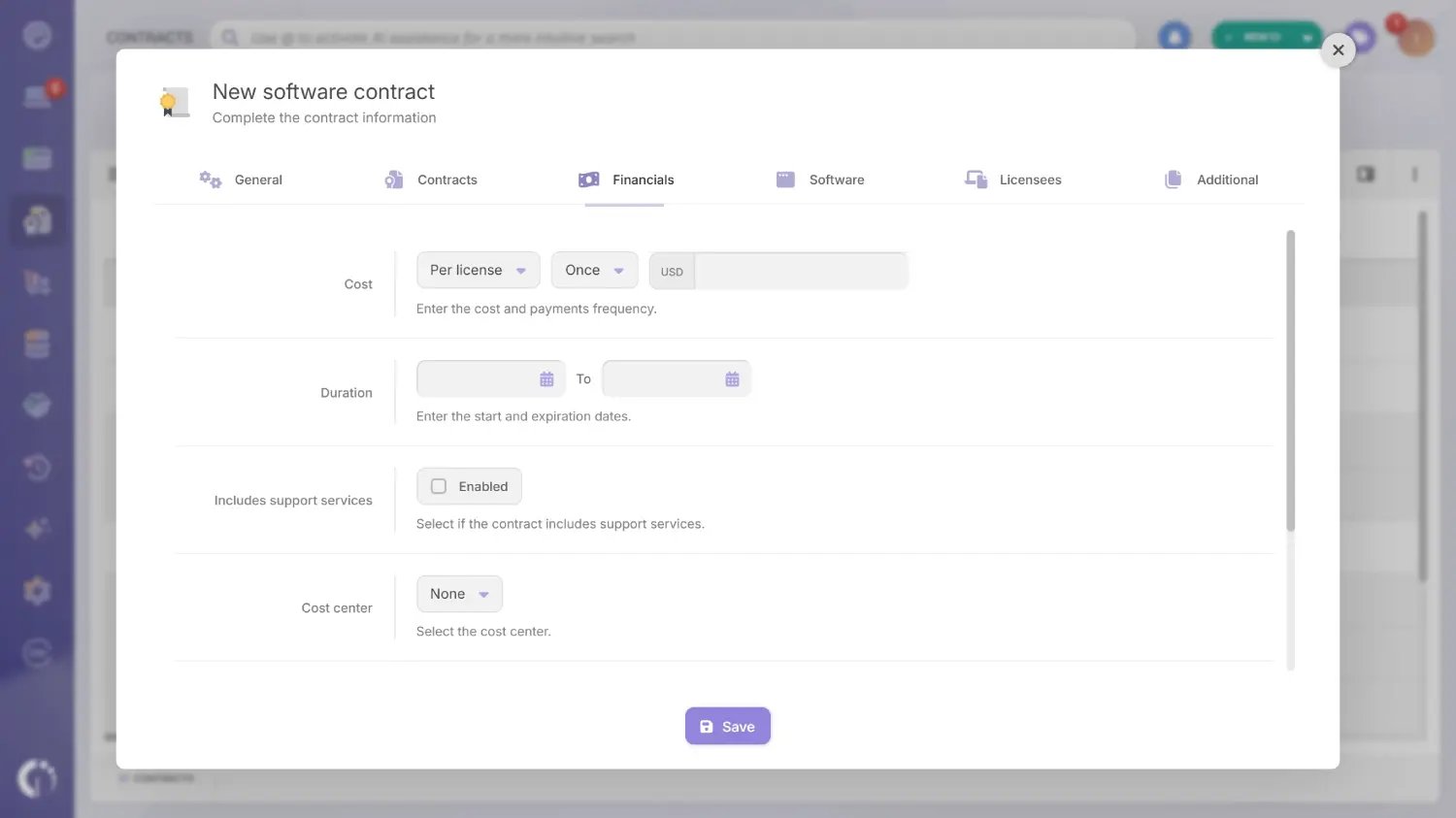 This capability tracks the contracts and licenses that support an organization's software, matching what was acquired against what is actually installed and in use. Solid Software Contract Management depends on that comparison running continuously, not just at renewal time or during an audit.
It flags gaps in that comparison, such as licenses paid for but not deployed, or software running without a valid contract behind it, both of which carry direct financial and compliance risk. Catching those gaps early is usually where the clearest, fastest cost savings in this whole section come from.
Most IT teams end up combining a handful of tool categories rather than relying on one system for everything, since cost management touches procurement, asset tracking, cloud spend, and general accounting all at once. Which combination makes sense depends on the size of the IT estate and how much of it lives in the cloud versus on-premises.
A few categories come up consistently:
IT Cost Management is not a one-time project. It is an ongoing habit of knowing what technology the organization owns, what it costs, and whether that spend still makes sense, built on top of accurate resource planning, disciplined budgeting, and consistent cost control.
Getting there starts with visibility. Once hardware, software, and cloud assets are tracked in one place, the tactics covered in this guide, from renegotiating vendor contracts to cutting cloud waste, become a lot easier to execute and a lot easier to defend to the rest of the business.
Ready to see what a complete IT inventory could do for your organization's IT Cost Management? Start a free trial of InvGate Asset Management, or talk to Sales to walk through your specific environment.

