














Certificate Lifecycle Management (CLM) is the process of tracking every digital certificate an organization uses, from the moment it is requested to the day it is retired. IT, infrastructure and security teams look into Certificate Lifecycle Management when they need to stop certificates from expiring unnoticed, keep up with shorter certificate lifetimes and know who answers for each one.
This guide explains what CLM covers, the stages every certificate goes through and why the topic is more urgent now that public certificates last 200 days or less. It also covers expiration monitoring, Certificate Renewal Management, the most common challenges, best practices and the types of tools available, and it closes with how InvGate Asset Management keeps certificates, owners and expiration dates in the same inventory as the rest of IT.
A digital certificate is a file that proves the identity of a website, server, device, user or piece of software, issued by a certificate authority (CA) and valid between two fixed dates. Certificate Lifecycle Management covers every kind: the Transport Layer Security (TLS) certificates behind public websites, still widely called Secure Sockets Layer (SSL) certificates, the ones a private CA issues for internal applications, Wi-Fi and virtual private network (VPN) access, client authentication certificates and code signing certificates.
Certificates are the visible part of a Public Key Infrastructure (PKI), the set of CAs, policies and keys that lets systems trust each other, so managing certificates within a PKI and Certificate Lifecycle Management overlap almost completely. The work starts with a digital certificate inventory that records what each certificate secures, where it is installed, who owns it and when it expires, and every stage that follows reads from that record.
Every certificate goes through the same stages, from the request to its retirement, and the National Institute of Standards and Technology (NIST) recommends handling them through a formal program in its practice guide on TLS Server Certificate Management. The stages are standard, although who handles each one and how long it takes varies by certificate type and by organization.
The lifecycle starts when a team needs a certificate for a new site, service or device. They generate a key pair, keep the private key on the system that will use it and create a certificate signing request (CSR) with the domain names or the identity the certificate must cover.
This is also the moment to decide which CA issues it, what type of certificate fits and who will own it. Requests that skip an approval step are how certificates from unapproved CAs, with no owner, end up in production.
The CA checks that the requester controls the domain, or verifies the organization's identity for certificates that require it, and then issues the certificate. Public CAs follow the CA/Browser Forum rules for this validation, while a private CA follows the organization's own policy.
The issued certificate carries the details every later stage depends on: subject, issuer, serial number, validity dates and signature algorithm. Recording them at this point keeps the inventory accurate from day one.
The certificate is installed on the server, load balancer, content delivery network (CDN), appliance or cloud service that uses it, together with the intermediate certificates that complete the chain of trust. The same certificate is often installed in several places, especially when it covers multiple names or a wildcard domain.
Each installation point belongs in the record. A renewal that reaches four of five locations still breaks the fifth one on the expiration date.
Once in use, each certificate needs someone watching its expiration date, its configuration and the endpoints where it is installed. Monitoring also catches certificates that appear outside the request process, which is common with cloud services and appliances that generate their own.
Expiration is the date behind most certificate incidents, so reminders tied to it are the core of monitoring. The section on SSL certificate expiration monitoring below covers how to set them up.
Renewal replaces a certificate before it expires, usually with a new key pair and a fresh validation by the CA. The new certificate has to be installed everywhere the old one was, and the services that use it have to pick it up.
Shorter lifetimes turn renewal into a routine task that repeats several times a year for every certificate. That is why renewal is the stage where automation pays off first.
A certificate is revoked when its private key is compromised, when its details are no longer accurate or when the CA issued it incorrectly. Revocation tells browsers and clients to stop trusting it before its expiration date, and a replacement has to be issued and installed right away.
Retirement applies to certificates that are no longer needed, such as the one for a decommissioned service. The record stays in the inventory with its history, marked as out of use, so nobody renews a certificate that protects nothing.
Certificates have always expired, and expired certificates have always caused outages. Two things raise the stakes now: lifetimes are getting much shorter, and auditors and security teams expect an inventory with an owner behind every certificate.
The CA/Browser Forum, the group of certificate authorities and browser makers that sets the rules for publicly trusted certificates, is cutting the maximum validity of public TLS certificates in stages. Its Baseline Requirements set these limits by issuance date:
A certificate that used to be renewed once a year now needs about two renewals a year, and close to eight once the 47-day limit applies. Certificates from a private CA follow the organization's own policy, while public ones multiply the dates IT has to watch, and calendar reminders in a spreadsheet stop scaling quickly.
An expired certificate breaks the connection it protects: browsers show a warning, applications refuse to connect and integrations fail, usually at the worst possible time. A compromised private key is a different risk, and without an inventory nobody knows which services use that certificate or how fast it can be replaced.
Audits add a third reason. Security frameworks and auditors ask which certificates the organization runs, who owns them and how renewals are controlled, which is why certificates are becoming part of a broader digital governance strategy alongside AI agents and automation workflows.
SSL certificate expiration monitoring means checking the validity dates of every certificate and warning the right person early enough to renew it. Many teams relied on reminder emails from their CA, and Let's Encrypt stopped sending expiration notification emails on June 4, 2025, recommending third-party monitoring to anyone who still needs them.
A reliable monitoring setup sits on top of the inventory and works the same way for every CA. These are the checks that matter most:
Certificate Renewal Management is the part of the lifecycle that turns a reminder into a working certificate. With lifetimes of 200 days or less, it needs a repeatable runbook that anyone on the team can follow.
Where the CA and the endpoint support it, the Automatic Certificate Management Environment (ACME) protocol lets a client request, validate and receive certificates without manual steps, and many public CAs offer it. For everything else, such as private CAs, appliances and legacy systems, the renewal follows the same steps by hand:
Most certificate incidents trace back to the same handful of problems. They start with certificates that nobody tracks, nobody owns or nobody remembers installing.
These are the problems IT teams run into most often when they start organizing their certificates. Each one gets harder as lifetimes shrink:
The practices that work share one idea: every certificate has a record, an owner and a date someone is watching. Teams that start with those three rarely get surprised by an expiration.
The list below goes from the foundation to the refinements. Each practice builds on the previous one, so the order matters:
No single tool covers every stage for every organization, and most teams combine two or three. The table shows the main categories, what each one does and when it fits:
Network-based asset discovery tools are built to find devices and installed software, so certificates installed on load balancers or cloud services usually reach the inventory through a CLM platform's scanning or an import from the CA. Whatever renews them, IT Asset Management software gives IT one place to see every certificate next to the services, applications and people connected to it.
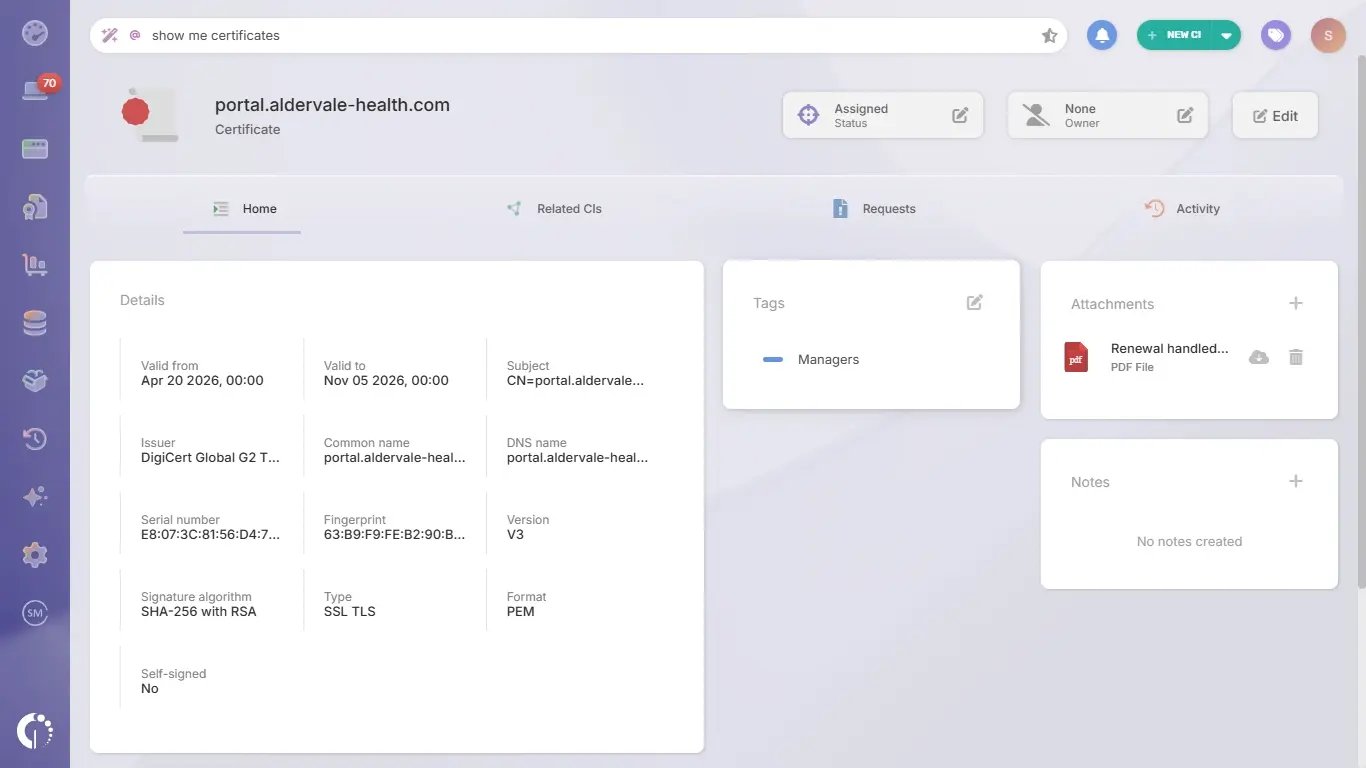 InvGate Asset Management is IT Asset Management software that offers an enterprise experience without the complexity or the price of one, with an intuitive interface, a no-code approach and fast deployment. It keeps certificates in Digital Assets, the Configuration Item (CI) family for assets that run without hardware of their own, in the same inventory as the hardware, software and cloud assets it collects through the Agent, network discovery, integrations and manual or CSV import.
Its role in the lifecycle is the record, the owner and the reminder. Issuing, renewing and installing certificates stays with the CA, the ACME client or the CLM platform that already handles it, and InvGate Asset Management makes sure every renewal has a date, an owner and a place in the inventory.
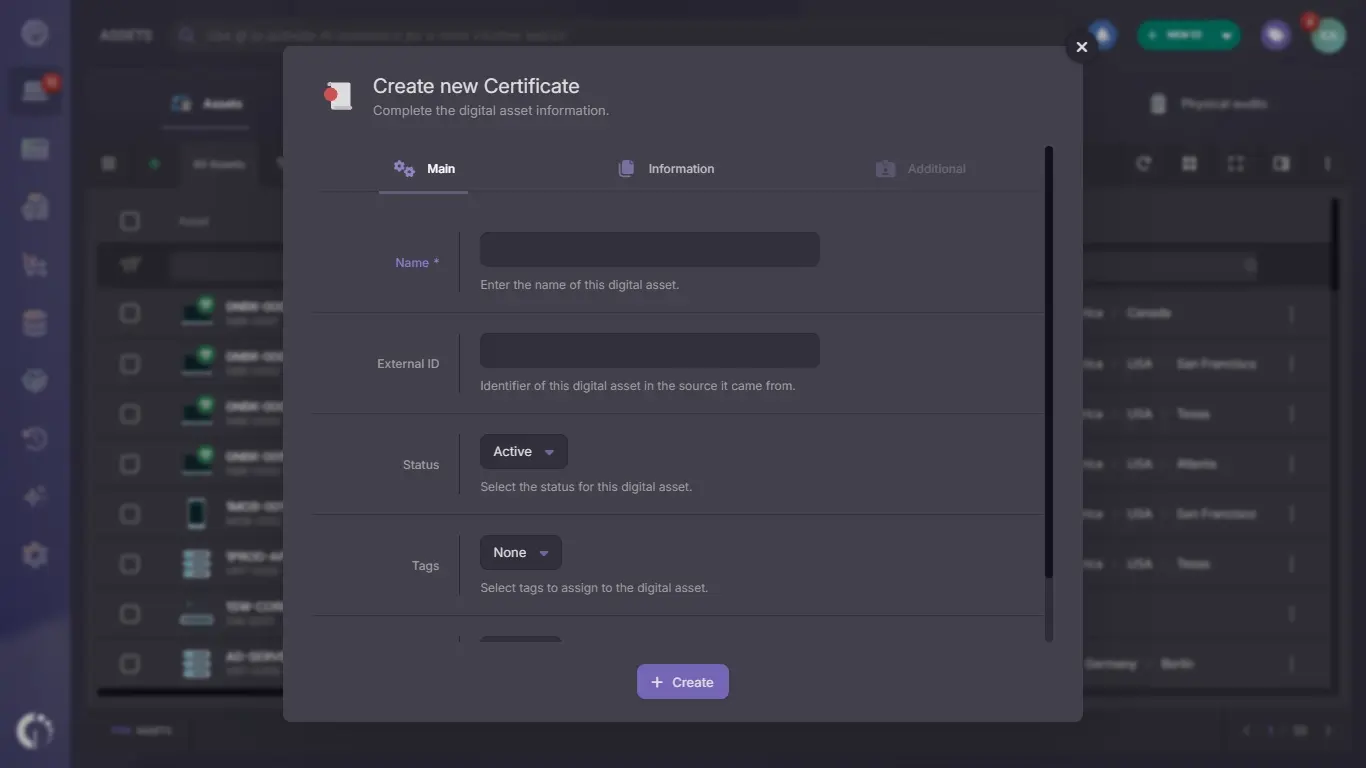
Certificates are created like any other CI, from the New CI button at the top of the screen. Most of the details come from the certificate itself or from the CA that issued it:
To load many certificates at once, import a CSV file or use the public application programming interface (API), with the External ID field tying each record to the system it came from. Each certificate keeps its own record with attachments and an activity history, and the Digital Assets view lists every one with its status and owner.
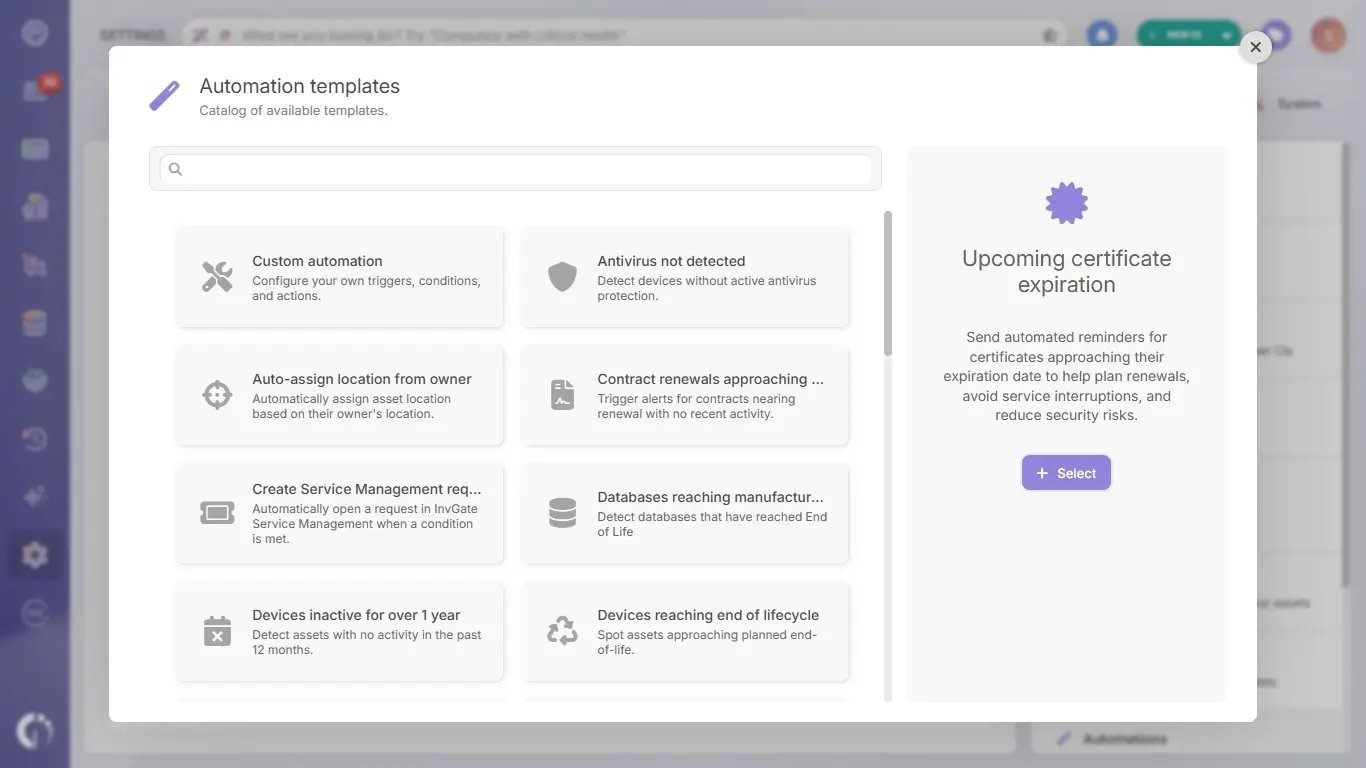
The "Upcoming certificate expiration" automation template turns the Valid to date into a weekly report. It comes ready to use, and each setting can be adjusted before saving it:
Smart Recommendations adds a second safety net: it flags certificates about to expire and digital assets that still have no owner. InvGate Asset Management runs in the cloud or on-premises, and InvGate holds ISO 27001:2022 and System and Organization Controls (SOC) 2 Type II certifications.
Certificate Lifecycle Management keeps every certificate on a known path from request to retirement, with an owner and a date someone is watching. With public certificate lifetimes already capped at 200 days and heading to 47, the teams that avoid expiration outages are the ones that know what they run before the next renewal is due.
InvGate Asset Management keeps certificates in the same inventory as the rest of IT, with owners, related applications and expiration reminders in one place. To see how it works with your own certificates, start a free trial or talk to Sales.
These questions come up often when IT teams first organize their certificates. Each answer sums up a part of the guide.
Certificate Lifecycle Management is the process of tracking every digital certificate from its request to its retirement, including issuance, installation, monitoring, renewal and revocation. Its goal is that no certificate expires unnoticed and every certificate has an owner.
The standard stages are request, issuance, installation, monitoring, renewal, and revocation or retirement. Who handles each stage and how long it takes varies by certificate type and by organization.
Public TLS certificates issued from March 15, 2029 can be valid for up to 47 days under the CA/Browser Forum Baseline Requirements, which means close to eight renewals a year for each certificate. At that pace, manual renewals become hard to sustain, and automation backed by a reliable inventory becomes the norm.
Starting about 30 days before the expiration date leaves time to request, install and verify the new certificate, with repeated reminders until the renewal is done. Certificates installed in many places or renewed by hand need a wider window.
A Public Key Infrastructure is the set of certificate authorities, policies and keys that issues certificates and lets systems trust them. Certificate Lifecycle Management is the work of tracking and maintaining each certificate that infrastructure issues, from request to retirement.
Organizations with many certificates, several CAs and frequent renewals usually benefit from a dedicated platform that automates issuance and renewal. Every organization still needs an inventory with owners and expiration reminders, which IT Asset Management software such as InvGate Asset Management provides alongside the rest of IT.

