















An IT internal audit is a structured review of an organization's technology systems, processes, and controls to evaluate their effectiveness. It spans hardware inventory, software and licenses, access controls, IT policies, change management, and vendor contracts.
As IT environments grow more complex, internal audits have become one of the most effective mechanisms organizations have to stay in control. A 2025 survey by Unisphere Research found that 62% of companies were audited by a major software vendor in 2024, up from 40% the year before. Of those audited, 32% incurred financial liabilities exceeding $1 million. Running an IT internal audit first is how organizations avoid becoming part of that statistic.
An IT internal audit is a structured review conducted by the organization's own audit team, or independent internal auditors, to evaluate IT systems, controls, and processes from the inside.
It covers hardware assets, software and licenses, access controls and permissions, IT policies and documentation, Change Management processes, and vendor contracts. Its purpose is to ensure every layer of the IT environment is controlled, documented, and defensible before regulators, vendors, or external auditors initiate their own reviews.
The biggest reason is control. By proactively reviewing IT systems and processes, organizations catch issues before they become costly, whether that means security gaps, compliance failures, or overspending on technology.
The financial exposure is real. The survey data cited above illustrates how quickly an unprepared IT environment turns into a liability. Unchecked access controls create insider threat exposure. Undocumented assets cannot be secured, patched, or decommissioned properly. Shadow IT introduces both security and compliance risk that the organization cannot manage if it does not know it exists.
The core benefits of running regular IT internal audits include:
A comprehensive IT internal audit spans multiple domains. Each domain addresses a different category of risk, and each requires its own evidence-gathering approach. No single domain takes priority over the others.
An IT internal audit process follows a structured path to make sure the review is thorough and actionable. It begins with planning, moves through testing and analysis, and ends with documentation that management can act on.
Define the scope: which systems, assets, applications, and controls will be reviewed. Align audit objectives with business goals and regulatory requirements.
Identify key risks in IT operations, including data breaches, access issues, license compliance, and undocumented assets. Review findings from previous internal audits to track whether prior recommendations were implemented.
Gather evidence through interviews, system reviews, and technical tests. This phase verifies whether controls are operating as intended and highlights gaps.
For asset and software evidence, a platform like InvGate Asset Management centralizes inventory, access data, and compliance status in one place, reducing the manual effort of pulling data from scattered sources. Teams evaluating their tooling options can find a comparison in this IT audit software guide.
Evaluate the evidence collected against the audit criteria: applicable frameworks, internal policies, and regulatory requirements. Identify control weaknesses, compliance gaps, and areas of operational inefficiency. This step produces the raw material for the report.
Summarize results in a clear IT audit report, detailing risks, control effectiveness, and actionable recommendations. The report should identify responsible parties and timelines for remediation. It becomes the primary reference for follow-up work.
A follow-up review confirms that remediation plans were implemented and that the control gaps identified are actually closed. This step is what separates a mature audit program from one that produces reports nobody acts on.
A flat list of items is hard to execute and harder to defend. The checklist below is organized by domain so audit teams can assign ownership, scope specific reviews, and present findings in a structure that maps to the actual risk categories external auditors use.
Maintaining a complete, current hardware inventory is the foundation of any IT internal audit. Without it, every subsequent check, from software compliance to access controls, is built on unreliable data.
InvGate Asset Management centralizes hardware inventory with owner, location, and lifecycle data, and generates exportable reports with a few clicks. Discovery runs via agents and network scanning, so the inventory reflects actual environment state. The IT asset audit guide covers the full step-by-step process for auditing assets specifically.
The software license audit process covers this domain in full detail.
Access control gaps are among the most common findings in IT internal audits. They are also among the easiest to miss without a systematic review.
InvGate Asset Management includes native filters for assets with local privileged users and last logged user data, giving auditors a direct way to identify access anomalies without pulling data from multiple sources.
IT governance frameworks provide useful context for the standards that should inform these policies.

Most IT teams do not struggle with knowing what to audit. They struggle with having the data ready when it is time to audit. The challenge is maintaining an accurate, current view of all the IT assets across an environment that changes every day. Here is how InvGate Asset Management supports each phase of the audit process.
Want to see how it works in your environment? Start a 30-day free trial or contact sales to learn more.
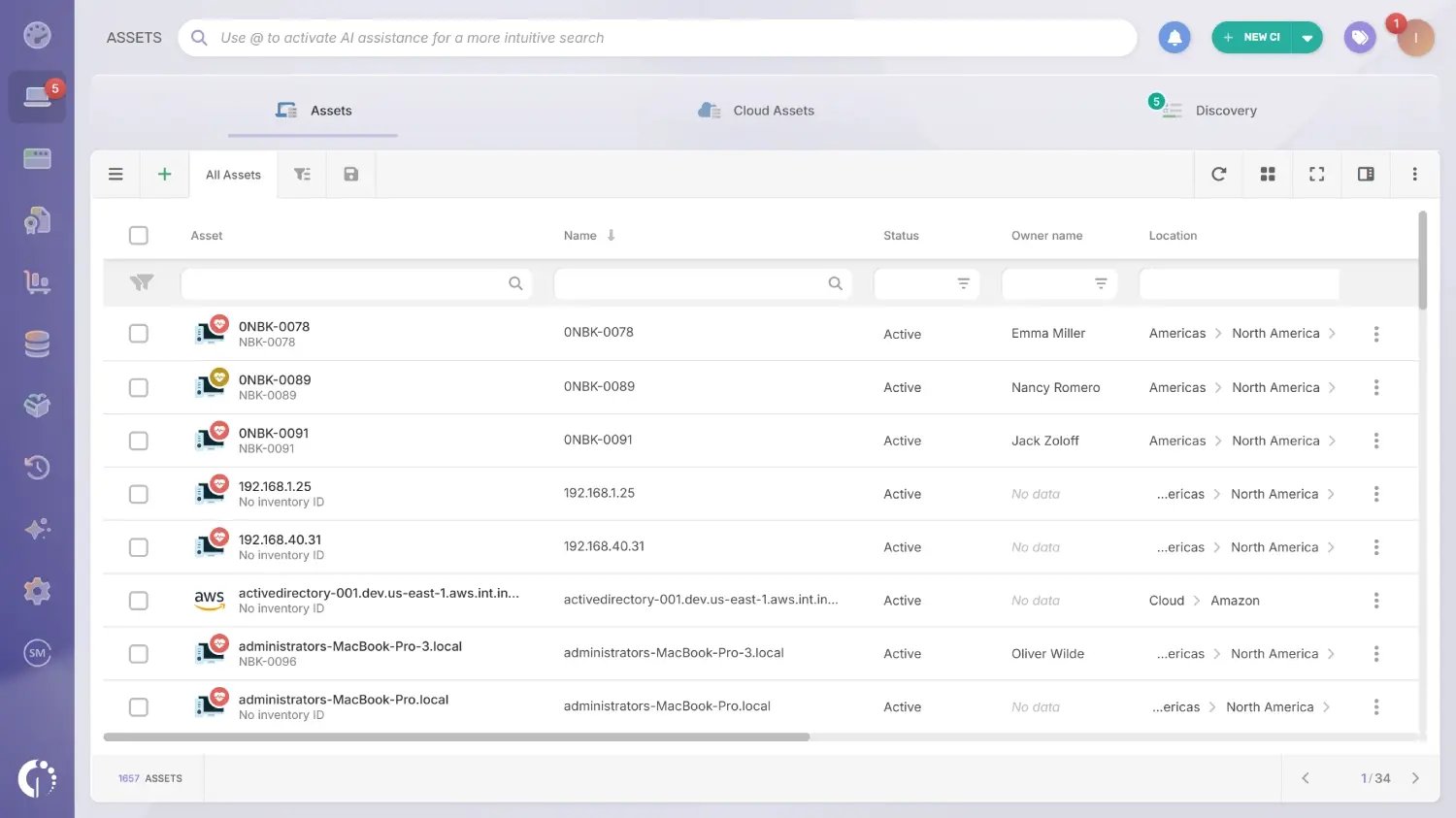
InvGate Asset Management offers multiple ways to populate the inventory: the InvGate Asset Management Agent, network discovery, integrations with platforms like Microsoft Intune, Jamf, AWS, and Azure, and manual import via CSV. All methods feed a single record, so hardware, software, and cloud resources live in the same place.
The inventory updates automatically as the environment changes. There is no manual refresh cycle, and no separate spreadsheet to maintain alongside the platform.
Every asset record includes general, financial, and operational data: acquisition cost, depreciation, warranty expiration, end-of-life date, location, and assigned owner. Teams can also define custom lifecycle stages for specific asset types.
This makes it possible to see not just where a device is today, but what it costs, when it expires, and what comes next.
For devices running the InvGate Asset Management Agent, the platform evaluates hardware conditions and surfaces a status indicator on each asset profile: Safe, Warning, or Critical. The indicator also shows which condition or conditions triggered the status.
Teams can configure Health rules to monitor things like average CPU, RAM, or disk usage, disk encryption status, pending reboots, and time since the last agent update.
The Agent detects installed software across all managed devices and pulls installation data, usage, and costs. That information is compared against active vendor contracts to surface inconsistencies, such as installations without a valid license or licenses that are unused.
The Authorization Policies module complements this by letting IT teams classify software as approved, under review, or prohibited. Unauthorized installations are flagged automatically, giving auditors a documented record of what was detected and when.
InvGate Asset Management generates QR codes for any asset in the inventory, whether IT or non-IT. Each code links directly to the asset's live record and can be printed individually or in bulk.
This is especially useful for devices that do not run an agent, such as monitors, peripherals, and networking equipment, where physical inspection is the only reliable way to verify presence and condition.

The platform includes native automations for common scenarios: stock minimum alerts, warranty expiration notifications, contract renewal reminders, and depreciation rule triggers. Teams can also build custom rules combining events, conditions, and actions for any process specific to their organization.
This keeps the team a step ahead of renewals and lifecycle transitions without anyone having to check a dashboard manually.
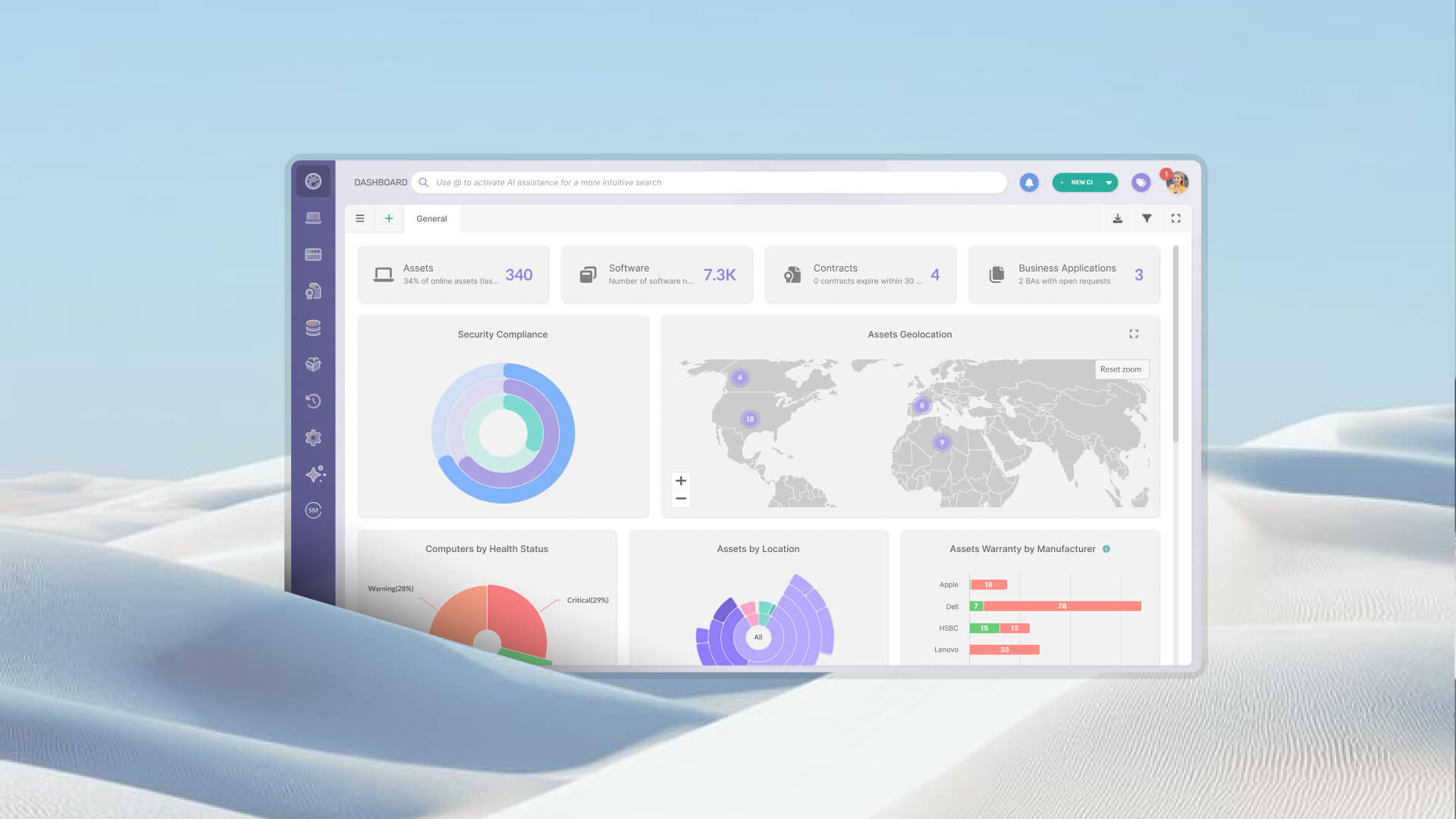
InvGate Asset Management supports automated reports with custom criteria that are sent to the right people on a regular schedule. Teams can also build dashboards with charts for a quick read on the state of the IT ecosystem.
For an IT internal audit, a dashboard can be configured specifically around the indicators the audit covers, so the data is always visible and ready, not assembled on demand.
Treat audits as a continuous process, not an annual event. Point-in-time audits capture a snapshot. Continuous asset monitoring, regular access reviews, and quarterly checks on high-risk domains keep the organization audit-ready and surface issues before they compound.
Even well-run IT teams run into the same recurring obstacles when audit time arrives. Recognizing them in advance is half the battle.
The audit report is the primary deliverable of the process. A well-structured report serves both as a management communication tool and as evidence of audit program maturity for external reviewers.
A complete IT internal audit report should include an executive summary with high-level findings and the most critical recommendations, written for stakeholders who will not read the full document. It should also cover scope and methodology, findings by domain with risk ratings, specific and actionable recommendations for each finding, responsible parties and remediation timelines, the status of prior audit findings, and an appendix with supporting evidence and data sources.
Reports should be shared with IT leadership, the compliance function, and where applicable, the audit committee or executive sponsor. Findings rated critical or high should have remediation timelines that are tracked, not just documented.
An IT internal audit is a structured review of an organization's IT systems, controls, assets, and processes, conducted internally to identify risks, verify compliance, and improve operational effectiveness before an external auditor or regulator steps in.
A complete IT internal audit covers hardware asset inventory, software and license compliance, access controls and user permissions, IT policies and documentation, change management controls, and vendor and contract management.
Most organizations run a comprehensive IT internal audit once a year, with focused reviews on high-risk areas every quarter. Regulated industries may require more frequent reviews to meet compliance schedules.
An internal audit is conducted by the organization's own team to improve controls and maintain readiness. An external audit is performed by regulators, vendors, or independent third parties, is typically mandatory, and focuses on proving compliance to outside stakeholders.
Preparation starts with maintaining a current, complete asset inventory, documenting IT policies and procedures, reviewing access controls, and tracking the remediation status of findings from prior audits. Teams that use asset management tools to maintain continuous visibility spend significantly less time in the evidence-gathering phase and arrive at audit time already prepared.

