













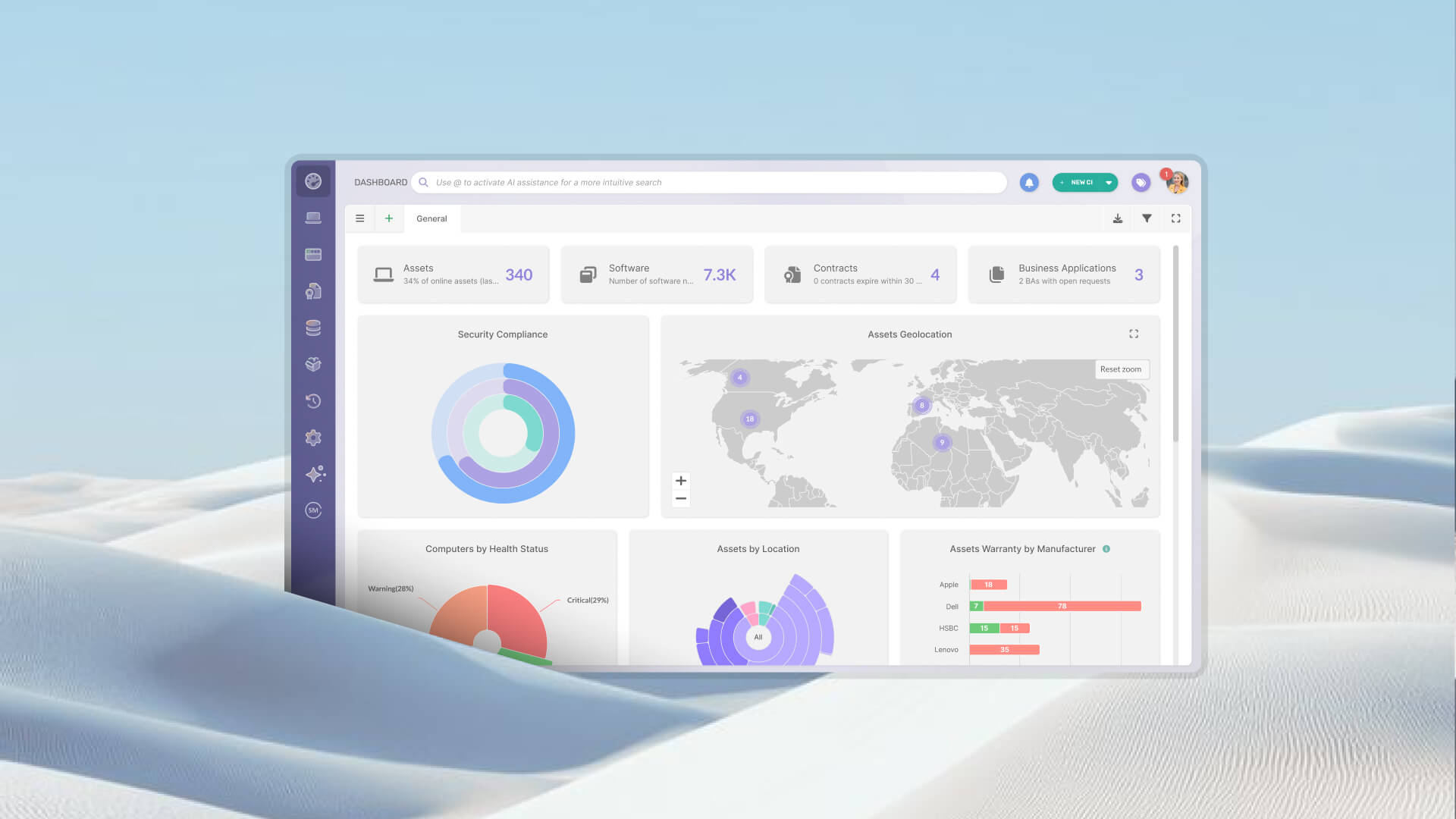

POS Hardware Asset Management is the practice of tracking point of sale (POS) devices as physical IT assets across their full lifecycle, not just as operational equipment that happens to be plugged in at a store. Most retail IT teams do not approach it that way, and the result is predictable: outdated records, manual audits, no visibility into warranty status, and reactive replacements.
This guide covers which devices to track, how to keep inventory accurate across multiple locations, and how to manage the full lifecycle from procurement to disposal.
POS devices (terminals, card readers, receipt printers, barcode scanners) are physical assets with real financial value, defined useful lives, warranty contracts, and compliance obligations. Managing them is not a retail operations function. It is an IT function.
More specifically, it falls under Hardware Asset Management (HAM), the IT Asset Management (ITAM) discipline focused on physical devices and their lifecycle. Understanding what HAM involves across the full device lifecycle clarifies why a dedicated approach matters: every stage from procurement to disposal creates data that, if captured, becomes the basis for better replacement planning, audit readiness, and cost control.
On the surface, a POS terminal looks like any other endpoint. In practice, managing it is meaningfully different from managing a laptop or a workstation in a corporate office. Three differences define the challenge.
Physical distribution. Office devices live on a corporate network, close to the IT team that manages them. POS devices live in stores, branches, or franchise locations, often across different cities, regions, or countries. Terminals can receive an agent and be discovered automatically, but many peripheral devices (receipt printers, cash drawers, card readers) have no operating system, no IP address, and no path for automated discovery. Those require physical identification methods to stay in the inventory.
Device complexity. A single POS station is not one asset. It is a cluster: a terminal or tablet running the POS software, a customer-facing display, a card reader (often a PCI-regulated device), a receipt printer, a barcode scanner, and a cash drawer. Each of those components can have a different model, a different serial number, a different warranty, and a different replacement timeline. Tracking the station as a unit hides that complexity. Tracking each component as an individual asset is more work upfront but eliminates surprises later.
High operational turnover. POS devices get moved between locations when a store is renovated or closed. They get sent out for repair and come back, or they do not. They get replaced by faster models on an irregular cycle. Every one of those events is an opportunity for the inventory record to diverge from reality. How asset tracking differs from inventory tracking is a useful distinction to keep in mind: the goal is not to count what you have today but to follow each device through every event in its lifetime.
Not every object in a store needs an asset record. The decision of what to track should be driven by three factors: financial value, operational criticality, and replacement frequency. Devices that score high on any one of those three criteria belong in the inventory.
These are the devices that directly support the transaction flow at a point of sale. Each one should be registered as an individual asset with its own record.
POS terminals and tablets. The primary computing unit at the checkout point, whether a fixed workstation or a tablet in a stand. Minimum data to capture: make, model, serial number, operating system, location (store and zone within the store), assigned user or station ID, purchase date, purchase cost, and warranty expiration.
Customer-facing displays and monitors. Often overlooked as non-critical peripherals, but operationally important and replaceable on a distinct cycle from the terminal itself.
Card readers and PIN pads. These are PCI-regulated devices. Tracking them matters for both operational and compliance reasons. Data to capture includes model, serial number, PCI certification status, installation date, and location.
Receipt and label printers. High-failure-rate devices with frequent consumable interactions. Track by model, serial number, location, and maintenance history.
Barcode scanners. Fixed or handheld, these are high-turnover items in busy retail environments. Track by model, serial number, location, and condition.
Cash drawers. Low-tech but operationally critical. Track by location and assigned terminal. Include serial number if available.
Contactless payment devices. Standalone tap readers or integrated payment terminals. Track similarly to card readers, with attention to certification and firmware status.
Beyond the core transaction hardware, several supporting devices also warrant tracking when they have operational or financial significance.
Network switches local to the store support all IP-connected POS devices. A switch failure takes down an entire store's payment capability. UPS units protect against power events that can corrupt transaction data. Queue management tablets or digital signage units have value and depreciation curves worth capturing.
InvGate Asset Management distinguishes between IP devices (network-connected assets like terminals, tablets, and switches) and non-IP devices (assets without a network address). Each IP device license includes an allowance for non-IP devices, which means peripherals like receipt printers, cash drawers, and card readers can be registered and tracked in the same platform without requiring separate agent installation or network connectivity.
Building an initial inventory is a one-time effort. Keeping it accurate over months and years of store operations is the real challenge. Every device move, repair, temporary loan, or end-of-life event is an opportunity for a gap to open between what the system says and what actually exists in each location. In a distributed POS environment, those gaps compound quietly until they surface at the worst moment, usually during an audit or a rushed replacement decision.
For POS hardware, physical audits are the primary mechanism for reconciling the system of record against reality. Unlike office environments where agents and network scans catch most discrepancies, distributed retail environments with many non-IP devices require someone to physically verify what is in each location.
A practical audit cadence for most retail environments: quarterly per-store spot checks for high-turnover locations, semi-annual full reconciliation for stable locations, and an annual complete audit across the estate. Higher-risk categories, such as PCI devices and high-value terminals, warrant more frequent verification.
The reconciliation process has two directions:
First, compare what the system shows as active at a given location against what is physically present. Devices in the system that cannot be found are ghost assets: they inflate the inventory count, distort financial records, and create compliance exposure if they include PCI-regulated hardware.
Second, identify devices present in the store that have no record in the system, typically devices deployed informally or transferred without notification.
Discrepancy handling should follow a defined process: ghost assets get flagged for investigation before retirement, unregistered devices get created immediately in the system with whatever data is available, and both categories get documented for pattern analysis. The process for running a physical IT asset audit covers this reconciliation workflow in detail.
The right tracking method depends on the type of device: terminals with a supported operating system, IP-connected devices without agent support, and peripherals without a network address each require a different approach.
Agent-based discovery. For terminals and tablets running Windows or Android, an installed agent handles discovery and data collection automatically. It captures hardware specifications, installed software, and device status without requiring manual input, and keeps the record current as the device changes over time.
Network discovery. For IP-connected POS devices that cannot receive an agent, network discovery scans the local network and registers devices automatically based on their network presence. It captures basic identification data like IP address, hostname, and device type, making it a practical option for terminals and switches that are reachable on the network but do not support agent installation.
QR codes. The lowest-cost and most flexible option for peripherals. A QR code tag attached to a device links directly to its asset record. Any staff member with a smartphone can scan the code to pull up the record, confirm the location, update the status, or log a maintenance event. The full workflow from tag generation to field scanning is covered in this guide on QR codes for Asset Management.
Barcodes. A simpler alternative for environments that already have dedicated barcode scanners at the store level. Lower data density than QR codes, but entirely adequate for linking a device to its record.
RFID. Suited to high-volume environments where bulk scanning during a store audit is operationally valuable. The implementation cost is higher, which makes RFID a better fit for large retail estates with dedicated asset management teams than for smaller deployments.
Manual registration. For environments not yet ready to implement tagging, a defined process for manual registration at the time of installation, transfer, or repair is better than no process. It creates the habit and the data structure, even if it depends on staff discipline to execute consistently.
Most organizations combine methods based on device type: agent or network discovery for devices on the network, physical methods for peripherals. The goal is full coverage across the estate, not uniformity.
InvGate Asset Management supports all of these methods from a single platform. For terminals running Windows or Android, the agent handles discovery and data collection automatically. For other IP-connected devices, network discovery registers them based on their network presence. For peripherals without a network address, the platform generates QR codes that can be printed at deployment and scanned from the mobile app to update records in the field. Ready to see how it works for your POS environment? Talk to our sales team."
POS devices follow the same lifecycle arc as any other hardware IT asset: procurement, deployment, operation and maintenance, and retirement. What makes the POS context different is the scale of distribution, the frequency of maintenance events, and the compliance considerations at the disposal stage. The full hardware lifecycle stages from procurement to disposal provide the broader framework. The sections below apply it specifically to POS environments.
The lifecycle record for a POS device should begin before the device arrives at the store. At the point of purchase, capture: make and model, serial number, unit cost, vendor, warranty terms and expiration date, and purchase order reference. This data is easiest to obtain from the vendor invoice or packing documentation, and it becomes significantly harder to reconstruct after deployment.
At deployment, the record gets its first location assignment: which store, which zone, which station. If the device is assigned to a specific user or shift role, that association goes in as well. For terminals running Windows or Android, installing the agent at this stage means the device registers automatically and keeps its record updated without further manual input. For peripherals, bulk import via CSV allows teams to pre-populate hundreds of asset records before physical deployment, reducing the work at the store level to scanning a QR tag and confirming the location.
Spare stock, meaning devices held in reserve at a warehouse or regional hub for rapid deployment when a store unit fails, should also be registered. Each spare gets a record with status set to "in stock" and location set to the storage facility. When a spare ships to a store, the transfer updates both the outgoing record (new location, new status) and triggers retirement of the failed unit it replaces.
POS devices in active use generate maintenance events: failures, cleanings, firmware updates, peripheral replacements, and scheduled inspections. Logging those events against the asset record serves two purposes. Operationally, it gives the team a complete history of what has happened to each device. Financially, it allows cost accumulation, meaning the sum of all repair expenses for a given asset, to inform replacement decisions.
The replacement threshold question is straightforward in principle: when accumulated repair costs for a device exceed a defined percentage of its replacement cost, retirement becomes the more economical choice. In practice, this calculation only works if repair costs are being logged consistently. Without a per-device maintenance history, the decision defaults to intuition or to waiting until the device fails catastrophically.
Warranty tracking is a related priority. A device under active warranty gets repaired by the vendor at no cost. A device whose warranty expired years ago generates full-cost repair invoices. Knowing which devices are still under warranty at any given time directly affects the financial logic of maintenance decisions. Making end-of-life hardware decisions covers the criteria and process for those calls.
Retirement is a two-step process: the physical action of removing the device from service, and the administrative action of updating the record to reflect that removal. Both steps need to happen for the inventory to stay accurate. Devices that have been physically removed but remain active in the system are ghost assets: they inflate the count, create false compliance indicators, and persist in reports long after the hardware is gone.
When a POS device reaches end of life, the record update should capture the retirement date, the reason (failure, end-of-life status, upgrade cycle, damage), and the disposal method. Disposal options for POS hardware generally fall into three categories: certified e-waste recycling for devices at end of useful life, resale or trade-in programs for devices that still have market value, and internal redistribution for devices that remain functional and can serve lower-demand locations.
The disposal process for POS hardware carries a specific security consideration: POS terminals and card readers have processed payment data. Before any disposal, these devices require a documented data wipe procedure to satisfy PCI compliance obligations. Skipping it creates regulatory exposure that extends well beyond the value of the hardware being retired.
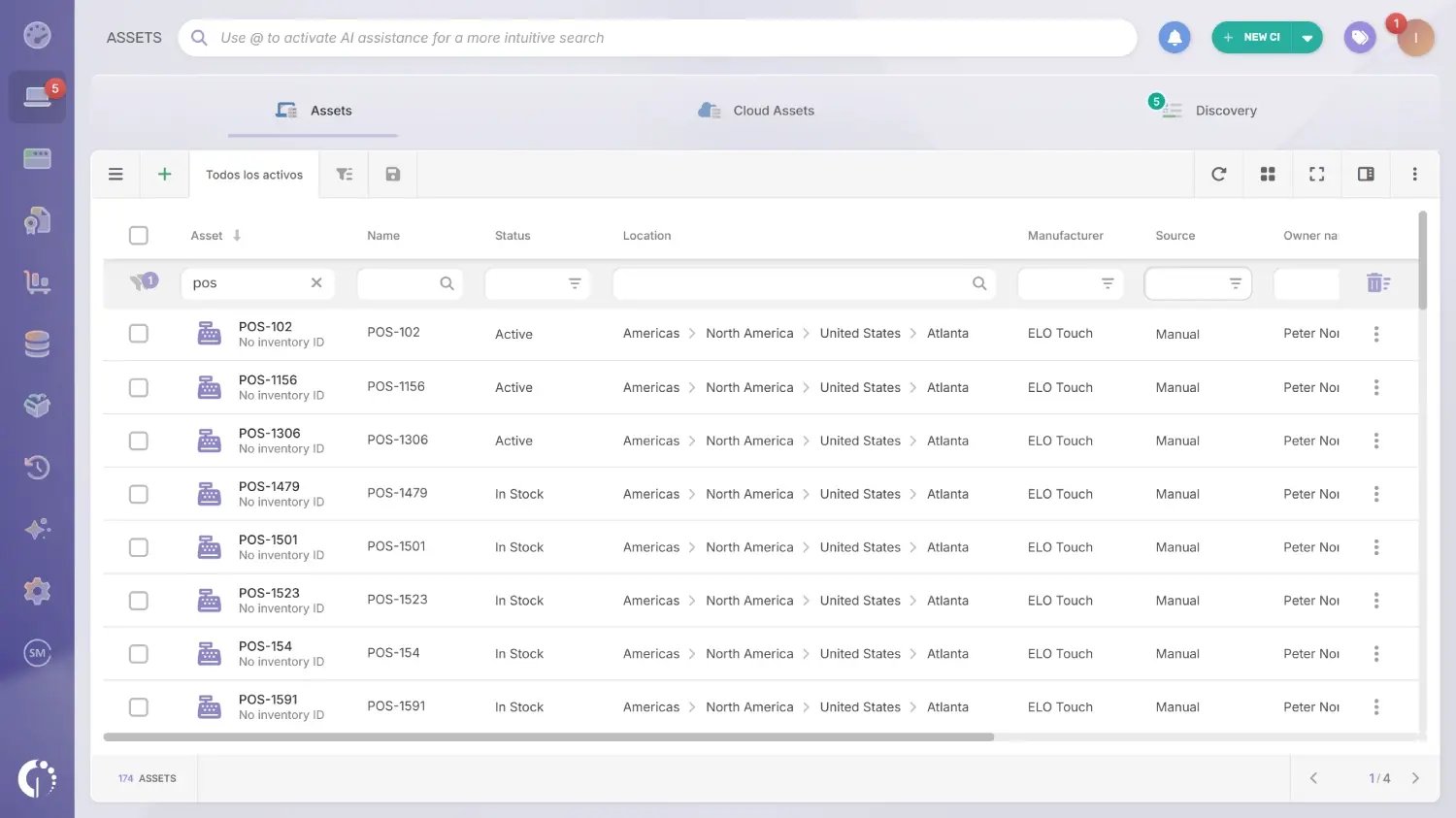
Managing POS hardware across multiple locations requires more than a spreadsheet or a generic IT inventory tool. InvGate Asset Management is built for the full hardware lifecycle, which means it handles both the distributed nature of POS environments and the operational complexity that comes with them.
The first challenge in any POS environment is knowing what you have and where it is. InvGate Asset Management keeps a single system of record for all devices, regardless of type or location, and supports multiple discovery methods depending on what each device can support.
Once registered, any asset in the platform, regardless of how it was discovered, can be assigned a QR code. Tags can be printed and scanned from the mobile app to update location, status, or ownership directly from the store floor. Each IP device license includes coverage for non-IP devices, so receipt printers, cash drawers, and card readers are tracked in the same platform without requiring separate tooling.
Once the inventory is in place, InvGate Asset Management automates the decisions that would otherwise require manual follow-up at every stage of the device lifecycle.
Procurement and deployment. Asset records are created at the point of purchase, capturing vendor details, unit cost, warranty terms, and purchase order reference. For multi-store rollouts, bulk creation via CSV allows teams to pre-populate hundreds of records before devices ship, so deployment at the store level is reduced to scanning a tag and confirming the location. Spare stock held at a warehouse or regional hub is registered with its own status and location, ready to be transferred when a store unit fails.
Maintenance and warranty tracking. Every maintenance event is logged against the device record, building a cost history that informs replacement decisions. Maintenance alerts recalculate automatically based on the last service date and the configured interval, so no device falls through the cracks between scheduled visits. Warranty expiration alerts flag devices before coverage lapses, which affects whether repair costs are covered by the vendor or absorbed internally.
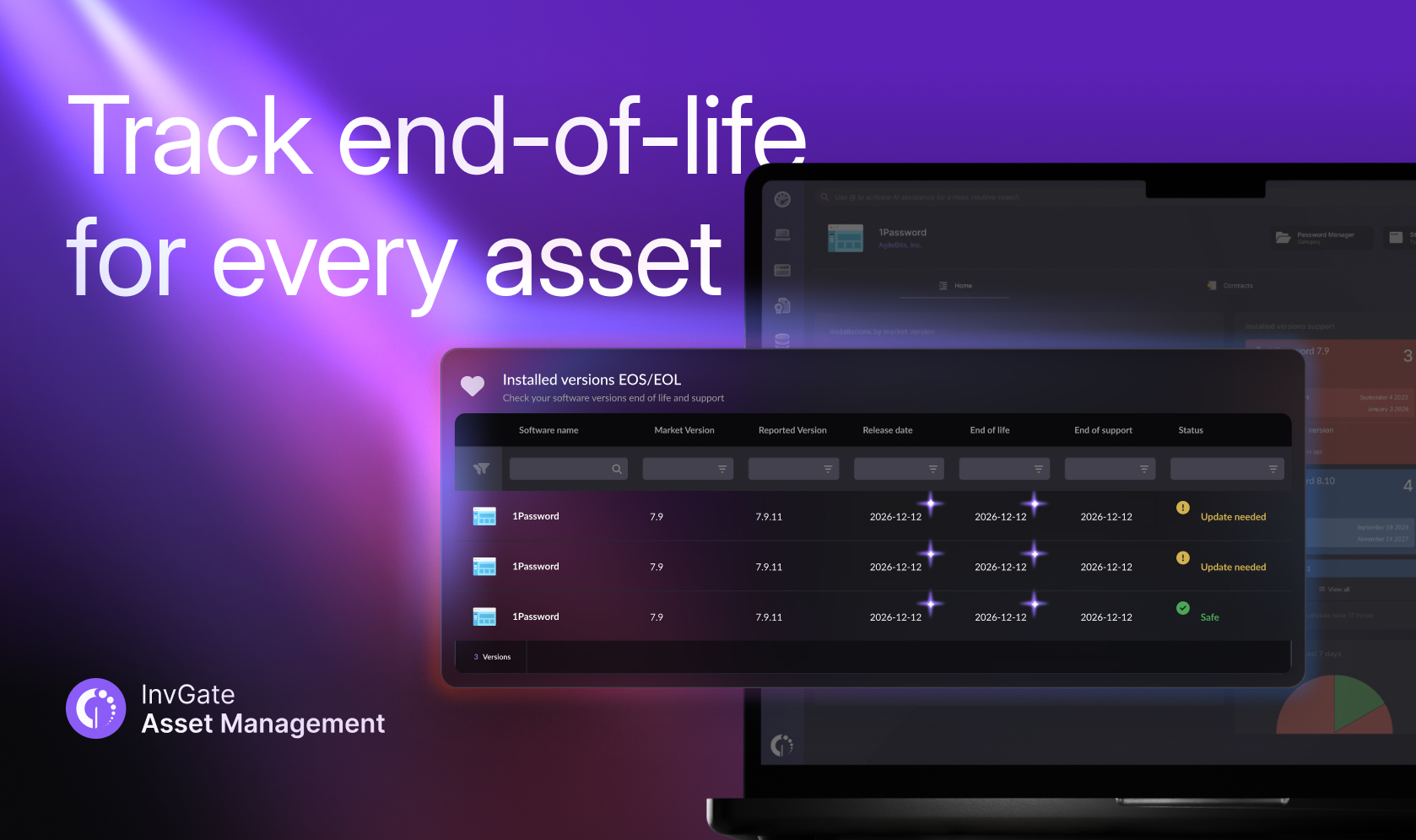
End-of-life forecasting and decommissioning. InvGate Asset Management identifies devices approaching end of life and surfaces AI-powered recommendations before obsolescence becomes a problem. When a device reaches retirement, bulk decommissioning allows teams to retire entire cohorts at once, for example all units running a specific firmware version, and trigger procurement alerts for replacements automatically.
Operational control is only part of the picture. Finance and compliance teams need evidence, not just visibility.
InvGate Asset Management maintains a complete audit trail for every device: every assignment, transfer, maintenance event, and status change is recorded with a timestamp. Automatic depreciation calculations feed directly into financial reporting without requiring manual exports. Scheduled reports on compliance, maintenance costs, and vendor performance are generated and distributed on a configured cadence, so stakeholders receive the data they need without requesting it.
The Policy Center adds a governance layer on top of the inventory. Teams can define policies, track violations, and remediate risks using out-of-the-box plans. For environments with PCI-regulated hardware like card readers and PIN pads, this provides the documented evidence trail that compliance audits require.
Ready to see how it works for your POS environment? Schedule a call with our sales team.
POS Hardware Asset Management is the practice of tracking and managing point of sale devices as physical IT assets throughout their lifecycle, from procurement and deployment to maintenance and disposal. It covers all POS hardware across multiple locations and ensures inventory records stay accurate over time.
Core POS devices to track include terminals, monitors, card readers, receipt printers, barcode scanners, and cash drawers. Supporting devices like network switches and UPS units should also be registered when they have operational or financial significance.
The approach depends on the device type. Terminals running Windows or Android can be tracked automatically via an installed agent. Other IP-connected devices are registered through network discovery. For peripherals without a network address, physical methods like QR codes or barcodes link each device to its record in a centralized platform, which is updated after every move, repair, or replacement.
POS inventory management typically refers to tracking products and stock levels for sale. POS Asset Management focuses on the hardware devices themselves, tracking their location, condition, lifecycle stage, and associated costs as IT assets.
A POS device should be considered for retirement when accumulated repair costs exceed a defined threshold relative to its replacement cost, when its warranty has expired and the vendor has announced end-of-life status, or when it no longer meets current security or compliance requirements.

