













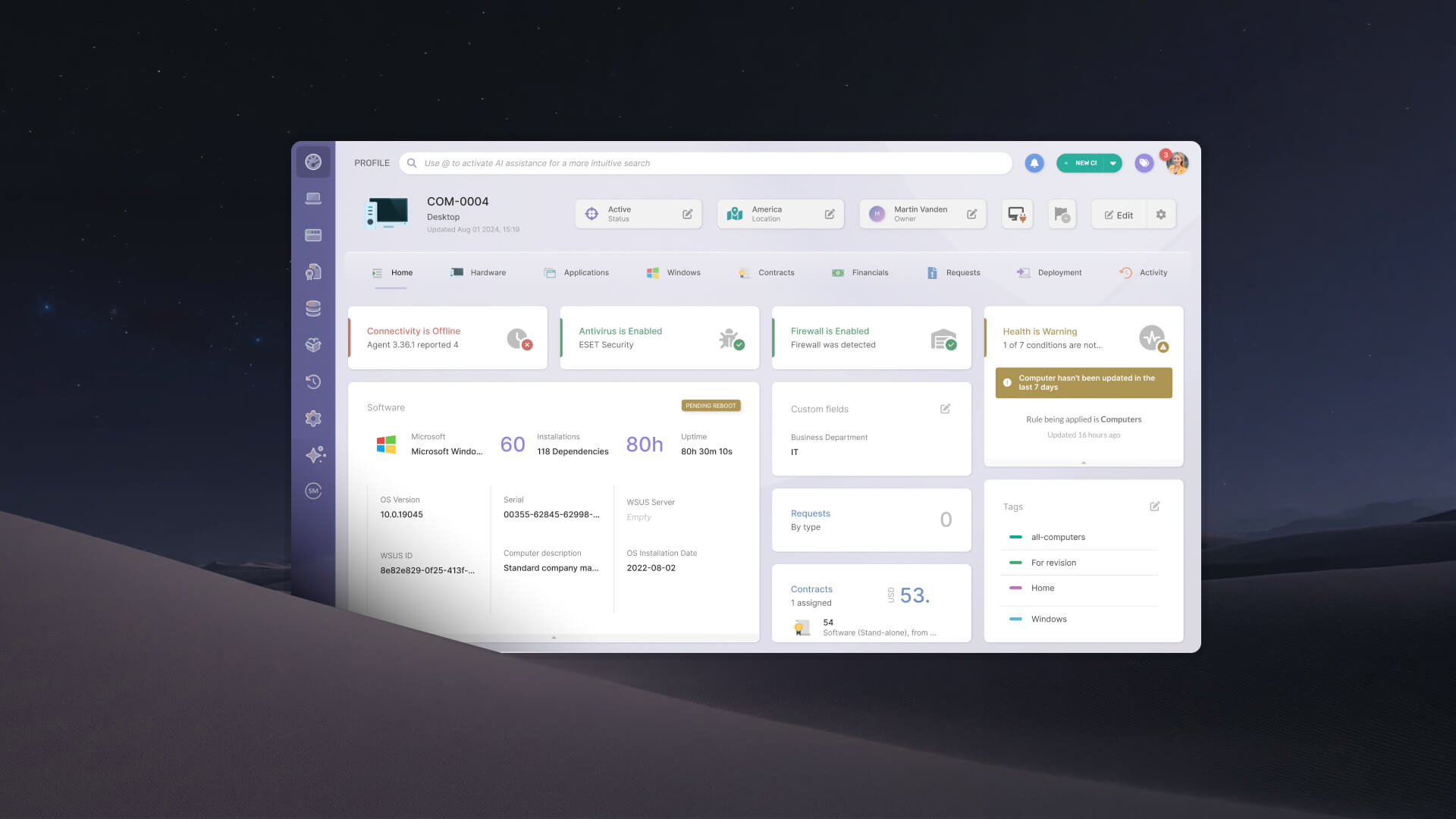

IT Asset Management (ITAM) for remote employees is not a new discipline. It is the same practice applied to a context where most of the standard assumptions no longer hold. Devices leave the building. Employees work from home, from other cities, from other countries. The inventory methods that worked in the office stop working the moment a laptop disconnects from the corporate network.
This article covers the core challenges of ITAM for remote employees, the discovery methods that actually work in distributed environments, and how InvGate Asset Management addresses each one, from hardware tracking to software compliance and remote support.
Traditional IT Asset Management was built on a simple assumption: the devices you need to manage are in the building, or at least on the network. Inventory scans run against an IP range. That architecture does not survive contact with a distributed workforce.
When an employee works from home, the device disappears from the network view the moment it disconnects from the Virtual Private Network (VPN). The inventory stalls. The data ages. The blind spot grows.
Three specific problems follow:
The root cause across all three is the same: a discovery method built for physical proximity, applied to a workforce that has none. The difference between agent-based and agentless asset discovery is the starting point for solving it.
ITAM for remote employees is not a separate discipline. It is IT Asset Management applied to a context where the standard assumptions about network visibility and physical access no longer hold. In practice, it covers three areas.
Together, these areas create the operational foundation required to support remote work securely and at scale. Without centralized visibility into hardware, software, and ownership, IT teams quickly lose control over distributed environments.
The visibility problem in distributed ITAM is not just inconvenient. It has direct operational and compliance consequences.
Traditional network discovery methods are fundamentally network-dependent. They work well when devices are consistently connected to a managed network. They fail, silently and progressively, as more devices move off that network.
Consider scenarios that are now standard in any hybrid organization:
The operational consequences are predictable: inventory records that do not reflect reality, compliance reports that cannot be trusted, and audit responses that require scrambling to reconstruct data that should have been continuous.
Company-issued and personal devices used for work create fundamentally different remote Asset Management problems. A corporate device carries an agent from day one, enters the inventory before it reaches the employee, and stays under IT governance throughout its lifecycle. A personal device sits entirely outside that model: no agent, no software compliance enforcement, no reclamation at offboarding.
Handling BYOD (Bring Your Own Device) in an ITAM context starts with classification. The inventory needs a clear record of which devices are corporate-issued, which are personal, and what compliance requirements apply to each. Without that distinction, every report and every audit conflates two categories that carry very different levels of organizational control.
Remote work that crosses borders adds complexity that the visibility problem alone doesn't capture. GDPR in the EU, LGPD in Brazil, and equivalent frameworks elsewhere place specific constraints on what an ITAM agent can collect from employee endpoints. A configuration appropriate for a US-based device may not be compliant for the same agent running on a device in Frankfurt or São Paulo.
Beyond compliance, international Remote Asset Management involves cross-border shipping timelines, customs requirements that affect asset registration dates, and data residency rules that determine where device data can be stored. A platform that supports location hierarchy by country and role-based access controls lets IT apply different policies per jurisdiction from a single system.
In InvGate Asset Management, access to locations can be scoped by role to an entire branch of that hierarchy, such as every location under Germany, and that access extends automatically as new sub-locations are added.
The three problems described above map directly to capabilities in InvGate Asset Management. Here is how each one works in practice.
The InvGate Asset Management Agent is a lightweight piece of software installed directly on each endpoint. Unlike network-based discovery methods, the Agent continuously collects hardware, software, and device health data even when the device is outside the corporate network. In practice, this means visibility follows the device, not the connection.
For remote employees, this is critical. A laptop connected to home Wi-Fi with no VPN can still report inventory data back to InvGate Asset Management as long as the Agent is installed and the device is online.
The Agent helps IT teams maintain visibility into:
The Agent supports Windows, macOS, Linux, and Android devices, and can be deployed manually or through methods such as Microsoft Intune, Group Policy Object (GPO), System Center Configuration Manager (SCCM), or Remote via Proxy.
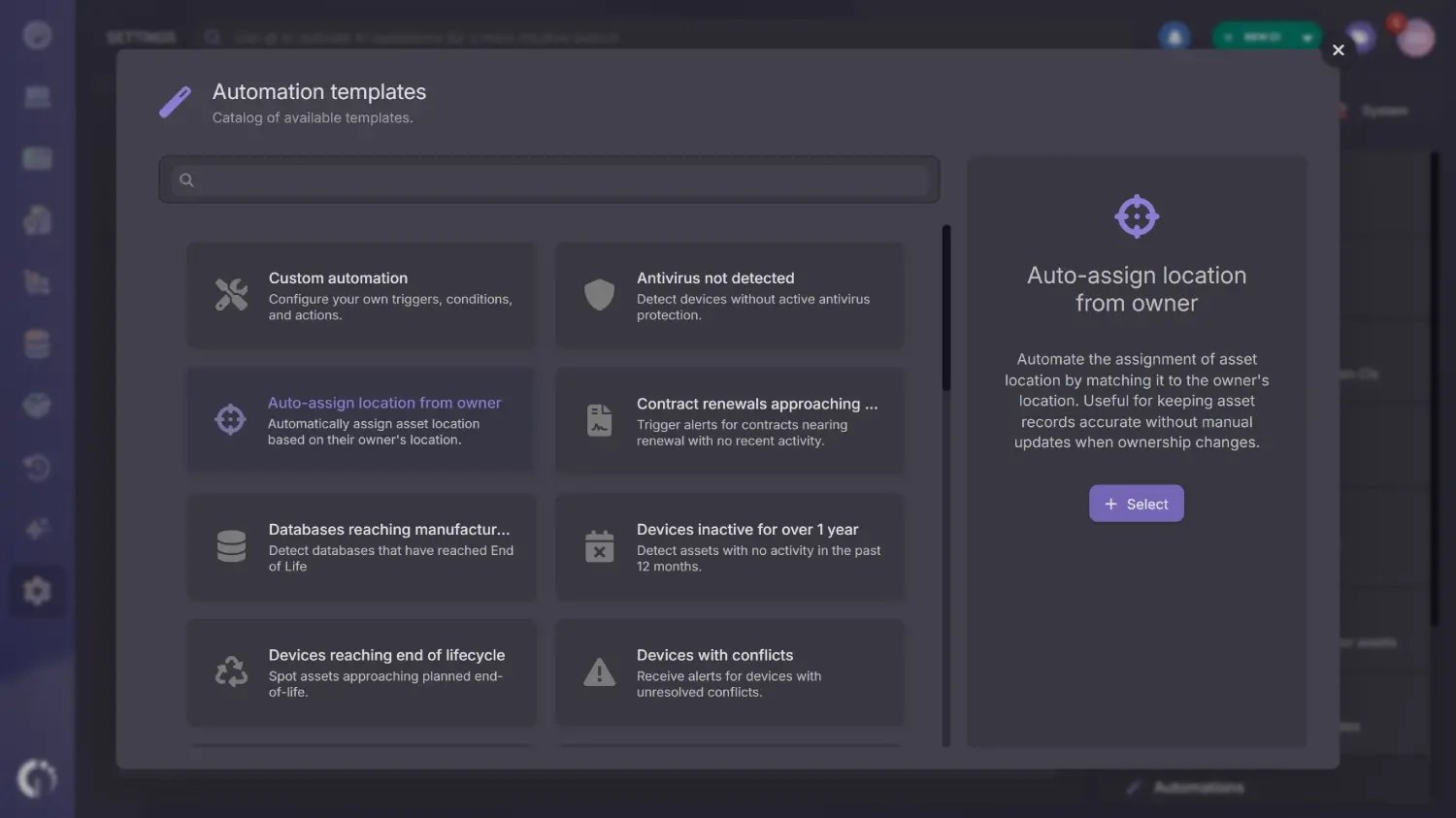 Location is usually the first field to go stale on a remote device, because it stays set to wherever the asset was first registered. The auto-assign location from owner template, available in the automation templates catalog, sets each asset's location to match its owner's location whenever the asset is created or its owner changes.
It works best when locations are managed at the user level, comes preconfigured and editable before saving, and is available on the Professional and Enterprise plans.
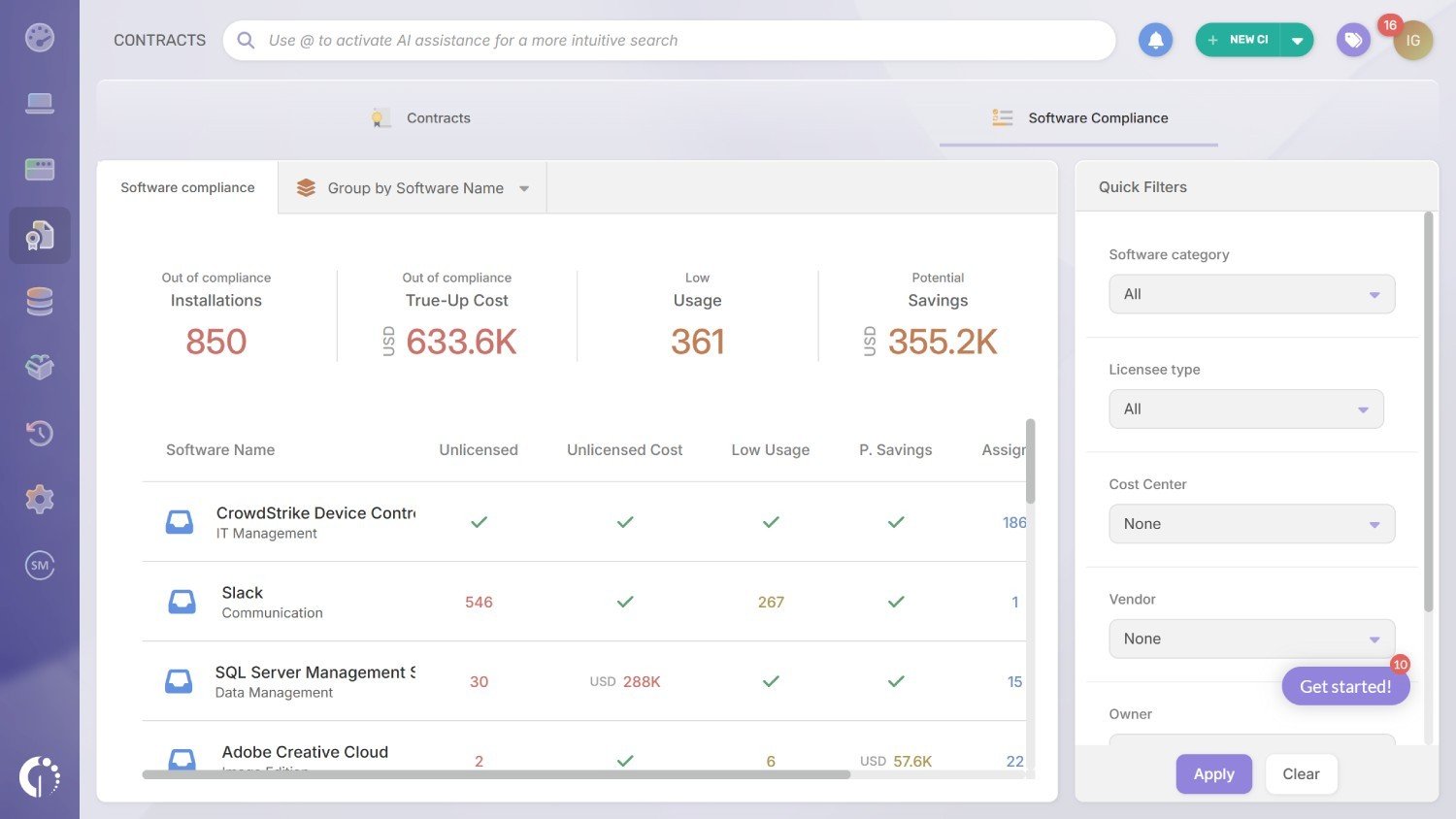
The Agent solves the visibility problem. The InvGate Asset Management Software Compliance module solves the compliance problem.
For remote environments, Software License Management depends on two things working together: knowing what is installed on each device and knowing what the organization is licensed to use. InvGate Asset Management connects both automatically by cross-referencing software inventory data collected from endpoints against the contracts registered in the platform.
This gives IT teams visibility into:
In addition, InvGate Asset Management helps organizations enforce software governance policies across remote endpoints. With Authorization Policies, IT teams can define which applications are approved, under review, or explicitly banned inside the environment. This provides visibility into shadow IT while also creating a clear framework for controlling what remote employees are allowed to install and use across distributed devices.
The platform also includes Software Deployment capabilities that allow IT teams to remotely install or uninstall software on endpoints without requiring physical access to the device. Combined with automation workflows, this enables organizations to respond automatically to specific conditions.
For example, when unauthorized software is detected on a remote endpoint, InvGate Asset Management can automatically trigger actions such as flagging the installation, sending notifications, or uninstalling the application remotely
Visibility into what is on a device is necessary. The ability to act on it without physical access is what makes that visibility operational.
InvGate Asset Management integrates directly with multiple remote desktop tools, including TeamViewer, Windows Remote Desktop, AnyDesk, Splashtop, RealVNC, TightVNC, and UltraVNC. These integrations are accessible directly from the asset profile, allowing IT teams to launch remote sessions from the same view where they manage the device’s hardware inventory, installed software, health status, and lifecycle information.
The workflow is simple: navigate to the asset in InvGate Asset Management, find the device record, and click the remote connection icon in the top-right corner of the asset profile. The platform surfaces the remote tools installed on that device and launches the connection directly. No switching applications, no separate asset lookup.
To enable the integration, go to Settings > Integrations > Remote Desktop, select the preferred tool, and save. The integration requires the Agent to be installed on the target device. All five supported tools offer unattended access, meaning IT teams can connect to a device without the end user having to confirm the session. This is particularly relevant for maintenance tasks, health checks, and compliance remediation on remote endpoints.
When there is no physical handoff, the onboarding and offboarding process depends entirely on having accurate, complete asset records before the employee arrives and after they leave.
The ITAM side of remote onboarding starts before the employee's first day. When a device is purchased or prepared for a new remote hire, it gets registered in InvGate Asset Management immediately. The record captures the model, serial number, specs, warranty dates, and other key details.
Once the Agent is installed on the device the platform begins collecting live data. IT teams can verify the device's configuration state before it reaches the employee:
Software licenses for applications the new employee needs are allocated through the Software Compliance module, tied to the device and to the user. Health Rules can generate automatic alerts if the device reaches the employee in a state that does not meet the organization's security baseline.
You can build a complete employee onboarding workflow without custom integrations with InvGate in just a few steps.
Remote offboarding is where ITAM gaps cause the most damage, so the asset profile in InvGate Asset Management keeps the full picture: the hardware assigned, every license tied to that device and user, and the history of changes since provisioning. When HR shares a list of departing employees, pasting their employee IDs into the asset search with the "is in list" operator returns every assigned device at once. From there, the Software Compliance module lets IT reclaim, reassign, or flag each license for cancellation.
Each return is logged as a lifecycle event in the device's chain of custody, with ownership, location, and status changes timestamped across its hardware lifecycle. When the device goes out to a new employee, the auto-assign location from owner template updates its location to match, which keeps audit and loss prevention records accurate. On the access side, an offboarding workflow in InvGate disables access across systems automatically.
The following practices apply to organizations managing IT assets across remote or hybrid teams. Each one is concrete and maps to a specific capability in InvGate Asset Management.
ITAM for remote employees is the practice of managing IT assets, including hardware, software, and the access context tied to both, for a workforce that operates outside the corporate network. Unlike traditional on-premise ITAM, which relies on network scans and physical proximity, ITAM for remote environments requires agent-based tracking and a compliance layer that works without the device ever connecting to the corporate network.
The most reliable method is agent-based discovery. An agent installed on each endpoint continuously collects hardware and software data and reports it back to the ITAM platform, regardless of which network the device is on. In InvGate Asset Management, the Agent runs on Windows, macOS, Linux, and mobile endpoints and updates each asset record automatically.
Three challenges consistently surface: hardware visibility for devices that are off the corporate network, software license compliance without physical access to endpoints, and asset recovery during offboarding when IT lacks a current record of what the employee has.
In onboarding, ITAM provides the foundation for provisioning: the device is registered before it ships, the custodian is assigned, and software licenses are allocated based on the employee's role. In offboarding, the asset record surfaces everything assigned to the departing employee so that reclamation can happen without manual reconstruction. InvGate Asset Management maintains a chain of custody log for each device throughout its lifecycle.
Not a separate one, but you do need an ITAM platform with agent-based discovery capabilities. Tools that rely exclusively on network scanning lose visibility the moment a device leaves the office network. InvGate Asset Management covers hardware tracking, software compliance, and remote desktop access in a single platform, without requiring separate tools for each function.

