














In manufacturing environments, keeping accurate records of physical assets is harder than it sounds. Equipment moves between shifts, changes hands without notice, and ends up somewhere different from where it was last logged.
QR code asset tracking for manufacturing solves that problem with a lightweight, low-cost method. Each asset gets a printed label. Any team member with a smartphone can scan it, pull up the full asset profile, and update information on the spot.
This guide explains how to implement that system using InvGate Asset Management as the IT Asset Management (ITAM) platform to manage asset records, generate codes, and keep the database current over time.
Most IT asset tracking relies on agent or network discovery. That works for laptops, desktops, and servers. It does not work for a drill press, a torque wrench, a quality control station, or an industrial UPS on the production floor.
Those assets have no agent, no IP address, and no way to report their own location or status. Add the operational realities of a plant environment such as assets shared across shifts, moved between production lines, and used by multiple teams and asset location tracking becomes a persistent pain point.
Without a reliable identification system, the default is spreadsheets, memory, or nothing at all. QR codes fill that gap because they require no connectivity, no specialized hardware, and no changes to the asset itself.
QR code asset tracking assigns a unique, machine-readable code to each physical asset and links it to a digital record. When someone scans the code from the mobile app, they see the full asset profile: location, owner, maintenance history, lifecycle status, and any other data the team has configured. That record can also be updated at the moment of the scan, including status, owner, location, tags, and custom fields, from anywhere on the floor.
In manufacturing, this applies to a wide range of asset types: production machinery, hand tools, power tools, measurement instruments, workstations on the production line, and safety equipment. It also covers infrastructure assets like switches and UPS units installed in plant areas.
The distinction worth drawing is from barcodes and RFID (Radio Frequency Identification). Barcodes hold limited data and require a dedicated reader. RFID offers passive scanning but involves significant hardware investment. QR codes land in the middle: they hold rich data, work with any smartphone camera, and cost almost nothing per tag. For teams that want to start tracking physical assets without a major capital outlay, QR codes are the practical entry point.
For an IT team or asset manager in a manufacturing environment, implementation is less about technology and more about building a consistent workflow: what gets tagged, who scans it, and what happens to the data.
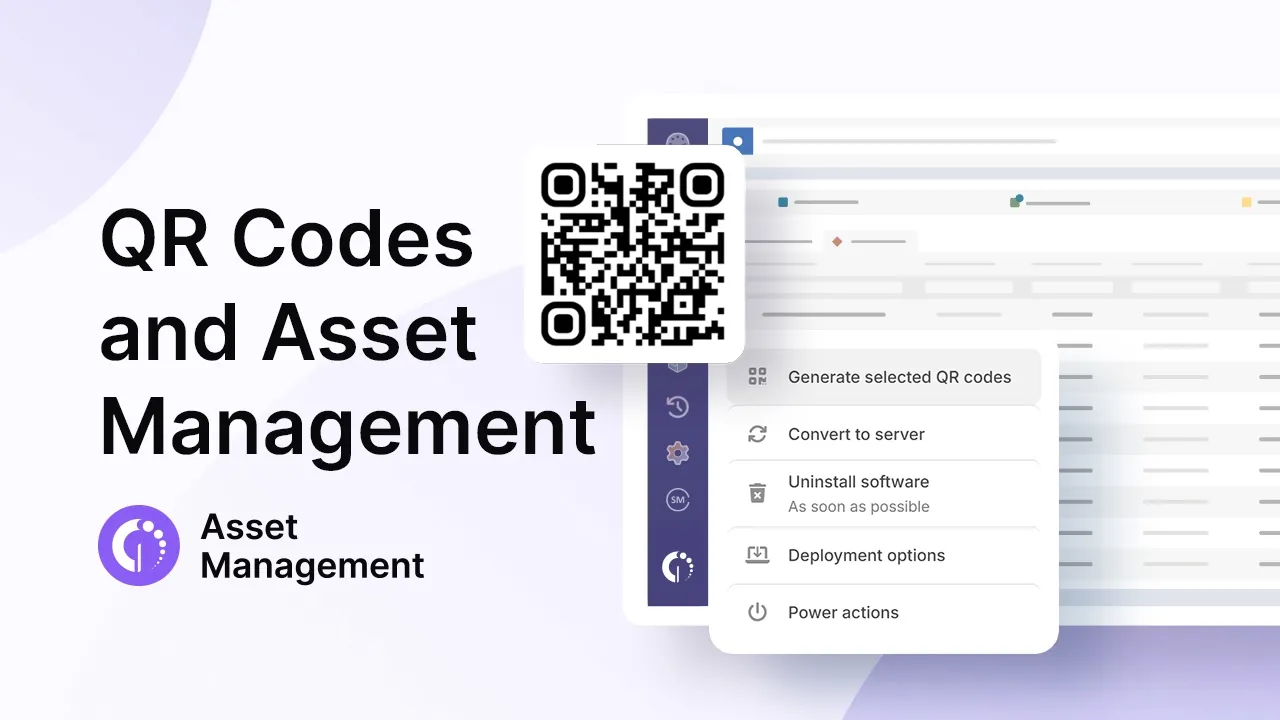
InvGate Asset Management supports the full cycle natively, including QR code generation, a mobile app for floor scanning, and a centralized asset database that covers both IT and non-IT assets in a single inventory.
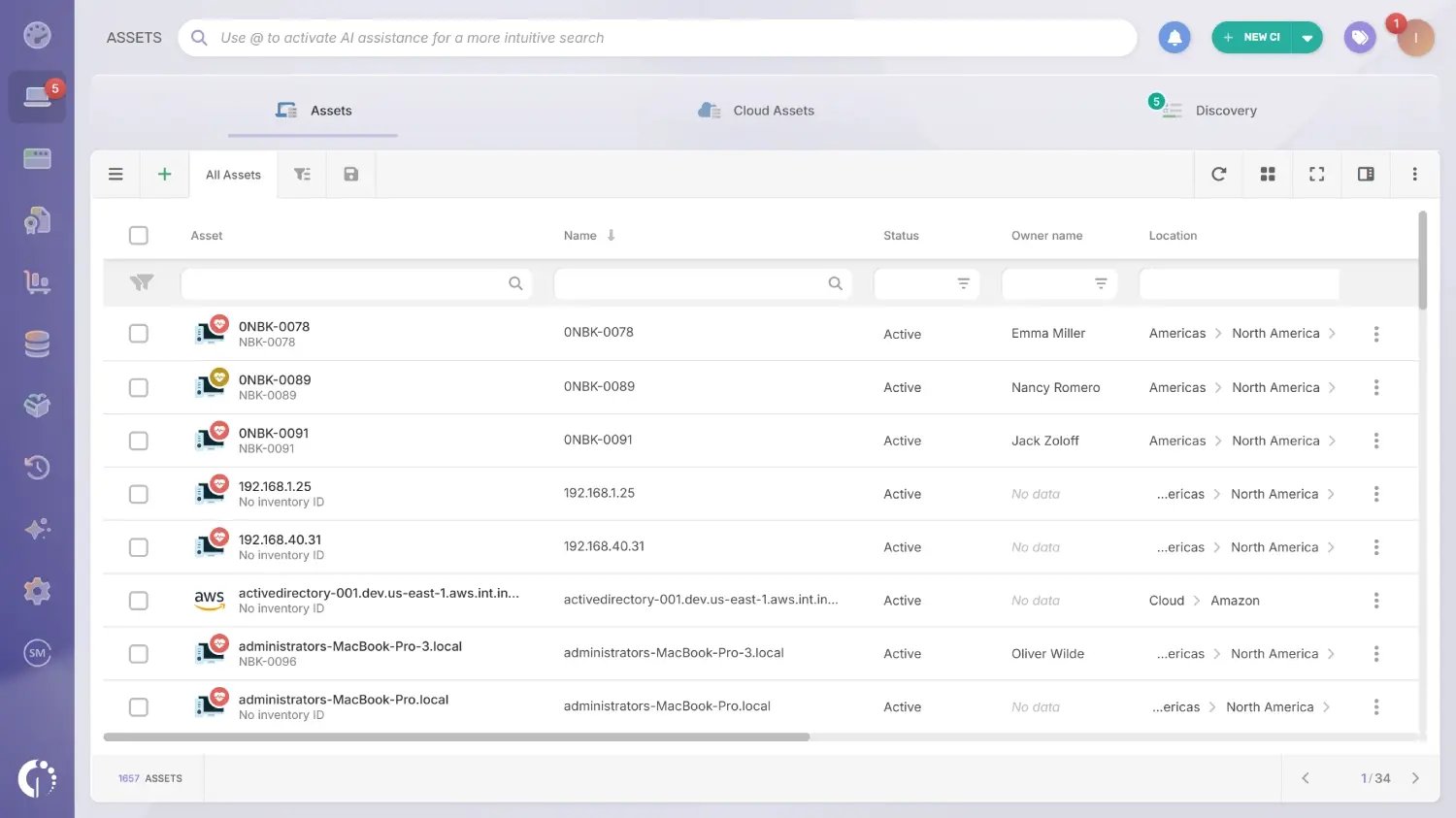
Before printing a single label, the team needs a complete list of what will be tracked. This means registering every physical asset in InvGate Asset Management: production machinery, hand tools, workstations, shared equipment, and any infrastructure assets on the floor.
IT-connected assets can be discovered automatically through network scanning. Teams can also install the InvGate Asset Management Agent on each endpoint they want to track. Non-IT assets such as machinery, tools, and equipment without network connectivity are added manually or via CSV import, field by field or in bulk.
This step is worth doing carefully. A QR code is only as useful as the record it points to. If the underlying asset data is incomplete at the start, the system will require more maintenance over time.
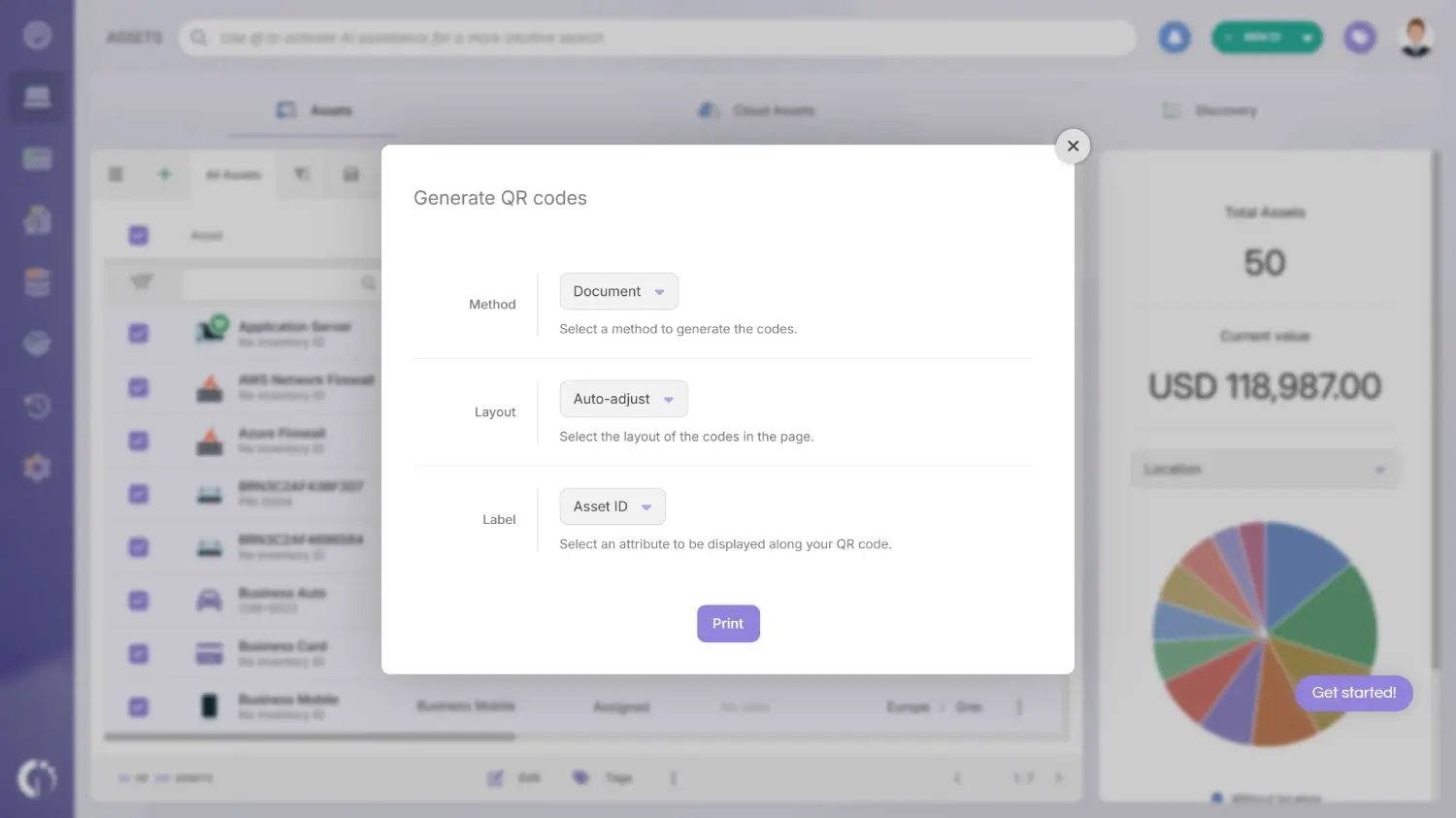
Once assets are registered, InvGate Asset Management generates a QR code for each one. Codes can be produced individually or in bulk, then exported for printing. Each code is unique to its asset record, so scanning it always returns the right profile.
For manufacturing environments, the choice of label material matters. Standard paper labels will not survive heat, dust, oil, or frequent handling. Laminated polyester labels, metal-backed tags, or chemical-resistant materials are better suited to plant conditions.
Placement is an operational decision, not just a physical one. On large machinery, the label should go somewhere visible and consistently accessible, such as a control panel, an access door, or a service port that technicians already interact with. For small tools or portable equipment, the label needs to be durable and resistant to peeling.
The goal is that any team member can find and scan the label quickly, without needing to move the asset or search for it.
With the InvGate Asset Management mobile app, a technician or asset manager on the floor can scan any labeled asset with their phone and immediately see the full record: current owner, assigned location, maintenance history, lifecycle status, and warranty details. From that same view, they can update status, owner, location, tags, and custom fields without returning to a desktop.
This is the core of the system. The scan-to-update flow eliminates the gap between what happens on the floor and what the database reflects. An asset that gets moved, reassigned, or flagged for maintenance can be updated at the moment the change occurs, by the person who made it.

InvGate Asset Management allows teams to configure automated alerts tied to asset records: warranty expiration dates, scheduled maintenance intervals, and status changes. In a manufacturing environment, this is particularly valuable for critical equipment where unplanned downtime has a direct impact on production output.
A machine flagged for maintenance before it fails is operationally very different from one that breaks mid-shift. Connecting hardware tracking to scheduled workflows turns the asset database from a passive record into an active management tool.
A QR code system is only as accurate as its most recent scan. The records in InvGate Asset Management reflect reality as long as someone updates them when something changes: an asset moves to a different line, gets reassigned to a new operator, or goes out for repair.
To prevent data drift, define who is responsible for scanning at each stage: receipt, relocation, maintenance, and disposal. Establish a periodic audit cadence to catch anything that slipped through.
Ready to put this into practice? You can try InvGate Asset Management free for 30 days, or talk to Sales to see how it fits your environment.
Printing a label and scanning it are the easy parts. What makes the system useful is what happens between those two actions: how a scan actually resolves to a live record instead of just displaying a static barcode value.
Each QR code that InvGate Asset Management generates encodes a link back to that specific asset's profile, not a generic identifier you have to look up elsewhere. When the code is scanned from the InvGate instance opened in a mobile browser, rather than from a phone's native camera app, the platform recognizes the device and the logged-in session, and redirects straight to that asset's live profile, formatted for mobile. Scan the same code from a desktop browser instead, and it opens the equivalent desktop view of the same record. Either way, there is only one underlying record; the scan is just a faster way to reach it than searching for the asset by name or ID.
That single point of entry is what keeps a QR code inventory from turning into another disconnected spreadsheet. A scan on the floor and a report pulled from a desktop dashboard are reading the same data, updated by whoever touched it most recently, whether that was a technician on the line or an IT admin at a desk. For manufacturing teams juggling shifts and multiple locations, that shared source of truth is often more valuable than the speed of the scan itself.
The range of assets that benefit from QR code tracking is broader than most teams initially plan for. The obvious candidates are production machinery and the tools used to operate or maintain it: Computer Numerical Control (CNC) machines, conveyor systems, hand tools, power tools, and measurement instruments like calipers and gauges.
The same logic applies to workstations and terminals on the production line, safety equipment such as Personal Protective Equipment (PPE) stations, fire extinguishers, and first aid kits, and infrastructure assets installed in plant areas like Uninterruptible Power Supply (UPS) units, managed switches, and industrial routers.
The value of tracking all of these through the same platform is that it eliminates parallel systems. Rather than maintaining one spreadsheet for machinery, another for IT hardware, and a third for safety equipment, a single asset tracking software instance holds every record. That unified view is what makes audits, relocations, and lifecycle reporting manageable at scale.
Choosing the right tracking technology depends on the type of assets, the volume, and the operational environment. Each method has a different cost and capability profile.
Every implementation runs into the same problems. Knowing them in advance makes them easier to prevent.
Heat, oil, dust, and cleaning chemicals are standard in many manufacturing environments, and standard paper or low-grade vinyl labels will not last. The fix is selecting the right material before printing: laminated polyester, anodized aluminum, or chemical-resistant labels rated for the specific environment. A label that fails after two weeks forces a re-tagging cycle that undermines trust in the system.
If scanning an asset requires more steps than the old habit, whether shouting across the floor or scribbling on a clipboard, people will default to the old habit. The system needs to be faster than the workaround it replaces. That means the app loads quickly, the scan works reliably, and the update takes ten seconds or less. Training should focus on the scan-to-update flow specifically, demonstrated on real equipment.
Even with good labels and good intentions, records go stale if there is no defined process for when scanning happens. The most common failure mode is that scanning is expected but not assigned: everyone assumes someone else updated the record. Closing that gap means specifying exactly who scans at each stage such as receiving, relocation, maintenance handoff, and retirement, and building a quarterly or semi-annual audit to reconcile physical assets against database records.
In manufacturing, a significant portion of physical assets are invisible to any IT system: no agent, no network connection, no automatic reporting. QR code asset tracking makes those assets visible without requiring specialized hardware, infrastructure changes, or significant budget. A printed label and a smartphone are enough to connect a piece of equipment on the floor to a live record in a centralized database.
InvGate Asset Management covers the full cycle: generating and printing codes in bulk, scanning and updating records from the floor, keeping a QR code inventory that resolves to the same live record from any device, running maintenance workflows and lifecycle reports, all across IT and non-IT assets in a single inventory. To see how it works in practice, schedule a call with Sales.
Any physical asset that can hold a label: production machinery, hand tools, power tools, measurement instruments, workstations, safety equipment, and plant infrastructure. No network connectivity is required.
No. Any smartphone with a camera can scan QR codes through the InvGate Asset Management mobile app and pull up the associated asset record.
Barcodes store limited data and require a dedicated laser scanner. QR codes hold more data and can be read by any smartphone camera, which reduces hardware costs and simplifies the scanning workflow.
Yes. Each QR code links to an asset record that includes maintenance history, scheduled service dates, and status changes. Technicians can view and update that history directly from the floor by scanning the asset's code with the mobile app.
An Asset Management platform that supports QR code generation, a mobile scanning app, and a centralized asset database. InvGate Asset Management covers all three natively, including bulk code generation and a QR code inventory that spans both IT hardware and non-IT physical assets.

