












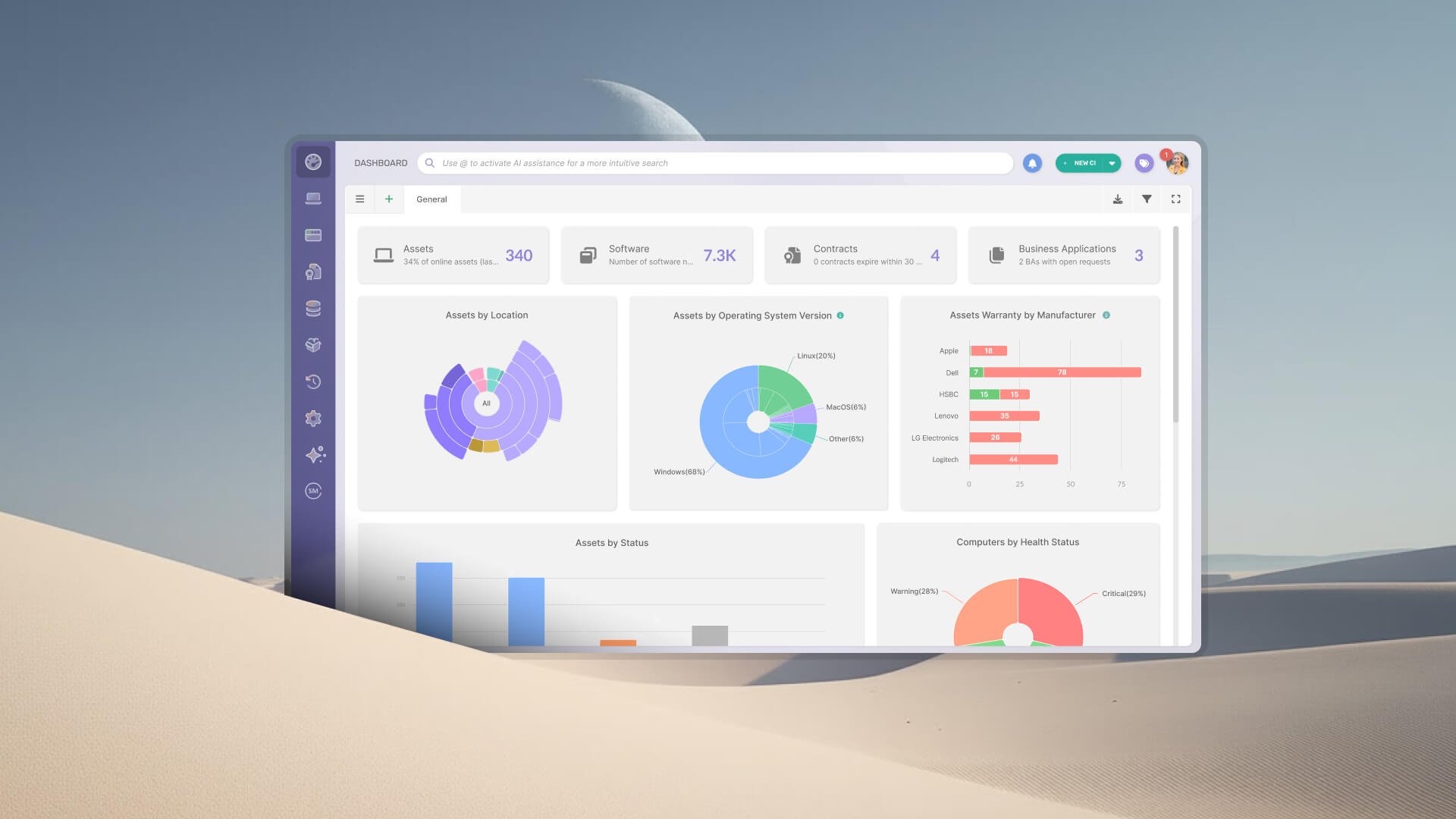


Most IT teams know how to perform a hardware audit in theory. In practice, the process breaks down at the same point every time: the data. Devices in the registry no longer exist. Devices that exist have no owner on record. Lifecycle information is scattered across spreadsheets and vendor portals. A hardware audit that starts from fragmented records ends in a best guess. This step-by-step guide covers how to run one end-to-end using InvGate Asset Management, from defining scope through generating an exportable audit report.
The six steps in this hardware audit process are: define scope and objectives, run asset discovery, validate and enrich the inventory, apply Health rules, review lifecycle data, and generate the audit report. Each step maps to a specific capability in InvGate Asset Management, including the physical audits announced at ENVISION'26, so the result is an audit grounded in continuously updated data and verified on the floor.
A hardware audit is a structured process of verifying that every physical IT asset an organization owns or manages is accurately recorded, properly assigned, and in a known operational state. It covers endpoints, servers, network equipment, mobile devices, and peripherals, confirming that the data in the asset registry matches what is physically deployed across the organization's locations.
Most teams get it wrong because they treat the audit as the starting point. When Hardware Asset Management isn't a continuous process between audits, teams arrive at audit day with stale spreadsheets, devices that have moved or been retired without a record update, and lifecycle information that hasn't been touched since the asset was purchased. The audit then turns into an exercise in reconstructing data, which is slow, error-prone, and unlikely to produce findings anyone can act on with confidence.
A hardware audit covers the physical IT assets that the organization owns, leases, or manages. The categories typically included are:
For each asset, the audit verifies: make and model, serial number, asset tag, physical location, assigned owner or custodian, current lifecycle stage, warranty status, and operational condition. Those fields are the baseline every step in this guide validates.
Before running through the steps, three conditions need to be in place:
Skipping the scope definition is the most common structural mistake. Running discovery across all asset types in all locations without a defined objective produces a large dataset and no clear action plan. A focused audit with a defined scope produces findings that can be assigned, prioritized, and tracked to resolution.
Start a 30-day free trial or talk to Sales to get InvGate Asset Management set up. Both options give access to the full platform from day one.
The following steps walk through the complete hardware audit process using InvGate Asset Management. Data quality is where most hardware audits break down, so InvGate Asset Management keeps discovery, physical audits, lifecycle data, and reporting in one continuously updated inventory, and the audit focuses on validating records that already exist.
Before any discovery runs, define exactly what this audit covers: which hardware categories (endpoints only, or network equipment too), which locations or sites, and what outcome the audit is meant to produce. The objective shapes every subsequent step: a compliance audit has different validation priorities than a refresh planning audit.
In InvGate Asset Management, three tools turn that definition into filters the platform can apply:
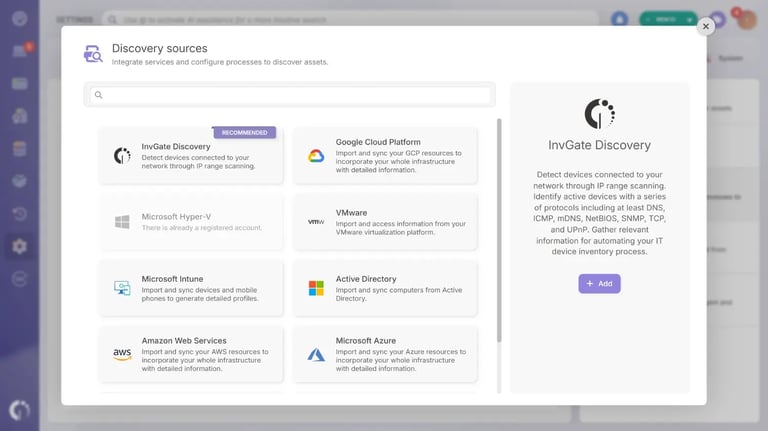
Discovery based on network scanning alone misses a significant portion of any hardware estate. Devices that are off-network, including laptops in use at remote locations, equipment in transit, or peripherals without an IP address, won't surface in a network scan. InvGate Asset Management combines three methods to cover them:
In environments where agents can be deployed across managed endpoints, InvGate Asset Management can build a complete inventory baseline in under 24 hours. Physical audits then verify the part of the estate that never reports to the network.
Discovery covers the devices that talk to the network. Physical audits cover the rest: the monitor, the ceiling router, the laptops stored in a closet. With physical audits in InvGate Asset Management, the team creates an audit for one location, walks it, and the platform reconciles every scan against the assets it expects to find there in real time. Each asset carries a physical tag, read in one of two ways:
With tags provided by InvGate, which carry a QR code and an RFID inlay on the same label, a single QR scan can also fill in the asset's RFID code. Teams that already survey assets with another method can load results manually, entering asset IDs, inventory IDs, hostnames, or serial numbers from a desktop. Results can also be submitted in partial batches by area or floor, and each batch adds to the previous ones, so a physical inventory of a large site never has to be scanned twice.
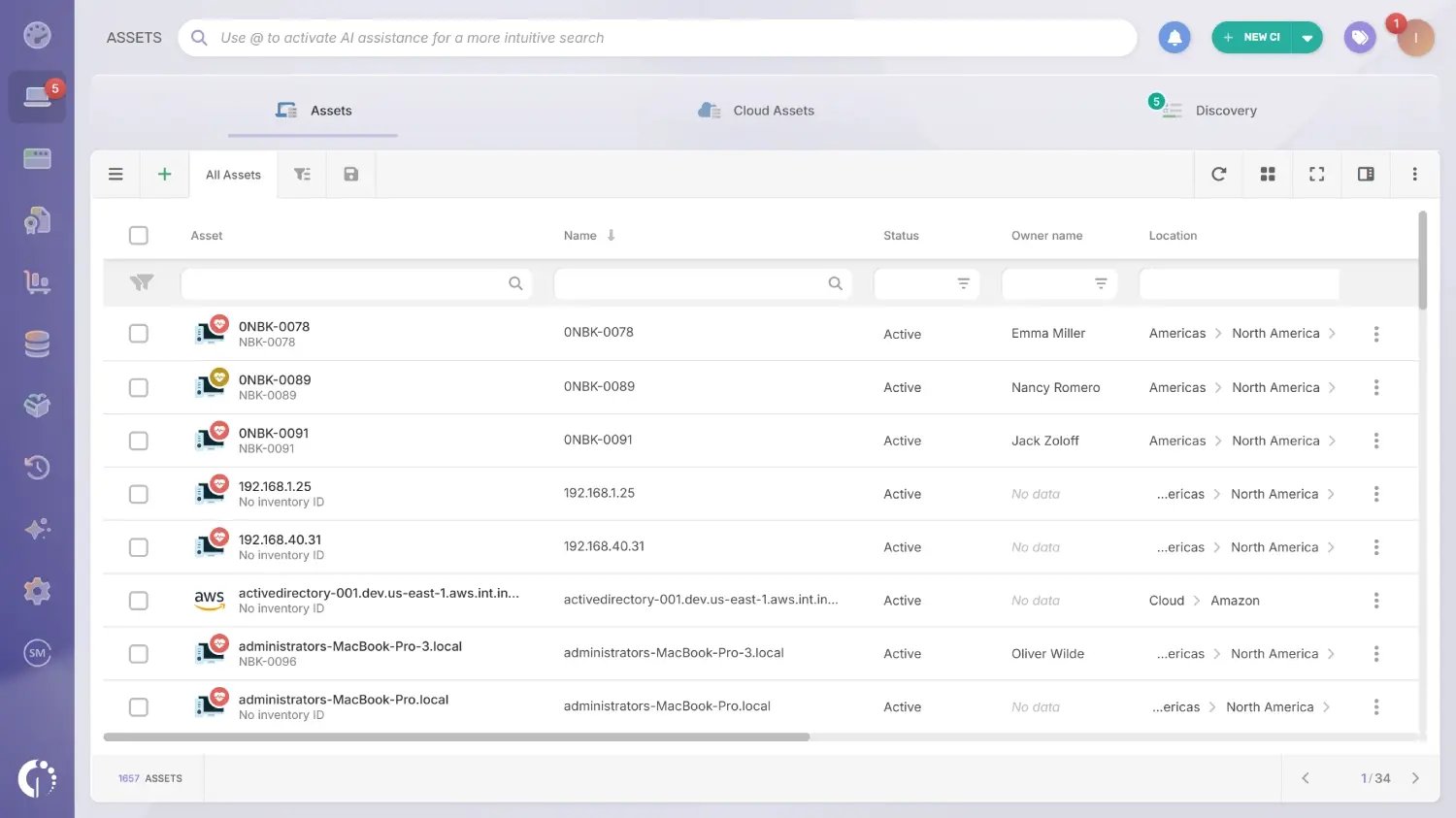
Once discovery has run, the next step is reconciling what was found against what was on record. This is where most audits surface their most actionable findings. In InvGate Asset Management, the Assets explorer shows the full asset list with filters by name, status, owner, and location, among other fields. Use it to identify three categories of discrepancy:
For each verified asset, confirm and complete the core record: make and model, serial number, asset tag, physical location, assigned owner, purchase date, and warranty status. For hardware from Dell, Lenovo, and IBM, InvGate Asset Management auto-populates the acquisition date and warranty expiration from the manufacturer, eliminating one of the most time-consuming parts of manual inventory enrichment.
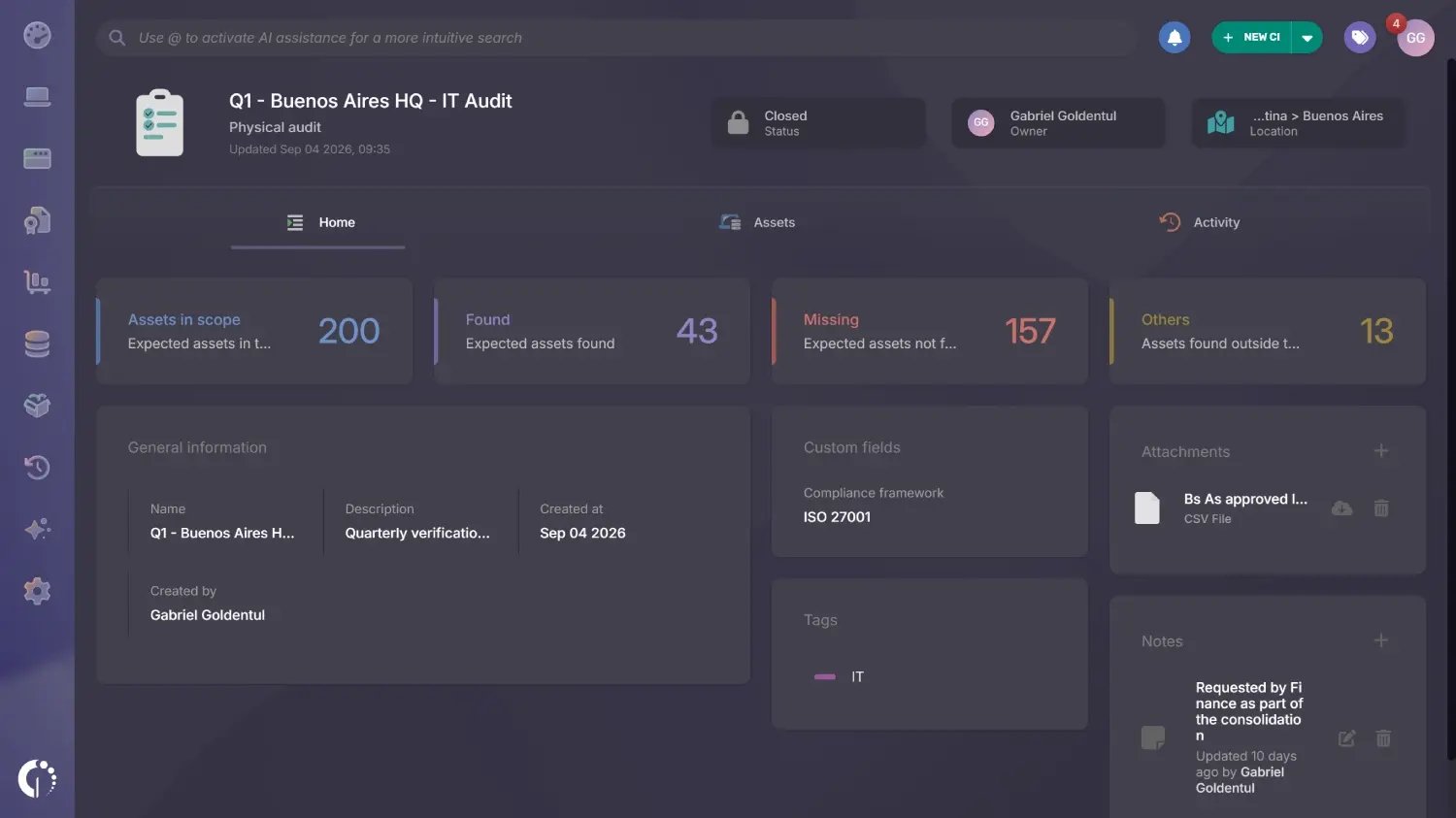 A physical audit returns the same discrepancies already sorted. Each scan is matched against the assets expected at that location, and the main result categories are:
Records can be corrected on the spot from the phone, including status, location, owner, tags, and custom fields. Once the audit closes, the Assets explorer filters by audit result, so the team can act on a whole group at once, for example updating the location of every Missing asset in a single bulk action.
Coming soon, Atlas AI Agent, the first AI agent built exclusively for Asset Management, will fill the gaps this step tends to leave open. It will infer owners from login activity and change history, locations from network ranges and the last check-in IP address, and acquisition date and cost by matching each asset to its purchase order.
Every suggestion shows the reasoning behind it, and each field can be set to complete automatically, wait for review, or stay out of scope. A new Data Completeness screen will turn inventory quality into a number the team can follow from one audit cycle to the next.
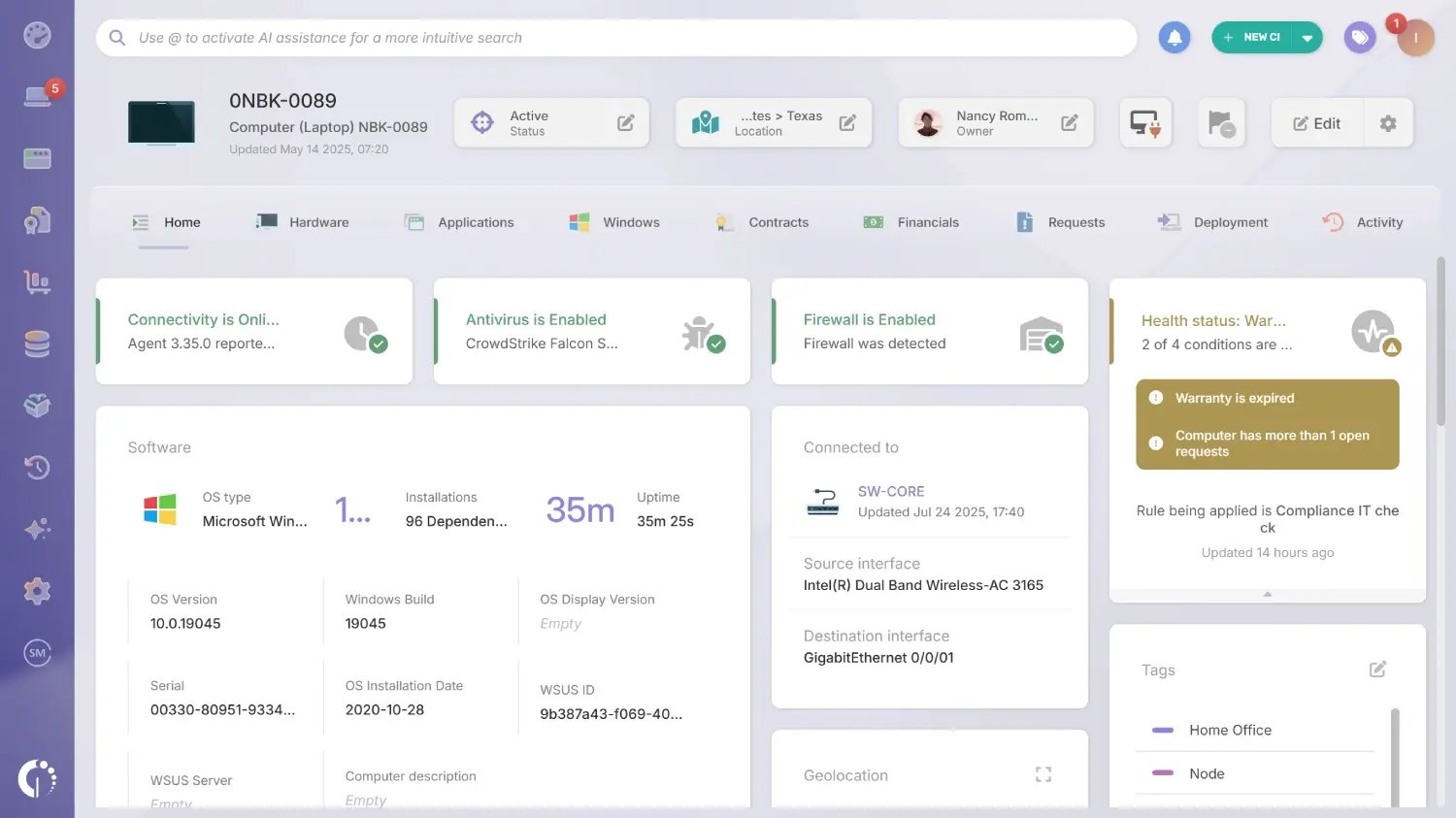
Validating that assets exist and are recorded is only part of a hardware audit, which also needs to establish whether each device is in an acceptable operational and compliance state. InvGate Asset Management's Health rules make that review systematic: they evaluate each asset against configurable conditions and assign one of three statuses: Safe, Warning, or Critical. They read the data the Agent collects from each computer, with conditions such as disk encryption, firewall status, time without an update, pending operating system updates, and expired warranties.
If a rule marks those conditions as Critical, an endpoint without disk encryption that hasn't reported in 30 days is flagged automatically, with no manual review required. The output of this step is a prioritized list of devices that need action before the audit closes, generated by the platform. The audit team's work starts there: reviewing the list and assigning remediation tasks.
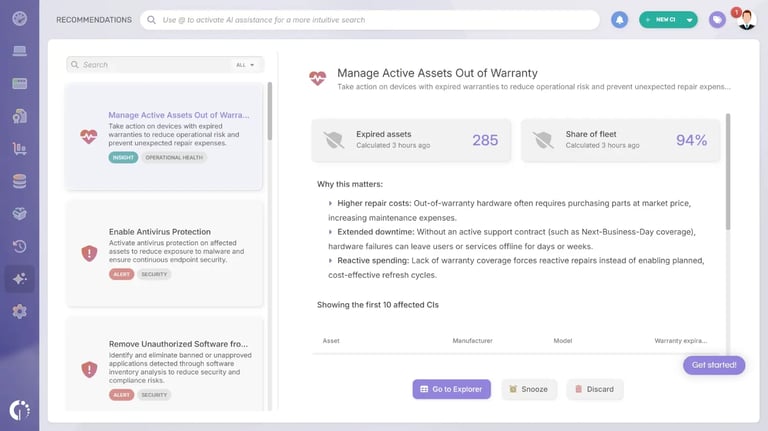
A hardware audit should also confirm that the organization's picture of each asset's financial and lifecycle status matches reality. End-of-Life devices that remain active, assets operating beyond their warranty without documented risk acceptance, and hardware with no refresh plan recorded are common findings, each representing either a cost risk or a compliance gap.
In InvGate Asset Management, each asset record keeps its acquisition cost, current value after depreciation, salvage value, and warranty expiration date. Automated alerts can be configured to fire when a contract or warranty approaches its end date, with configurable lead times. Use this step to identify assets whose lifecycle stage hasn't been updated to reflect their actual status.
Atlas AI Agent already supplies EOL and EOS dates for computers, switches, routers, printers, and databases, pulled from official vendor references and recorded on each asset. It is available on cloud instances.
For the audit, that means hardware past its End of Support that is still in production can be identified without checking vendor tables by hand. The same dates feed the Financial Planning & Refresh dashboard, which reads End of Support alongside warranty and battery health.
Announced at ENVISION'26, the Financial Planning & Refresh dashboard is a predefined view with 16 components that answers what Finance asks IT about hardware: fleet book value, depreciation, refresh spend, the split by cost center, and which devices to replace next. It reads fields the team already maintains, such as acquisition cost and date, current value, cost center, warranty, End of Support, and battery health, so it is populated the moment it is switched on.
Every number in it covers hardware only. It ships with two platform-wide Smart Tags, "Flagged for decommission" and "Overdue retirement", that turn lifecycle findings into ready-made lists for the audit, and the conditions behind both can be edited to match each team's replacement criteria.
Smart Recommendations analyzes asset data across categories such as Cost Optimization, Data Quality, and Risk & Compliance, then generates actionable recommendations prioritized by urgency and impact. Each recommendation includes a one-click path to action, so a lifecycle issue moves from identified to resolved in a single step.
Recommendations can also be snoozed or discarded, which keeps the review focused on what still needs attention. Assets with a missing acquisition cost or date are among the issues it flags, and fixing them keeps the depreciation and refresh numbers accurate.
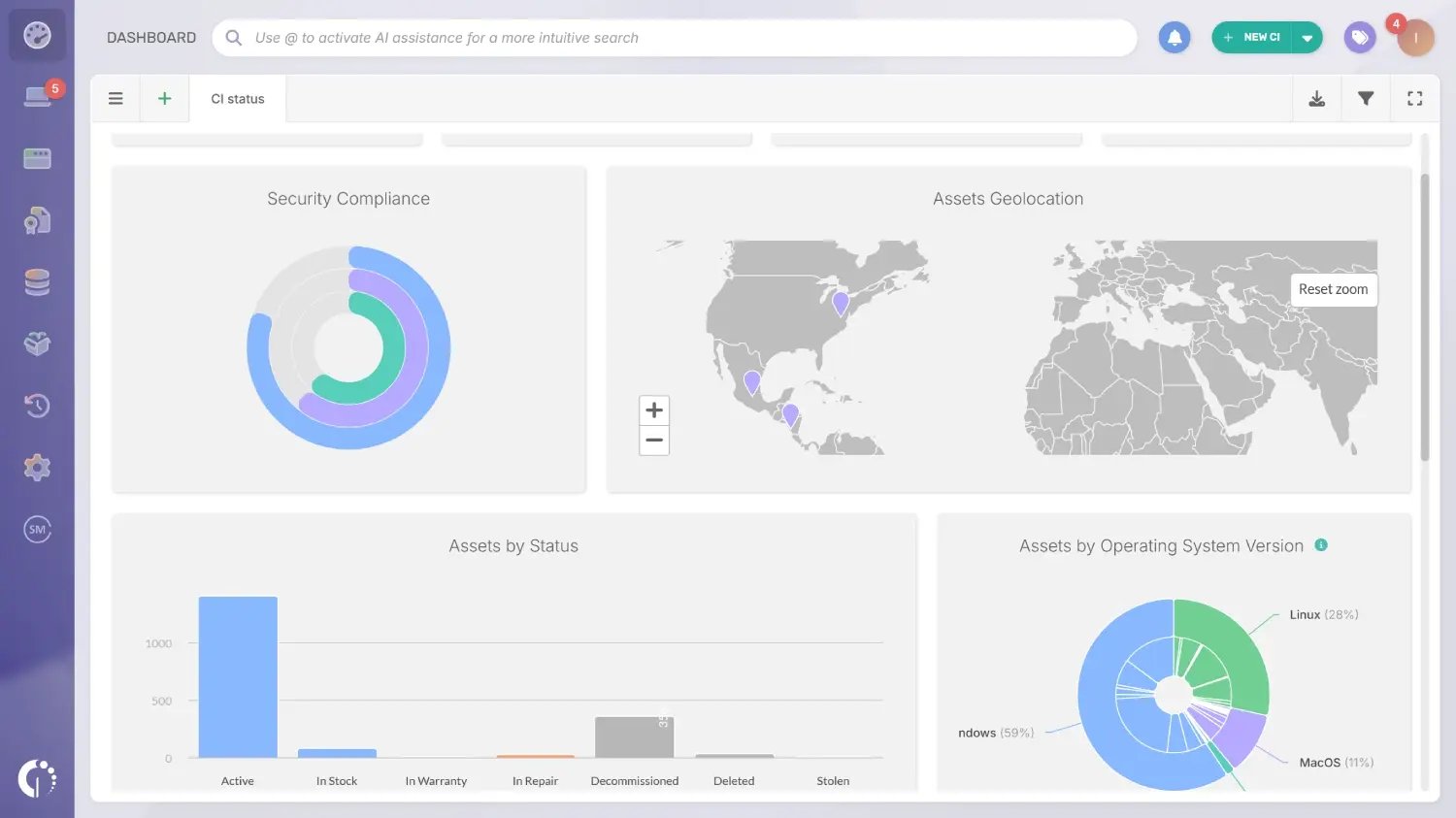
The final step is producing the report that documents what the audit found. In InvGate Asset Management, custom dashboards and scheduled reports let IT teams build audit-ready outputs that can be exported and shared with stakeholders in IT, Finance, or leadership without manual compilation.
Reports can be filtered by location, asset type, lifecycle stage, Health rules status, or any custom field defined during Step 1, so the output maps directly to the audit's original scope and objective. Scheduled reports can also run automatically and reach the relevant stakeholders on a recurring basis.
The chain of custody, meaning the complete record of who held each asset, when, and in what condition, is captured automatically throughout the asset's lifecycle and is accessible directly from the asset profile. The documentation required to answer auditor questions about asset provenance, transfer history, and current accountability is already there when it's needed.
Physical audits add the verification layer. Closing an audit turns every Pending asset into Missing, locks the audit as read-only, and updates the Last physical audit card on each expected asset with the audit name, date, location, and result. The list of results exports to CSV or XLSX for the audit file.
For the financial side of the audit, the Financial Planning & Refresh dashboard gives IT and Finance the same numbers for book value, depreciation, and refresh spend, filtered by the permissions each person already has. A Depreciated cost metric is also available for custom dashboards, so audit reports can show depreciated values next to the asset counts.
Audit data can also be queried from AI assistants. InvGate Asset Management runs as a Model Context Protocol (MCP) server, so tools such as Claude Desktop or Cursor can answer questions like "list all devices with expired warranties" from the live inventory, with read-only access and the same permissions each user has in the platform.
Start a 30-day free trial or talk to Sales to find the right plan. Both options give access to the full platform from day one.
Running a thorough hardware audit consistently surfaces the same categories of issues. These are the six most common findings and how InvGate Asset Management addresses each one.
The standard recommendation is a full hardware audit annually, supplemented by quarterly reviews focused on high-risk areas: locations with high device turnover, recently onboarded departments, or asset categories flagged in the previous audit. For organizations in regulated industries, external compliance requirements may set the audit frequency.
The more useful question is how to reduce the burden of each audit cycle. When the IT asset audit process is supported by continuous discovery and automated lifecycle tracking, the formal audit becomes a validation exercise that confirms the inventory is accurate and surfaces what has drifted. Physical audits scoped to one location keep the quarterly reviews light, since a high-turnover floor or storage room can be checked on its own.
A hardware audit is a subset of the broader IT Asset Management software audit scope. An IT asset audit covers hardware, software licenses, SaaS subscriptions, and cloud infrastructure: every asset category the IT team is responsible for managing. A hardware audit focuses specifically on physical devices: what exists, where it is, who owns it, and what condition it's in.
The distinction matters because the data sources, verification methods, and findings differ. A hardware audit relies on discovery, physical audits with QR codes or RFID, and on-site verification, while a software audit relies on license reconciliation, installation data, and contractual comparison. InvGate Asset Management covers both from the same platform, with one data model and reports built from the same source.
A hardware audit run with accurate, continuously updated data produces findings a team can act on with confidence. The steps in this guide (defining scope, running discovery, validating inventory, applying Health rules, reviewing lifecycle data, and generating reports) each produce a reliable output when the underlying data is maintained between audit cycles.
InvGate Asset Management is designed to keep that data current automatically, so the formal audit becomes a matter of confirming what the platform already knows. Physical audits extend that to the hardware discovery can't see, recording the result of every count on the asset itself.

