














InvGate Asset Management vs Snipe-IT is a comparison between two IT Asset Management (ITAM) tools that approach the same job from opposite ends. Snipe-IT is free and open source, and your team installs, feeds and maintains it. InvGate Asset Management is a paid, no-code platform that finds assets and keeps them updated on its own.
This article is for teams with both tools on the table, a narrower decision than browsing the full list of Snipe-IT alternatives. It compares how assets get in, what each tool tracks, what it costs and who keeps it running, and one pattern repeats throughout: the server, the upgrades and the technical knowledge behind a free tool grow with the inventory.
The table below sums up how both tools compare as of October 2026, based on each vendor's own documentation and pricing pages. The sections that follow explain each row and what it means for your team's time.

InvGate Asset Management is IT Asset Management software that offers an enterprise experience without the complexity or the price of one. It is no-code, with an intuitive interface and a fast deployment, and it runs in InvGate's cloud or on your own servers, air-gapped environments included.
It keeps hardware, software and cloud assets current automatically and connects each one to its owner, location, contracts and costs. AI capabilities such as the Atlas AI Agent, Smart Recommendations, and the MCP server add context on top, and users rate it 4.8 out of 5 on Gartner® Peer Insights™.
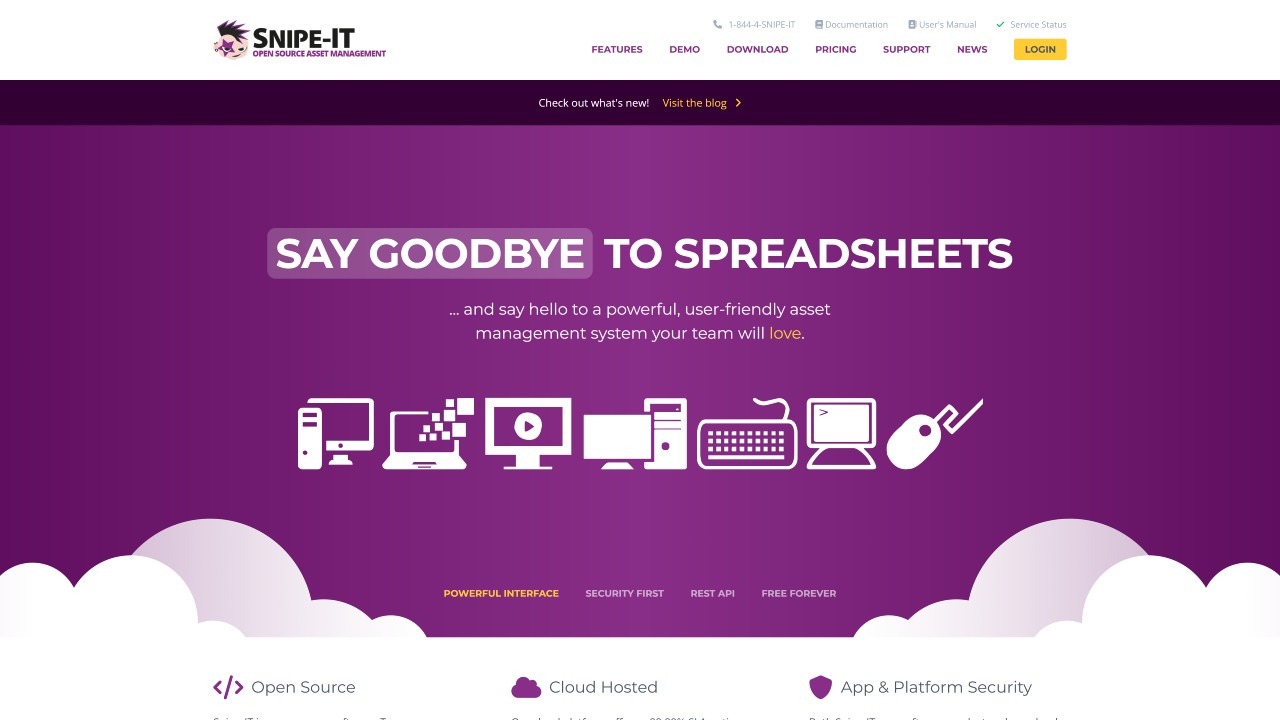 Snipe-IT is a free, open source IT Asset Management system created in 2013 and developed by Grokability, Inc., which also sells hosting and support plans. It costs nothing when you host it yourself, and its documentation expects a working knowledge of setting up a web server on a Linux, Apache, MySQL and PHP (LAMP) stack, or its Windows equivalent.
The tool is built around checking items in and out, so it always shows who has what. Its product page lists assets, software licenses, accessories, components and consumables, which makes it a good fit for teams that lend out equipment and keep track of supplies.
InvGate Asset Management builds its inventory with four methods that work together. The Agent runs on Windows, Mac and Linux computers and keeps reporting when a device leaves the network, network discovery finds switches, printers and routers, and integrations sync Microsoft Intune, Jamf, Amazon Web Services (AWS) and Microsoft Azure. Anything else enters through a CSV import, and discovered devices become assets in bulk.
Snipe-IT relies on imports and on the tools you already run. Its importer takes CSV files, points to the command line beyond several hundred records and only checks whether a record already exists, so inconsistent data can create duplicates. Since version 8.8.0, sync adapters pull devices once a day from Mobile Device Management (MDM) and Remote Monitoring and Management (RMM) tools such as Jamf, Intune, Fleet and JumpCloud, which takes a scheduled task on self-hosted servers and a request to support on hosted plans.
InvGate Asset Management fills most lifecycle data on its own. Warranty dates sync automatically for Dell, Lenovo and IBM devices, contracts link to the assets they cover, depreciation runs on straight-line rules by asset type and manufacturer, and the Atlas AI Agent adds End-of-Life and End-of-Support dates from official sources. Every assignment, location change and status transition is recorded automatically, so each asset's history is ready when an audit asks for it.
Snipe-IT keeps the same kind of record through fields, as its asset import guide shows: purchase date and cost, supplier, order number, warranty months, an End-of-Life date and checkout to a person or a location. It offers three depreciation types, linear and two half-year conventions, where InvGate Asset Management calculates straight-line depreciation. Most of those fields depend on someone typing them in or importing them, so they stay as current as the last update.
Snipe-IT's pricing is simple and fair. The self-hosted version is free with unlimited users and assets, and its hosted plans add managed servers, automated upgrades and email support at these prices:
InvGate Asset Management publishes its prices per IP device, and each IP device includes two non-IP devices at no extra cost. Starter costs $1,499 per year for 500 IP devices, Pro starts at $2,500 per year at $5 per IP device for 500 to 5,000 IP devices, and Enterprise starts at $12,000 per year for larger environments, all with a 30-day free trial.
A free license removes one line from the budget and moves the rest to your team, in hours that grow with the inventory. According to Snipe-IT's pricing table and its server requirements, the self-hosted version leaves these tasks with you:
Paying for Snipe-IT hosting takes the server off your hands, and loading and correcting data stays with your team. A total cost of ownership estimate that counts staff time and infrastructure shows the point where free stops being the cheaper option, even with pricing as fair as Snipe-IT's.
A no-code platform moves that work to the vendor. InvGate Asset Management is configured without code and kept up to date by InvGate in the cloud, which is how Grupo Gigante went live with InvGate in about three months.
"Everyone told me: 'You'll have to pay this much, plus this many consulting hours, and you'll have it implemented in a year,'" recalls Sandy Arroyo, Customer Service Manager at Grupo Gigante. "The InvGate team told me the implementation would be very quick, and they were right," she adds.
Snipe-IT fits a small team with the technical skills and the server to run it, whose daily work is checking equipment in and out, accessories and consumables included. While the inventory stays small and someone owns the setup, the hours it asks for stay manageable.
InvGate Asset Management fits teams that need the inventory to update itself as it grows, connected to contracts, finance and the service desk, with no server to maintain and no code to write. For them, InvGate Asset Management vs Snipe-IT comes down to whose time pays for the tool: start a free trial to watch your own inventory fill in, or talk to Sales about your environment.
These are the questions that come up most when teams compare both tools. Each answer draws on the vendors' own documentation and pricing pages.
Yes, the self-hosted version of Snipe-IT is free, with unlimited users and assets, according to its pricing page. Your team covers the server, backups, upgrades and support, and hosted plans start at $39.99 per month.
Snipe-IT imports devices that other tools already track. Its sync adapters pull records once a day from tools such as Jamf, Intune, Fleet and JumpCloud, and the rest comes from CSV imports, manual entry or its application programming interface (API).
Yes. Snipe-IT can export its assets, as its product page states, and InvGate Asset Management imports them from CSV files, with InvGate's team supporting the move. From then on, the Agent, network discovery and integrations keep the inventory current.
InvGate Asset Management publishes its pricing: Starter costs $1,499 per year for 500 IP devices, Pro starts at $2,500 per year and Enterprise starts at $12,000 per year. Each IP device includes two non-IP devices, and there is a 30-day free trial.
Yes. It can be deployed in the cloud, on-premises, in hybrid setups or in air-gapped environments, so teams with data residency or security requirements can keep it on their own infrastructure.
Disclaimer: All product names, logos, and brands are property of their respective owners. All company, product, and service names used on this site are for identification purposes only. Use of these names, trademarks, and brands does not imply endorsement. Comparisons are based on publicly available information as of October 2026 and are provided for informational purposes only.

