













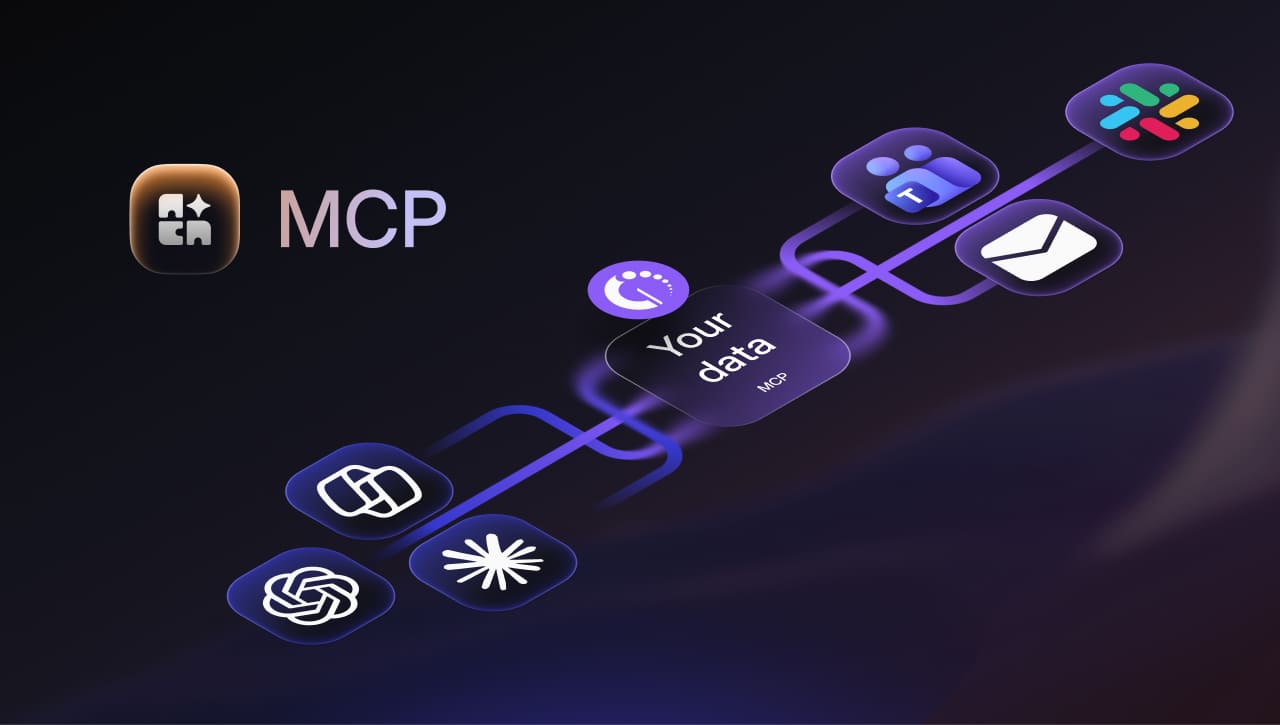

InvGate Asset Management now supports Model Context Protocol (MCP) natively. MCP is an open standard that lets AI applications connect to external systems, which means the AI assistant your team already uses can query your asset inventory directly. There is no custom integration to build first and no export to run before asking a question.
Keep reading to see what InvGate Asset Management exposes through it, how the connection works, and what you can ask an assistant to do with it today. Additionally, learn how this fits with the integrations and the public API already in the product, and where the capability is heading next.
We introduced these capabilities at ENVISION'26, our global user conference. Explore everything else we announced!
InvGate Asset Management helps organizations discover and manage hardware, software, and any other IT infrastructure resource in a single system of context, with Lifecycle Management, automated discovery, and audit-ready reports. MCP support extends that single view into the assistant your team already works in.
A connected assistant reads the records that already live in your inventory, using the same data model the product uses. Nothing is copied, exported, or restructured to make it reachable.
In this release, that covers:
The search and filtering logic already built into InvGate Asset Management is available to the assistant through MCP. The assistant does not need to know how the schema is organized to run a specific query against it.
That is what makes a plain language question work. Someone can ask which laptops in a given location have warranties expiring this quarter, and the assistant resolves that into the filters the product understands.
The MCP server endpoint exposes asset data as a discoverable set of tools. Any assistant that supports the standard can connect to it and see what is available. This includes, for example, Claude, Microsoft Copilot, Codex, and Gemini.
This removes the per tool development work that used to sit in front of every AI integration. Adding a second assistant later takes another connection and no additional development.
Setting this up does not mean building a parallel access model. The connection runs on the identity and permission model already configured in your instance, and an administrator enables it there before anyone can use it.
Each user connects their assistant with a personal token generated in InvGate Asset Management. The token is tied to that user's account, so there is no separate directory to maintain and no shared service account sitting between the assistant and the data.
Authorization works at the level of the individual user: everyone who wants to use the connection gets their own token and completes the setup in their own assistant. Administrators can revoke tokens from the product when access should end.
MCP connections respect the same permission model as the rest of the product. An assistant connected with a user's token sees exactly what that user would see, and nothing more. In simple terms, the use of MCP "inherits" the user permissions inside InvGate Asset Management.
Role-based access control is what makes the capability safe to hand to a wider group. A help desk agent's assistant answers within that agent's scope, and a manager's assistant answers within theirs.
This release covers read-only access. An assistant can query the records listed above, and it cannot create, modify, or delete any of them.
That boundary is intentional for a first release. Every change to an asset record still happens inside the product, where the existing approval and logging behavior applies. Because InvGate Asset Management federates data from multiple systems to serve as the system of context for your IT infrastructure, write permissions have been deliberately left out of this release. If you have use cases you would like to explore with us, please reach out.
The clearest way to see what changes is a task an IT specialist runs on a schedule. Warranty renewals work well as an example, because the job splits between finding the data and doing something with it:
Every step happens in one conversation, and the admin never opens the product. Most of the time saved comes from the results feeding straight into the next task without anyone copying them by hand.
MCP support sits on top of connectivity work that has been in the product for years. Nothing that already runs changes because of it.
InvGate Asset Management's public API continues to work as before, with create, read, update, and delete operations on assets, custom fields, contracts, named licenses, and reports.
Customers who already integrate the product with other systems keep those integrations untouched. The same applies to the native integration catalog, which covers the following tools (among others):
InvGate AI Hub brings together the AI capabilities across InvGate products. On the InvGate Asset Management side, those features work on the data inside the product:
MCP works in the other direction. It takes the same records out to the assistant the team already has open, so the enrichment Atlas adds and the history the inventory holds are available inside that conversation.
The current release covers read access to the core records, and the direction from here is more depth inside specific workflows. These scenarios are on the roadmap:
Each of these follows the same pattern as the warranty example, applied to a different role. The capability grows by adding depth to what an assistant can retrieve and summarize, on the same connection and the same permission model.
InvGate Asset Management is now available as an MCP server, which puts asset data inside the assistants your team already uses. The connection uses a personal token, respects the permissions already configured for that user, and is read-only.
For an IT specialist, that turns a report request into a question asked in plain language, and for the people who approve the connection the capability stays inside the access model they already govern. You can try it against your own inventory with a 30-day free trial, or talk to Sales to walk through the setup in your environment first.
MCP stands for Model Context Protocol, an open standard published by Anthropic in late 2024 for connecting AI applications to external systems: Claude, Codex, Visual Studio Code, and Cursor. It gives an AI assistant a consistent way to discover and use the data and operations a system chooses to expose.
For IT Asset Management, the effect is a change in what the inventory is for: the data becomes something an assistant reaches into while the person stays in the conversation, which is where a growing share of day to day IT work already happens.
Any assistant that supports MCP can connect, including Claude, Microsoft Copilot, and Gemini. Because the protocol is a standard, a new client gains support on its own side, with no additional integration work needed in InvGate Asset Management.
No. This release covers read access only, so an assistant can query the records InvGate Asset Management exposes without creating, editing, or deleting any of them.
The connection uses a personal token tied to a specific user and respects the same role-based access control as the rest of the product. An assistant sees exactly what that user would see, and nothing beyond that.


