











MySQL 8.0 End of Life arrived in April 2026, when Oracle published 8.0.46, the last release of the series, and moved the version to Sustaining Support. From that point on, Oracle ships no new security fixes or bug fixes for MySQL 8.0, so every vulnerability disclosed after April 2026 stays open on any server that still runs it.
This article covers what the date changes, how to find every MySQL 8.0 instance across servers, virtual machines, containers and cloud services, and the three ways forward: upgrade, pay for extended support or migrate. It closes with the End of Life dates by version and the dates Amazon Web Services (AWS), Microsoft and Google set for their managed MySQL 8.0 services.
According to the MySQL End of Life notice, MySQL 8.0 has been covered under Oracle Sustaining Support since April 21, 2026. That is the same day Oracle published 8.0.46, which the MySQL 8.0 release notes name as the release with which the series reaches End of Life. Oracle encourages users to upgrade to MySQL 8.4 or 9.7, its two Long-Term Support (LTS) series.
MySQL 8.0 became generally available in April 2018, its Premier Support ended in April 2025 and its Extended Support in April 2026. Lifecycle trackers such as endoflife.date and cloud providers such as AWS record the date as April 30, 2026, so both days appear in vendor documentation.
Sustaining Support keeps access to what already exists and stops everything new. Oracle's Lifetime Support Policy lists software updates, security alerts and critical patch updates as "pre-existing" under Sustaining Support, which means no new patches, no new releases and no certification with new third-party products for MySQL 8.0.
MySQL 8.0 keeps running after End of Life, so the risk grows quietly: each new vulnerability that affects 8.0 stays unpatched on self-managed servers. Managed cloud services follow their own calendars, covered in the dates section below, and can keep delivering fixes for a fee.
MySQL tends to spread across many hosts because applications, vendors and teams install it on their own. A complete list has to cover the servers IT manages, the managed services in each cloud account, the containers and the copies that ship inside third-party software.
On a single host, two checks confirm the version. Inside a MySQL session, SELECT VERSION(); returns the server version, as described in the MySQL information functions reference, and on the server's command line mysqld --version prints the version of the installed binary without connecting to the database. On Windows, the list of installed programs usually shows an entry such as "MySQL Server 8.0", and on Linux the package manager lists packages such as mysql-server or mysql-community-server with their versions. Client tools such as the MySQL client carry the same version number without running a server, so the check has to target the server package.
Checking host by host only works when the list of hosts is complete. An automated inventory that reads installed software from every server and virtual machine keeps that list current, as explained in these IT asset discovery best practices, and also shows which hosts run an operating system near its own deadline, such as Windows Server 2016.
Each cloud provider shows the engine version of its managed MySQL instances in its console and through its command line interface (CLI). In AWS, aws rds describe-db-instances returns the Engine and EngineVersion of every Amazon Relational Database Service (RDS) instance, according to the AWS CLI reference. In Azure, az mysql flexible-server list lists every Azure Database for MySQL flexible server in the subscription (Azure CLI reference).
In Google Cloud, the Cloud SQL Instances page can be filtered by database type, and Database Center lists instances by major version across a project, folder or organization, as described in Google's Cloud SQL extended support documentation. Repeat the check in every account and subscription, since teams often create managed databases outside the main account.
Containers hide MySQL from host-level checks, because the database runs inside the image. The official MySQL image on Docker Hub no longer lists 8.0 among its supported tags, so anything pinned to mysql:8.0 keeps the last 8.0 build it pulled.
Some commercial applications also install their own MySQL server. For those, the application vendor decides when to move to 8.4, and that answer belongs in the application's inventory record.
Before planning any change, record which applications use each instance, which replicas depend on it and who owns it. Replicated setups upgrade in a fixed order, and an application that uses an old authentication method can fail on its first connection to 8.4.
That map also sets priorities. An instance behind a customer-facing or regulated workload moves first, and a test database with no consumers can be retired.
Every MySQL 8.0 instance ends up on one of three paths. Most teams combine them, upgrading what they can and buying time for the rest.
MySQL 8.4 is the next LTS series and the direct upgrade target from 8.0, through an in-place upgrade, a logical dump and load or replication, according to the official MySQL upgrade paths. An LTS series cannot be skipped, so the route to 9.7 LTS goes through 8.4 first. Before upgrading, the MySQL Shell upgrade checker (util.checkForServerUpgrade()) reports the incompatibilities to fix.
The change most teams hit first is authentication: since 8.4.0, the deprecated mysql_native_password plugin is no longer enabled by default, and several InnoDB defaults and removed options also change, as listed in What Is New in MySQL 8.4. In replicated topologies, the replicas are upgraded before the source, following Upgrading or Downgrading a Replication Topology.
Amazon RDS, Amazon Aurora, Azure Database for MySQL and Cloud SQL keep MySQL 8.0 running with security fixes for an additional fee, each on its own calendar. Some third-party support providers also sell post-End-of-Life fixes for self-managed MySQL 8.0.
Extended support buys time for complex migrations and adds cost every year it runs. It works best as a bridge with a planned end date for each instance.
Some teams use the deadline to move to another engine, usually MariaDB or PostgreSQL. MariaDB keeps a high level of compatibility with MySQL, though its documentation lists differences in how each stores JSON data, handles replication and authenticates users in the MySQL to MariaDB compatibility matrix.
Moving to PostgreSQL means rewriting schemas and queries, so it fits applications already due for a redesign. Either migration takes longer than an upgrade to 8.4, which is why extended support often covers the transition.
The table lists the MySQL versions still found in production and their support dates. The 5.7 and 8.0 dates come from Oracle's End of Life notice and the LTS and Innovation terms from the MySQL releases documentation, cross-checked with endoflife.date.
Starting with 26.7, MySQL uses calendar versioning in the YY.M format, so 26.10 is the October 2026 release. Innovation releases suit teams that can upgrade every quarter, and LTS series suit production databases that need a long support window.
Cloud providers set their own support dates for MySQL 8.0, later than Oracle's, and charge for the extra time. The table lists when paid extended support starts and when each provider stops supporting MySQL 8.0 altogether.
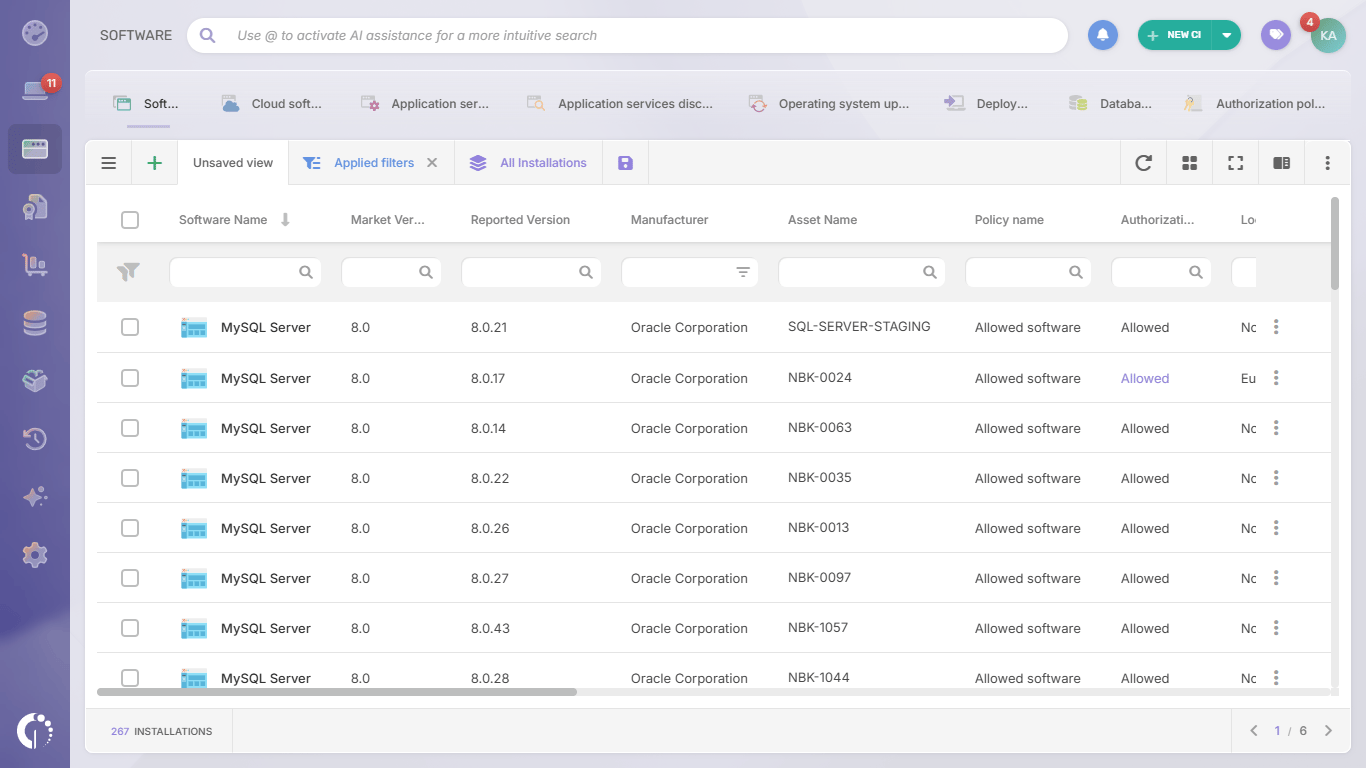
InvGate Asset Management is IT Asset Management software that gives IT teams an enterprise experience without the complexity or the price of one. For a MySQL 8.0 plan, it answers the first questions: where every installation runs, which version it is and what depends on it.
The inventory brings servers, virtual machines and managed cloud databases into one place. These are the capabilities that matter for this migration:
For databases, Database discovery already registers each SQL Server and PostgreSQL instance as its own record, with its engine and version, and Atlas AI Agent adds its End of Support and End of Life dates. Support for MySQL is on the way, as part of InvGate Asset Management's database governance capabilities. The product runs in the cloud or on premises, including air-gapped environments, and holds SOC 2 Type II and ISO 27001:2022 certifications.
Element U.S. Space & Defense needed one reliable asset inventory across six sites to meet National Institute of Standards and Technology (NIST) 800-171 requirements. With InvGate Asset Management, it consolidated 1,700 assets into one inventory.
With that inventory in place, the team completed its Windows 11 migration in 45 days and raised software update coverage from 55% to 95%, as the Element U.S. Space & Defense case study reports.
MySQL 8.0 End of Life turns every remaining 8.0 instance into unpatched software, and the cloud extended support windows only postpone the same decision to 2029. The work starts with a complete list of where MySQL 8.0 runs and what depends on it.
From there, most instances move to 8.4 and the rest get a planned bridge with an end date. To see every MySQL installation in your environment in one place, start a free trial of InvGate Asset Management or talk to Sales to plan your migration.
These are the questions IT teams ask most often about MySQL 8.0 End of Life. Each answer sums up what the sections above explain in more detail.
Yes. MySQL 8.0 keeps running after April 2026, but Oracle no longer publishes security fixes or bug fixes for it, so new vulnerabilities stay unpatched on self-managed servers.
Only through paid extended support. Amazon RDS, Amazon Aurora, Azure Database for MySQL and Cloud SQL offer it for their managed instances until 2029, and some third-party providers sell post-End-of-Life fixes for self-managed servers.
No. MySQL does not allow skipping an LTS series, so MySQL 8.0 upgrades to 8.4 LTS first, and from 8.4 to 9.7 LTS afterward.
The most common issue is authentication, because the mysql_native_password plugin is no longer enabled by default in 8.4. Several InnoDB defaults change and some deprecated options are removed, so run the MySQL Shell upgrade checker before upgrading.

