














An AI agent inventory is the record of every AI agent running in an organization: what each one is, where it runs, who owns it and what it is connected to. IT and security teams build one to know which agents exist, decide which ones to keep and answer for them in an audit or an incident. The term refers here to governing AI agents as assets, and leaves aside the AI agents that manage stock in supply chains.
This guide explains what an AI agent inventory should record, where AI agents run and how to find each group, and how to build the inventory and keep it current. It closes with an AI governance checklist and with how InvGate Asset Management detects the AI tools and agents on your computers and brings them into the same inventory as the rest of your IT assets.
An AI agent inventory treats each AI agent as an asset. Every record names the agent, the computer or platform it runs on, the person who answers for it, the account it uses, the components and systems it can reach, and whether it is approved. It follows the same logic that IT Asset Management (ITAM) applies to laptops, licenses and cloud services: you can only govern what you have on record.
Two neighboring lists get confused with it. A model inventory lists the AI models a company uses or trains, while an AI agent inventory lists the tools that act with those models on people's behalf, along with everything connected to them. An agent registry usually catalogs the approved agents built on one platform, and an inventory covers every agent found, approved or not. Finding the unapproved ones is the job of shadow AI detection, and the inventory is where those findings get an owner and a decision.
AI agents act with the permissions of the person who set them up. Coding agents and desktop assistants can read files, run commands and connect to company systems through Model Context Protocol (MCP) servers, skills and plugins, often signed in with an account IT never issued. When nobody has them on record, nobody can audit what they reach, remove their access when someone leaves or find the computers affected when one of those components turns out to be vulnerable.
Risk frameworks start in the same place. The National Institute of Standards and Technology (NIST) places the inventory in the Govern function of its AI Risk Management framework, where GOVERN 1.6 calls for mechanisms "to inventory AI systems" resourced according to the organization's risk priorities. Every later control, from approval rules to offboarding, depends on that list existing first.
A useful AI agent inventory template has fewer fields than most teams expect, and each one answers a question someone will ask during a review or an incident. The table below lists the fields to start with and why each one matters.
Start with the fields that discovery can fill on its own, such as where the agent runs, the account it uses and the components installed on top of it. Owner, purpose and approval status come from people, so assign them during the first review and leave out any field nobody will keep up to date.
AI agents reach a company through four routes, and each one needs its own discovery method. Some arrive with the tools people install on their computers, some come built into the apps a team already pays for, from AI in IT support to sales and productivity suites, and others are built by teams on agent platforms or by engineering.
Employee computers usually hold the largest group, and agent inventories built only on platform and cloud connections leave it out. Start there with endpoint-based asset discovery tools, and check that they read coding agents too: many install from a terminal, outside the usual installer, and can slip past a plain list of installed programs.
The first version of an AI agent inventory comes from a short discovery project, and its value depends on what happens afterwards. These steps cover both parts: building the initial list and turning it into a routine.
Work from the sources that discovery can read on its own toward the ones that need conversations with teams. Each step adds a layer of information to the same records.
Keep the first version modest. A list of every agent with an owner and an approval status is more useful than a detailed record of half of them, and the remaining fields can grow with each review.
AI agent governance depends on the inventory staying current, and a spreadsheet updated before each audit can't keep up. New agents, skills and MCP servers appear every time someone installs or reconfigures a tool, so let discovery collect the data continuously and use reviews to make decisions.
Set a review cadence by risk level, with high-risk agents checked more often than the rest, and confirm every owner at each review. Add AI accounts and agents to the offboarding checklist, and retire the agents nobody uses anymore by revoking their accounts and connections, which is the decommissioning step NIST describes in GOVERN 1.7.
Use this AI governance checklist to review the inventory at each cycle. Each check names what to look at and a suggested frequency, which you can adjust to the size of your fleet and your risk tolerance.
Record the date and the result of each review in the inventory itself. That history is the evidence an auditor will ask for, and it shows which checks keep finding problems.
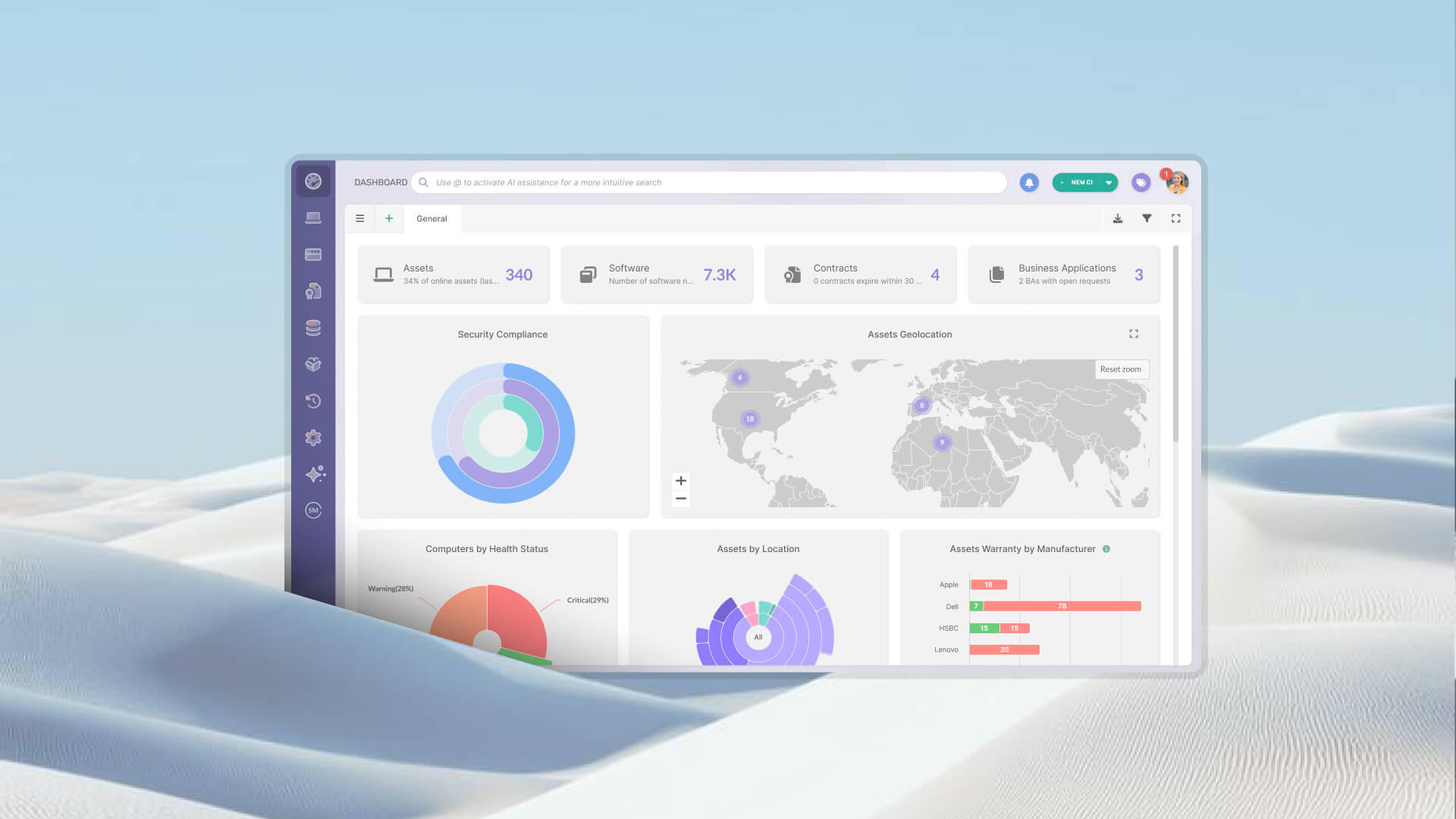
 InvGate Asset Management is an ITAM software that offers an enterprise experience without the complexity or the price of one, with an intuitive interface, a no-code approach and fast deployment. It builds the inventory with the Agent installed on each computer, network discovery, integrations and manual or CSV import, and it brings AI agents into the same records as your hardware, software and cloud assets.
For AI agents, it works on four fronts. Two detect what runs on your computers, one turns findings into decisions, and one records what lives outside them:
The InvGate Asset Management Agent reports every program installed on the computer it runs on, and AI tools are part of that list. Desktop AI assistants, AI browsers, AI code editors and local model runners appear in the software inventory, so you can see which computers have each one and how far it has spread.
That data feeds each computer's profile, the Explorer and your dashboards, where you can filter by title, owner or location. It tells you where each AI tool is installed, and the next layer, AI asset detection, tells you how it is being used.
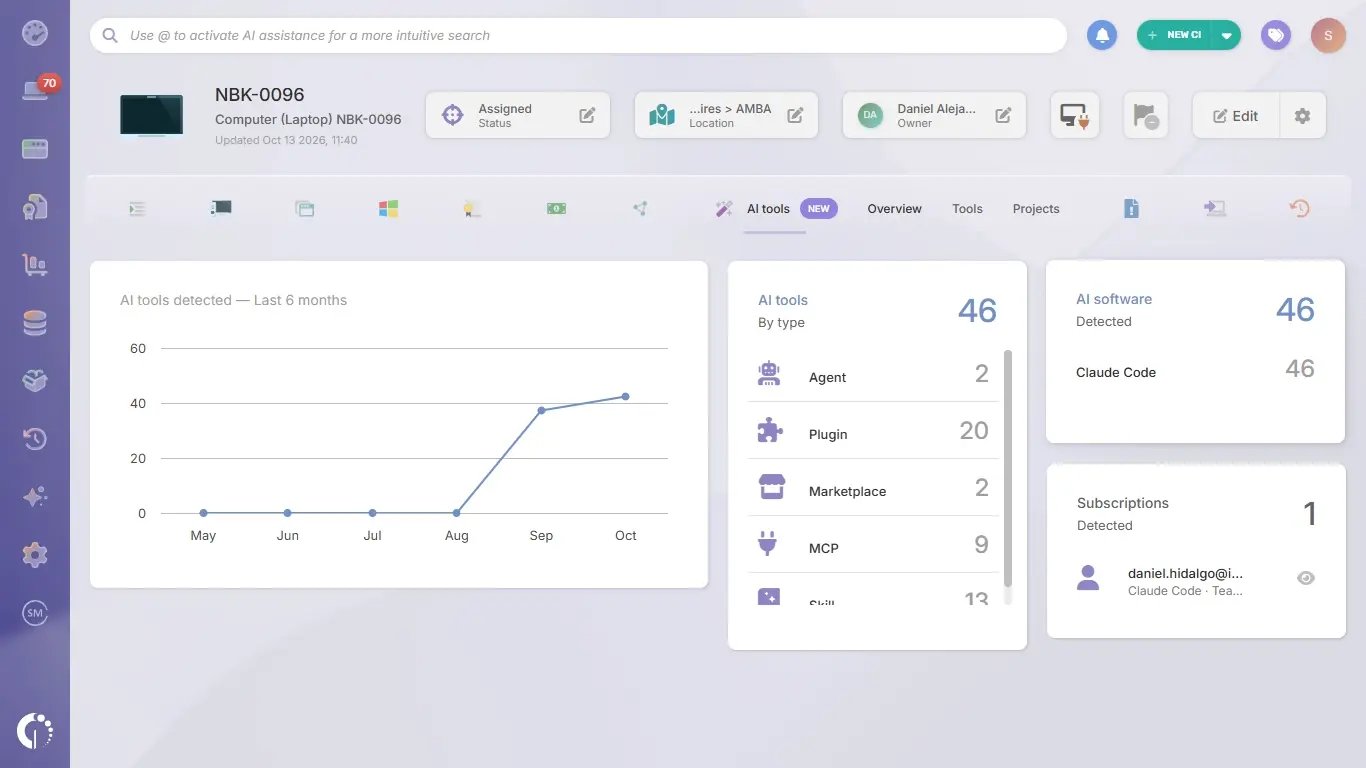 AI asset detection reads how Claude and Codex are used on each computer that has the Agent installed, whichever way they were installed. It never captures the content of conversations, prompts or generated code, or the environment values and headers of remote MCP servers. What it collects falls into four kinds of data, all read-only because they reflect exactly what was found on each computer:
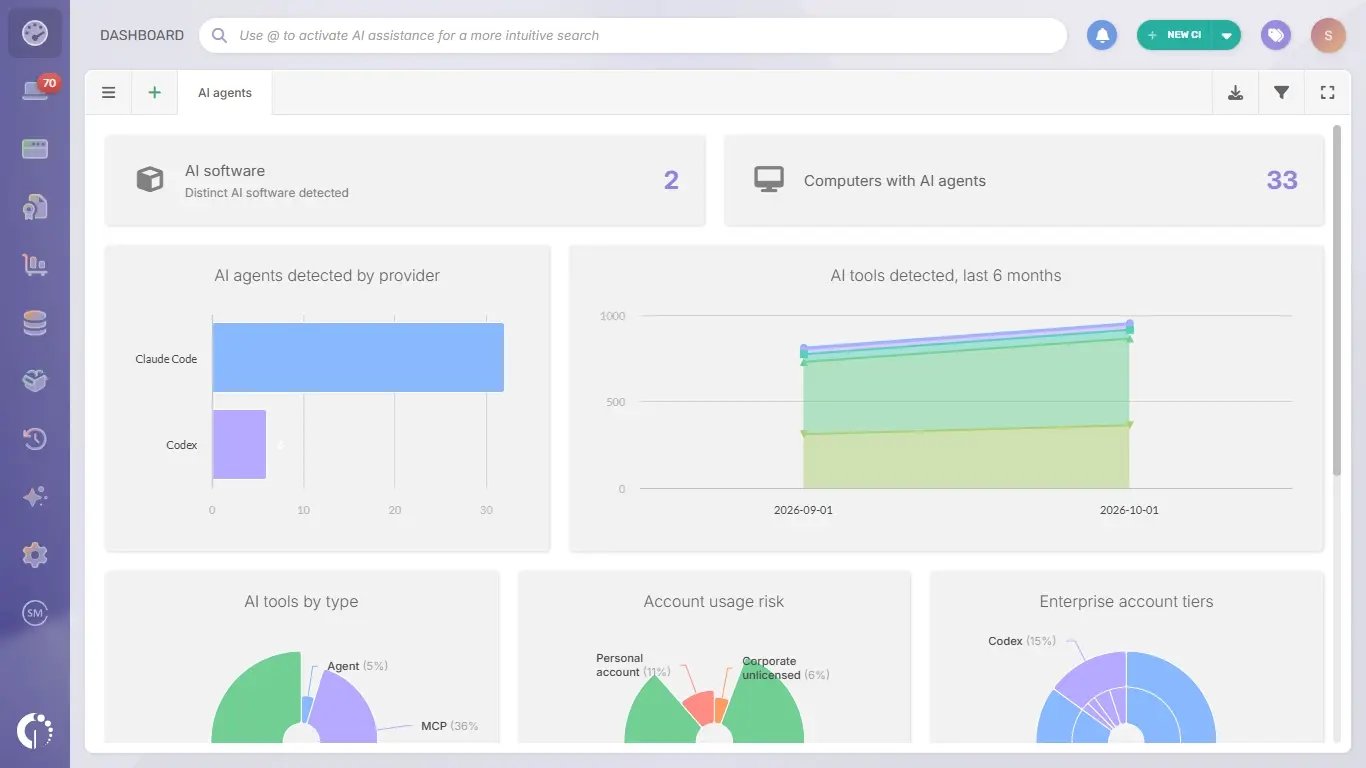
Each computer with a detection gets an AI tools tab with an overview, the list of components and the list of projects. The AI agents dashboard brings the same data together for the whole fleet: how many computers run AI agents, which providers appear, how account risk and license levels are distributed, and which MCP servers, skills and marketplaces are detected most often. The dashboard respects the Owner, Location and Tags filters, and every widget opens the Explorer with the computers behind its data.
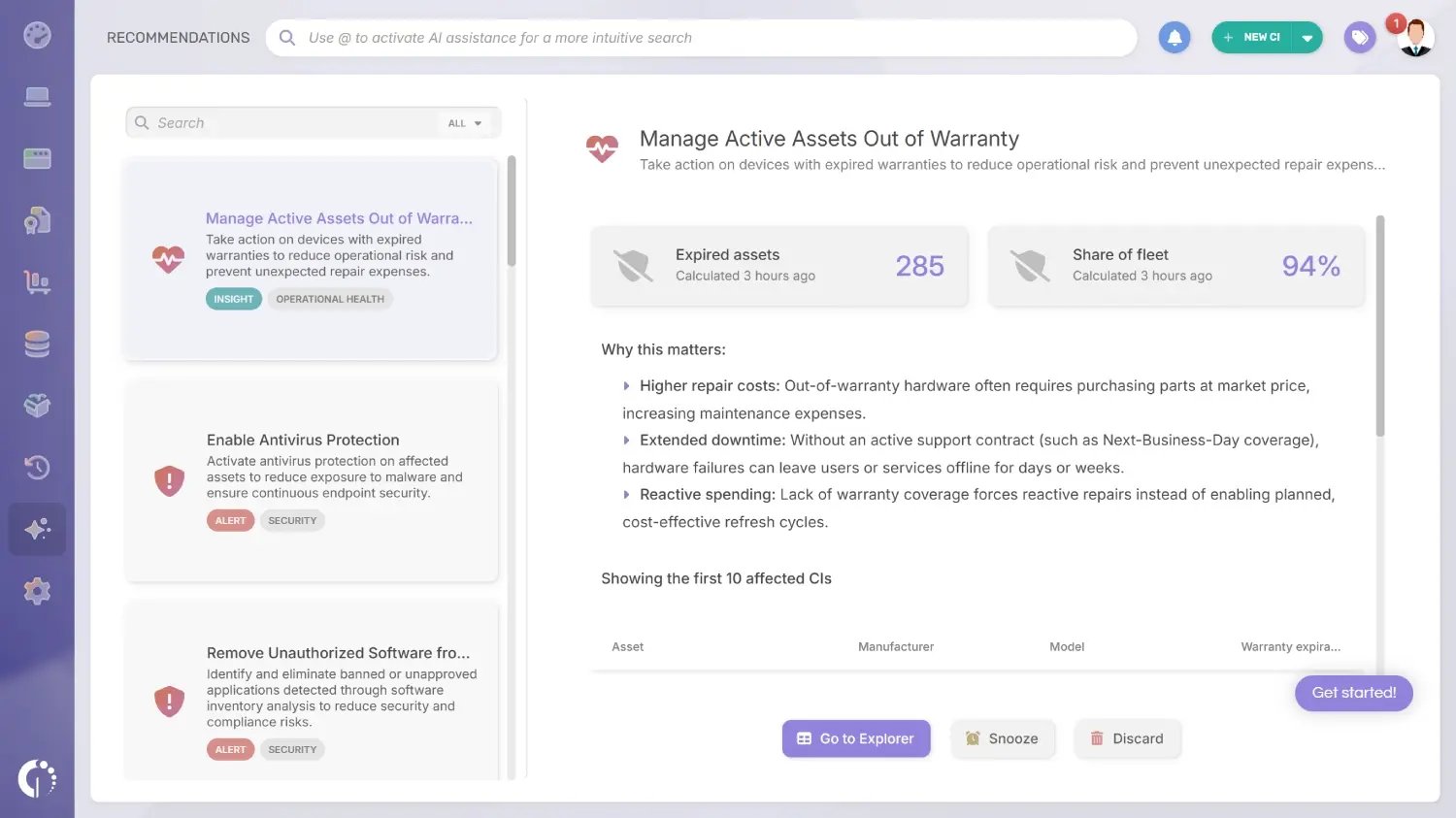 Two Smart Recommendations turn AI asset detection into a review queue, and from each one you can open the Explorer with the matching filter, create a Smart Tag or schedule a recurring report. They point to two specific risks in how AI accounts are used:
For installed AI tools, authorization policies classify each title in the software inventory as allowed, under review or prohibited and flag every computer where a prohibited one appears. Smart Tags group those computers, and software deployment uninstalls desktop apps from Windows computers, either on demand or through an automation.
Agents and automations that run outside your computers need a place in the inventory too. Digital Assets is the Configuration Item (CI) family InvGate Asset Management uses for them, and it starts with two types: certificates and workflows, the automations teams run on external platforms such as Zapier or Power Automate. Each one is a CI with an owner, a lifecycle status, tags and custom fields, linked to other CIs and to Business Applications, visible from InvGate Service Management and added by hand, through CSV import or through the public API.
AI Assets is the next step in that direction. It will extend the same model to AI agents, models, MCP servers, skills, plugins and marketplaces, giving each one an owner, a lifecycle and its connections to the rest of the inventory. AI Asset Management will then run on the same inventory that already covers your hardware and software.
An AI agent inventory gives every agent in your organization an owner, a status and a record of what it can reach. Start with the computers, where agents often arrive without a request, add the agents that teams build on other platforms and keep the record current with continuous discovery and regular reviews.
InvGate Asset Management detects the AI tools installed on each computer, shows how Claude and Codex are used and records your digital assets in the same inventory as the rest of your IT estate. Start a free trial to see the AI agents running on your computers, or talk to Sales to plan your AI agent inventory with our team.
These are the questions IT teams ask most often when they start an AI agent inventory. Each answer sums up one part of this guide.
An AI agent inventory is the record of every AI agent running in an organization, with where it runs, who owns it, the account it uses, what it is connected to and whether it is approved. IT and security teams use it to govern AI agents the same way they govern any other IT asset.
A model inventory lists the AI models a company uses or trains. An AI agent inventory lists the tools that act with those models on people's behalf, along with the accounts, components and systems connected to them.
At minimum, the agent's name and type, where it runs, its owner, its purpose, the account and plan it uses, the components and systems it reaches, its approval status, its risk level, its lifecycle stage and the date of its last review. Add more fields only when someone will keep them current.
Discovery should run continuously, because new agents and components appear whenever someone installs or reconfigures a tool. Reviews can follow a monthly or quarterly cadence depending on each agent's risk level.
A spreadsheet can hold a first list. It falls behind as soon as someone installs a new tool or connects a new MCP server, so the inventory works best when discovery tools feed it from each computer.
Shadow AI is the set of AI tools and accounts that nobody approved. The inventory covers every agent, approved or not, and it is where shadow AI findings get an owner, a status and a decision.
No. AI asset detection records which AI software is installed, which account it uses and what is connected to it, and it never captures the content of conversations, prompts or generated code.

