















Most IT teams don't find out their software warranty expired until something breaks. By then, it's too late to file a claim, and the cost falls on the internal team. A software warranty is a vendor's formal commitment that a product will perform as specified during a defined period. Tracking it is part of sound IT Asset Management (ITAM) practice.
This article explains what software warranties cover, how they differ from maintenance agreements and Service Level Agreements (SLAs), and how to track them systematically in InvGate Asset Management.
A software warranty is a vendor's promise that the software will perform according to its specifications within a defined period. If it doesn't, the vendor is responsible for correcting the defect, delivering an update, or replacing the software.
From an IT manager's perspective, the warranty defines the window during which the vendor carries the burden of failure. After it expires, that burden shifts to the buyer.
Tracking what's covered, for how long, and under what conditions falls within the scope of ITAM. InvGate Asset Management lets you register that information directly in your asset inventory, linked to the corresponding software or device. That tracking function is central to any IT Asset Management software worth using.
These three terms are often confused, and that confusion has real operational consequences.
A software warranty covers defects in the product during an initial period. It comes with the purchase contract and it expires. A maintenance agreement is a separate, usually paid contract that extends technical support and updates after the warranty ends. An SLA applies mainly to Software as a Service (SaaS). It guarantees availability, response times, and resolution windows. It doesn't cover code defects in the traditional sense.
Understanding the difference matters when reviewing contracts, categorizing costs, and deciding how to respond when something breaks.
Not all warranties work the same way. Knowing which type applies to each contract changes how you manage it.
Covers functional defects under normal use. It doesn't cover problems caused by third-party integrations, unauthorized modifications, or misuse. Most commercial software ships with this type.
A separate, paid contract that provides coverage beyond the initial warranty period. Relevant for critical on-premise software with long lifecycle expectations.
Expressed as an uptime SLA, typically guaranteeing a percentage of availability. If the vendor fails to meet it, the buyer is entitled to service credits. What the IT manager needs to track is the SLA terms and contract renewal dates, not a traditional warranty.
No guarantees from the vendor. All responsibility falls on the buyer. This is a red flag when evaluating new software.
The problem isn't that warranties don't exist. It's that teams rarely have a system to track them.
Warranty data isn't captured at purchase. It ends up in emails, PDFs, or paper documents that no one revisits. Contracts aren't linked to assets, so even if the data exists somewhere, the IT manager can't tell what covers what. There are no expiration alerts. Warranties expire quietly, and teams only find out when a vendor declines a claim. At scale, tracking dozens or hundreds of contracts manually in spreadsheets is not viable.
By the time someone looks into a software warranty, something has usually already gone wrong. A structured tracking process prevents that.
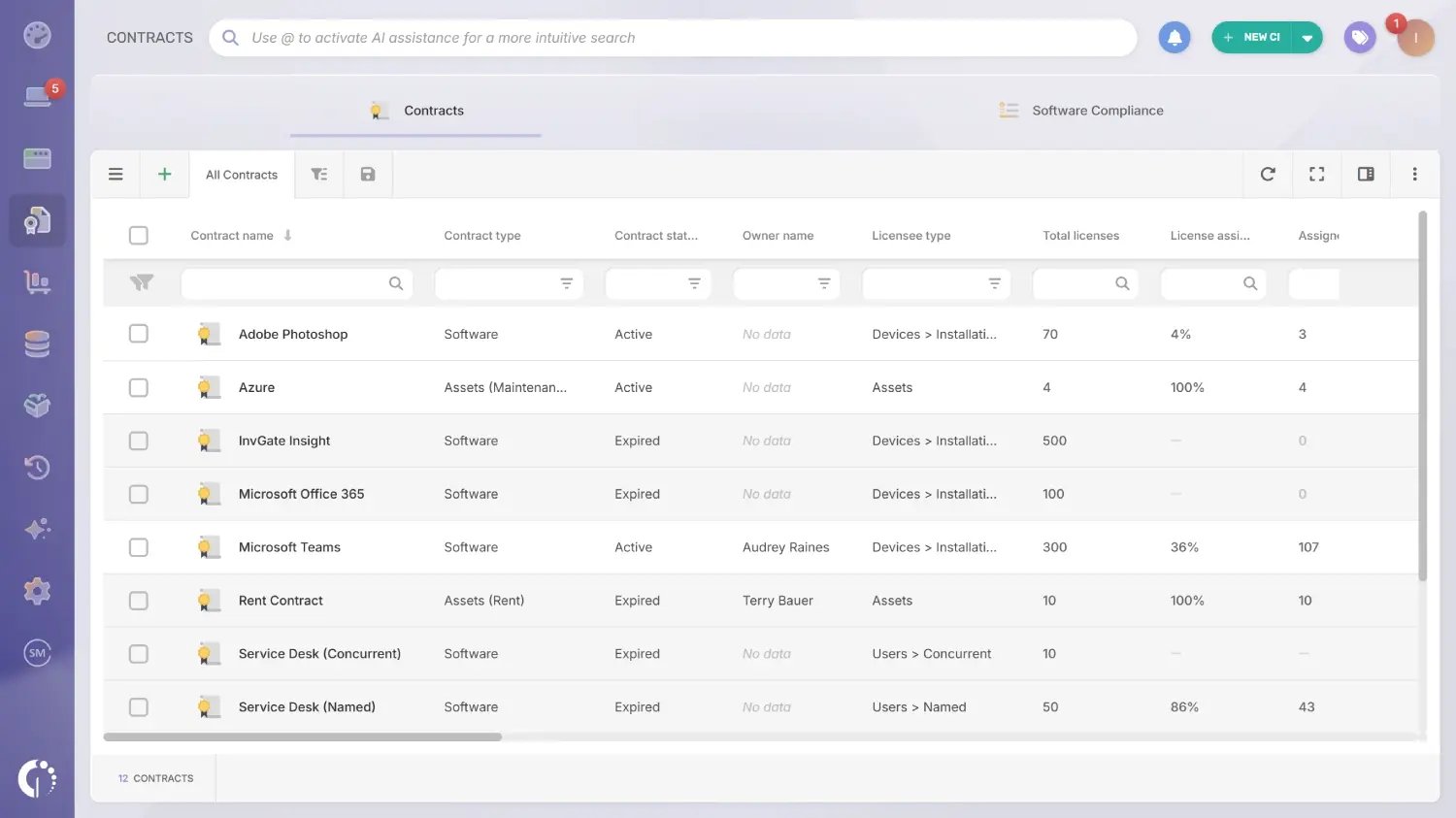
InvGate Asset Management has a dedicated Contracts module. You can create both software contracts and asset contracts, and link them to the corresponding items in your inventory.
Software contracts include fields for software type, license count, license type, assignment rules, cost, duration, and support end date. You can also associate a vendor and upload attachments like purchase orders or warranty documents.
InvGate Asset Management also supports custom fields. For software warranties, the most important custom field to add is the warranty expiration date.
Here's how to set it up:
Before creating the contract, set up the custom field that will capture the warranty expiration date. Go to Settings > CIs > Fields > Add. Fill in the following:
Once saved, this field will appear in every software contract you create.
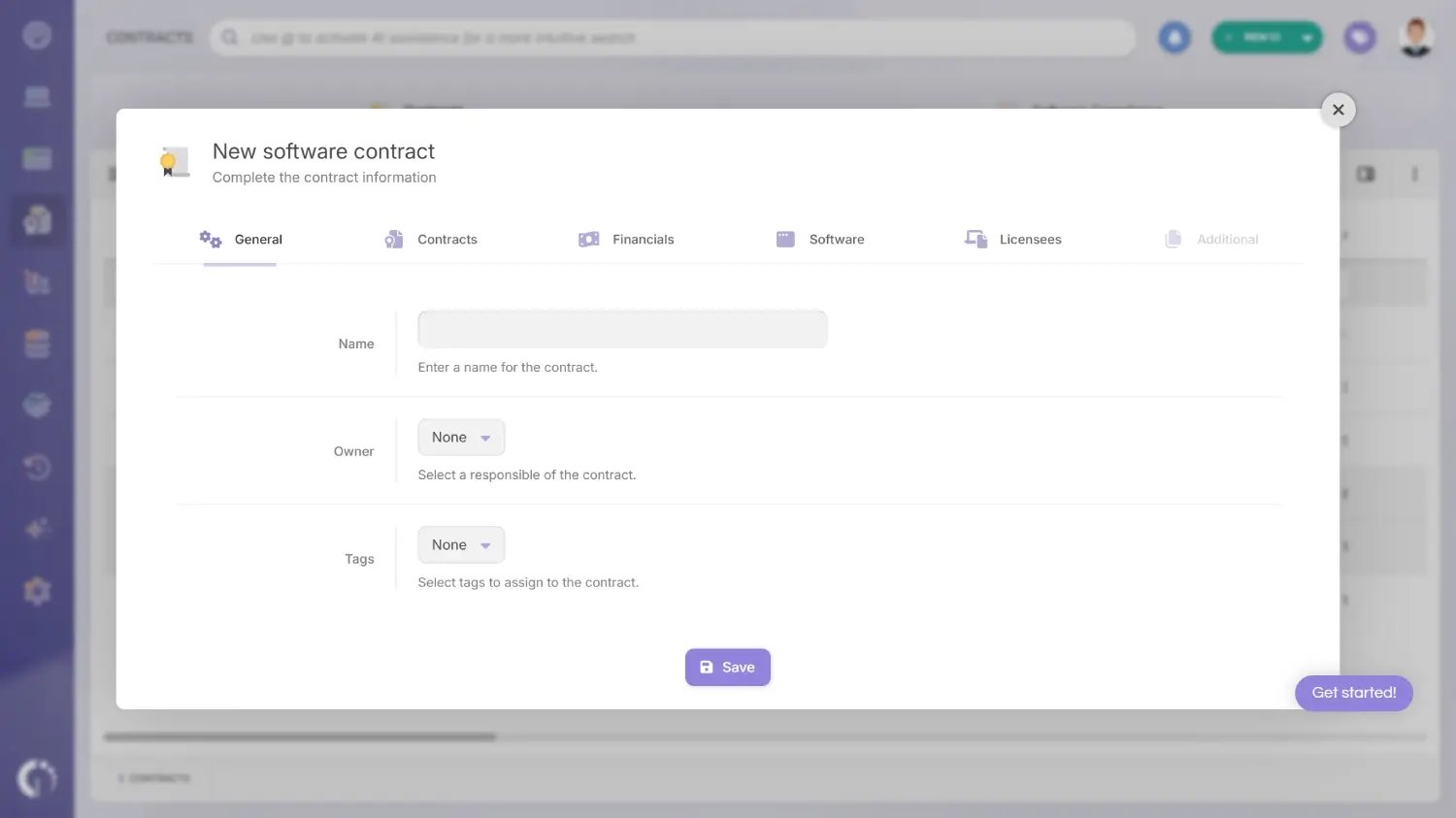
Go to the New CI button (top right) > Contract > Software. The form is organized in tabs:
General tab: add a name that clearly identifies the contract (required). Assign an owner, the user responsible for managing it, and apply any relevant tags.
Contracts tab: select the software type (stand-alone, suite, operating system, or SaaS). Enter the total number of licenses and choose the licensee type. You can also add serial numbers, configure auto-assignment rules, and define auto-recycle conditions for when licenses should be deallocated automatically.
Financials tab: set the contract cost, the start date (required), and the end date. You can specify whether the contract includes support services and, if so, the support end date. Assign a cost center and a provider, and add the purchase order number if applicable.
Software tab: select the specific software this contract covers. You can assign it by product name, which applies the contract to all versions, or by specific versions only.
Licensees tab: assign the users or devices covered by this contract, up to the number of licenses specified.
Additional tab: this is where any custom fields you've configured appear. The "Software warranty end date" field you created in Step 1 will show up here. Enter the exact expiration date of the warranty for this contract.
Open the contract profile and go to the Attachments section. Upload the original warranty document, the purchase order, or any vendor communication that defines the scope of coverage. Add notes to record conditions, exclusions, or contact information for warranty claims.
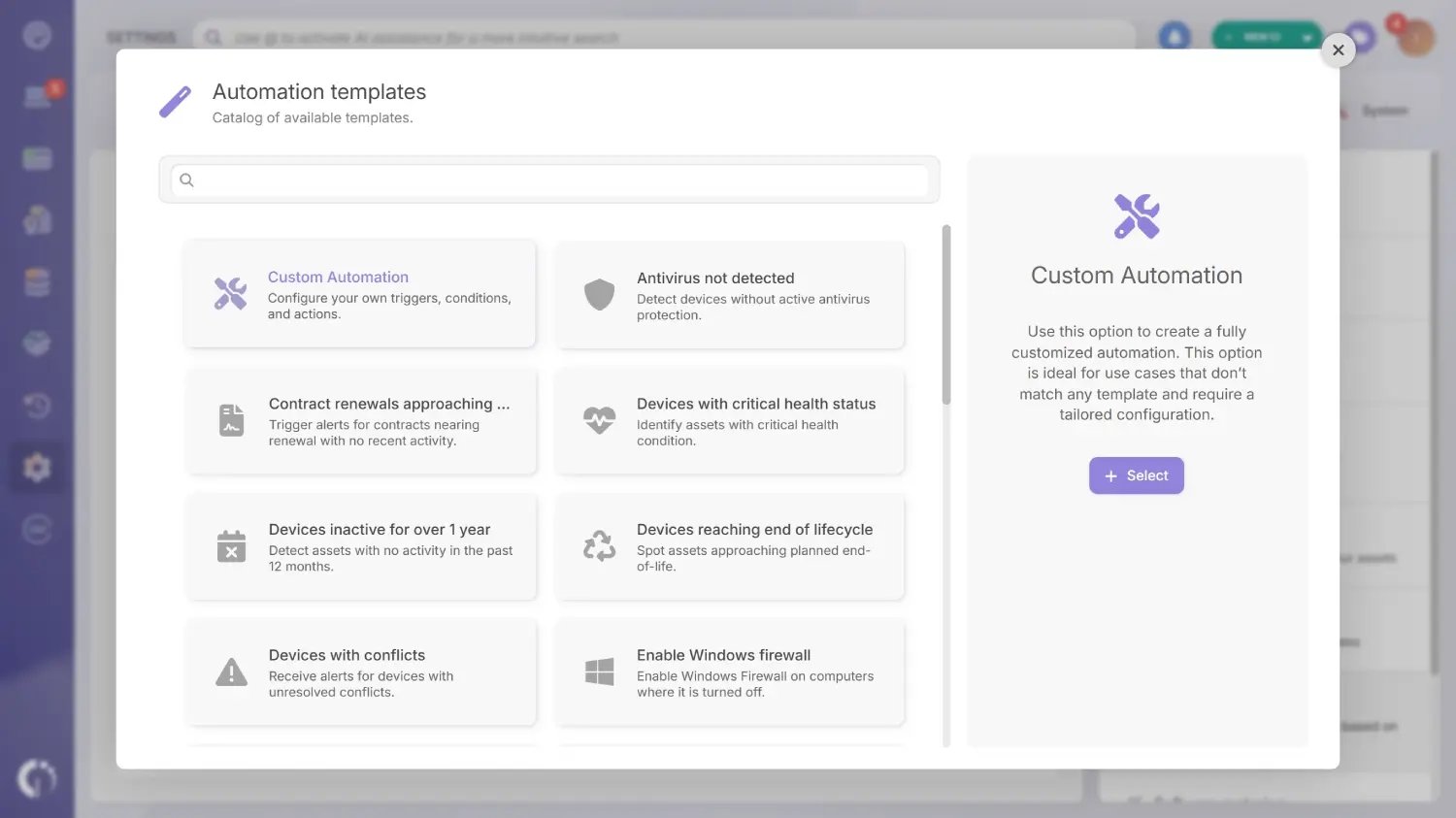
Go to Settings > CIs > Automations > Add. You can also create a custom automation based on the warranty end date field you added. Set it to notify you 60 to 90 days before expiration so you have time to evaluate renewal or replacement options.
Create a custom dashboard to get a real-time view of which software contracts are active, expiring soon, or already expired. This is especially useful when managing multiple vendors or large software inventories.
Want to see what InvGate Asset Management can do for your software warranty tracking? Talk to our Sales team or start a free 30-day trial and explore the platform yourself.
A software warranty doesn't exist in isolation. It's part of the asset's lifecycle, and it affects decisions at each stage. At procurement, the warranty begins. That's the moment to register it. If it isn't recorded at purchase, it usually never gets tracked.
During operation, the warranty informs how you respond to incidents. If a software asset fails while under warranty, the vendor is responsible. The IT team shouldn't spend internal maintenance budget on something the vendor is obligated to resolve.
At renewal time, a warranty expiration is a signal. It may mean extending coverage through a maintenance agreement, migrating to a different licensing model, or advancing Software Renewal Management decisions ahead of schedule.
When retiring the asset, close the associated contract in InvGate Asset Management to keep the inventory clean. Understanding how warranties intersect with the full Contract Lifecycle Management process is what separates reactive IT teams from proactive ones.
In SaaS environments, the concept of a software warranty works differently. There are no physical defects and no installation. The vendor's commitment is expressed through the SLA: guaranteed uptime, response times, and resolution windows.
What the IT manager needs to track is not a traditional warranty but the contract terms: renewal dates, credit conditions if the SLA isn't met, and cancellation terms.
InvGate Asset Management lets you register these contracts, link them to the corresponding applications in your inventory, and set up alerts before each renewal. That keeps you ahead of SaaS sprawl and prevents silent auto-renewals on tools the team no longer uses. Keeping contracts tied to assets is also central to Software License Management across your full portfolio.
A software warranty covers defects that prevent the software from working as specified. The vendor is responsible for correcting those defects through updates, patches, or replacement during the warranty period. It does not cover problems caused by modifications, third-party integrations, or misuse.
A warranty is part of the original purchase and covers inherent defects for a fixed period. A maintenance agreement is a separate, paid contract that provides ongoing support and updates after the warranty expires.
Duration varies by vendor and product. The warranty period is defined in the purchase contract and should be recorded in your IT Asset Management tool at the time of purchase. There is no universal standard.
An as-is warranty means the vendor provides no guarantees about the software's performance or suitability. All responsibility falls on the buyer. It's a red flag when evaluating new software.
Create a software contract in your IT Asset Management tool and link it to the relevant asset. Add a custom field for the warranty end date, upload the original warranty document as an attachment, and configure an automation to send alerts before expiration.

