












![Software Request Process: 7 Easy Steps [+Free Template]](https://blog.invgate.com/hubfs/software-request-workflow-template.jpg)


Requesting new software or access to existing tools often looks simple on paper. In practice, IT teams spend time chasing confirmations, managers approve requests without full context, and users wait without knowing what’s happening. When software requests rely on manual coordination, delays and inconsistencies quickly become part of daily operations.
By automating and standardizing the request process, IT departments can save time, reduce errors, and increase transparency. A good software request workflow should be easy to use, scalable, and customizable to fit the organization's unique needs.
In this blog, we'll guide you through what a software request is and how InvGate Service Management can help you build an efficient, automated workflow using our no-code workflow builder.
Let's get into it.
Software access touches security, licensing, and productivity at the same time. Without a defined flow, requests arrive through multiple channels, approvals vary from one manager to another, and audits require reconstructing decisions after the fact. Automation brings structure to that process.
An approval-driven workflow standardizes how requests are submitted, who reviews them, and what happens once approval is granted. IT teams gain a clear record of decisions, managers see the information they need before approving, and employees know where their request stands. Over time, this reduces manual follow-ups, limits unauthorized access, and keeps software usage aligned with internal policies.
A well-implemented software request process helps with software license tracking and compliance and ensures that the requested software meets the company’s security and operational standards. It’s an essential part of IT Service Management (ITSM) that optimizes resources, reduces errors, and provides complete visibility into the request lifecycle.
Software request workflows are a core part of software Asset Management automation and should be treated as such within your IT strategy. Controlling who requests software, how approvals happen, and how licenses are assigned directly affects license compliance, spending, and security.
Without structure, software access becomes reactive and hard to trace. A few elements need to work together for the process to stay consistent and auditable.
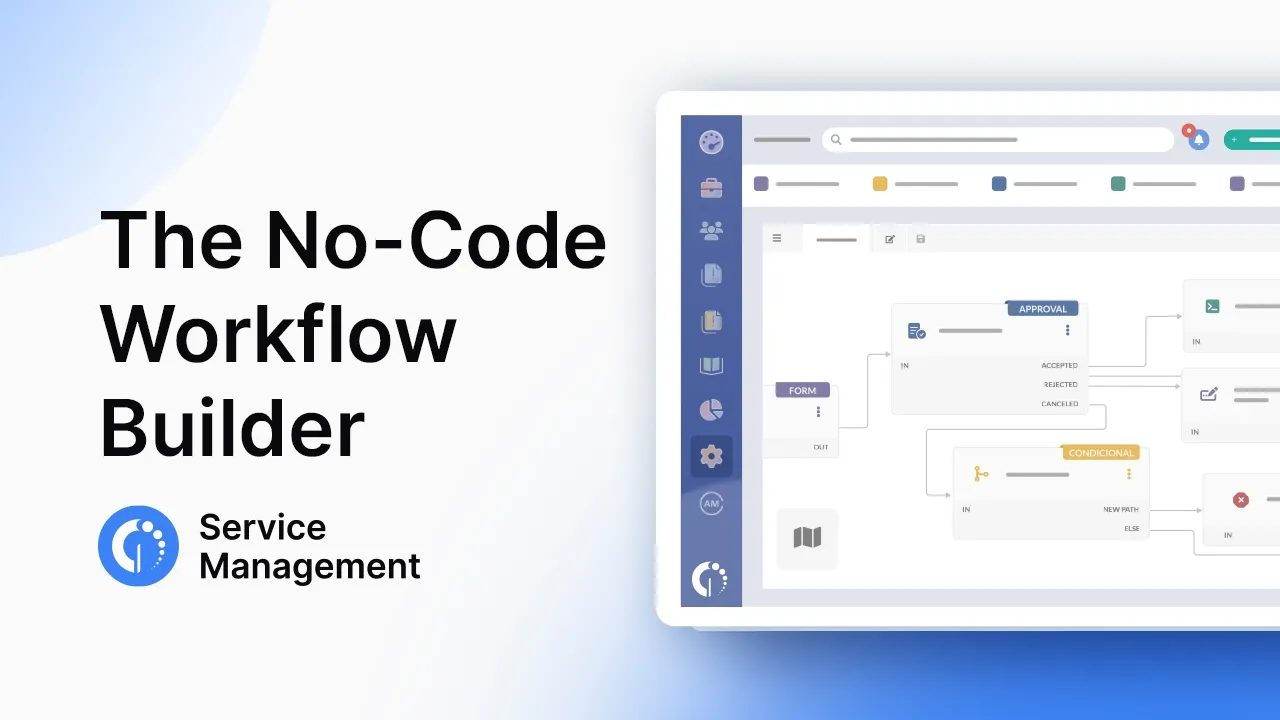
InvGate Service Management takes the complexity out of creating and managing software request workflows. With our no-code workflow builder, you don’t need to be a developer to design a robust and scalable software request process. Simply drag and drop the steps you need, customize approvals, notifications, and actions, and you're ready to go.
InvGate Service Management lets you set up software request automation without writing code or relying on custom development. The idea is simple: start from a ready-made template, adjust the steps to match your policies, and use drag-and-drop blocks to shape the process your teams actually follow.
Below is a practical, step-by-step way to build and deploy an approval-driven software request workflow.
Log in with an admin role and go to Settings > Requests > Workflows.
From the list of templates, select Software request and click Use template to open it in the diagram editor.
The template already includes the core stages most organizations need. You can keep them as-is or adjust them before publishing. If needed, the same menu lets you create a workflow from scratch, import one, or edit an existing version.
The workflow begins with a start form where users submit their software request.
Here, you define what information is required upfront, such as the software name, the reason for the request, and any additional comments.
Fields can be added or removed depending on your policies. Many teams include a department, cost center, or license type to support approvals and reporting later on. Since the form is part of the workflow, changes apply immediately to all new requests.
After submission, the request moves to manager approval.
Managers review the request and decide whether it makes sense for their team.
At this stage, you configure possible outcomes:
Approval rules, messages, and notifications are configured directly in the block by double-clicking it in the editor.
Once approved by the manager, the workflow sends the request to Finance.
Finance reviews budget availability and licensing costs before making a decision.
Just like the previous step, outcomes are clearly defined. Approved requests move forward, while rejected or canceled ones automatically notify the requester. Every decision is recorded as part of the workflow.
After financial approval, the request reaches the IT team. Here, you define one or more tasks for license assignment, setup, or validation. Each task can include a description, due date, and assigned owner.
Once IT completes the assignment, the workflow sends an automated email to the requester confirming that the software is available. Notification content is fully configurable. Many teams include details like license information, expiration dates, or basic usage guidelines so users know what to expect.
When the workflow is ready, save your changes and return to the workflows menu.
Publish the new version and assign it to the appropriate category in the service catalog, such as IT > Software requests.
From that point on, every request in that category follows the defined approval-driven process, giving you consistent handling, clear ownership, and full visibility from request to delivery.
One of the biggest advantages of using InvGate Service Management is the flexibility it offers. Whether you're a small company with a straightforward approval process or a large enterprise with complex multi-department workflows, our tool can adapt to your needs.
Our no-code solution also provides real-time analytics and reporting, helping you track performance, identify bottlenecks, and make data-driven improvements. From the moment a request is submitted to when the software is delivered, you'll have complete visibility into the entire process.
Ready to streamline your software request process? We've created a free, ready-to-use Software Request workflow template that you can implement in InvGate Service Management today. This template includes all the essential steps to manage software requests from submission to approval and deployment.
Download it here!
Our template is fully customizable, so you can adapt it to meet the specific needs of your organization. Whether you're a small business or a large enterprise, our solution provides the flexibility and control you need to manage software requests with ease.
InvGate Service Management provides the perfect platform for building and managing software request workflows, thanks to its no-code interface and flexibility. Start using our workflow builder today to see the difference it makes. Experience it firsthand! Start your 30-day free trial today and explore the tool at your own pace.

