














Most IT teams don't lose visibility into their assets because they lack an inventory. They lose it because nothing keeps that inventory current.
IT inventory tracking software solves exactly that: instead of capturing a one-time snapshot, it continuously monitors ownership, location, lifecycle state, installed software, and configuration changes across every device in your environment. This guide covers what good tracking looks like in practice and how InvGate Asset Management addresses each dimension.>
An inventory is a list. Tracking is what keeps that list accurate after day one. A static inventory tells you what you had at the moment it was recorded. Tracking tells you what you have right now, who is responsible for it, where it is, and what has changed since it was first logged.
The gap between the two becomes visible quickly. A device gets reassigned to a new hire without anyone updating the record. A laptop moves to a remote worker and stops appearing in network scans. A user installs software that wasn't approved, and no alert fires. None of these events are failures of the inventory. They're failures of the tracking layer that should be updating it continuously.
Ownership data answers a simple question that often has no clear answer: who is accountable for this device? A functional tracking system captures the assigned user, the department, the technical owner, and the full history of transfers between them.
This matters most at the edges of the employment lifecycle. During onboarding, ownership needs to be assigned before the device ships. During offboarding, it needs to be cleared and the device recovered. During an audit, every asset should have a traceable chain of responsibility. InvGate Asset Management records the full assignment history per asset and allows ownership updates directly from the device profile. When a laptop changes hands, the record follows it.
Physical location is one of the tracking dimensions most likely to drift. Devices move between offices, floors, and regions without anyone updating a spreadsheet. Over time, the location data in a manual inventory becomes a record of where things used to be, not where they are.
A tracking system that captures location hierarchically (country, site, floor, room) and logs changes when devices move gives IT teams an accurate operational picture. InvGate Asset Management supports geolocation and structured location hierarchies, which means a device's location is a live field, not a historical note.
Every asset moves through a predictable set of states: in stock, deployed, in maintenance, awaiting disposal, retired. The lifecycle state at any given moment determines whether a device should be purchased, replaced, repaired, or written off.
Teams that don't track lifecycle state systematically tend to over-purchase because they don't know what's available in stock, or under-retire because no one flags aging devices proactively. Linking lifecycle state to procurement and budget decisions requires that the data exist and stay current. InvGate Asset Management lets teams define custom lifecycle states and move assets through them as their situation changes, keeping that data visible and filterable across the full inventory at all times.
A device's configuration at deployment is rarely its configuration six months later. Operating system updates, application installs and uninstalls, RAM upgrades, disk replacements: these changes accumulate. If they're not recorded, the inventory reflects a state that no longer exists.
The InvGate Asset Management Agent detects and records configuration changes continuously. When a user installs a new application or a hardware component changes, the system logs it without requiring a manual audit cycle to catch the drift.
Hybrid and remote work made the remote device problem impossible to ignore. When devices leave the corporate network perimeter, agentless scans stop reaching them and manual inventories stop updating. The result is a growing pool of assets that are tracked on paper but invisible in practice.
This is where traditional inventory approaches break down structurally. A scan that runs inside the office network will never surface a device that has been working from a home office for eight months.
Agent-based tracking installs a lightweight component directly on each device. That component reports hardware specs, installed software, and configuration changes back to the central system on a continuous basis, regardless of whether the device is on the corporate network or connected from another location.
InvGate Asset Management uses this method through its Agent. It helps maintain inventory accuracy for computers, servers, and mobile devices outside the office. The Agent supports Windows, macOS, Linux, and Android, covering the majority of remote device scenarios in enterprise environments.
Not every device can run an agent. Network infrastructure, servers managed by other teams, and shared devices often need a different approach. Agentless discovery scans the network perimeter to identify and inventory these assets without requiring software installation on each one.
The recommended practice is to combine both methods: agent-based for endpoints that move, agentless for fixed infrastructure. Together, they eliminate the coverage gaps that either method has on its own.
 Hardware is the easier half of the inventory problem. Software is where accuracy tends to degrade fastest. Applications get installed and uninstalled without any central record, versions drift across the fleet, and license compliance becomes impossible to verify when no one knows what's actually running on which machine.
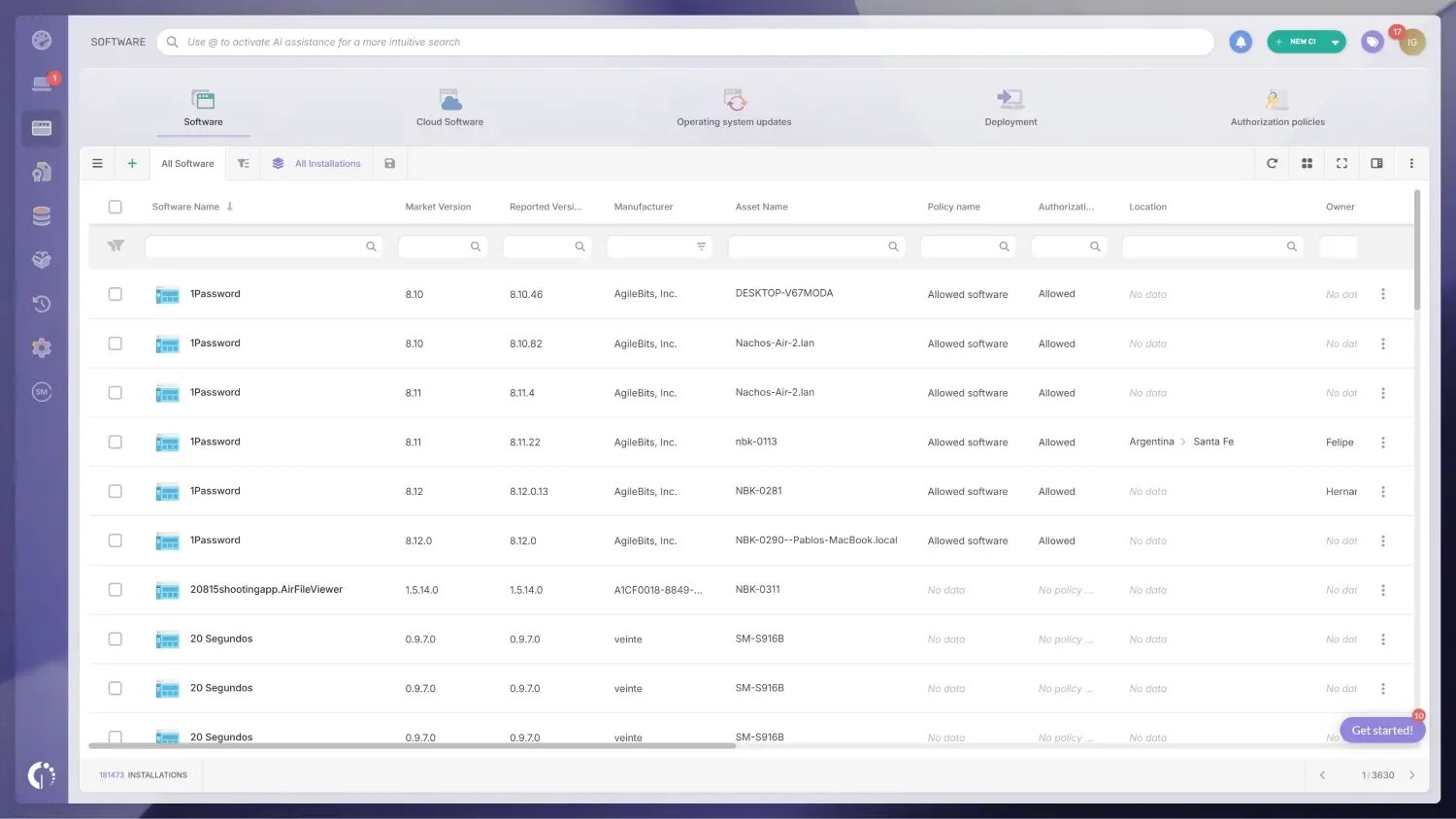
A tracking system that covers software needs to do more than list application names. It needs to record versions, associate them with the devices they're running on, flag installations that fall outside the approved list, and surface end-of-life timelines before they become a compliance issue.
InvGate Asset Management provides a per-device software view that covers installed applications, versions, and authorization status, and it generates alerts when something installed doesn't match what's expected.
When a user installs software that isn't on the approved list, the risk isn't just licensing. It's security. Unauthorized tools can introduce vulnerabilities, create shadow IT, or violate compliance requirements, and none of that is visible unless the system is actively watching for it.
InvGate Asset Management addresses this through Authorization policies, a feature within the Software module that lets IT teams define which applications are allowed, which require explicit revision, and which are banned across the fleet. When a device shows an application that falls outside those definitions, the system flags it automatically, without requiring a manual scan to catch it.
Running outdated software isn't always the result of negligence. Often, teams simply don't have a reliable way to know which versions are deployed and which have reached end of support. Tracking versions at scale requires a system that can surface that data across the entire fleet without manual cross-referencing.
InvGate Asset Management's Atlas module is designed to automate enrichment for hardware and software assets, including end-of-life and end-of-support data. Atlas is currently in development and coming soon.
InvGate Asset Management approaches inventory tracking as a continuous data problem, not a periodic audit task. Its architecture is built around keeping asset records current automatically, across hardware state, installed software, ownership, location, and configuration changes, so that the inventory reflects what's actually in the environment at any given moment.
No single discovery method covers every asset type. InvGate Asset Management builds the inventory from multiple sources simultaneously: the installed Agent for endpoints, network discovery for on-premises infrastructure, CSV imports for bulk onboarding, and integrations with cloud and Mobile Device Management platforms including Azure Active Directory, AWS, Google Workspace, and Jamf.
The combination means there's no class of asset that requires a separate manual process to track. Automated asset tracking covers how these discovery methods work together to eliminate manual data entry from the tracking workflow.
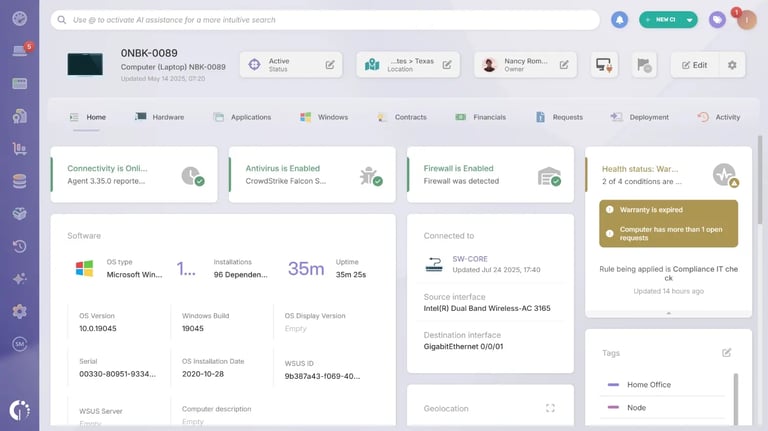
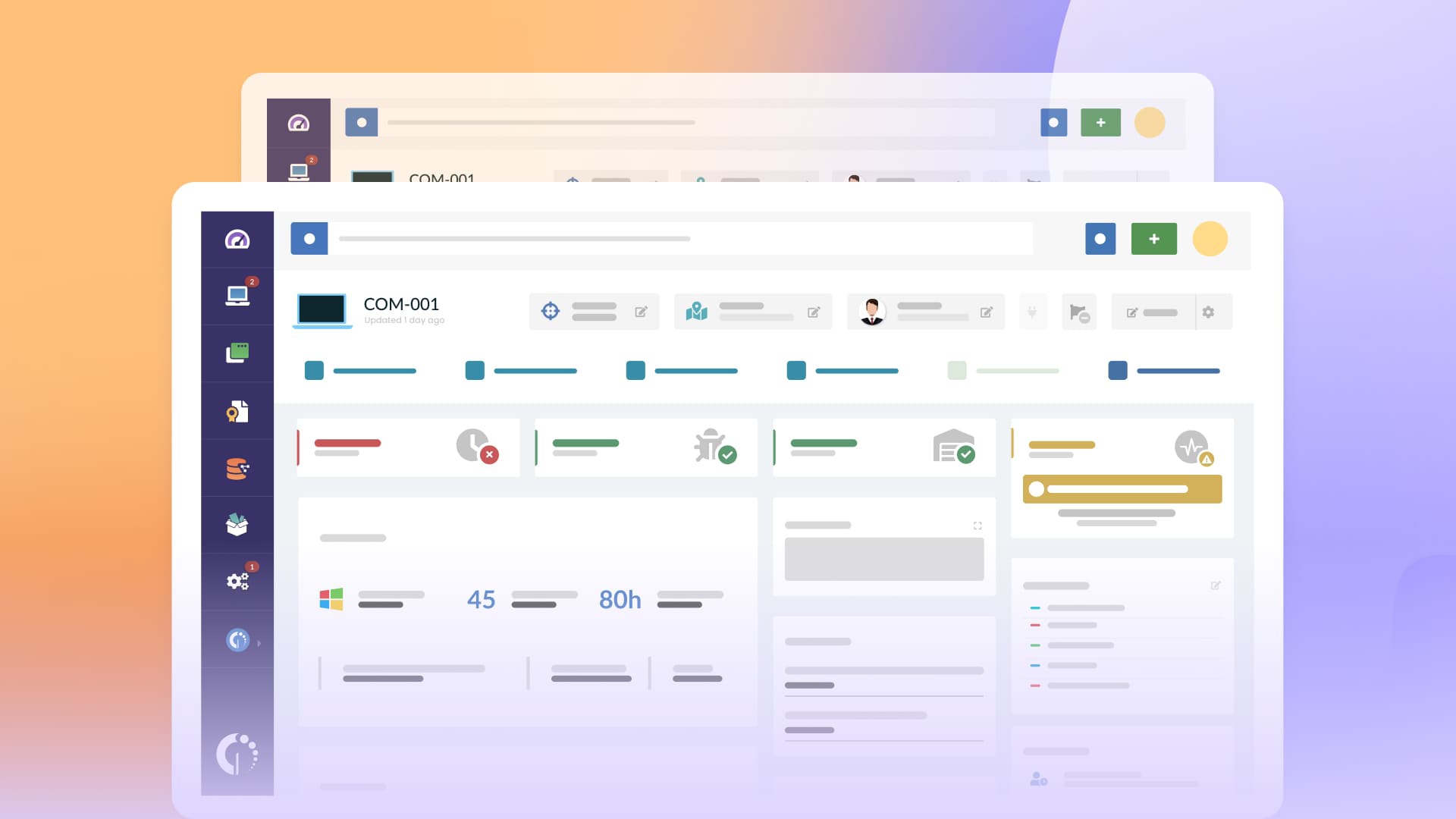
Every asset in InvGate Asset Management has a profile that records its current owner, department, and location, and logs changes to any of those fields over time. When a device is transferred to a new user, the assignment is updated in the profile, and the history of previous assignments is preserved.
Location is handled through a hierarchical structure: country, site, floor, and room can all be defined and assigned. Geolocation is also supported for devices where physical coordinates are relevant, useful for distributed teams, field deployments, or multi-campus environments.
InvGate Asset Management allows teams to define the lifecycle states that match their operational reality (in stock, deployed, in repair, pending retirement, disposed) and move assets through those states as their situation changes. The lifecycle state is visible in the asset profile and filterable across the full inventory.
Health rules add an automation layer on top of lifecycle and configuration data. A health rule can flag any device where antivirus is out of date, warranty has expired, an unauthorized application is installed, or a configuration has changed outside of an approved window (among other things). When the condition is met, the rule generates an alert or triggers a defined action.
InvGate Asset Management supports alerts for warranty expirations, software end-of-support dates, configuration changes, and many other conditions. Alerts can be routed to the relevant owner or team, so the right person is notified without requiring a central administrator to monitor everything manually.
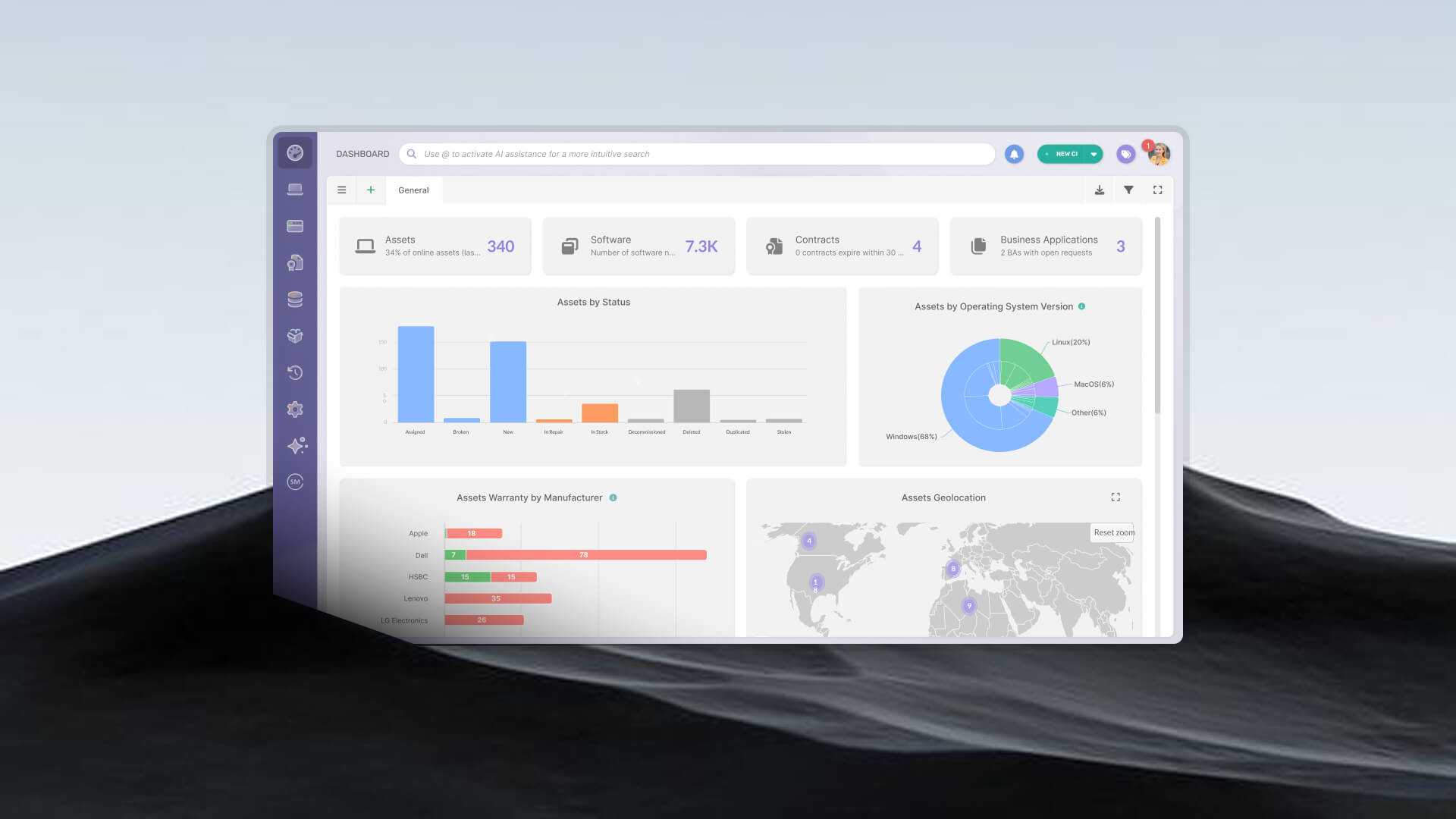
The Explorer and custom dashboards allow IT teams to filter the inventory by any combination of fields (device type, owner, location, lifecycle state, installed software, health status) and export the results for audits, budget planning, or compliance reporting.
Choosing a tracking tool is easier when you're evaluating specific capabilities rather than marketing claims. The questions below apply to any solution and reflect what actually determines whether a tracking system stays accurate in practice.
Automated discovery (agent and agentless). A tracking system that requires manual data entry to stay current will drift. Look for solutions that combine agent-based and agentless discovery, and evaluate how frequently each method updates the inventory.
Change detection. The value of tracking degrades if changes are only captured during scheduled scans. A system that detects configuration changes, software installs, and hardware modifications as they happen is meaningfully different from one that finds them during the next audit cycle.
Remote device coverage. Confirm how the system handles devices that operate off-network. Agent-based coverage for remote endpoints is the standard approach. Verify which operating systems the agent supports and how reporting behaves when a device is offline for an extended period.
Software inventory depth. Hardware tracking is table stakes. Evaluate how the system handles installed applications: does it record versions, flag unauthorized installs, surface end-of-life dates, and associate licenses with specific devices?
Alerting and automation rules. Passive inventory systems require someone to look for problems. Alerting and automation rules shift the system from reactive to proactive: events trigger notifications and actions, rather than waiting for a manual review to catch them.
Reporting and audit readiness. During an audit, the inventory needs to be queryable by specific fields and exportable in a usable format. Evaluate whether the reporting layer allows custom filters, scheduled exports, and the kind of field-level detail that auditors typically request.
Integration with IT Asset Management and service desk workflows. Tracking data is most useful when it's accessible from adjacent workflows: service desk tickets, procurement requests, compliance reviews. Evaluate how the tracking system connects to the broader IT Asset Management (ITAM) stack and whether it integrates with the service desk your team already uses.
Most IT inventory tracking failures don't happen because teams chose the wrong tool. They happen because the tracking model itself has structural gaps that no tool can compensate for. These are the patterns that show up most often.
An inventory that gets updated once a year is accurate for a window measured in days. Between cycles, devices get reassigned, relocated, retired, or replaced without any record of the change. By the time the next audit runs, the gap between the inventory and reality can be substantial enough to require a full reconciliation before the audit data is usable.
The fix isn't more frequent audits. It's replacing the audit cycle with continuous, automated tracking that captures changes as they happen.
Many organizations have reasonable hardware records and almost no visibility into software. Applications get installed outside of IT's knowledge, versions don't get updated in any central system, and license counts drift out of alignment with actual deployments. The result is a compliance exposure that's invisible until an audit or a licensing conversation makes it unavoidable.
A tracking system that handles hardware without software is covering half the inventory. Software tracking needs to be built into the same workflow, not treated as a separate process.
An inventory that reflects what's on the corporate network reflects less and less of the actual device fleet as remote and hybrid work scales. Devices operating off-network accumulate changes that never get recorded: software installations, configuration changes, hardware modifications. The inventory becomes an increasingly inaccurate picture of a subset of the environment.
The structural solution is agent-based tracking for endpoints, which reports continuously regardless of network location. Without it, the remote device population becomes a persistent blind spot that manual processes can't reliably address.
IT inventory tracking software is only useful if it stays accurate. Staying accurate requires continuous coverage across every dimension that matters: ownership, location, lifecycle state, installed software, and configuration changes. A static inventory that captures a moment in time will always drift. A tracking system built around automated discovery, agent-based remote coverage, and rule-based alerting keeps the inventory current without depending on manual update cycles.
InvGate Asset Management is built around that model: multiple discovery methods, continuous agent reporting, configurable health rules, and reporting tools designed for both operational visibility and audit readiness.
IT inventory tracking software maintains a continuously updated record of the assets in an IT environment. Unlike a static list, it records changes to hardware configuration, installed software, ownership assignments, and device location over time, giving IT teams an accurate, current picture of every asset.
Remote device coverage is typically handled through agent-based tracking. A lightweight agent installed on the device reports hardware specs, installed software, and configuration changes back to the central system continuously, regardless of whether the device is connected to the corporate network.
Tracking is one operational layer within IT Asset Management (ITAM). ITAM covers the full lifecycle of assets: procurement, deployment, maintenance, financial management, compliance, and disposal. Inventory tracking feeds the data layer that ITAM depends on to function accurately.
Yes. Most tracking platforms allow teams to define which applications are approved, which require revision, and which are banned, then flag any device that falls outside those definitions. In InvGate Asset Management, this is handled through Authorization policies, a feature within the Software module that surfaces non-compliant installations automatically without requiring a manual scan.

