












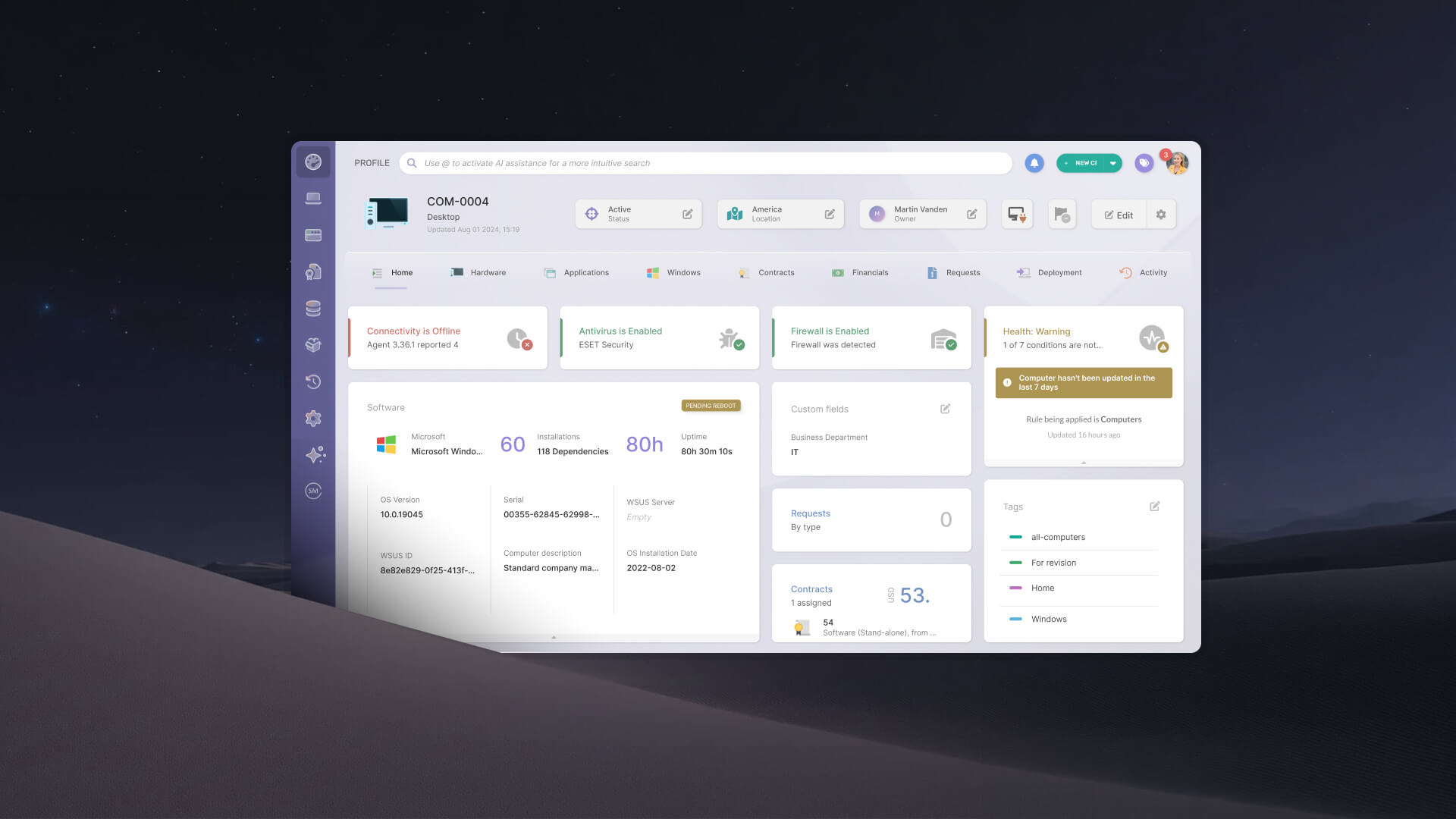


Ask an IT administrator what they mean when they say they need a Configuration Management Database (CMDB), and more often than not, they are describing something else entirely: knowing what assets they have, who is responsible for each one, and what breaks if one of them fails. That is the job of the Asset Management Database (AMDB), the lifecycle record built to answer exactly those questions.
InvGate Asset Management is built as an AMDB: the lifecycle record of every asset an organization owns. Every asset it tracks is also a Configuration Item (CI), and the record has always followed each CI's full lifecycle. What it could not capture in a structured way was how a CI connects to everything else around it. CI Dependencies closes that gap. It adds a structured relationship layer that records who owns a CI and what depends on it, directly on the CI's own profile.
An IT Infrastructure Manager can usually answer "what assets do we have" without much trouble. The harder question is the one that comes up during an incident or an audit: "who is responsible for this, and what does it affect?" That answer often does not live in InvGate Asset Management at all. It lives in a spreadsheet, in a document nobody has opened in months, or in the memory of the one engineer who set the system up.
That gap was never about lifecycle tracking. It was about the absence of a structured way to say that one CI depends on another, or that a specific person, distinct from the asset's default owner, is the one who actually knows how to fix it. The clearest version of this shows up during offboarding: someone leaves the organization after being responsible for a dozen systems, nobody formally reassigns them, and the record quietly goes stale until an audit or an incident exposes the gap.
CI Dependencies adds a new tab to every CI profile, called Related CIs, positioned right alongside the asset's contracts and lifecycle history. From that tab, an IT Infrastructure manager or IT specialist can create, view, edit, and delete relationships to other CIs without leaving the asset's profile or opening a diagram tool.
Each relationship connects two CIs through a defined type, and every type specifies which CI families are valid on each side. InvGate Asset Management ships with five native types to start:
These five types cover the relationships IT teams asked for most often. They are a starting point rather than a fixed list: native types can be renamed to match an organization's own terminology, though they cannot be deleted.
Every relationship can carry an optional criticality level of Low, Medium, or High, along with a free-text description for context that does not fit into a type. That criticality field is what lets a team flag a relationship that matters in an emergency, separately from one that is just useful background.
Once a relationship is created, it appears automatically on both CIs it connects, with no extra setup required on the second CI's profile. That automatic, two-way visibility is what lets anyone open an asset and see its full context in one place: who operates it, what it runs on, and where its data lives.
A relationship recorded once in the Related CIs tab is built to be useful everywhere else in InvGate Asset Management, beyond the profile where it was created. Each relationship type becomes a filterable, sortable column in the Asset Explorer, so a manager can pull every asset where a specific person is the Technical Owner and export the result to a spreadsheet in a couple of clicks.
The same relationships also feed Business Applications: when a user works on a diagram in Suggestions mode, any functional relationships already recorded on a CI surface as typed suggestions, so the diagram reflects real data from the first click, without merging the two systems together.
Relationships extend into InvGate Service Management as well: when a person is linked to a CI, that CI appears on their user profile, and an agent working a ticket sees every relationship attached to the affected CI, not just its default owner. On the automation side, a dependency update becomes an event any workflow can react to, and the platform exposes a public API with full create, read, update, and delete access to relationships, so external systems can work with this data programmatically.
These scenarios show what changes once relationship data lives inside the asset record instead of living outside it. Each one maps to a moment IT Infrastructure managers and specialists already deal with today, just without a spreadsheet to search through first.
A server goes down outside business hours, and someone has to find the right person fast. Its native Owner field points to whoever handled procurement, which is not who anyone needs at that hour.
The Related CIs tab shows a Technical Owner and a Security Auditor instead, recorded ahead of time rather than tracked down under pressure. The incident commander calls the right person on the first try, instead of searching through a document that may not even be current.
A compliance team preparing for a security audit needs a list of every production asset and its assigned Security Auditor by the end of the day. That list does not exist anywhere as a single view, so someone would normally export assets and cross-reference them against a separate ownership spreadsheet by hand.
With CI Dependencies, they open the Asset Explorer, filter by asset type, add the Security Auditor column, and export the result. What used to take a full day of manual cross-referencing now takes a few minutes, with nothing left to reconcile afterward.
An infrastructure team plans maintenance on a database server that other systems depend on, and touching it blind risks an outage nobody saw coming. Before the change window opens, they check the server's Related CIs tab for every Runs on relationship pointing to it.
Each one identifies a CI that depends on that server staying up. The team notifies every affected owner ahead of time, instead of finding out about the impact after something breaks.
A field engineer leaves the organization, and Human Resources (HR) triggers the standard offboarding workflow. Because that engineer was recorded as Technical Owner on a dozen CIs through CI Dependencies, those relationships do not just disappear along with the engineer's access.
InvGate Asset Management surfaces them as unresolved instead of letting them go stale silently. The IT manager reassigns each one before access is revoked, so the record stays accurate instead of quietly falling out of date.
An IT administrator builds a Business Applications diagram for the company's ERP system, work that normally starts from a blank canvas. When they open Suggestions mode on a CI that already has Runs on and Stored in relationships recorded, those relationships appear as typed suggestions right in the diagram canvas.
Accepting one adds it to the diagram in a single click. The diagram reflects the CI's real dependencies from the start, instead of being reconstructed by hand from whatever the person building it remembers.
InvGate Asset Management gives IT teams a single interface to discover, track, and manage every hardware, software, cloud asset, and andy other IT resource across its full lifecycle. It is built as an Asset Management Database, the record teams turn to for an asset's ownership, history, and connections across the environment.
CI Dependencies is what makes that record complete. Instead of keeping ownership and relationship data in spreadsheets that go stale the moment someone changes teams, IT Infrastructure Managers and Specialists can record it once, on the CI's own profile, and have it show up everywhere else in the platform automatically.
That shows up in a few concrete ways:
Start a free trial to see CI Dependencies on your own asset record, or talk to Sales about what it looks like for your environment.
The distinction between a CMDB and an AMDB was never about which term sounds more technical. It is about what question the record is built to answer. A CMDB tells a change management team what will break if they touch something. An AMDB tells everyone else who owns it, what it depends on, and whether the organization can trust its own record of it.
CI Dependencies is what makes InvGate Asset Management's answer to that second question complete. The relationship layer that used to live in spreadsheets and tribal knowledge now lives on the asset record itself, visible from every angle the organization needs it: incident response, audits, change planning, and offboarding.
An Asset Management Database (AMDB) is the lifecycle record of every asset an organization owns, covering ownership, cost, and status from procurement to disposal. A CMDB is built to model operational dependencies between configuration items so a change management team can assess risk before making a change. For a full breakdown of the two, see our guide to CMDB vs AMDB.
InvGate Asset Management ships with five native types: Technical Owner, Security Auditor, Commercial Owner, Runs on, and Stored in. Each one specifies which CI families it can connect, so a relationship always points to a valid CI on the other end.
Native relationship types can be renamed to match an organization's own terminology, though they cannot be deleted. Additional custom types can be created from Settings to cover relationships specific to an organization's environment.
No. CI Dependencies and Business Applications are separate systems that work together. Relationships recorded through CI Dependencies surface as suggestions when building a Business Applications diagram, and accepting one adds an independent connection to that diagram, kept separate from the original relationship.
It is built for IT Infrastructure Managers and Specialists who currently track asset ownership outside InvGate Asset Management, and for compliance and security teams that need structured, exportable ownership data for audits.

