Choosing ITSM software for a 1,000-employee company requires a different set of priorities than selecting a tool for a smaller organization. At 1,000 employees, the IT team is usually somewhere between 8 and 15 people managing tickets from multiple departments, supporting a mix of L1, L2, and L3 queues, and trying to keep SLAs from slipping. The informal processes that worked at 300 or 500 employees don't scale here.
The mistake most organizations make at this inflection point is reaching for the wrong tool. Some pick platforms that are too lightweight to handle the complexity; others sign contracts with enterprise-grade vendors only to spend the next six months in implementation and the next two years paying for capabilities they don't use.
This guide covers seven ITSM platforms evaluated specifically for the 1,000-employee profile. If your organization has around 500 employees and is scaling toward this stage, see our best ITSM software for 500 employees guide for a comparison tuned to that size.
Key takeaways
- At 1,000 employees, ITSM needs go beyond ticketing: SLA enforcement, multi-team ESM, and no-code automation become non-negotiable.
- Enterprise platforms like ServiceNow carry implementation complexity and cost that most 1,000-employee IT teams can't absorb.
- The right platform deploys in weeks, doesn't require a dedicated ITSM admin, and scales to HR, Finance, and Facilities without a separate project.
- InvGate Service Management is built for this inflection point: full ITSM and ESM capability with no-code configuration and low admin overhead from day one.
- Before signing, run a 2-4 week pilot with real tickets to validate adoption and configuration fit.
What changes at 1,000 employees
Before comparing service desk platforms for the mid-market, it's worth mapping what actually shifts operationally when an organization crosses this threshold. The pain isn't the same as it was at 300 or 500 employees — and the tool that was good enough then may not be adequate now.
-
Ticket volume with multiple specialized queues. At 1,000 employees, IT teams typically handle multiple concurrent queues — level 1 triage, level 2 hardware and software issues, level 3 infrastructure and security. Without routing automation and proper categorization, tickets fall through cracks, SLA breaches multiply, and technicians spend time on manual triage instead of resolution.
-
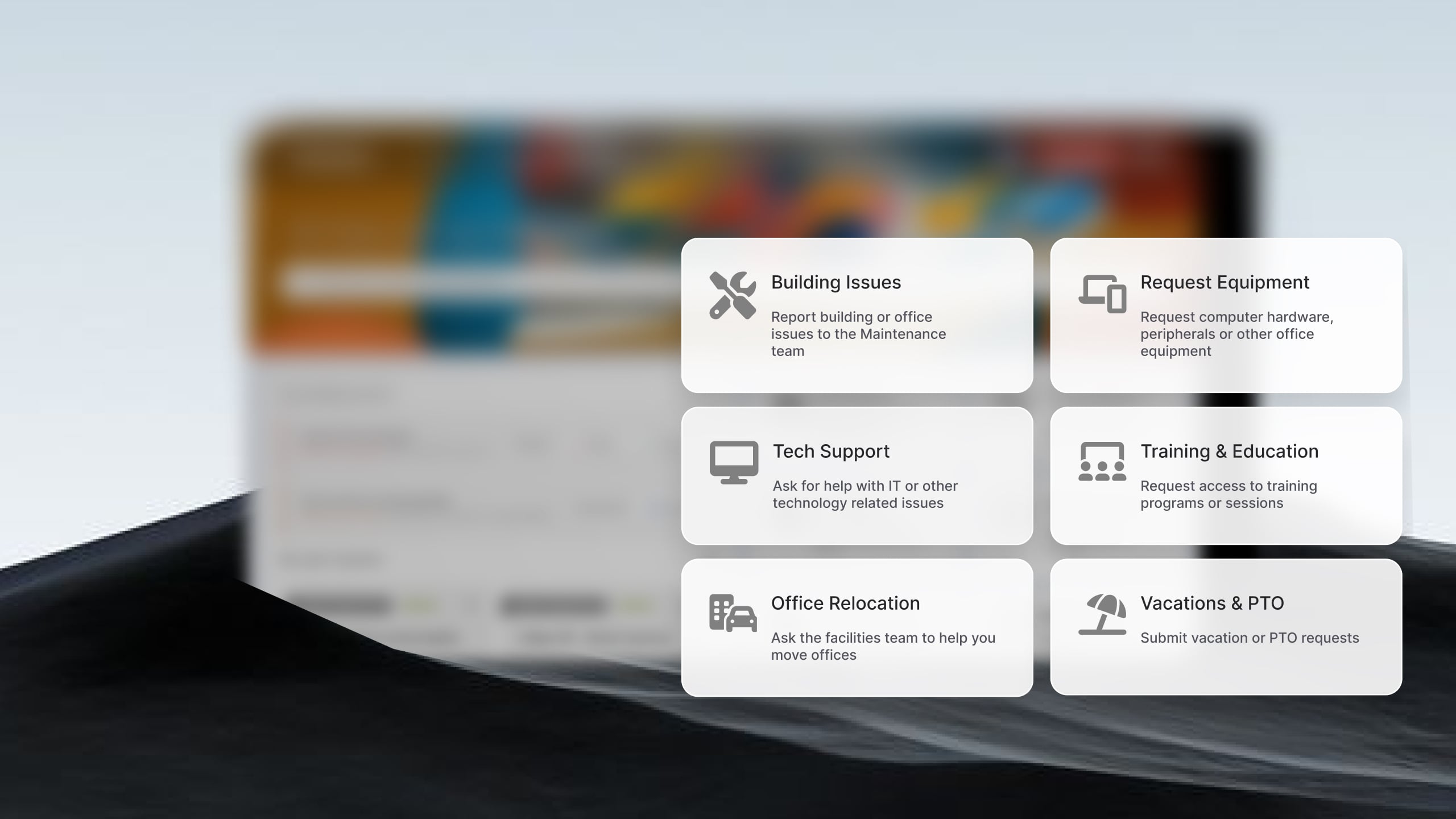
More departments would benefit from a Service Management approach. HR onboarding, Finance procurement approvals, and Facilities maintenance requests are already being managed somewhere — usually in email threads, spreadsheets, or a patchwork of tools. At this scale, organizations with a mature ITSM platform can naturally extend it to those departments. Platforms that don't support multi-department Enterprise Service Management from a single instance force teams to buy additional licenses or maintain parallel systems.
-
SLA enforcement needs. There's a meaningful difference between tracking SLAs informally and enforcing them automatically. At 1,000 employees, accountability is often tied to compliance requirements, internal service agreements, or vendor contracts. Manual SLA monitoring doesn't hold. The platform needs to trigger escalations, notify stakeholders, and report on performance without human intervention per ticket.
-
Platform risk is real. There are enterprise platforms that are designed for organizations with dedicated ITSM administrators, significant professional services budgets, and multi-month implementation timelines. At 1,000 employees, the overhead of deploying and maintaining one of these platforms can exceed the operational value — at least for the first 18-24 months. The risk isn't choosing a platform that's too simple; it's choosing one that's too complex to configure, maintain, and evolve without a team of specialists.
Best ITSM software for 1,000 employees
Methodology note: InvGate develops is an active vendor in this market. Some vendors in this article are our competitors. Even so, we aim to deliver accurate, honest, and practical information that helps you make the best decision. Our evaluations draw from publicly available sources: official product documentation, publicly available pricing, and verified reviews on Gartner Peer Insights, G2, and Capterra.
1. InvGate Service Management
InvGate Service Management is a no-code ITSM and ESM platform certified across 15 ITIL practices. It targets organizations that need enterprise-grade service management structure without the overhead that typically comes with enterprise vendors. The combination of fast deployment and low admin overhead is the differentiator at this scale. A team of 2-3 people can configure the platform, build out workflows for multiple departments, and maintain it over time without needing dedicated development resources or ongoing vendor support contracts. Deployment typically runs in weeks rather than months. For organizations that need to extend ITSM to HR or Finance without a separate implementation project, InvGate does this from the same instance.
Key features: No-code visual workflow builder for creating and modifying processes without development resources. AI Hub that suggests responses to technicians, auto-generates knowledge base articles from resolved tickets, and routes incoming requests based on content. Self-service portal configurable by department. SLA management with automatic escalations. Cloud and on-premise deployment options.
Pricing: Starter $24.98/agent/month (annual, minimum 5 agents). Pro $500/agent/year. Enterprise: pricing upon request.
If InvGate Service Management is on your shortlist, request a 30-day free trial to see it configured for your team's workflows.
2. Freshservice
Freshservice is a cloud-native ITSM platform from Freshworks, designed for fast deployment and a clean user interface. It covers the core ITIL modules and has built a reputation in mid-market organizations for being approachable to configure without deep technical expertise. Freshservice is a strong option for teams that prioritize ease of deployment and a modern UI. ESM capabilities are available but might require higher-tier plans to configure meaningfully across multiple departments.
Key features: Incident Management, Change Management, service catalog, SLA Management, Asset Management (available from Growth plan onward), and Freddy AI — Freshworks' AI layer — available in higher tiers.
Pricing: Starter $19/agent/month (annual). Growth $49/agent/month. Pro $99/agent/month. Enterprise: pricing upon request. - Checked on June 2026 (US) official website.
3. Jira Service Management
Jira Service Management is Atlassian's ITSM product, built on the Jira platform. It's the natural choice for organizations that already run Jira Software and Confluence for engineering and development work — and need ITSM to integrate tightly with that ecosystem. The DevOps-to-ITSM bridge is genuinely strong: incidents can be linked to code changes, and development teams already living in Jira Software find the transition familiar. The limitations usually show up for organizations without that context. Non-engineering teams often find the interface less intuitive than purpose-built ITSM tools.
Key features: ITIL-aligned Incident and Change Management, tight integration with Jira Software for DevOps workflows, Rovo AI agents available in Premium plans, and access to the Atlassian Marketplace for extended integrations.
Pricing: Standard approximately $20/agent/month (annual). Premium approximately $47-51/agent/month. Enterprise: pricing upon request. Marketplace add-ons can increase total cost of ownership. Checked on: June 2026 (US), official web.
4. ManageEngine ServiceDesk Plus
ManageEngine ServiceDesk Plus is part of the Zoho/ManageEngine ecosystem — a broad IT management platform that combines ITSM and Asset Management in a single product, available both on-premise and in the cloud. It's a well-established option for mid-market organizations looking for solid functionality without enterprise pricing. It's one of the few platforms at this price point that includes asset management natively without requiring a separate tool. The tradeoffs are in areas that become relevant as organizations mature: the ESM implementation requires more configuration effort than some alternatives, advanced custom reporting can require significant setup, and several key modules — including CMDB and Change Management — are available as add-ons.
Key features: ITIL-aligned modules for Incident, Problem, Change, and Request Management. Native Asset Management and CMDB. Self-service portal. On-premise and cloud deployment.
Pricing: Standard: from $13/technician/month (cloud, annual). Professional: from $27/technician/month. Enterprise: from $67/technician/month. For Professional and enterprise tiers, price changes also according to the amount of assets. There are also available add-ons. - Checked on: June 2026 (US), official website.
5. HaloITSM
HaloITSM is a UK-based mid-market and enterprise ITSM platform with strong ITIL process coverage. Its all-inclusive licensing model gives customers access to the full feature set without requiring separate module purchases, making it a popular option for organizations looking to consolidate service management functions within a single platform.
Key features: ITIL process coverage: Incident, Problem, Change, Request Management). No-code configuration for workflows and forms. Reporting and analytics. Integration capabilities with a range of business tools.
Pricing: Pricing upon request (contact vendor for a quote).
How to choose ITSM software for a 1,000-employee organization
Evaluating platforms against a feature checklist is useful, but the decisions that matter at this scale are about operational fit. These six criteria will tell you more than any feature matrix.
-
Time to value. How many weeks from contract signature to a live, operational environment? At 1,000 employees, an IT team doesn't have the bandwidth for a multi-month implementation that delays everything else. More than eight weeks to a working environment is a signal worth investigating before signing.
-
Admin overhead. Can a team of 2-3 IT staff configure workflows, update service categories, build reports, and maintain the platform without external development resources or paid vendor support? Platforms that require dedicated administrators or vendor-side configuration for routine changes create a dependency that compounds over time.
-
ESM readiness. Does the platform support HR, Finance, and Facilities from the same instance, without additional licensing per department? For organizations already fielding requests from these departments informally, this is often the single most impactful capability to get right in the initial deployment.
-
SLA enforcement. Is SLA tracking automatic and self-executing — meaning escalations trigger, stakeholders are notified, and reporting captures breaches without a technician manually managing each ticket's timeline? The answer should be yes before you sign any contract.
-
Scalability. Can the platform grow from 1,000 to 2,500 employees without requiring a reimplementation? Growth at this scale is common, and a platform that can't accommodate it without a full migration project is a liability.
-
Pricing transparency. Can you model your 3-year total cost of ownership with the information available before a sales call? Watch for platforms where the base per-agent price looks accessible but add-ons — professional services, additional modules, automation limits, asset packs — drive the real cost materially higher. The cost you can't predict is always the one that causes problems at renewal.
For a structured approach to comparing vendors against these criteria, the ITSM RFP template provides a framework you can use directly in vendor evaluations.
How to run a pilot before committing
Signing a multi-year contract based on a demo is the main avoidable risk in any ITSM evaluation. A 2-4 week pilot with real tickets and real users will tell you more about fit than any demo session.
The ITSM implementation checklist covers the full scope of what to prepare. For the pilot specifically, focus on four things:
-
Define scope before you start. One team, one set of service categories, a limited number of workflows. The goal isn't to replicate your full environment — it's to test the platform's core behavior under real conditions.
-
Run real tickets. Don't simulate. Use the pilot to handle actual incoming requests during the evaluation window. How quickly did agents adopt the interface? How long did it take to configure a workflow change? How did the SLA tracking behave on a real breach?
-
Measure what matters. Set baseline metrics before the pilot begins: average response time, resolution time, portal usage, and backlog. Measure the same metrics at the end of the pilot. Numbers matter more than impressions.
-
Test admin overhead directly. Have a non-developer on your team make a configuration change — a new service category, a workflow update, a custom report. How long did it take? Did they need vendor support? That answer is predictive of your ongoing admin experience.
For platforms that offer ITSM software with fast implementation, the pilot window is often sufficient to have the platform fully operational with real data.
FAQs
How is ITSM at 1,000 employees different from smaller organizations? At 1,000 employees, IT teams typically manage multiple specialized queues, ESM requests from HR and Finance become routine rather than exceptional, and SLA enforcement moves from an optional practice to an operational requirement. The platform needs to handle this complexity without requiring a dedicated administrator to maintain it.
What's a realistic implementation timeline for ITSM at this scale? A well-configured ITSM deployment for a 1,000-employee organization should be operational within 4-8 weeks. Platforms requiring longer timelines typically need dedicated configuration resources that most mid-market IT teams don't have internally. If a vendor's estimated go-live is beyond 8 weeks for a standard deployment, that's worth probing before signing.
What is the average cost of ITSM software for 1,000 employees? Costs vary significantly based on the number of agents (not end users), the modules required, and the platform tier. For a mid-market ITSM deployment, base licensing typically ranges from $19 to $100+ per agent per month. Watch for total cost of ownership: add-ons, professional services, Asset Management packs, and automation limits can increase real costs materially above the published base price.