













Summarize with
Table of contents
If your company has around 500 employees, you've likely reached the point where informal IT support is no longer enough. Requests arrive through email, Slack, Teams, and hallway conversations. Recurring issues keep resurfacing because there is no consistent process for managing them. Meanwhile, an IT team of perhaps 3 to 10 people spends a growing share of its time sorting, routing, and following up on requests instead of solving problems.
At this stage, many organizations need more structure than a basic help desk can provide. At the same time, they often want to avoid the cost, complexity, and implementation effort associated with platforms built primarily for large enterprises.
This guide compares seven ITSM software for companies with around 500 employees. We've chosen the options that fit the needs of mid-sized organizations: solutions that provide Service Management capabilities, automation, and process control without requiring a large team of specialists to deploy and maintain them.
Key takeaways
At around 500 employees, two things collide: ticket volume grows faster than the IT team, and informal processes stop scaling. Email chains get lost. Spreadsheet logs become unreliable. Slack messages go untracked. What worked at 100 people breaks at 500.
The typical IT-to-employee ratio at this size runs between 1:50 and 1:100 — meaning a team of 5 to 10 people supporting the entire organization. That ratio defines which platform features are actually essential: ticket deflection through self-service, no-code automation for routing and escalations, and fast deployment without months of professional services.
The largest enterprise ITSM platforms in the market are now designed for organizations with dedicated ITSM administrators, multi-year implementation roadmaps, and the budget to match. That overhead doesn't fit a 500-person company. At the same time, basic help desk tools — designed for tracking tickets without structured ITIL processes — leave gaps in incident management, SLA enforcement, and change control that become painful as the organization grows.
This is exactly the inflection point InvGate Service Management was built for: teams that need real ITSM structure without the implementation complexity. Before shortlisting any platform, it's worth reviewing how to choose an ITSM vendor with evaluation criteria matched to your team size and growth stage.
Methodology note: InvGate develops IT Service Management and IT Asset Management software, so we’re directly involved in the same market as some of the vendors mentioned here. Even so, our purpose is to share reliable and unbiased information to help you evaluate your options with confidence. Each platform was evaluated against the same criteria: ITIL module coverage, deployment speed, admin overhead, and ESM readiness. Data was sourced from official product pages, public documentation, and verified peer reviews on Gartner Peer Insights, G2, and Capterra.
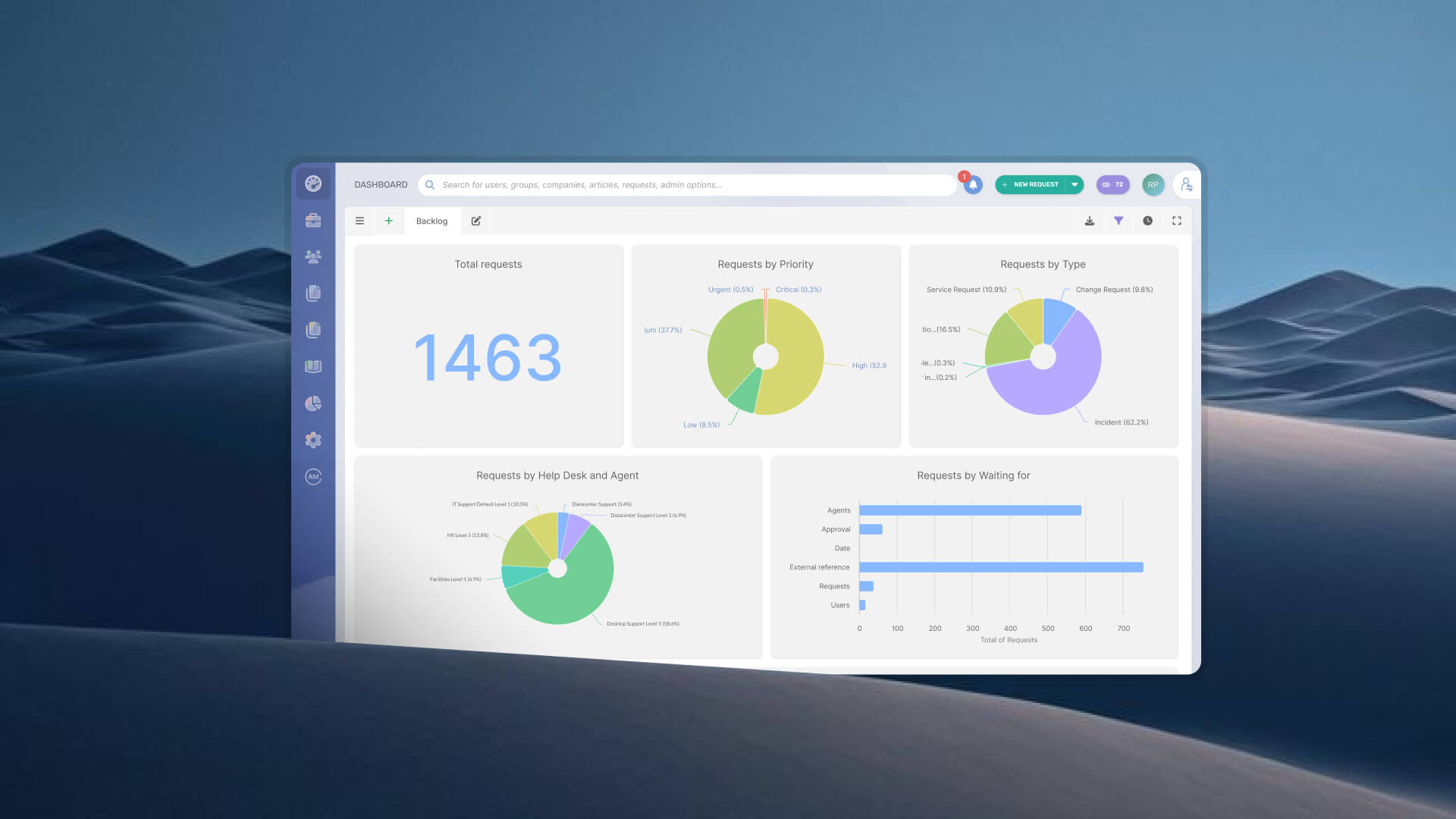
InvGate Service Management is an ITSM platform designed for organizations that need structured service management without extensive customization or development resources. The platform includes no-code workflow automation, self-service options, Knowledge Management, and reporting features. Its focus is on helping teams standardize processes, improve service visibility, and scale operations as service demands grow.
Key features: No-code visual workflow builder, AI Hub (ticket summaries, suggested responses, virtual service agent in Microsoft Teams and WhatsApp), self-service portal, SLA management, multi-department ESM, knowledge base, cloud and on-premise deployment.
Deployment: Configurable in days to weeks. Customers report going from zero to fully configured in hours for basic setups, with complete ITSM environments operational in less than a month.
ESM readiness: Supports IT, HR, Facilities, Legal, and other departments from the same instance — no separate project, no additional platform cost.
Pricing: InvGate offers flexible pricing plans that scale to meet the unique needs of your organization.
Best for: Mid-market IT teams that need fast implementation, low admin overhead, and the ability to expand to ESM without a separate project or additional cost.
If InvGate Service Management is on your shortlist, request a 30-day trial to validate fit for your team.
Freshservice is a cloud-native ITSM platform from Freshworks, recognized in analyst reports for its clean interface and deployment experience designed for fast time to value. It covers the ITIL core modules — incident, problem, change, and service catalog — and is one of the most frequently cited mid-market references in both analyst and peer review sources.
Key features: ITIL core modules (incident, problem, change, service catalog), asset management (from Growth plan), Freddy AI (available as paid add-on), Microsoft Teams and Slack integration, self-service portal.
Deployment: Designed for fast setup. No setup fee on standard tiers. Professional services for mid-market deployments typically add cost; implementation timelines vary by configuration complexity.
ESM readiness: Supports IT, HR, finance, and facilities teams on the same platform.
Pricing: Starts at $19/agent/month (Starter, billed annually). Note: AI capabilities (Freddy Copilot) are priced as add-ons and can increase total cost. - Checked on June 2026 (US) official website.
Best for: Teams moving off email-based ticketing for the first time, and organizations that prioritize user experience and fast initial deployment.
Jira Service Management (JSM) is Atlassian's ITSM product, built on the Jira platform and priced separately per agent. It's a strong option for organizations already running Jira Software or Confluence, where the native integration reduces adoption friction for IT and development teams working in the same environment.
Key features: ITIL-aligned incident and change management, DevOps workflow integration, customizable workflows, Rovo AI agents (Premium plan), integration with the full Atlassian Marketplace.
Deployment: Cloud-native, with no setup fee. Marketplace apps and advanced automation configuration can extend onboarding timelines. Data Center (self-hosted) deployment is being phased out for new customers.
ESM readiness: Supports multi-team service delivery. HR and facilities use cases are available but may require separate project templates and additional configuration.
Pricing: Free plan available for up to 3 agents. Standard plan from approximately $20/agent/month (annual), Premium from approximately $47–51/agent/month depending on team size. Enterprise is custom-quoted. Note: third-party Marketplace apps can materially increase TCO. Checked on: June 2026 (US), official web.
Best for: IT teams already invested in the Atlassian ecosystem, particularly those with a DevOps or software development function that benefits from tight Jira Software integration.
Consideration: Asset management is not included out-of-the-box and requires add-ons or separate tooling. Teams without existing Atlassian infrastructure may find the value proposition weaker than alternatives that include full ITSM coverage in a single license.
TOPdesk is an IT service management platform that helps organizations manage incidents, service requests, changes, and knowledge in a centralized environment. It offers workflow automation, self-service capabilities, and service catalog functionality to support day-to-day IT operations. The platform also supports enterprise service management use cases, allowing teams outside IT to manage requests through the same system.
Key features: Incident, problem, change, and asset management; self-service portal with high adoption rates; knowledge management module; reporting and analytics; integration with third-party business applications.
Deployment: Fast time to value; Gartner research cites an implementation timeline of 10 to 25 days for typical deployments — the lowest among the vendors evaluated in that research.
ESM readiness: Supports multi-department service delivery including IT, facilities, and HR from the same instance.
Pricing: Starts at $58 per agent/month (essential plan). - Checked on: June 2026 (US), official website.
Best for: Mid-market organizations that prioritize rapid time to value, strong knowledge management, and high self-service adoption rates. Particularly well-suited for European organizations and sectors like education and facilities management.
For an organization with around 500 employees, HaloITSM provides a broad set of ITSM capabilities that can support growing service volumes and more formalized processes. The platform includes incident, request, change, problem, and asset management, along with workflow automation, self-service, and knowledge management features. Its configuration options allow IT teams to adapt workflows as requirements evolve without rebuilding processes from scratch.
Key features: Full ITIL alignment (Incident, Problem, Change, Asset, and Configuration Management), workflow automation engine, self-service portal, cloud and on-premise deployment, integration with Microsoft 365 and other business tools.
Deployment: Cloud or on-premise. Pilot-friendly trial available with no credit card required.
ESM readiness: Supports multi-department service management. ESM capabilities are included without additional departmental licenses.
Pricing: Not publicly listed.
Best for: Mid-market teams that want deep ITIL alignment, full-feature access without tiered gating, and the flexibility to deploy cloud or on-premise.
SysAid combines IT service management and IT asset management in a single platform. It includes tools for incident and request management, workflow automation, self-service, knowledge management, and asset tracking. The platform places a strong emphasis on automation and AI-assisted service delivery to help IT teams manage increasing ticket volumes without significantly expanding headcount.
Key features: Incident, problem, change, and request management; integrated asset management and patch management; SysAid Copilot (agentic AI for ticket resolution, routing, and self-service); self-service portal; on-premise and cloud deployment.
Deployment: Designed for rapid onboarding. SysAid positions deployment in weeks with minimal disruption.
ESM readiness: Supports multi-department workflows. Scope of ESM configuration varies by plan.
Pricing: Not publicly listed. Contact SysAid for pricing.
Best for: Teams that want a single platform covering ITSM, asset management, and patch management, and are prioritizing AI-native automation in their selection criteria.
ManageEngine ServiceDesk Plus offers a mature ITSM platform with capabilities that extend beyond basic ticket management. It includes incident, request, problem, change, and asset management, along with automation, self-service, and reporting features. The platform provides a wide range of configuration options and integrations, making it suitable for IT teams that need to support multiple processes and departments.
Key features: Incident, Problem, Change, and Asset Management; CMDB; service catalog; self-service portal; reporting and analytics; cloud and on-premise deployment with pricing parity between both options.
Deployment: Cloud deployment is measured in days. On-premise implementation timelines vary by configuration complexity.
ESM readiness: Primarily IT-focused out-of-the-box. ESM expansion is possible but requires additional configuration effort compared to platforms with native multi-department support.
Pricing: The Standard edition starts at $13 per technician/month. Note: features like service catalog, change management, and release management may require higher editions or add-on purchases. Pricing structure is multi-variable (edition, technician count, asset volume, cloud vs. on-premise) — verify totals at the ManageEngine pricing page.
Best for: Teams with budget constraints, a preference for on-premise deployment, or existing ManageEngine tooling in their environment.
Disclaimer: All product names, logos, and brands are property of their respective owners. Comparisons are based on publicly available information as of June 2026 and are provided for informational purposes only. Pricing information is subject to change — verify current pricing directly with each vendor before making a purchasing decision. Use of vendor names does not imply endorsement.
The platforms above cover a wide range of approaches to ITSM. The decision is rarely about which platform has the most features — it's about which one fits the specific constraints of a team at this scale: limited IT staff, no dedicated ITSM administrator, and a need to be operational quickly. Here's a practical framework for working through the decision.
Finally, make sure you run a pilot before committing. Before signing a contract, run a 2-to-4-week pilot with a defined scope: one or two IT workflows, a live self-service portal, and real tickets. Measure three things during the pilot: self-service portal adoption rate (what percentage of users submitted tickets through the portal vs. other channels), average time to resolution for common ticket types compared to your current baseline, and how much time your IT team spent on configuration vs. handling tickets.
What is the best ITSM software for a company with 500 employees?
There is no single answer, but the selection criteria at this scale are specific: fast deployment (weeks, not months), no-code configuration that IT generalists can manage without a dedicated admin, self-service portal for ticket deflection, and ESM readiness if other departments also receive requests informally. InvGate Service Management, Freshservice, HaloITSM, and TOPdesk are the platforms most frequently shortlisted at this size. The right choice depends on your existing tooling, deployment preference (cloud vs. on-premise), and whether ESM expansion is on the roadmap.
How many IT staff does a 500-employee company need?
Industry benchmarks put the typical IT-to-employee ratio between 1:50 and 1:100. At 500 employees, that means an IT team of roughly 5 to 10 people. The lower end of that range — 4 or 5 people for 500 employees — is where the choice of ITSM platform has the most direct impact on operational capacity. A platform that requires constant admin attention or long configuration cycles compounds the pressure on a small team. A platform with self-service deflection, no-code automation, and low admin overhead multiplies the team's capacity without requiring additional headcount.
What's the difference between help desk software and ITSM for mid-size companies?
Help desk software focuses on ticket tracking: logging requests, routing them to agents, and recording resolutions. It doesn't include structured ITIL processes — no formal incident management lifecycle, no problem management to address root causes, no change management workflow, no SLA enforcement, no service catalog. At 100 or 150 employees, help desk tools often cover the need. At 500, the volume and complexity of requests — combined with the need for audit trails, SLA accountability, and multi-team coordination — make the move to a structured ITSM platform worthwhile.
How long does it take to implement ITSM software for a 500-employee company?
It depends heavily on the platform. No-code platforms like InvGate Service Management can be configured and operational in days or weeks — customers have reported basic service desk environments running in under an hour, with full ITSM configuration complete in under a month. TOPdesk similarly cites implementation timelines of 10 to 25 days. Freshservice is designed for fast initial deployment, though professional services add time and cost for more complex configurations. Enterprise platforms can require 3 to 6 months or more. The most reliable way to validate this for your context is to run a scoped pilot — 2 to 4 weeks with real tickets and a defined set of workflows — before committing to a contract.
Read other articles like this one:
View all postsClear pricing
No surprises, no hidden fees — just clear, upfront pricing that fits your needs.
View PricingEasy migration
Our team ensures your transition to InvGate is fast, smooth, and hassle-free.
View Customer ExperienceService Management
Learn
Compare With


