













Summarize with
Table of contents
In many cases, the mid-market is where IT Service Management becomes more challenging. Small-team processes that worked a few years ago start showing their limits as ticket volumes grow, services become more interconnected, and expectations around service quality increase. At the same time, enterprise-grade platforms can feel oversized, expensive, or difficult to justify.
ITSM for mid-market companies sits in the middle of those two realities. Teams need more structure, automation, and visibility than basic help desk tools can provide, but they also need solutions that can be implemented and managed without a large ITSM practice or dedicated administrators.
In this guide, we'll look at what mid-market IT teams typically need from an ITSM platform, the capabilities that matter most at this stage of growth, and the software options that strike the right balance between functionality, usability, and cost.
Key takeaways
Mid-market organizations — roughly 100 to 2,500 employees with IT teams of 2 to 20 people — occupy an uncomfortable position in the ITSM market. They're too large for a basic help desk that runs on email threads and spreadsheets. But they're also too small to absorb the cost, complexity, and administrative overhead of platforms built for Fortune 500 IT departments.
That gap is exactly where most ITSM buying decisions go wrong. Enterprise platforms assume you have a dedicated ITSM admin, a professional services budget, and months to spend on configuration before go-live. Lightweight tools, on the other hand, hit a ceiling fast: no SLA management, no automation, no way to extend IT workflows to HR or Facilities without bolting on a separate product.
Common signs that it's time for a more capable ITSM platform include:
Those requirements narrow the field considerably. The best ITSM software for a mid-market organization combines automation, service management, and enterprise-ready capabilities without requiring months of implementation or dedicated platform administrators. That's the perspective behind the shortlist in this guide.
Generic feature checklists don't help much when you're trying to pick an ITSM platform for a lean IT team. The criteria below are specific to the mid-market context — each one is anchored to a real failure mode that teams in this segment encounter.
Finally, if you have access to peers in your professional network, user groups, or industry communities, take the opportunity to ask about their firsthand experience as well. A few candid conversations can often reveal adoption challenges, support issues, or operational limitations that are difficult to identify from vendor materials or review sites alone.
For a structured approach to comparing vendors against these criteria, the ITSM RFP template covers the key evaluation dimensions in a format you can share with stakeholders.
| Tool | Best for | Deployment | Starting price |
| InvGate Service Management | No-code ITSM that scales into ESM, fast deployment | Cloud & on-premise | $24.98/agent/mo. 5 agents minimum. (billed annually) |
| Freshservice | Fast onboarding off email ticketing | Cloud | $19/agent/mo |
| Jira Service Management | Teams already on Atlassian/Jira | Cloud | $20.63/agent/mo (50 agents) |
| TOPdesk | Knowledge management & self-service adoption | SaaS & on-premise | $58/agent/mo (50 agents) |
| ManageEngine ServiceDesk Plus | ITSM + native asset tracking on a budget | Cloud & on-premise | $13/technician/mo |
| HaloITSM | Full ITIL coverage, low TCO | Cloud & on-premise | $99/agent/mo (US, billed annually) |
A note on methodology: InvGate develops and sells InvGate Service Management, one of the products included in this comparison. The goal of this section is to provide accurate, useful information so each team can make their own decision. All evaluations are based on publicly available sources: product pages, official documentation, and verified reviews on Gartner Peer Insights.
For a broader view of the market beyond this segment-specific comparison, the ITSM tools comparison covers additional platforms.
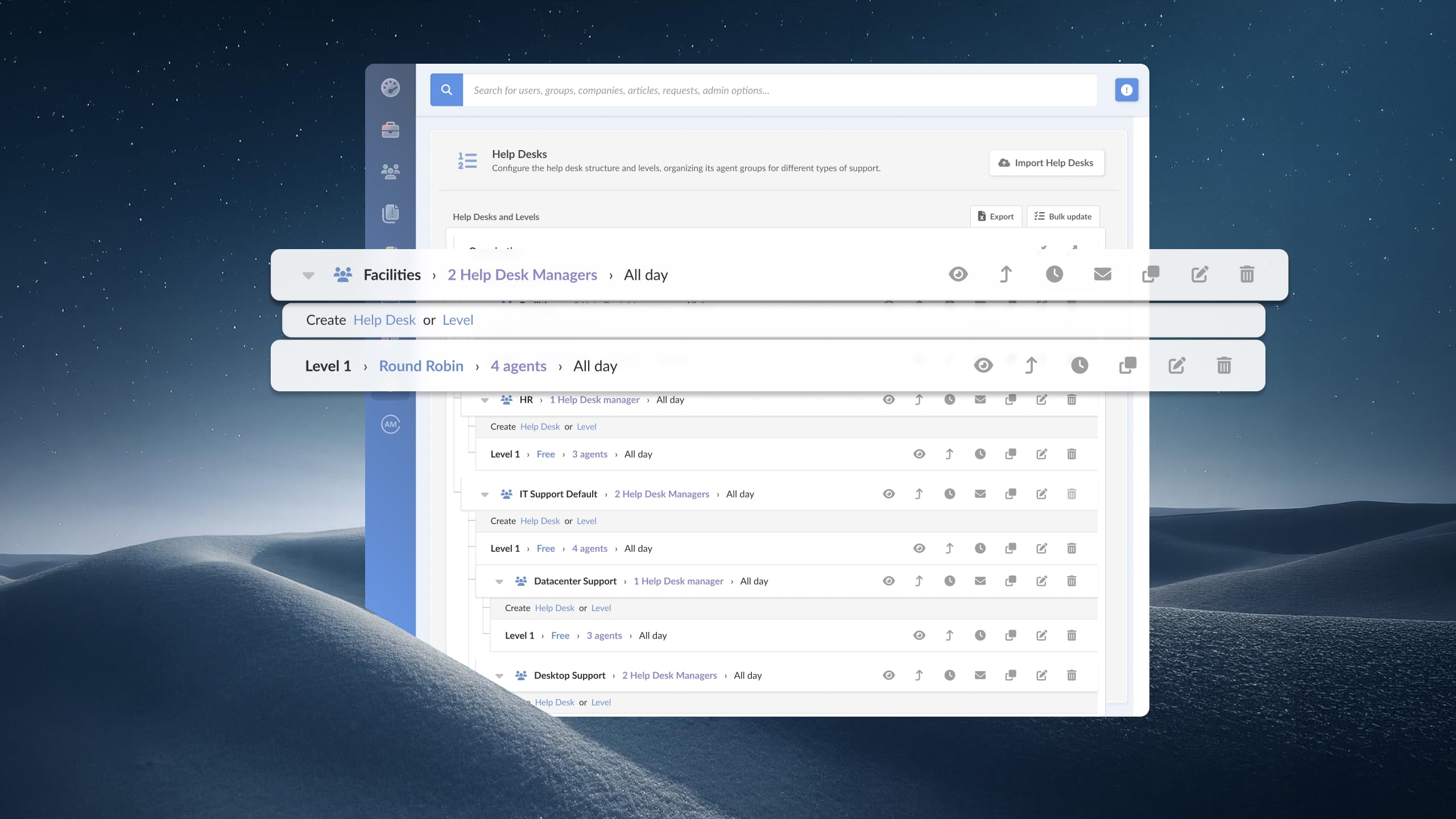
InvGate Service Management is a no-code ITSM platform that brings enterprise-level capability without the cost and implementation complexity of ServiceNow. A visual, drag-and-drop workflow builder lets teams design and adapt processes without engineering resources. The same workflow engine extends beyond IT, so HR, Facilities, and Finance teams can run their own request and approval flows, making it a practical foundation for enterprise service management (ESM).
AI capabilities support agents and end users across the service lifecycle, helping speed up ticket resolution, surface relevant knowledge, and reduce repetitive work as ticket volume grows. And with both cloud and on-premise deployment, InvGate fits organizations with data residency requirements or existing infrastructure investments — a meaningful differentiator in this comparison.
InvGate was named a 2026 Champion in the Midmarket ITSM category by Info-Tech/SoftwareReviews. On Gartner Peer Insights, the platform holds a 4.8/5 rating with 94% of reviewers indicating willingness to recommend.
Key features: No-code visual workflow builder with AI workflow generator, AI hub, SLA management, multi-department ESM, knowledge base, cloud and on-premise deployment. Recent additions include Agent Studio for building custom AI agents, Model Context Protocol (MCP) support, and a conversational Virtual Service Agent available in the self-service portal, Microsoft Teams, WhatsApp, and Slack.
Pricing: InvGate offers flexible pricing plans that scale to meet the unique needs of your organization.
Freshservice is a cloud-native ITSM platform from Freshworks with a clean interface and a deployment experience designed for fast time to value. It covers the ITIL core modules — incident, problem, change, and service catalog — and is frequently cited as a mid-market reference in analyst and peer review sources.
Freshservice is commonly evaluated by teams moving off email-based ticketing for the first time, and by organizations that prioritize user experience and onboarding speed over deep customization.
Key features: ITIL-aligned modules, Freddy AI (Agent, Copilot, and Insights), marketplace integrations, mobile app.
Pricing: The prices with annual billing are
The fourth tier, Enterprise, requires a quote. Freddy AI Copilot (agent assistance) is an add-on costing $29 per agent per month, available only for Pro plans and above. - Checked on September 2026 (US) official website.
Gartner Peer Insights score: 4.4
Jira Service Management (JSM) is Atlassian's ITSM offering, built on the same platform as Jira Software. It's a natural fit for organizations already running Atlassian products — particularly those with development teams using Jira for project tracking, where the ability to link incidents to development work has direct operational value.
Key features: Native Jira integration, incident-to-change linking, Asset Management add-on, extensive Marketplace ecosystem.
Pricing: The following rates apply to a 50-agent deployment, billed monthly:
Plus, they offer a free tier for up to 3 agents. The enterprise tier requires a quote. - Checked on: September 2026 (US), official web.
Gartner Peer Insights score: 4.4
TOPdesk is a European ITSM vendor with a long track record in mid-market and higher education verticals. The platform is known for strong knowledge management, a self-service portal that users actually adopt, and an implementation approach oriented toward faster time to value than traditional enterprise platforms.
Key features: Knowledge Management, self-service portal, ITIL-aligned modules, SaaS and on-premise deployment.
Pricing: The rates below are for 50 agents
For fewer than 50 agents, per-agent costs are higher. For example, the Essential plan costs $76 per agent/month for up to 10 agents and $68 per agent/month for up to 20 agents. For deployments exceeding 50 agents, users must request a custom quote.
- Checked on: September 2026 (US), official website.
Gartner Peer Insights score: 4.4
ManageEngine ServiceDesk Plus is part of the Zoho/ManageEngine ecosystem and positions itself as an accessible ITSM option for teams that need both service management and asset tracking without enterprise pricing. It covers ITIL-aligned modules and includes native asset management capabilities, which reduces the number of separate tools required.
It's most commonly shortlisted by mid-market teams with limited ITSM budgets who need functional coverage across ticketing, Change Management, and basic ITAM without committing to separate platforms for each.
Key features: ITIL modules, integrated asset management, reporting, SaaS and on-premise deployment.
Pricing: Cloud pricing tiers
Note: For Professional and enterprise tiers, price changes also according to the amount of assets. There are also available add-ons.
- Checked on: September 2026 (US), official website.
Gartner Peer Insights score: 4.4
HaloITSM is an ITIL-compliant platform with a relatively low TCO compared to enterprise alternatives, making it a recurring mention in conversations about mid-market teams evaluating ServiceNow alternatives. It covers the full ITIL module set and supports both cloud and on-premise deployment.
HaloITSM tends to appear on shortlists for organizations that need comprehensive ITIL coverage — including problem and change management — without the administrative complexity and cost associated with Tier 1 enterprise platforms.
Key features: Full ITIL module set, SLA Management, self-service portal, cloud and on-premise deployment.
Pricing: Named licenses: $99 per agent/month, billed annually, starting at 6 agents. The per-agent price decreases for larger teams (for example, $89 per agent/month for 50 agents).
Concurrent licenses: $198 per agent/month, billed annually, starting at 6 licenses. Pricing decreases as the number of concurrent licenses increases. Pricing also varies by region. US pricing.
- Checked on: September 2026, official website.
Gartner Peer Insights score: 4.6
Disclaimer: All product names, logos, and brands are property of their respective owners. All company, product, and service names used on this site are for identification purposes only. Use of these names, trademarks, and brands does not imply endorsement. Comparisons are based on publicly available information as of April 2026 and are provided for informational purposes only.
Most ITSM buying decisions that go wrong follow one of four patterns. Knowing them in advance doesn't guarantee you'll avoid them — but it does mean you'll recognize the warning signs earlier in the process.
The evaluation process is more manageable when it's broken into three concrete steps.
Step 1: Define your criteria. Use the criteria from the "What to look for" section above as a starting point. Weight them according to what matters most for your team — time to value, admin overhead, ESM readiness, TCO. The ITSM RFP template gives you a structured format to document those criteria and share them with vendors and internal stakeholders.
Step 2: Run a pilot with your top two or three platforms. Don't commit to a platform based on a demo. Take the vendors that make your shortlist and run a 2 to 4 week pilot with real tickets, real users, and real configuration. The metrics that matter: time to first response, resolution time, self-service adoption, and honest feedback from the IT team on configuration experience. If a vendor doesn't offer a real trial, that limits your ability to validate before committing.
Step 3: Involve end users in the validation. IT satisfaction and end-user satisfaction are different things. Before making a final decision, gather feedback from a sample of the employees who will be submitting requests — not just from the team that will be managing the platform. Adoption is a user-experience problem as much as it is a feature problem, and the team that will actually use the self-service portal has signal that IT alone can't provide.
For analyst context on the broader market, the Gartner Market Guide for ITSM provides an independent view of the vendor landscape that can help validate or challenge your shortlist assumptions.
If InvGate Service Management is on your shortlist, the fastest way to validate fit is a live demo configured around your use case. Claim a 30-day free trial and get started right away.
What is the best ITSM software for mid-market companies?
There's no single answer that applies to every mid-market organization — the best platform depends on team size, budget, ITIL maturity, and whether you need to extend service management beyond IT. That said, platforms consistently rated highly by mid-market teams on Gartner Peer Insights and G2 include InvGate Service Management, Freshservice, Jira Service Management, TOPdesk, and HaloITSM.
How is mid-market ITSM different from enterprise ITSM?
Enterprise ITSM platforms are designed for organizations with dedicated ITSM administrators, large professional services budgets, and multi-month implementation timelines. Mid-market ITSM needs to deliver functional value in weeks — not months — with a small IT team managing configuration and maintenance without specialized expertise. The right platform for a 500-person company prioritizes fast deployment, low admin overhead, and the ability to expand incrementally, rather than maximum feature coverage from day one.
How long does it take to implement ITSM software in a mid-market company?
Implementation time varies by platform and by how much your existing processes need to change. For mid-market organizations, a realistic target is 2 to 8 weeks to reach a functional state — meaning a working service catalog, defined SLAs, and an intake process your team is actually using. Platforms that require extensive configuration before go-live, or that depend on professional services for initial setup, typically extend that timeline significantly.
Read other articles like this one:
View all postsClear pricing
No surprises, no hidden fees — just clear, upfront pricing that fits your needs.
View PricingEasy migration
Our team ensures your transition to InvGate is fast, smooth, and hassle-free.
View Customer ExperienceService Management
Learn
Compare With


