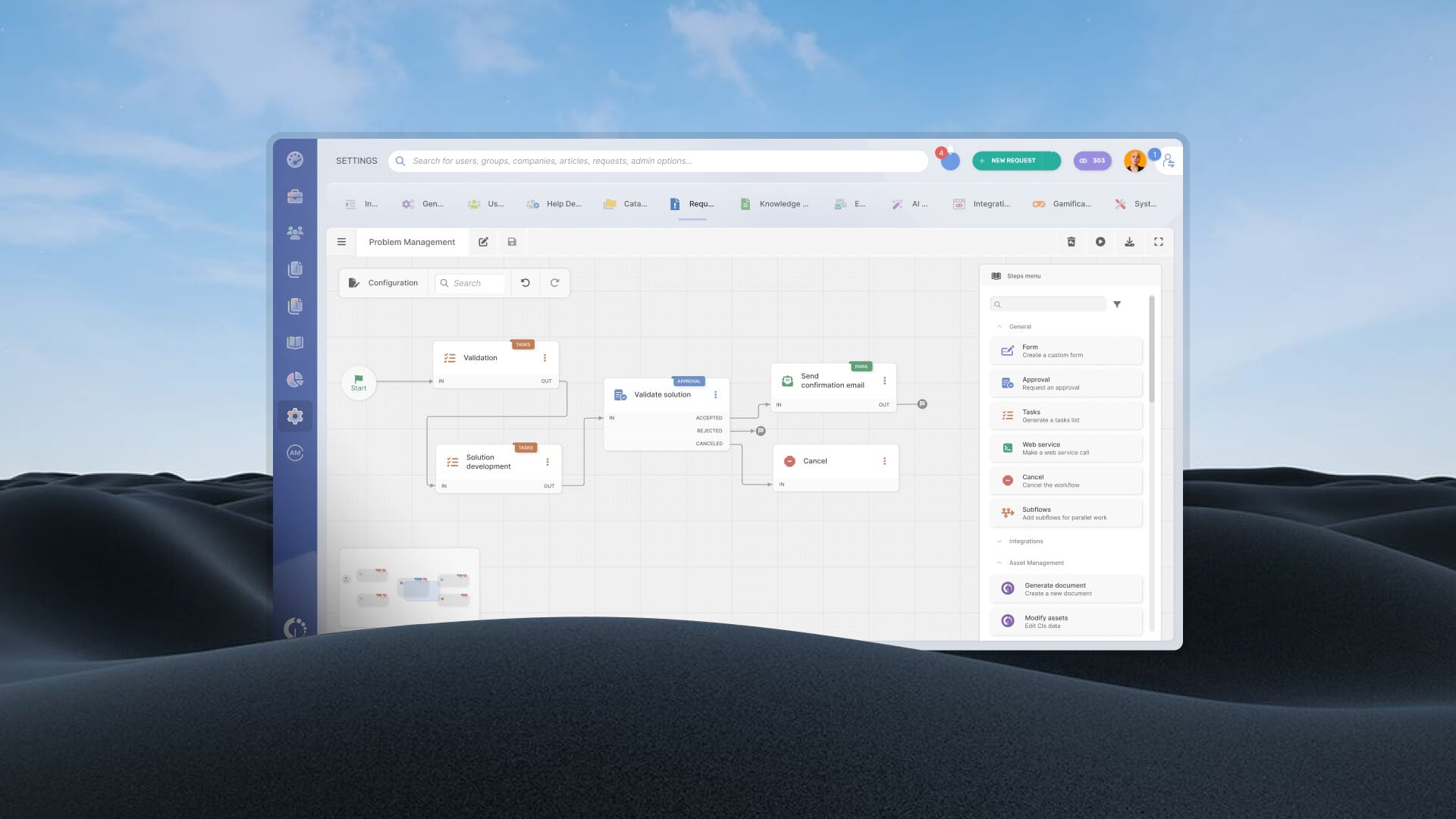
ITSM software can help organizations standardize support processes, automate routine work, and improve service delivery. Yet implementation remains one of the biggest concerns during software selection. A platform may offer extensive functionality, but if it takes months to deploy, requires specialized expertise to maintain, or becomes difficult to adapt as requirements change, the return on investment takes longer to materialize.
The fastest-to-implement ITSM platforms tend to share a common approach: they provide out-of-the-box processes, no-code configuration tools, and user-friendly interfaces that reduce the amount of technical work required before and after go-live.
In this guide, we'll look at the ITSM software solutions known for quick implementation, examine the features that make rapid deployment possible, and compare their strengths, limitations, and ideal use cases.
Key takeaways
- Most ITSM platforms advertise ease of use but require months of professional services to go live. This list evaluates tools specifically on time-to-value.
- Fast implementation depends on three factors: no-code configuration, pre-built templates, and whether the vendor charges separately for onboarding support.
- The tools in this list cover mid-market and enterprise teams — not single-agent setups or free-tier tools.
- Implementation speed is not a substitute for fit: use the evaluation criteria in this guide to match deployment timeline to your team's actual scope.
Why implementation speed is a priority for Service Management
When IT teams evaluate ITSM software, most of the conversation centers on features and pricing. What gets underestimated — consistently — is the real cost of a long implementation.
Every week your team spends configuring the platform before the first ticket is resolved in the new tool is a week of lost productivity, workarounds, and continued reliance on whatever patched-together system you were trying to replace. Add consultant fees, internal IT hours spent on setup, and the organizational friction of onboarding agents to a tool that isn't live yet, and the total cost of a slow deployment often rivals the annual license fee.
Some vendors require weeks of paid professional services before the team can operate with any autonomy. Others lock basic configurations behind scripting or admin-only settings that require vendor involvement to modify. By the time the platform is ready for day-to-day use, the team has already paid for the software several times over — in time, not just money.
That's the problem this list addresses. Before you commit to a platform, review an ITSM implementation checklist to understand exactly what go-live involves — and how much of it you'll be handling alone.
What allows for "fast implementation" in ITSM
ast implementation is often associated with how quickly a platform can go live. That matters, but it only tells part of the story. An ITSM platform should also be easy to adjust after deployment, support new processes as requirements change, and remain accessible to administrators who need to maintain it over time.
The platforms that deploy quickly tend to share several characteristics:
- Out-of-the-box ITSM processes: Preconfigured incident, request, problem, change, and asset management workflows reduce the amount of design work required before launch. Teams can start with proven processes and refine them later instead of building everything from scratch.
- No-code workflow automation: Visual workflow builders allow administrators to create approvals, escalations, notifications, and routing rules without developer involvement. Changes can be made in hours rather than waiting for technical resources or consultants.
- Simple administration model: Some platforms require specialized skills to manage forms, workflows, integrations, and service catalogs. Others allow service desk administrators to handle most configuration tasks themselves, reducing dependence on a small group of experts.
- Modern cloud architecture: SaaS platforms eliminate infrastructure deployment, server maintenance, and upgrade projects. Teams can focus on configuring processes instead of preparing environments.
- Built-in integrations and connectors: Connecting identity providers, collaboration tools, monitoring platforms, and asset management systems can consume a significant portion of implementation time. Prebuilt integrations reduce that effort.
- Scalability without reimplementation: Quick deployment loses value if the platform must be redesigned six months later. Strong ITSM platforms allow organizations to start with a limited scope and gradually add services, workflows, automation, and departments without rebuilding the environment.
Ultimately, fast implementation is less about getting the software running and more about reducing effort throughout the platform's lifecycle. The best ITSM tools are easy to deploy, easy to modify, and easy for both administrators and end users to adopt.
Best ITSM software for fast implementation
Methodology note: InvGate builds and sells ITSM software — several vendors on this list are direct competitors. The evaluations below are based on public documentation, user reviews on Gartner Peer Insights, G2, and Capterra, and implementation timelines reported by each vendor. Evaluation criteria: estimated time to go-live, whether professional services are required (and at what cost), availability of pre-built templates, no-code configuration depth, and user-reported onboarding experience.
1. InvGate Service Management
Best for: IT, HR, and Facilities teams that need to be operational in weeks without budget allocated to external consultants or implementation fees.
InvGate Service Management is designed for organizations that want to implement ITSM practices without the complexity often associated with heavily customized enterprise platforms. Its emphasis on no-code configuration allows administrators to modify workflows, forms, and service processes without creating heavy technical overhead for teams.
What enables fast implementation:
- No-code workflow builder with drag-and-drop logic, conditional routing, and approval chains that any IT admin can configure without scripting.
- Pre-built templates for IT (incident, problem, change, service request), HR, and Facilities processes — available from day one, no custom build required.
- AI Hub included in all tiers, covering ticket categorization, suggested solutions, and agent assist features without add-on fees or separate configuration.
- Cloud and on-premise deployment options, with no professional services fees required for standard configuration in either modality.
- Onboarding support included — no separate engagement required to reach operational status.
The platform is designed to go live fast, but it scales. Once the core workflows are live, teams can layer in enterprise-grade automation, ESM, SLA management, and advanced reporting without re-platforming. For teams that expect to expand their service management scope over time — not just IT, but HR, Legal, or Facilities — the initial setup doesn't constrain what comes next.
Implementation speed: 2–4 weeks (standard cloud deployment, documented).
Interested in seeing the configuration in practice? Sign up for a 30-day free trial.
2. Freshservice
Best for: Teams migrating from email-based ticketing or spreadsheet-managed service desks who want a cloud-native platform with a low learning curve.
Freshservice is one of the more frequently cited options for teams evaluating time-to-value. It is cloud-native, ITIL-aligned, and built with a UI that prioritizes agent adoption — which matters in implementations where change management is a constraint.
What enables fast implementation:
- ITIL core modules (incident, problem, change, service catalog) are available out of the box with guided setup.
- The interface is designed to reduce agent training time — teams familiar with consumer software typically adapt quickly.
- Pre-built automation rules for common workflows are available without custom scripting.
Some advanced configurations — particularly around complex approval chains or multi-department ESM workflows — can require vendor support. Teams with non-standard process requirements may find the templated setup less flexible than expected at the configuration stage.
3. Halo ITSM
Best for: Mid-market and enterprise teams that want a highly configurable platform and are willing to invest slightly more setup time for long-term flexibility.
Halo ITSM is a UK-headquartered platform with a strong presence in the mid-market segment. It covers ITIL processes broadly and is frequently praised in user reviews for its configurability and responsive support during implementation.
What enables fast implementation:
- Pre-built ITIL process templates available at setup.
- No-code configuration for most standard workflows, with scripting available for advanced customization.
- Implementation support included in the standard engagement, with documented onboarding resources.
The depth of configurability that makes Halo ITSM a strong long-term choice can add complexity to initial setup for teams without a dedicated ITSM administrator. Time-to-value depends heavily on how much customization the team pursues in the first deployment phase.
4. TOPdesk
Best for: Organizations that want a proven, modular ITSM platform with a structured implementation process and strong European support presence.
TOPdesk is a mature platform with a long track record in ITSM, particularly in European markets. It offers both SaaS and on-premise deployment and covers ITIL core processes with a modular structure that allows teams to activate only what they need at go-live.
What enables fast implementation:
- Modular approach means teams can go live with a subset of functionality (e.g., incident and service catalog) and expand later — reducing initial configuration scope.
- Pre-built templates and a structured onboarding program.
- TOPdesk's implementation methodology is well-documented and includes guided setup support.
5. Jira Service Management
Best for: Development-adjacent IT teams or organizations already invested in the Atlassian ecosystem where integration with Jira Software is a primary driver.
Jira Service Management (JSM) is the ITSM offering from Atlassian. For teams already using Jira Software for development work, JSM's implementation timeline benefits from existing familiarity with the Atlassian UI, permission structures, and project configuration logic.
What enables fast implementation:
- Native integration with Jira Software, Confluence, and Bitbucket — no connector setup required for Atlassian-native teams.
- Cloud deployment is fast to provision; basic service desk functionality can be live in days for simple setups.
- Pre-built request types and queues available at setup.
Keep in mind, JSM's architecture is optimized for development-adjacent workflows. Teams outside software or DevOps contexts — particularly those in HR, Facilities, or traditional IT support without a development org — might find the configuration logic feels unintuitive. Professional services are available but represent an additional cost.
What to prioritize before you start: Evaluation criteria for buyers
Selecting a platform based on a feature list is the most common way to end up with an ITSM tool that takes six months to deploy. Before committing to any vendor, work through these five questions:
1. Does the vendor include onboarding at no additional cost? Vendors that treat implementation support as a billable professional services engagement are effectively increasing your total first-year cost. Confirm whether guided setup, configuration support, and access to implementation documentation are included in the base subscription.
2. Does standard configuration require scripting, or is it genuinely no-code? Ask to see a live demo of building a workflow from scratch. If the answer involves "your admin will need to" followed by anything resembling developer tasks, that's a signal. No-code should mean a service desk manager can configure core processes without IT involvement.
3. Are pre-built templates available for the processes your team needs from day one? If incident management, service requests, and change workflows require custom builds before they're usable, your go-live timeline extends before you've written a single ticket. Ask specifically which processes come template-ready versus which require configuration.
4. Is implementation support included in the contract, or is it a separate line item? Some vendors bundle a fixed number of onboarding hours; others require a separate statement of work. Clarify the boundary between "standard setup support" and "professional services" before signing.
5. Can the vendor provide references from implementations at comparable scope? A reference from a 500-person organization doesn't help a 50-person team evaluate timeline. Ask for references that match your team size, deployment type (cloud vs. on-premise), and the processes you're implementing in phase one.
Beyond the initial deployment, factor in adaptability. A fast go-live that locks the team into a rigid configuration creates a different kind of long-term cost. The platforms worth prioritizing are those that let teams modify workflows, add processes, and adjust configurations without requiring a new implementation cycle or vendor involvement. The ability to change things over time — without a change request to the vendor — is as important as the initial setup speed.
For a broader view, the guide to best ITSM software for mid-market companies covers related criteria in more depth.
FAQs
Can ITSM software go live in less than a month?
Yes, for standard deployments. Platforms built on no-code configuration and pre-built ITIL process templates can reach operational status — agents trained, workflows live, service catalog active — in 2–4 weeks. The main variables are deployment type (cloud is faster than on-premise), the number of processes configured in phase one, and whether the team has a dedicated person managing the rollout. Complex or highly customized deployments typically take longer regardless of the platform.
How long does a typical ITSM implementation take?
It varies significantly by platform and scope. Simple cloud setups on modern no-code platforms can go live in 2–4 weeks. Mid-market implementations covering incident, change, and service catalog typically land in the 4–8 week range. Enterprise deployments with heavy customization, on-premise infrastructure, or legacy data migration can extend to several months. The presence or absence of paid professional services requirements is one of the strongest predictors of total time-to-value.
What should I evaluate when choosing ITSM software for fast deployment?
Five criteria matter most: whether onboarding support is included at no additional cost, whether standard configuration is genuinely no-code, whether pre-built templates cover your core processes from day one, whether implementation support is part of the contract or a separate engagement, and whether the vendor can provide references from deployments comparable in scope to yours. Speed to go-live should be evaluated alongside adaptability — the ability to modify workflows post-launch without requiring vendor involvement is equally important for long-term value.