When something breaks at 2 a.m., the alert usually fires in PagerDuty long before a ticket exists anywhere. The person who gets paged acknowledges it, works the problem, and resolves it — and the service desk finds out later, if at all. The incident lives in one system, the record of what happened lives in another, and the two rarely agree.
Connecting your service desk to PagerDuty closes that gap. Done well, the connection does more than mirror incidents back and forth: it lets your service desk act on live operational data — who is on call right now, which escalation policy owns a given service, whether an incident is already open — and route work accordingly. In this guide, we look at five service desk platforms with PagerDuty integrations, and how each one handles the handoff between alerting and the ticket.
Key takeaways
- Alerts and tickets live in separate systems. A PagerDuty integration closes the gap between detection and resolution, so nothing gets worked without a record.
- Most ITSM platforms sync incidents with PagerDuty in both directions. Fewer let you act on live on-call and escalation data from inside your own workflows.
- The highest-leverage capability is routing and escalation driven by who is actually on call at that moment, rather than by static assignment rules that go stale.
Why connect your service desk to PagerDuty
PagerDuty is built for detection and on-call response. Your service desk is where incidents are managed after the alert is triggered. Connecting the two brings operational response into a platform designed to coordinate people, processes, and information throughout the entire support lifecycle.
Once a PagerDuty incident reaches the service desk, it can take advantage of capabilities that extend well beyond ticket creation. Modern service desk software provides:
- Workflows and IT support automation to standardize incident handling.
- SLA Management to prioritize work and trigger escalations.
- Knowledge mManagement to help agents resolve issues consistently.
- Self-service to reduce repetitive requests reaching the support team.
- Asset and service context to give technicians the information they need without switching tools.
- Dashboards and reporting to measure performance and identify improvement opportunities.
PagerDuty becomes another trigger within that ecosystem. Alerts can automatically create tickets, follow predefined workflows, inherit SLA policies, synchronize status updates, and capture a complete incident record without requiring manual coordination between platforms.
Today's service desks also incorporate AI capabilities for IT support that build on those operational foundations. AI can recommend knowledge articles, identify similar incidents, summarize activity, assist with categorization, and support self-service interactions, helping teams resolve incidents faster while following the same standardized processes.
What to look for
The tools below were evaluated against the following criteria, with equal weight given to each vendor.
1. Access to on-call and escalation data. Syncing incidents is table stakes. Reading live schedules, active on-calls, and escalation policies is what lets the service desk route and escalate intelligently, which is the point of connecting the two systems in the first place.
2. Native vs. third-party. A vendor-built, vendor-supported integration survives platform updates. A connector stitched together through a middleware marketplace tends to fail quietly at the worst possible moment.
3. Direction of sync. Does the integration push tickets to PagerDuty, pull incidents into the service desk, or keep both in sync? One-directional integrations cover narrower use cases than bidirectional ones.
4. Where the logic lives. An integration that only fires from rigid rules is limiting. One that exposes PagerDuty actions inside a visual, no-code workflow builder lets non-developers design the routing and escalation logic themselves.
Best service desk tools with PagerDuty integration
Methodology note: InvGate develops IT Service Management and IT Asset Management software, so we're directly involved in the same market as some of the vendors mentioned here. Even so, our purpose is to share reliable and unbiased information to help you evaluate your options with confidence. Our assessment is based on publicly available data, including vendor sites, documentation, and integration guides. All information reflects the state of the market as of July 2026. We update our content regularly to keep it aligned with product changes and new releases.
1. InvGate Service Management
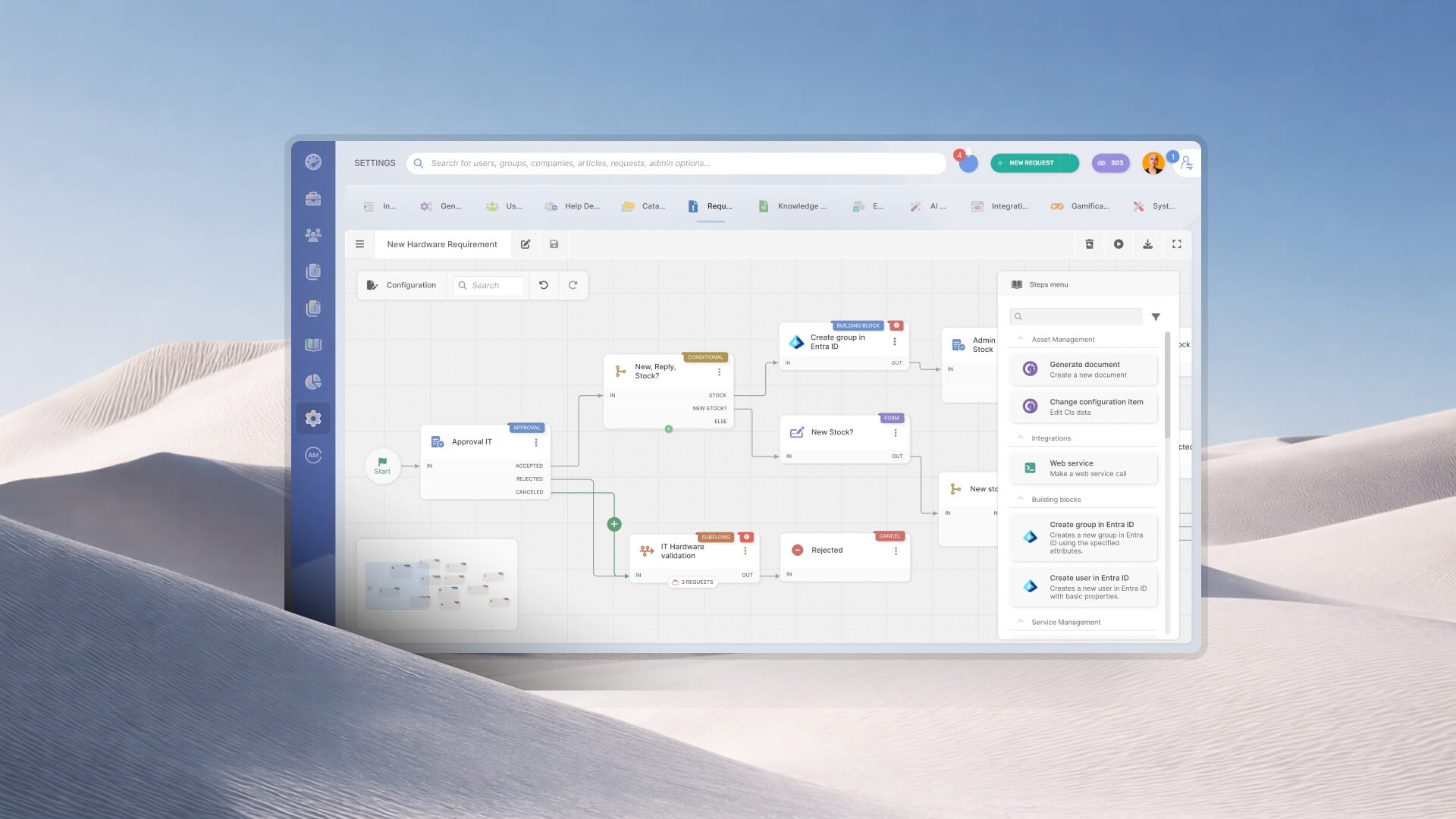
InvGate Service Management is a flexible, no-code ITSM platform for IT teams that want ITIL-aligned structure and full control over their workflows without professional-services overhead. On the PagerDuty side, its Connector brings live on-call, schedule, and escalation-policy data directly into the no-code Workflow Builder, so routing and escalation run on real-time PagerDuty data rather than static assignment rules.
Key features:
- PagerDuty Connector actions inside the Workflow Builder, covering incidents, services, users, active on-calls, schedules, and escalation policies. This lets teams drive routing and escalation decisions from live PagerDuty data, eliminating manual lookups and enabling truly dynamic incident response workflows.
- No-code Workflow Builder with drag-and-drop automation for ticket routing, pushing tasks, approvals, and escalations.
- ITIL-aligned out of the box: incident, problem, change, and service request management available without customization.
- Major Incident Management with a "Promote to Major Incident" flow for structured, high-severity response.
- Self-service portal and knowledge base for deflection, plus AI-assisted response support for agents.
- Integrated analytics and dashboards for resolution times, SLA compliance, and more.
Request an InvGate Service Management 30-day free trial to see the PagerDuty Connector actions and Workflow Builder in context.
2. ServiceNow
Enterprise-grade ITSM platform built for large organizations with complex processes and dedicated administrators to run it. Its PagerDuty integration is a certified application in the ServiceNow Store, offering deep bidirectional incident sync and mapping of assignment groups to PagerDuty escalation policies.
Key features:
- Certified PagerDuty application available in the ServiceNow Store
- Bidirectional incident sync to the system of record, capturing full action history in ServiceNow
- Synchronization of assignment groups and users with PagerDuty escalation policies
- Field mapping to existing CMDB services and configuration items
3. Freshservice
A cloud-native ITSM tool known for a familiar interface and quick onboarding, widely used by mid-market teams and organizations already in the Freshworks ecosystem. Its PagerDuty integration is a native Freshworks Marketplace app that notifies on-call responders and keeps incident status in sync across both systems.
Key features:
- Native PagerDuty app available through the Freshworks Marketplace
- Notifies on-call responders based on alerts sent from Freshservice
- Creates and links high- and low-urgency incidents based on ticket priority
- Synchronizes incident status and escalations across both systems
4. Jira Service Management
A service management tool from Atlassian, favored by development-centric organizations that want IT support and engineering work in the same ecosystem. Its PagerDuty integration comes through dedicated apps for Jira Cloud and Jira Server/Data Center, syncing issue status, priority, and notes and creating issues from incidents.
Key features:
- PagerDuty apps for Jira Cloud and Jira Server/Data Center via the Atlassian Marketplace
- Bidirectional sync of issue status, priority, and notes
- Creation of Jira issues from PagerDuty incidents manually, conditionally, or automatically
- Incident detail visibility inside the Jira issue view
5. BMC Helix ITSM
An enterprise ITSM platform for large, often regulated organizations that need extensive customization and governance. Its PagerDuty integration runs through BMC Helix iPaaS, powered by Jitterbit, using a Multi-Cloud Broker template for bidirectional incident sync.
Key features:
- Bidirectional integration via BMC Helix iPaaS, powered by Jitterbit, using a Multi-Cloud Broker template
- Automatic creation of PagerDuty incidents from Helix incidents and vice versa
- Synchronization of comments, status, and severity between the two systems
- Worklog synchronization for a unified incident trail
Disclaimer: All product names, logos, and brands are property of their respective owners. All company, product, and service names used on this site are for identification purposes only. Use of these names, trademarks, and brands does not imply endorsement. Comparisons are based on publicly available information as of July 2026 and are provided for informational purposes only. ServiceNow is a registered trademark of ServiceNow, Inc. InvGate is not affiliated with, sponsored by, or endorsed by ServiceNow.
How to choose
The integration is one piece of the decision. The ticketing system and help desk it plugs into is what your team works in every day, so weigh the surrounding capabilities as heavily as the connection itself.
Two questions tend to settle it. First, who owns the incident-response logic? A service desk where routing, approvals, and escalation are built in a visual, no-code workflow builder keeps that logic with the people who run the service desk, with no engineering ticket required to change a rule. Second, what happens after the alert becomes a ticket? Structured incident and Major Incident Management, self-service deflection, and reporting on resolution times and SLA compliance are what turn a synced incident into a closed, documented one.
Start from the ITSM platform that fits your operation, then confirm it connects to PagerDuty the way your incident process needs. A tool that pairs a strong service desk with native alerting integration will serve you longer than one chosen on the integration alone.
FAQs
What does a service desk PagerDuty integration actually do?
At a minimum, it keeps incident status in sync between PagerDuty and your ticketing system, so an incident resolved in one place is reflected in the other. More advanced integrations let the service desk read PagerDuty's on-call schedules and escalation policies, which enables routing and escalation decisions based on live operational data rather than static rules.
Is a native integration better than a connector like Zapier?
For incident response, a native, vendor-supported integration is the safer choice. Middleware connectors can work for low-stakes automation, and they tend to fail silently and lag behind platform updates — a real risk when the workflow is tied to a live incident.
What's the difference between syncing incidents and acting on PagerDuty data?
Syncing keeps two records aligned. Acting on the data means your workflow queries PagerDuty for context — who is on call, which escalation policy owns a service, whether an incident already exists — and changes what it does based on the answer. The second approach is what turns an integration from a mirror into a decision-making input.