














IT Incident Management in manufacturing is the process of identifying, prioritizing, and resolving IT service disruptions that affect business operations and production activities.
For manufacturing organizations, incident response carries a different level of urgency than in many other environments. A disruption to a business-critical system can affect production schedules, inventory movements, shipping operations, or the flow of information teams need to keep work moving.
That makes a structured Incident Management process more than an IT support function. It becomes a way to reduce downtime, restore services quickly, and limit the operational impact of unexpected disruptions. In this article, we'll look at how Incident Management works in manufacturing environments, the challenges IT teams face, and the practices that help improve response and resolution times.
Key takeaways
Incident Management practices that work well in office environments don't always translate directly to manufacturing operations. Before defining workflows, SLAs, or escalation paths, IT teams need to understand how incidents are reported, which systems have the greatest operational impact, and where responsibilities begin and end.
Answering those questions helps shape both the Incident Management process and the Service Management platform that supports it.
Plants split responsibility along a clean line. IT owns the corporate side — the network, the servers, the endpoints, the business applications. The controls or automation team owns the floor — the PLCs, the drives, the robots, the equipment that physically makes the product. That split works until an incident lands on a system that belongs to neither side cleanly. These are the systems that run on IT-style technology but exist to serve production, and when one of them breaks, the first question is whose incident it is. The minutes spent answering that question are minutes the line is down. Three cases account for most of this grey area:
Settle these before they happen. For each system in the grey area, document which team owns it, who owns the network path between IT infrastructure and plant equipment, and the exact handoff when an incident crosses the seam. Then rank the systems that run production by what an hour of stoppage costs, set priority levels against that cost, and define the escalation path each one follows — including the point where the ticket moves to the controls team and what IT owns until it does.
IT detects most of its own layer automatically — monitoring on servers, network links, domain controllers, and endpoints flags faults directly, often before anyone reports them. The gap is the incident a person on the floor sees first.
That person is an operator whose job is running the line, reporting a device that isn't behaving — a frozen workstation, a scanner that stopped reading, a terminal that can't log in. The report travels an operational path before it reaches IT: a call to maintenance, the shift supervisor, a walk-up to the nearest technician. Each hand-off strips detail, so the ticket lands describing a symptom with little of what a technician needs to diagnose it.
Define what a floor-reported incident has to carry, and capture it at the point of report:
Structured intake tied to incident category puts these fields in front of whoever raises the ticket, so the record arrives ready to work.
The instinct in a busy queue is first-in, first-out. In a plant that gets the order wrong, because two incidents that look identical in the queue can be minutes apart in cost. A login failure on a back-office laptop and a login failure on a line-side workstation are the same ticket on paper; one is an inconvenience, the other is holding up production. Priority has to reflect that difference, and it can't be worked out incident by incident while the line waits.
Set it in advance. Rank IT-owned and grey-area services by what a stoppage costs when they fail, and fix a priority level to each one before any incident arrives:
With the ranking fixed, priority stops being a judgment call at report time. A ticket against a production-critical service carries its priority the moment it opens, routes to whoever is on for that service, and starts its SLA clock — no triage delay while someone decides how much it matters.
The same incident also changes weight depending on when it lands. A plant runs shifts that outlast IT's staffed hours, so a production-critical fault at 2 a.m. reaches operators and maintenance with no IT in the building. Each production-critical service needs a defined after-hours path set alongside its priority level: who is on call, what they can resolve remotely, and when a fault justifies pulling someone in. Priority that only works during day shift leaves the highest-cost hours uncovered.
This section walks through the five core steps of a manufacturing-specific Incident Management process, with the specific InvGate Service Management features that support each one.
The first decision in any incident response is triage. In manufacturing, triage has to be anchored to production impact, not generic urgency labels.
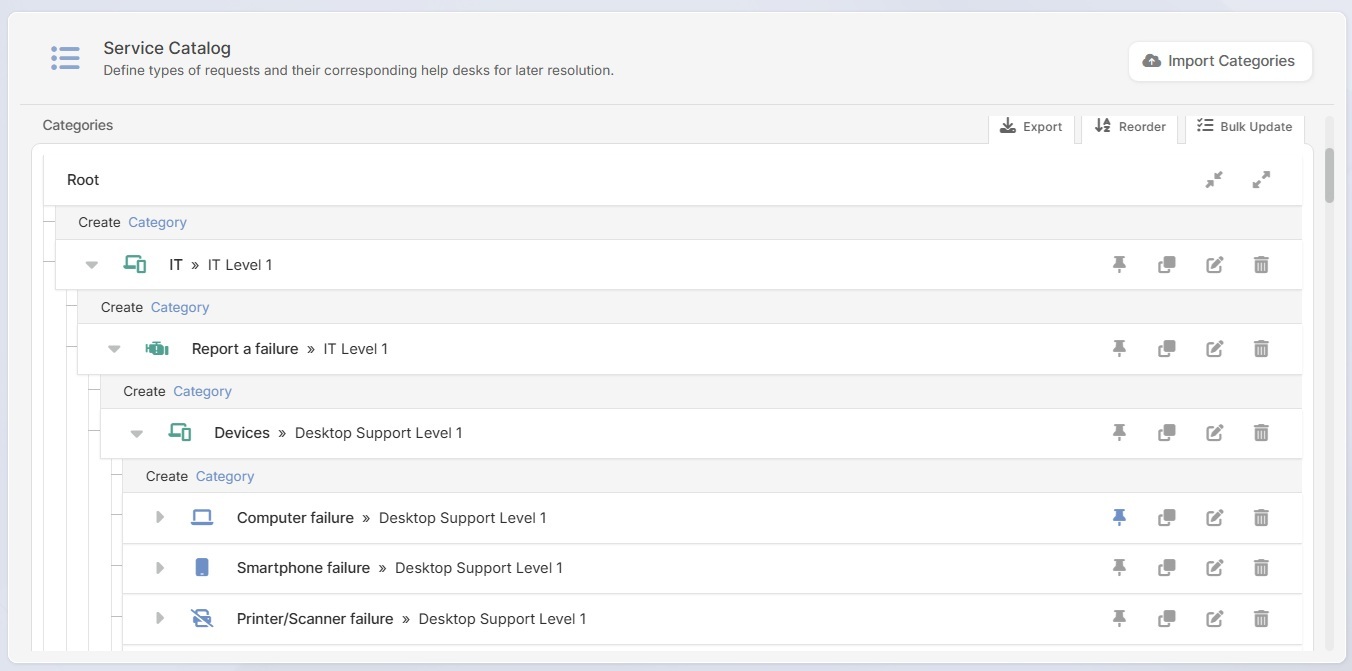
In InvGate Service Management, you can configure incident categories that map directly to your environment: "Plant floor systems," "ERP/MES," "Networking — production area," "Office IT." Each category of the service catalog can carry a set of mandatory custom fields for submitting a ticket: affected line or area, specific system involved, whether production is currently stopped, and estimated number of users blocked.
When those categories are tied to automatic priority rules, triage becomes consistent. An agent logging a ticket under "ERP/MES — production impact" doesn't need to manually select P1. The category drives the priority. That removes a decision point from a high-pressure moment and ensures that every incident of a given type gets the same response, regardless of who handles the ticket.
This also creates cleaner data over time. When your incident categories reflect your production environment, your reporting reflects it too — and you can start identifying which systems generate the most production-impacting incidents, not just which categories get the most tickets.
Standard SLA configurations don't work for manufacturing. A single SLA policy with an 8-business-hour resolution target means very little when your third shift runs from midnight to 6 AM and the ERP goes down at 2 AM.
InvGate Service Management supports multiple SLA policies, each with its own conditions. A manufacturing IT team can configure a P1 SLA for production-critical systems — for example, a 15-minute first response and a 2-hour resolution target, running on a 24/7 clock — alongside a standard P3 SLA for office IT issues that follows business hours. The specific thresholds are configurable to your environment; the point is that the platform supports that differentiation natively.
SLA timers in InvGate Service Management also trigger automatic alerts before breach. That means the team lead gets notified when a P1 is at 50% of its resolution window, not when it's already missed.
In most manufacturing IT teams, there are functional specializations: someone owns networking, someone owns ERP infrastructure, someone handles endpoint support. When a plant floor network incident comes in, it shouldn't sit in a general queue waiting for a generalist to read it and manually reassign it.
Automated incident management workflows in InvGate Service Management allow routing rules to fire at ticket creation — based on category, help desk, keywords, or a combination. A ticket categorized under "Plant floor networking" routes directly to the network team. A ticket under "ERP/MES" goes to the application infrastructure team. No manual rerouting, no delay while an agent reads through the details.
Not every P1 follows the same path. A plant floor network outage affecting a single terminal is a P1 by classification, but it has a contained blast radius. An ERP failure that's been running for 45 minutes with no workaround and no estimated resolution time is a different kind of event — it needs to escalate beyond the IT team to business stakeholders, production managers, and potentially the shift supervisor.
That's the threshold for Major Incident Management: when an incident affects multiple lines or systems, when no workaround is available, when the impact is spreading, or when the resolution window has already exceeded the SLA. In InvGate Service Management, major incident classification can be triggered automatically based on SLA breach risk, ticket patterns, or manual escalation — and it brings a different workflow with it: structured communication, stakeholder notifications, coordination steps, and post-incident review.
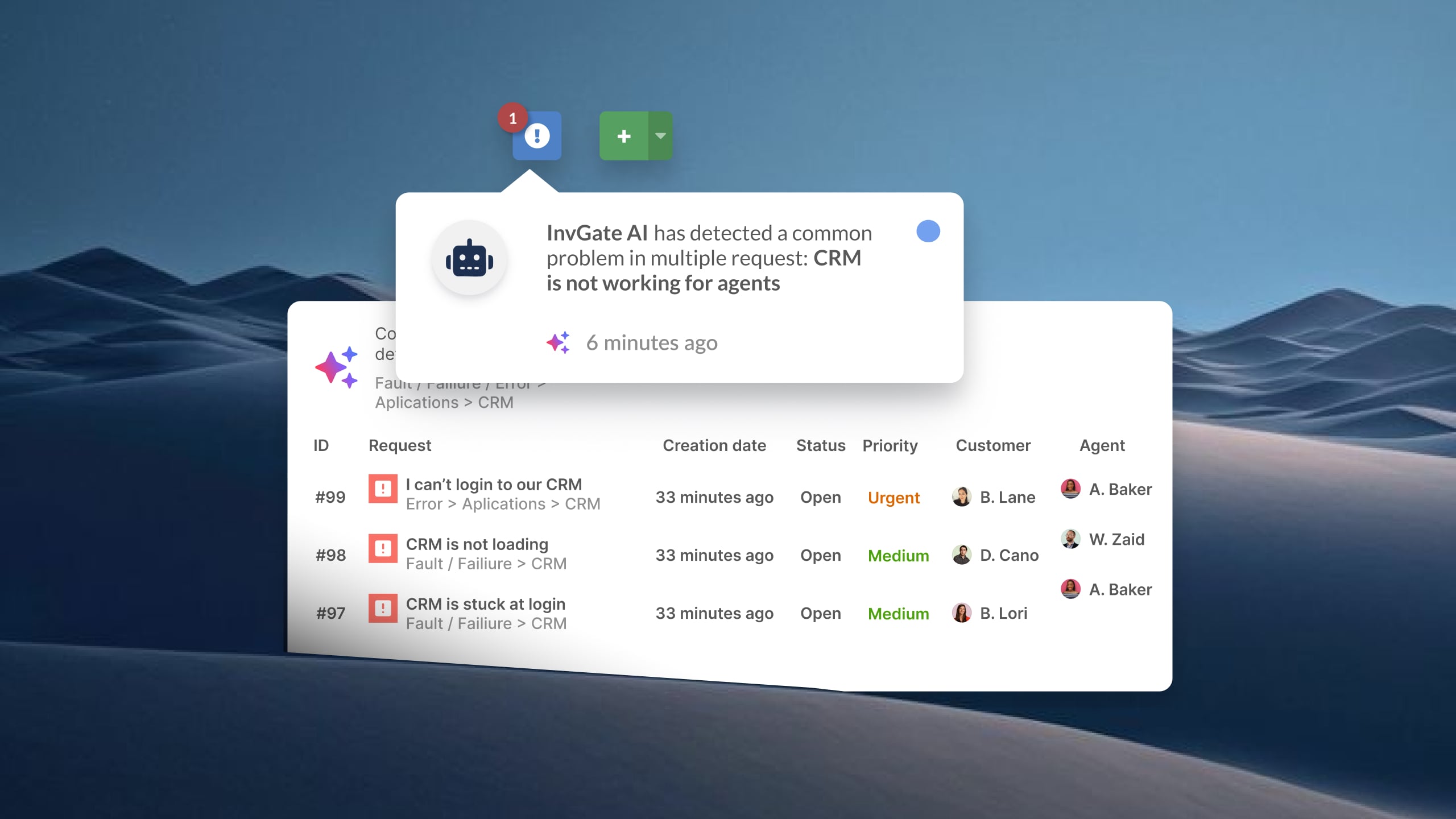
The AI-powered major incident detection in InvGate Service Management also monitors incoming tickets for patterns that suggest a broader issue. If multiple operators are logging similar ERP connectivity errors within a short window, the system can surface a major incident suggestion before anyone has manually connected the dots. In a manufacturing environment where the same underlying failure can generate dozens of separate tickets from different parts of the plant, that pattern detection reduces the time between "problem starts" and "problem is recognized."
The most expensive IT incidents in manufacturing are the ones that happen twice. Or every Monday night. Or every time a specific batch process runs.
Reactive incident response is unavoidable — things break unexpectedly. But an IT team that never converts recurring incidents into problem investigations is permanently in reactive mode, and in manufacturing that has a measurable operational cost.
InvGate Service Management supports linking related tickets, which is the first step in identifying a recurring incident pattern. When an agent notices that three tickets in the last 30 days all involved the same plant floor switch losing connectivity during peak production hours, they can link those tickets and escalate them to a problem record for root cause analysis. That problem record becomes the anchor for the investigation, separate from the ongoing incident queue.
The goal is to get off the treadmill: resolve the incident, yes — but also capture the signal that prevents the next one. In a manufacturing context, that's not just good ITSM hygiene. It's the difference between a production floor that runs reliably and one that operates under constant low-level IT risk.
If you want to see how InvGate Service Management handles incident workflows in practice, request a 30-day free trial.
The table below maps the most frequent IT incident types in manufacturing environments to their typical production impact and suggested priority classification. These are starting-point recommendations — actual priorities should be configured to reflect your specific environment and production dependencies.
A few observations on how to use this:
The classification of an incident can shift based on context. A label printer failure might be P2 under normal conditions, but P1 if it's the only printer on a line running a time-sensitive production order. That context — which line, which shift, what's in production — is exactly what the custom fields in your incident categories should capture at ticket creation.
The goal of pre-defining these priorities isn't to create a rigid rulebook. It's to remove ambiguity under pressure. When a plant floor network outage comes in at 2 AM, the technician on call shouldn't have to decide whether it's a P1. It should already be one.
Metrics matter more in manufacturing IT than in most other contexts, because the data you collect on incidents translates directly into operational risk visibility. The right metrics don't just tell you how the IT team performed — they tell the production manager and plant director whether IT is a stable foundation or a recurring source of disruption.
The metrics most relevant to manufacturing IT incident management:
Mean Time to Resolution (MTTR) by system type. A single aggregate MTTR number hides the real picture. What matters is MTTR for ERP incidents, MTTR for plant floor network incidents, MTTR for operator endpoint failures — broken down by the systems that matter most to production continuity.
SLA compliance by help desk and priority tier. If your P1 production-critical SLA is being missed regularly, that's a staffing, tooling, or process problem — and you need to see it as a pattern, not as individual missed targets.
Incident volume by area, shift, and time of day. In a manufacturing environment, incidents cluster. More failures happen during peak production hours. Night shifts may have lower reporting rates but higher impact when something does go wrong. Tracking volume by shift and area reveals where the real pressure is.
Recurring incidents as a problem management signal. If the same asset, system, or area generates incidents repeatedly, that's a leading indicator of a problem that incident resolution alone won't fix. InvGate Service Management's reporting tools let IT managers surface those patterns and use them to drive problem investigations before the next production impact.
Production-hours impacted. This is the metric that connects IT performance to business outcomes. If you can track which incidents caused production stoppages and how long those stoppages lasted, you can quantify IT's impact on operations — not just in tickets closed, but in uptime protected.
A note on benchmarks: industry averages for MTTR and SLA compliance vary significantly by sector, system type, and team size. Rather than citing a target number, focus on establishing your own baseline and measuring improvement over time.
When operators and line supervisors can call a technician directly, text them on WhatsApp, or flag them down on the floor, incidents don't get logged. That means no ticket, no SLA tracking, no data, and no ability to identify patterns. Even a two-person IT team needs a single intake channel — a help desk, an email address, or a self-service portal — so that every incident becomes a record.
This is one of the most common breakdowns in small manufacturing IT teams, and it's also one of the easiest to fix with basic ITSM tooling.
The worst time to decide what's a P1 is in the middle of an active production incident. Build your priority matrix before the incident happens. Sit down with operations and production management, map which IT systems directly feed the line, and agree on what a failure of each one means for production continuity. That list becomes the foundation of your incident categories and SLA policies in InvGate Service Management.
Manufacturing doesn't follow office hours, and neither do IT failures. A standard SLA that runs on business hours has a blind spot that covers every night shift, weekend, and holiday — which is often when the most damaging failures occur, because coverage is thinner and detection takes longer. Configure SLA policies that reflect the operating schedule of your plant, not the operating schedule of your IT team.
When the ERP goes down and there's no documented fallback, every operator and supervisor starts improvising — and improvised workarounds in a production environment create quality and traceability problems that outlast the original incident. A knowledge base article that explains "what to do if the ERP is unavailable during a shift" can be the difference between a controlled pause and a chaotic scramble. InvGate Service Management's knowledge base is directly accessible from the service portal, which means the workaround can be in the hands of a supervisor within seconds of the incident being logged.
If the same plant server generates three incidents in a month, that's not bad luck — it's a signal. A structured incident management process includes the discipline to connect those dots: link the related tickets, open a problem record, and investigate root cause before the fourth incident happens. In manufacturing, where a recurring failure on a critical system means recurring production impact, problem management is one of the highest-ROI investments an IT team can make.
Know in advance: who gets notified when an ERP outage crosses 30 minutes? Who from operations needs to be in the loop when multiple lines are affected? What's the communication protocol for a plant-wide network failure? That escalation map — stakeholders, channels, thresholds — should be configured in your incident workflow, not assembled from memory during an active crisis.
What is IT Incident Management in manufacturing? IT Incident Management in manufacturing is the structured process of detecting, prioritizing, responding to, and resolving failures in the IT systems that support production operations. This includes ERP platforms, manufacturing execution systems (MES), plant floor networks, operator terminals, and any other IT infrastructure that production processes depend on. The goal is to restore normal service as quickly as possible to protect production continuity and minimize operational downtime.
What ITSM tools are used for IT Incident Management in manufacturing? IT teams in manufacturing environments typically use ITSM platforms that support structured incident workflows, SLA management, and ticket routing automation. Platforms like InvGate Service Management are used to centralize incident intake across channels, configure priority tiers based on production impact, automate escalation, and track performance metrics by system and area. The key capability for manufacturing is the ability to differentiate incident response by system criticality, not just ticket order.
How do you prioritize IT incidents in a manufacturing environment? IT incidents in manufacturing should be prioritized based on their production impact, not their arrival order. A useful framework classifies incidents by whether they cause a full production stoppage (P1), a partial or degraded operation (P2), or an individual impact with no production consequence (P3). Those classifications should be pre-configured in your ITSM tool so that triage is automatic — a ticket logged under "ERP/MES — production stopped" should trigger P1 status, SLA timers, and routing rules the moment it's created, without manual intervention.
What is the difference between IT Incident Management and OT Incident Management in manufacturing? IT Incident Management covers failures in the information technology systems that support manufacturing operations: ERP, MES, plant floor networks, endpoints, and business applications. OT (operational technology) Incident Management covers failures in the physical control systems that run production processes directly: PLCs, industrial controllers, SCADA systems, and sensor networks. In practice, the boundary between IT and OT is often blurry — but the ownership, tooling, and response processes for the two domains are typically distinct. IT Incident Management is handled by the IT team using ITSM platforms; OT Incident Management typically falls under engineering or operations with specialized industrial tooling.


