













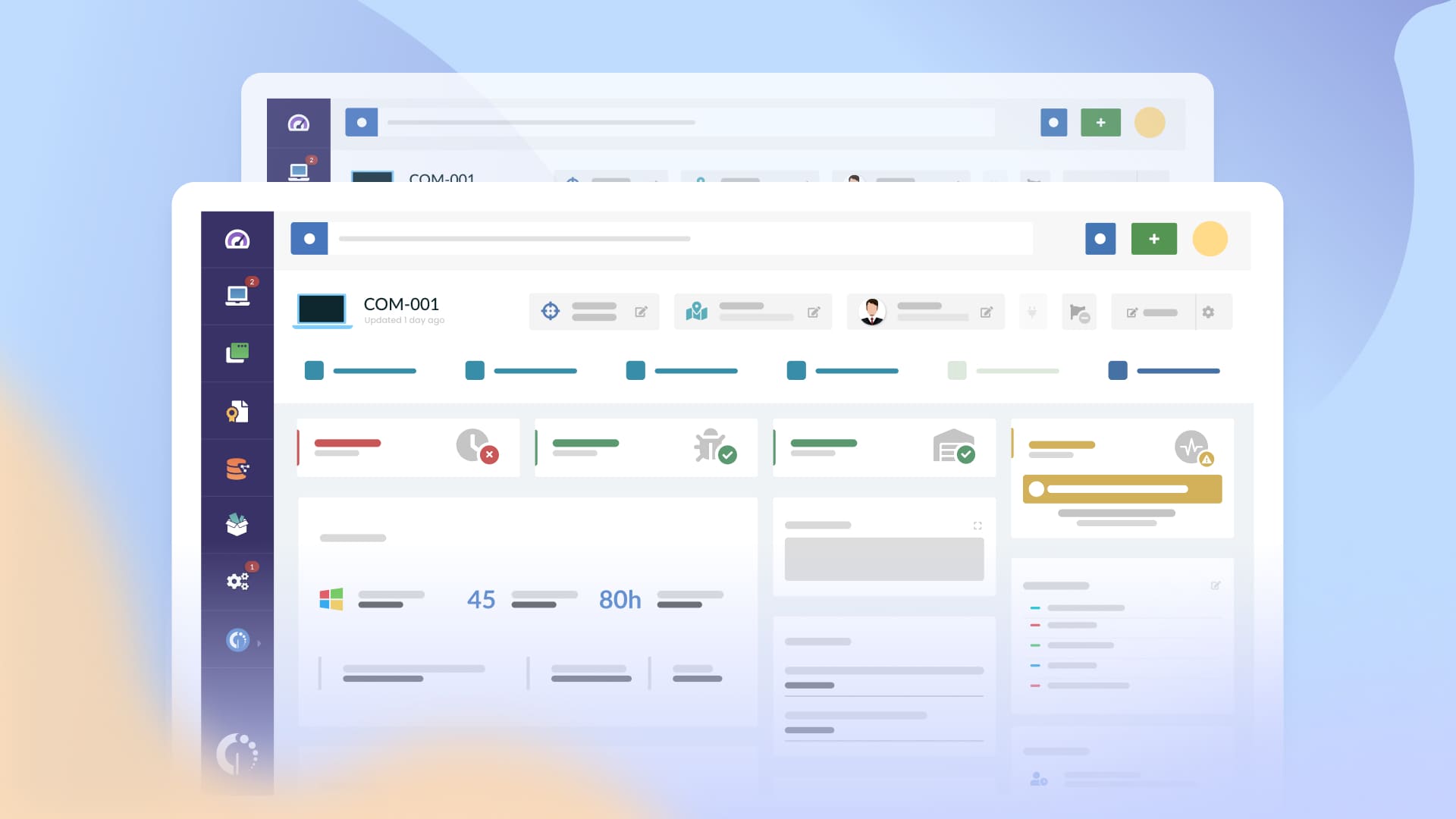

Proper IT Asset Management is fundamental for any organization, and government agencies (whether local or federal) are no exception. This is why IT Asset Management for government is so important. It tackles specific public sector pain points: low productivity, unnecessary costs, and legacy systems that fail to scale during government digital transformation.
In this article, we will explore why a strong ITAM strategy is crucial for the public sector. We will also discuss the risks of staying manual and how a proactive approach helps you build an accurate government IT inventory to ensure your agency is always audit-ready.
Managing IT in the public sector isn’t the same as in the private world. The stakes are higher, and the resources are often tighter. IT Asset Management for government agencies must account for specific constraints that don’t exist elsewhere.
Here are the four main factors that make government ITAM unique:
Relying on manual tracking is one of the most expensive ways to operate. When your government IT inventory is scattered across spreadsheets and OneNote files, you aren’t just losing data - you’re losing control over your budget and security. Using a dedicated strategy for IT Asset Management for government is the only way to avoid these common operational traps.
Imagine an auditor arrives and asks for a complete list of active devices and their security status. In many agencies, the team rushes to open old emails and Excel files to reconstruct information from memory. This "audit panic" consumes hundreds of high-value man-hours.
The real cost isn't just the risk of a failed IT asset audit; it's the operational blindness. A manual inventory often hides unauthorized devices or shadow IT in government agencies that has been connected for years. Without asset discovery tools, you cannot identify these risks until it is too late.
Public sector budgets are planned months in advance, leaving no room for emergencies. When hardware reaches year five or six, failure rates spike. Without a clear Hardware Lifecycle Management plan, these aging devices cost more to maintain than to replace.
If you lack historical data, you cannot justify replacement costs to the Finance department. This leads to emergency procurement requests that the budget cannot support, forcing teams to work with unreliable equipment that lowers overall productivity.
Tracking service contracts in spreadsheets is a recipe for disaster. Many agreements have 90-day cancellation or renewal clauses that require action weeks in advance. When these dates "fall through the cracks," the consequences are immediate:
Effective contract tracking for government IT ensures that these dates are managed proactively, moving your agency from a reactive state to being permanently audit-ready.
To move away from fragmented spreadsheets, public sector IT teams need specific capabilities that solve daily operational pains. A modern approach to IT Asset Management for government focuses on automation and visibility to keep the organization audit-ready without extra manual effort.
Here is how specific ITAM capabilities transform your daily operations:
Government agencies often have lean teams. Therefore, ITAM for the public sector must be accessible. You shouldn't need a dedicated consultant just to run a report or update your government IT inventory.
The solution must provide:
By implementing these capabilities, your team stops being reactive. Instead of spending weeks preparing for an inspection, you maintain a state of "continuous compliance," where the data is always accurate and the documentation is always complete.
InvGate Asset Management allows you to create and manage a complete IT asset inventory in just a few steps. This provides government agencies with a centralized platform for both real-time visibility and strategic action.
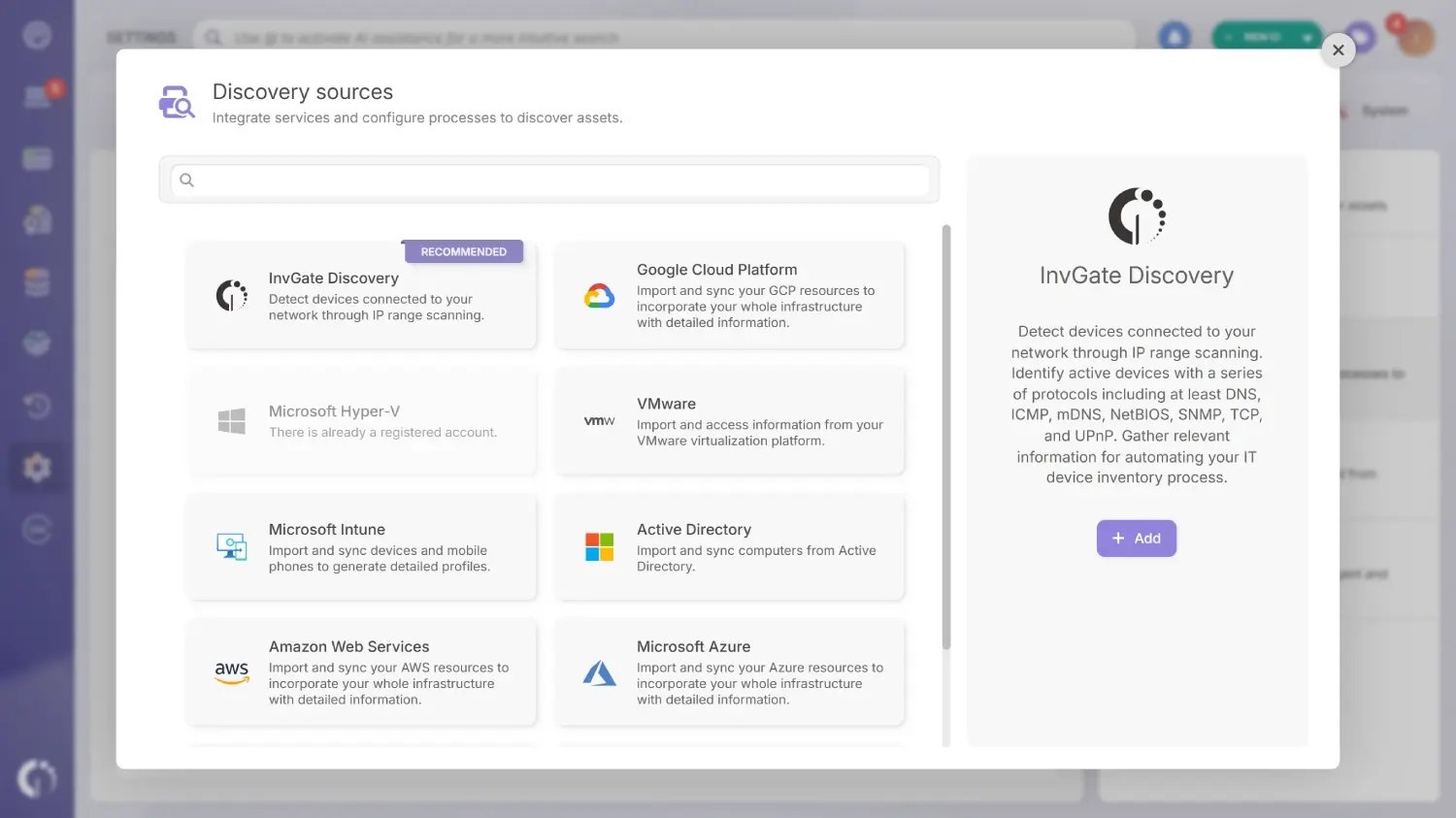
One of the primary population methods in InvGate Asset Management is InvGate Discovery. This feature allows you to detect all assets connected to your network easily.
To start, navigate to Settings > Discovery Sources > Add > InvGate Discovery. Fill in the required fields and run the scan. Once completed, you can view the discovered devices directly from that interface or by heading to Assets > Discovery. Since not every discovered device needs to be tracked, the platform lets you choose exactly which items to convert into formal assets for your government IT inventory.
This process is also essential for shadow IT detection, as it helps identify unknown devices that should not be on your network, allowing you to decide how to handle them before an auditor does.
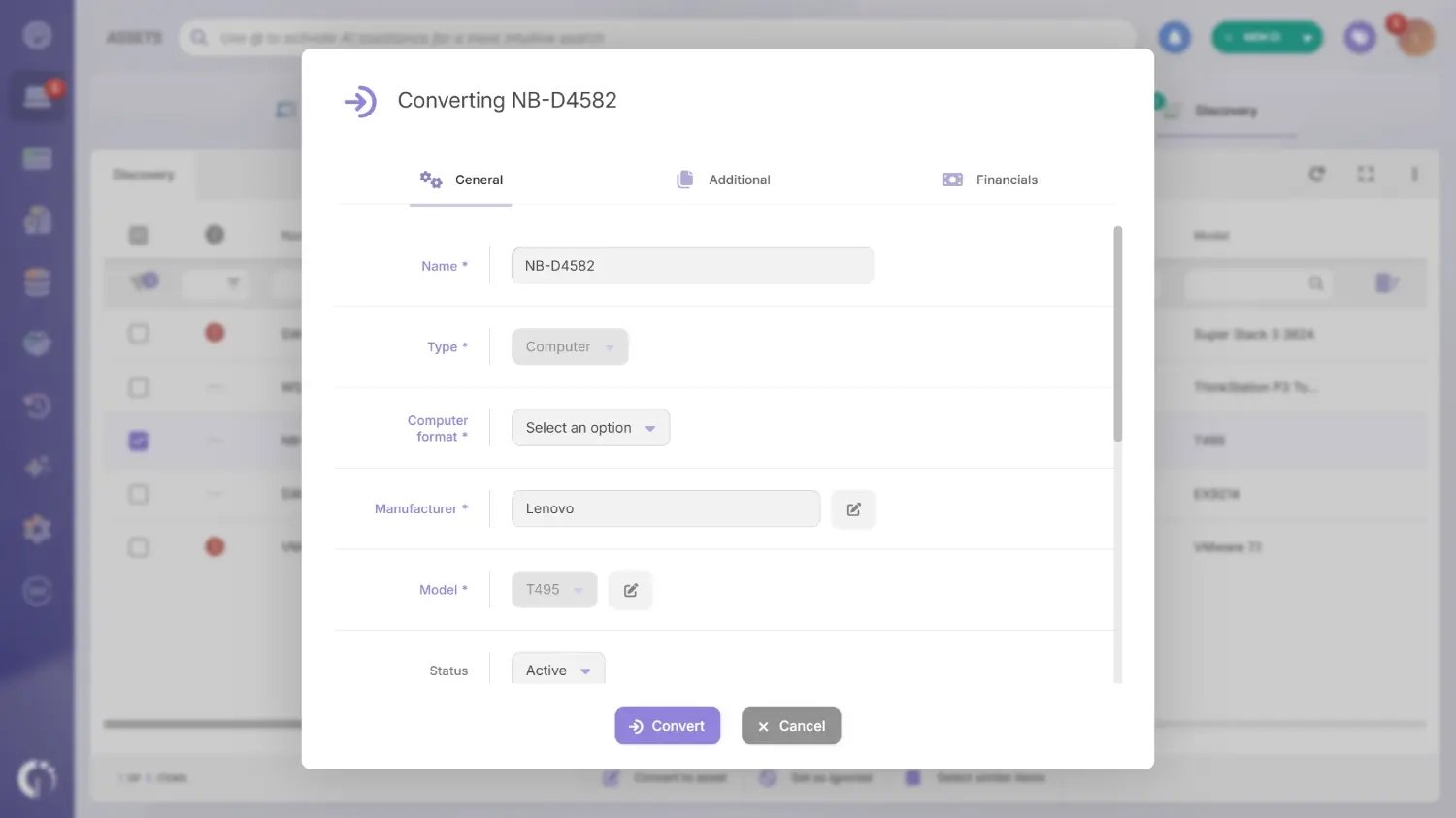 Once you have converted discovered devices into assets, you can enrich their data. InvGate Asset Management provides pre-set fields based on the asset type. While some information is populated automatically, your team can manually oversee and update critical details such as:
Additionally, teams can use custom fields to track specific government requirements, such as maintenance deadlines or end-of-life (EOL) dates, ensuring all ITAM for public sector needs are met.
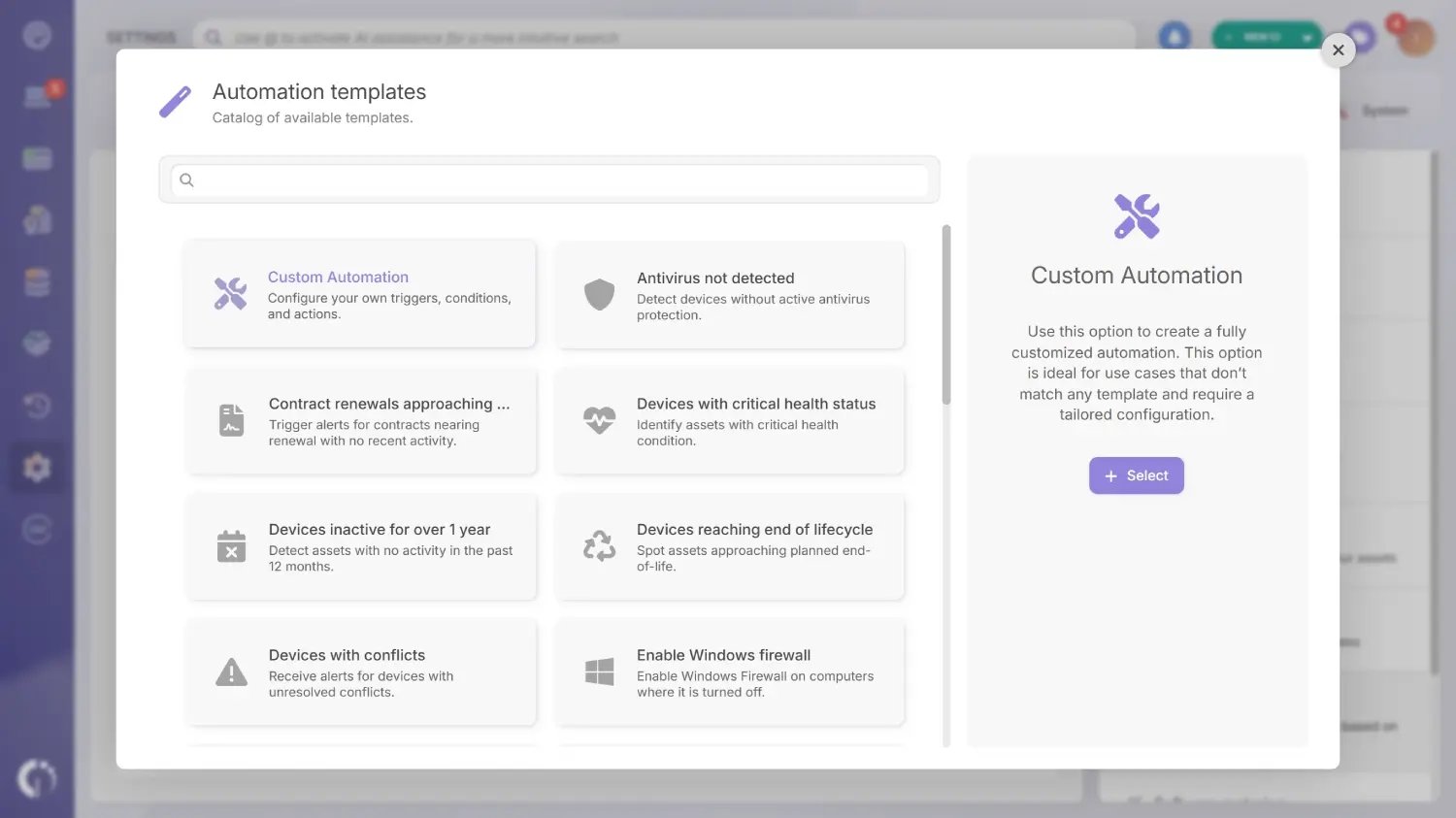 After enriching your assets, the next step is building a proactive tracking strategy. Using automation and alerts is the best way to stay ahead of an IT asset audit.
InvGate Asset Management includes an automation engine with pre-built templates so you don't have to start from scratch. Just navigate to Settings > CIs > Automations. Common automation triggers for government agencies include:
You can further refine this with InvGate Smart Tags, which automatically group assets that meet specific conditions - such as all laptops with warranties expiring in the next 30 days.
To remain audit-ready, you need to be able to produce evidence in seconds. InvGate Asset Management allows you to create custom reports and schedule them to arrive in your inbox regularly.
The easiest way to automate this is through Assets > Views. Once you have defined your view, click the clock button to schedule the report. Define your frequency and recipients, then click Save. You can also use Dashboards to create visual charts of your most important metrics, providing an at-a-glance health check of your entire infrastructure.
Choosing the right platform for IT Asset Management for Government is about more than just features; it’s about operational independence and reliability. InvGate Asset Management is designed to help public sector teams maintain an audit-ready IT inventory without the complexity or high costs associated with traditional enterprise tools.
Here is why government agencies trust InvGate to manage their infrastructure:
Connect our solutions with the apps you use every day.
Explore InvGate's integrations

We have extensive experience helping public sector organizations streamline their IT Asset Lifecycle Management government processes. InvGate is the solution of choice for high-stakes environments, including:
Ready to see how InvGate Asset Management can transform IT Asset Management for your government agency? Start a 30-day free trial or speak with our sales team to get a personalized demo of how we can help you stay audit-ready.

