














IT teams are handling more tickets than ever, with users expecting faster responses, 24/7 availability, and consistent quality regardless of who picks up the request.
Meanwhile, knowledge bases quickly become outdated, agents spend valuable time on repetitive work, and the service desk is constantly trying to keep up.
Generative AI has emerged as a way to reduce that pressure in ITSM. Instead of adding another standalone assistant that agents have to switch to throughout the day, modern ITSM platforms are embedding AI directly into everyday workflows. That keeps work in one place, reduces interruptions, and helps teams automate work that previously required manual effort.
In this article, we'll look at the most practical use cases for generative AI in ITSM, the benefits organizations are seeing, and how to implement it effectively.
Key takeaways
Traditional ITSM automation has limits. Rule-based workflows are excellent for predictable tasks, such as routing tickets, sending notifications, or escalating incidents based on predefined conditions. They work because someone configured the logic ahead of time. Once a request falls outside those rules, the automation stops and an agent has to decide what happens next.
Generative AI fills that gap. Instead of following fixed instructions, it interprets natural language, understands context, and creates new content based on the information available. In practice, that means it can summarize long ticket conversations, classify requests written in plain language, draft responses, suggest resolutions based on similar incidents, generate knowledge articles from completed work, or answer employee questions conversationally.
The biggest gains come when those capabilities are built directly into the ITSM platform rather than offered as a separate assistant. Most likely, agents have started experimenting with AI. Maybe asking chatbots to draft replies, or summarizing tickets in a separate application. Those tools help, but they often introduce another problem: people have to leave the service desk, copy information between applications, and manually bring the results back into their workflow.
That's why AI in ITSM is moving beyond standalone chatbots and writing assistants. Organizations are increasingly looking for platforms where AI is part of everyday service desk workflows, helping teams resolve requests faster while reducing repetitive work and the context switching that slows agents down.

Generative AI can assist throughout the service management lifecycle, from the moment a request is submitted to the point where the issue is documented and analyzed. Some capabilities improve the employee experience through faster self-service, while others help service desk agents spend less time on repetitive work. Here are some of the most common generative AI use cases in ITSM.
Tickets with long interaction threads force agents to read the entire history before they can act — a problem that compounds during handoffs, shift changes, and escalations. In high-volume environments, that reading time is a meaningful part of every ticket's resolution clock.
How GenAI helps: The model analyzes the full thread — including comments, status changes, and user replies — and generates a structured summary: current status, actions taken, outstanding questions, and suggested next steps. The agent gets the context without the scroll.
How InvGate Service Management implements it: Agents can generate a ticket summary with a single click from the active ticket view. The summary captures the key details, people involved, and tasks performed. It takes less than a minute to onboard a new agent onto a complex ongoing incident. Agents can post the summary as an internal comment to facilitate handoffs — keeping context inside the ticket, visible to the whole team.
InvGate's Virtual Service Agent also uses summarization to surface relevant knowledge to users before they create a ticket, cutting redundant requests at the source.
Writing ticket replies takes time — time that multiplies across hundreds of tickets per day. When the same type of problem recurs with slight variations in context, agents often rewrite from scratch instead of leveraging what's already been resolved.
How GenAI helps: The model analyzes the ticket content — the reported issue, the user's history, similar past tickets — and generates a draft response. The agent reviews, adjusts tone or detail if needed, and sends. The AI does the first draft; the agent owns the final call. An AI humanizer can further refine AI-generated wording so support replies sound more natural while preserving their intended meaning.
How InvGate Service Management implements it: The AI-Improved Responses feature starts from the agent's own draft and uses GenAI to expand it, shorten it, or adjust the tone — all within the response editor, without switching context. Agents using this feature respond up to 28% faster than without AI assistance. The improvement applies consistently across the team, not just for senior agents who already know the answer.
Agents resolve tickets and the knowledge disappears. Documenting the resolution manually — writing a structured article, categorizing it, publishing it — takes time most teams don't have. The knowledge base ends up months behind the actual state of the environment.
How GenAI helps: At the moment of ticket resolution, GenAI takes the resolution notes and generates a structured draft article: title, problem description, resolution steps, and applicable categories. The agent reviews and publishes without leaving the ticket queue.
How InvGate Service Management implements it: The Knowledge Article Generation feature in converts a ticket resolution into a first draft in less than 30 seconds. There's no separate authoring workflow — the agent reviews the draft inside the ticket interface and publishes directly to the knowledge base. Over time, this turns the volume of resolved tickets into a compounding asset: every resolution becomes searchable documentation that deflects future requests.
For a detailed look at how this works end-to-end, see AI-driven knowledge article generation in InvGate Service Management.
To see the full flow in action, request an InvGate Service Management demo.
The pain: Users create tickets for problems they could solve themselves — if they could find the right information at the right moment, in the channel where they're already working. The ticket isn't a preference; it's a fallback when self-service fails.
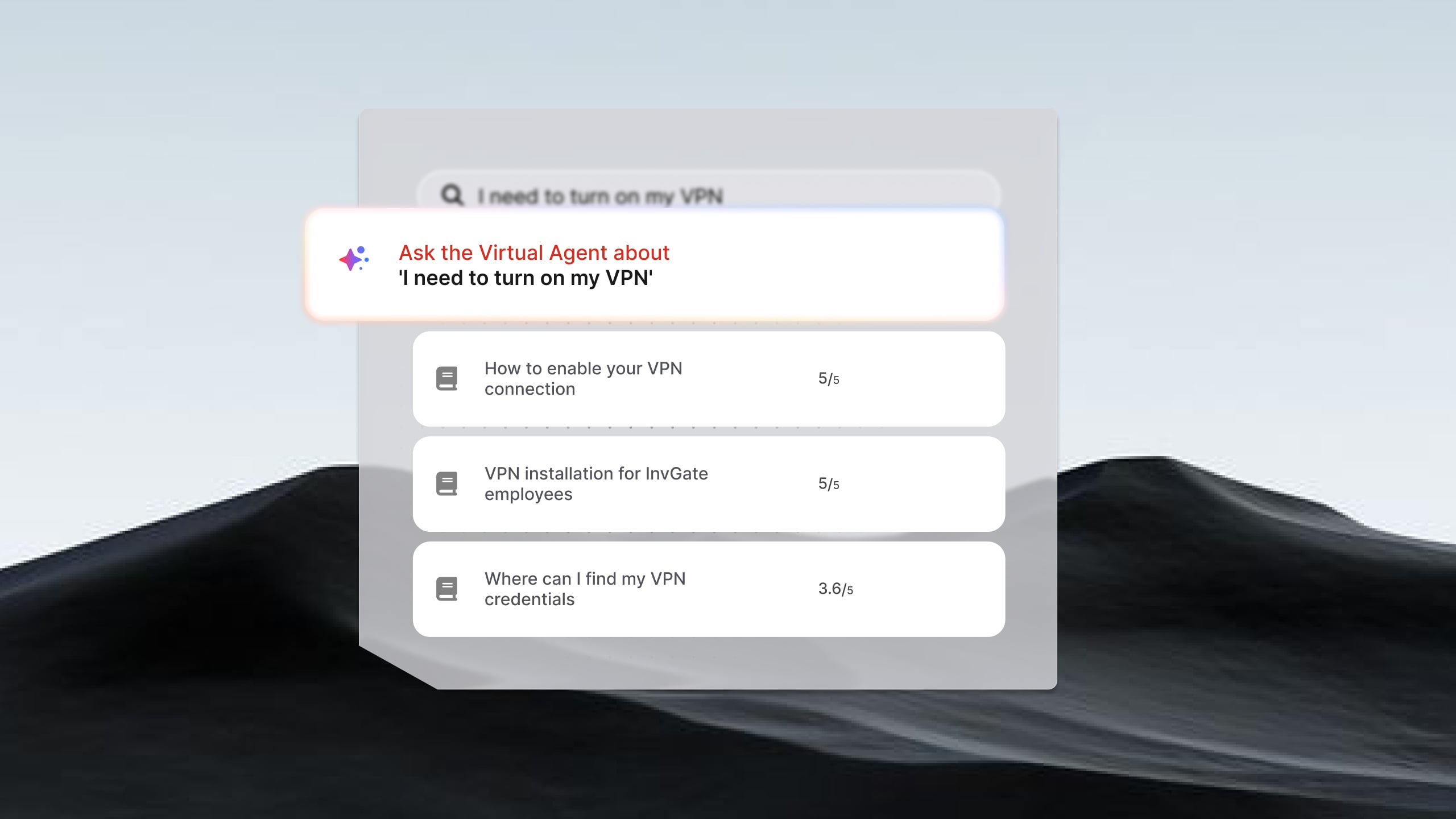
How GenAI helps: A virtual agent interprets the user's question in natural language, searches the knowledge base and ticket history for relevant content, and returns a contextual answer or guides the user through the correct process. No keyword matching, no rigid menu navigation — the user describes the problem and the system responds to what they actually mean.
How InvGate Service Management implements it: InvGate's Virtual Service Agent deploys across the self-service portal, Microsoft Teams, Slack, and WhatsApp without manual training or intent mapping — it connects directly to the existing knowledge base and ticket history. The result: fewer tickets created, as users find answers through knowledge summaries before escalating. The virtual agent handles repetitive requests and FAQs autonomously, keeping those interactions out of the agent queue entirely.
The most common reason GenAI features underperform isn't the technology — it's the data layer underneath it. Teams activate features and get inconsistent or generic outputs, then conclude the AI isn't ready. In most cases, the AI is working exactly as designed; the inputs just aren't good enough yet.
Three factors determine whether GenAI delivers on its potential in an ITSM environment:
1. An updated and structured knowledge base. The virtual agent and solution recommendations are only as good as the articles they draw from. Outdated articles produce wrong answers; sparse coverage produces no answers. The good news: knowledge article generation is the mechanism to fix this — every resolved ticket is an opportunity to add structured content. The flywheel builds over time, but it requires agents to adopt the generation habit.
2. Clean, categorized ticket history. Classification, routing, change risk assessment, and SLA prediction all rely on historical ticket data to generate accurate suggestions. If past tickets are miscategorized, incomplete, or lack resolution notes, the AI has weak signal to work with. Before activating predictive features, it's worth auditing the last 6-12 months of ticket data for classification consistency.
3. Consistent agent adoption. AI features that agents skip don't generate feedback signal. Without usage data — which suggestions were accepted, which were rejected, which resulted in faster resolution — the system can't improve. Adoption isn't a soft metric; it directly determines the quality ceiling of every AI feature over time.
Measuring progress is just as important as enabling the features themselves. In InvGate Service Management, AI Hub Reports give service desk managers visibility into how AI is being used across teams. Instead of simply showing whether a feature was activated, the reports help answer operational questions such as:
That last insight is especially valuable because it identifies documentation gaps that directly affect self-service performance and ticket deflection. Measuring AI ROI in ITSM requires this kind of visibility; without it, AI stays something you turned on instead of something you can manage.
Lastly, successful AI adoption isn't a one-time implementation project—it's an ongoing process of improving data quality, encouraging usage, measuring outcomes, and refining workflows. If you'd like a deeper look at that process, InvGate's AI Adoption Lifecycle whitepaper explains how organizations move from initial experimentation to measurable operational results, including the metrics and governance practices that help AI deliver long-term value.
The use cases in this article aren't a roadmap of future capabilities — they're available today inside a single platform.
InvGate AI Hub is the native AI layer in InvGate Service Management. It brings together all seven use cases described above — Virtual Service Agent, AI-Improved Responses, Knowledge Article Generation, Predictive Risk and Impact Analysis, SLA escalation prediction, and AI Hub Reports — without additional licensing. The AI is embedded directly into service desk workflows, approvals, and agent interfaces, operating within the same permissions and audit framework as the rest of the platform.
The architecture matters because fragmented AI tooling creates its own overhead: separate logins, separate data, separate governance questions. InvGate's approach keeps everything observable, governed, and measurable from a single interface — which is what makes incremental adoption actually achievable.
For teams evaluating ITSM software with AI automation, the embedded versus bolt-on distinction is worth examining closely. AI that requires a separate license or a separate configuration layer adds complexity to adoption before the first feature is live.
Ready to see the platform in action? Request a 30-day free trial.
What is generative AI in ITSM?
Generative AI in ITSM refers to AI systems capable of producing new content — summaries, responses, knowledge articles, risk assessments — based on the context of service management data. Unlike rule-based automation, which executes predefined logic, generative AI interprets unstructured input (like a ticket thread or an RFC) and generates original output tailored to that specific context.
What are the most common use cases of generative AI in ITSM?
The most widely adopted generative AI use cases in ITSM are ticket summarization, AI-assisted response suggestions, automated knowledge article generation, conversational self-service via virtual agents, intelligent ticket classification and routing, change risk assessment, and SLA breach prediction. Each use case addresses a specific operational bottleneck in the service desk workflow.
How does generative AI improve service desk efficiency?
Generative AI improves service desk efficiency by reducing the manual work agents perform before they can start resolving a ticket — reading long threads, writing responses from scratch, classifying requests, searching for past solutions. By automating or accelerating those steps, agents spend more time on resolution and less time on overhead. The impact compounds as the AI learns from usage and the knowledge base grows.
What does an ITSM platform need to support generative AI effectively?
Three elements determine whether GenAI works in practice: a structured and up-to-date knowledge base, clean and consistently categorized ticket history, and sustained agent adoption. Without these inputs, AI features generate generic or inaccurate outputs regardless of how capable the underlying model is. Platforms that include adoption monitoring and knowledge gap detection — like InvGate with the AI Hub Reports — make it easier to identify and fix weak spots before they cap performance.


