












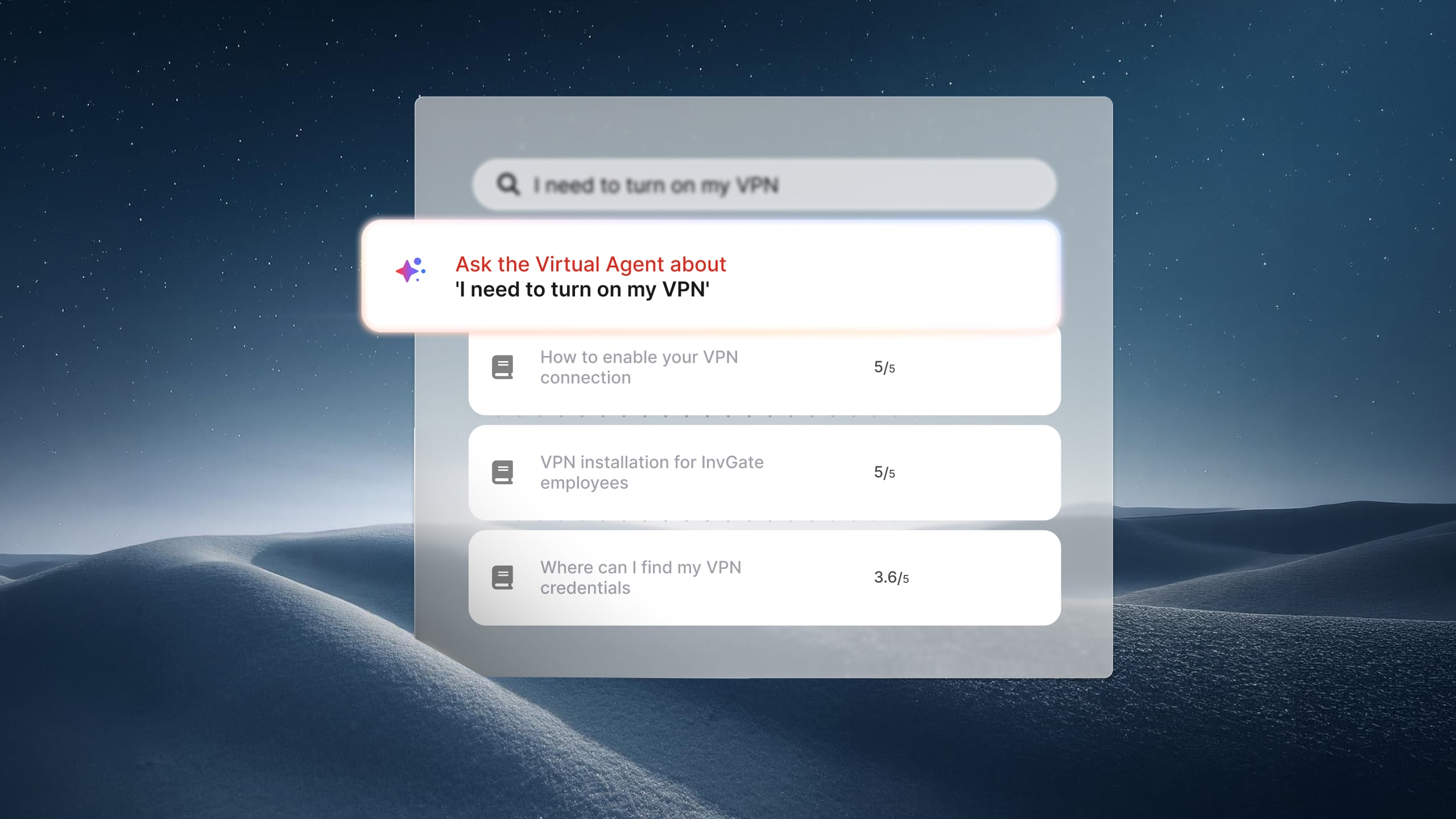


A service desk manager launches a virtual agent in January. By March, chat conversations are climbing, ticket volume hasn't changed much, and the monthly report doesn't explain whether the investment is delivering value.
AI rarely produces a single number that proves its return. The gains accumulate across thousands of support interactions, making measurement just as important as deployment.
In this article, we'll cover the metrics that matter, how to calculate AI ROI in ITSM, and how to determine whether your service desk is getting measurable value from AI.
Measuring AI ROI starts with looking at a few different aspects of your service desk. Each one answers a specific question about how AI is performing, so reviewing them together gives you a more complete picture than relying on a single KPI.
Looking at these four areas together gives you a complete picture of AI's impact. The next step is establishing what you'll measure them against. Start with a baseline before interpreting any of those numbers. Pull ticket volume, average handling time, and SLA compliance for the same request types AI now touches, using data from before adoption. Every metric that follows measures change against that starting point, not against a guess.
Pulling these four numbers by hand, from raw ticket exports, is possible but slow enough that most teams give up halfway through. Purpose-built reporting is what turns the framework above into something you can check monthly instead of once a year. Here's what that looks like in InvGate's AI hub Report, under Reports > AI Hub.
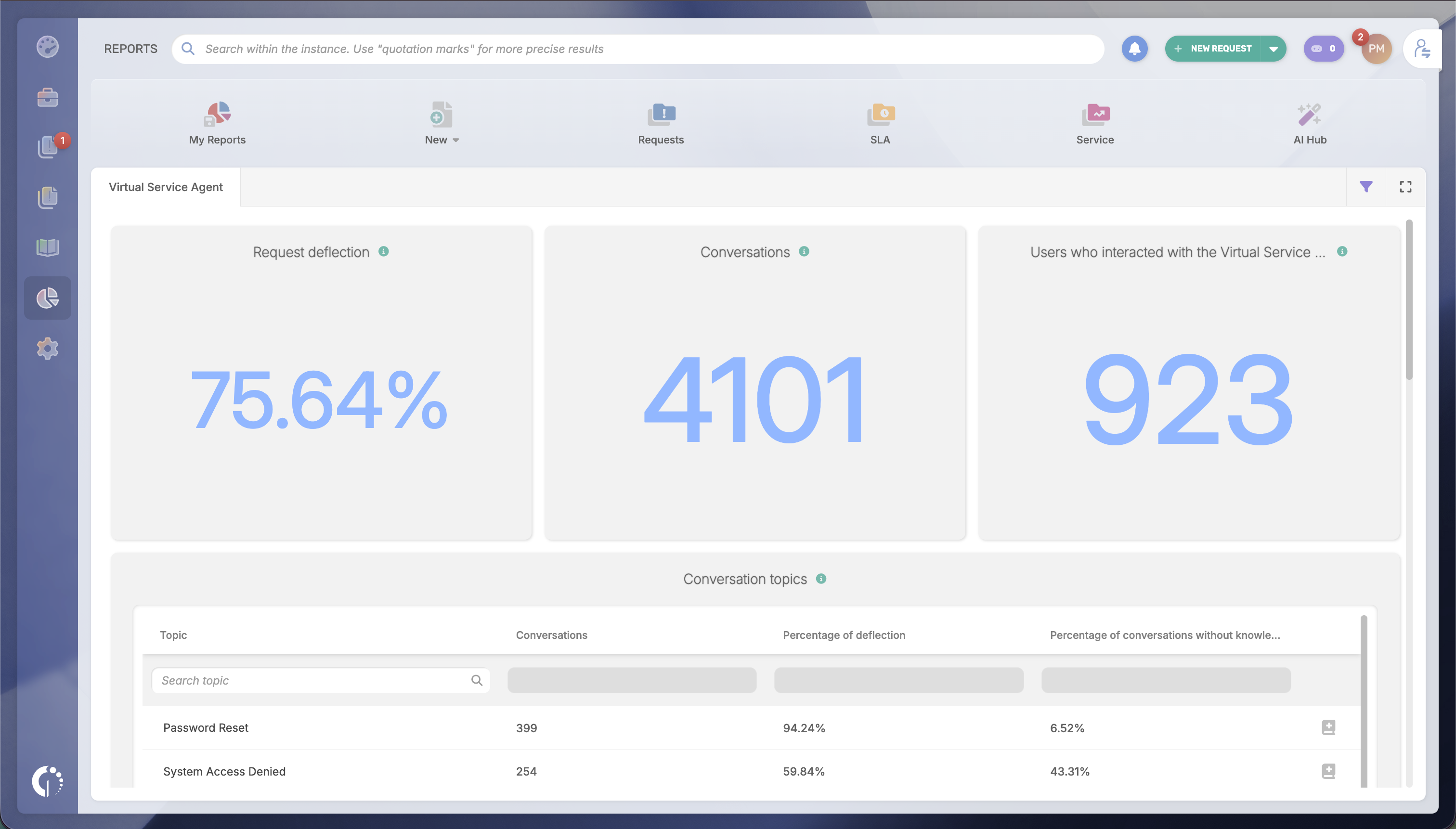
This report tracks deflection rate, conversation volume, and adoption across every channel the Virtual Service Agent (VSA) runs on — the chat widget in your service portal, Microsoft Teams, or WhatsApp.
It also breaks conversations down by topic, which surfaces the topics with zero knowledge coverage: requests users are already asking about that the VSA has no way to answer yet. That list is the most direct lever on the deflection number, since every gap it closes turns into a resolved conversation instead of a missed one.
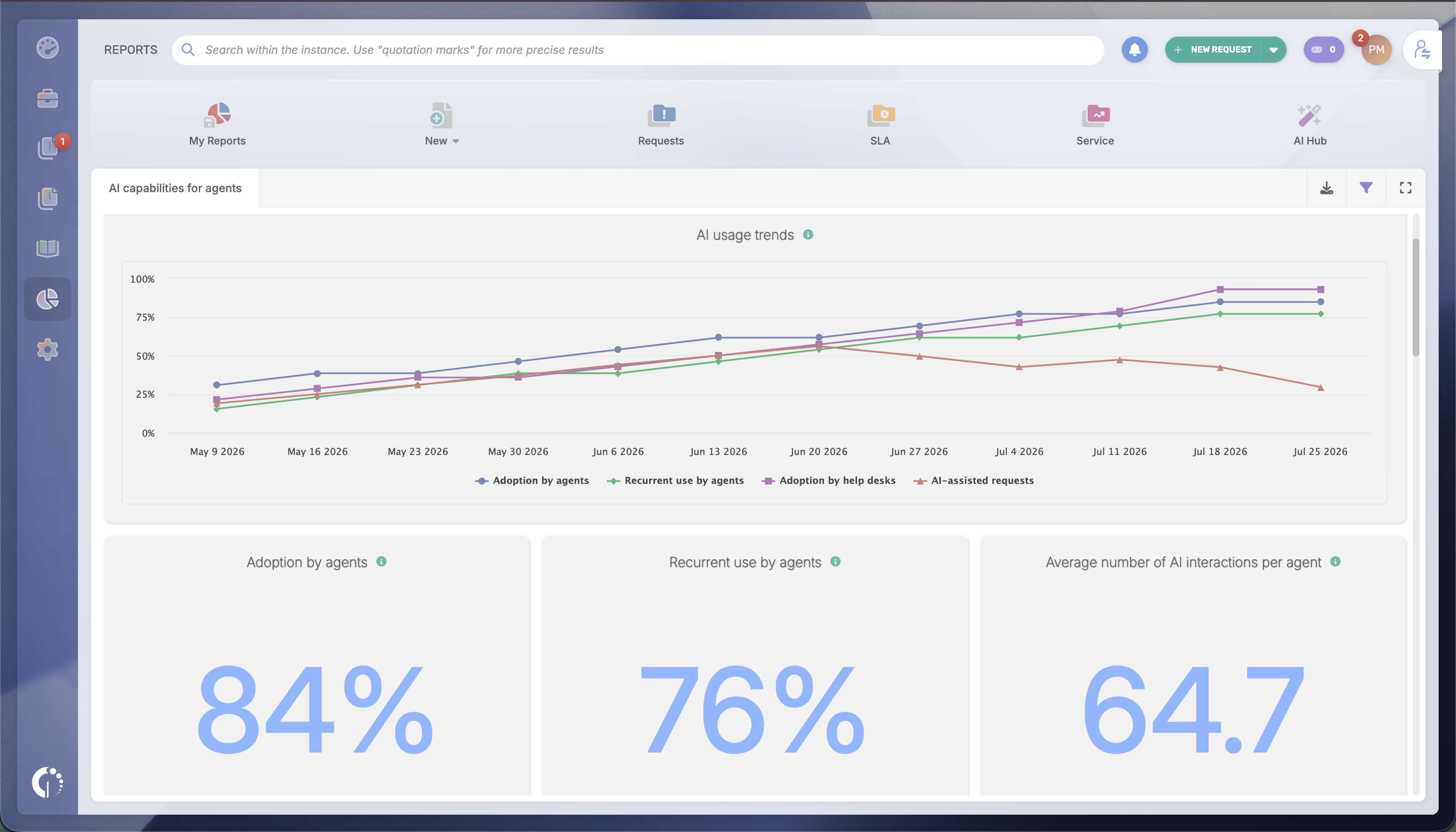
This report separates adoption (who tried a feature like Solution Recommendation at least once) from engagement (who kept using it), broken down per agent and per help desk. A team that tried a feature once and dropped it needs a different fix than a team that never tried it, and the report shows which one you're looking at.
The "With AI / Without AI" filter applies to your existing resolution time and SLA compliance dashboards, so you can compare assisted and unassisted requests directly against your baseline.
With deflection, adoption, and efficiency in hand, the ROI conversation stops being qualitative. A simple version of the math:
Deflection savings: Tickets deflected × Average cost per resolved ticket
Agent productivity savings: Time saved per AI-assisted ticket × Agent hourly cost × AI-assisted ticket volume
You can then compare the combined savings with your AI investment to calculate ROI.
Of course, you should consider that this formula is most reliable once assisted-ticket volume is high enough for the averages to mean something, usually after a full reporting cycle. For a rollout still limited to a handful of request types, or in the first weeks after launch, a dollar figure will likely be more precise than the underlying data. In those cases, the honest and still useful answer is qualitative: the deflection rate is climbing, the knowledge gaps identified last month are shrinking, agents who tried Solution Recommendation are still using it a month later. That's a legitimate result to report on its own, ahead of the point where the math holds up.
A few habits make the same numbers land better in the room.
Lead with the baseline. A deflection rate or resolution-time delta means little without the "before" number next to it. State the baseline, then the current number, then the change.
Hold one time window. 30, 60, or 90 days, whichever you choose, keep every number in the presentation on that same window. Mixed windows are the fastest way to get numbers questioned.
Pair the win with the gap. Showing the deflection rate next to the top uncovered topics from the VSA Report turns the conversation from a status update into a plan, which is a stronger position with a CFO evaluating continued spend.
Keep the summary to three numbers. Deflection rate, the adoption-to-engagement gap, and the resolution-time delta between assisted and unassisted requests. That's enough for a CIO or CFO to see the trend without opening a dashboard.
If you're not yet running AI Hub, you can try it — along with the rest of InvGate Service Management — free for 30 days, no credit card required.

