















Device as a Service (DaaS) is a subscription-based model in which organizations receive physical devices bundled with management, support, and lifecycle services. Instead of buying hardware upfront, the provider handles procurement, deployment, maintenance, refresh, and End-of-Life activities.
Device as a Service should not be confused with Desktop as a Service, which uses the same acronym but refers to cloud-hosted virtual desktops rather than physical devices.
In this article, we'll explain what Device as a Service means, how it compares with leasing and buying, how the DaaS model works across the device lifecycle, and the main benefits, tradeoffs, and evaluation criteria organizations should consider. We'll also show how to keep DaaS devices visible in your own inventory, with each contract and its renewal in view.
Device as a Service, or just DaaS, is an operating and financial model that allows organizations to consume end-user devices as a service rather than owning them. Under this approach, physical hardware is delivered through a recurring subscription that combines devices with the services required to deploy, support, manage, and retire them throughout their lifecycle.
Organizations adopt DaaS to reduce the operational burden of managing large device fleets internally, gain cost predictability, and improve flexibility as workforce needs change. By shifting device ownership and lifecycle responsibilities to a provider, IT teams can standardize device environments, simplify refresh cycles, and dedicate more time to higher-value initiatives.
The DaaS meaning goes beyond hardware delivery. A typical Device as a Service model bundles devices with the services needed to manage them from day one through End of Life. In most implementations, a DaaS offering includes:
Together, these elements allow organizations to treat devices as a managed service rather than a depreciating asset, aligning device management with modern subscription-based IT operating models.
Device as a Service focuses on the delivery and management of physical devices, such as laptops, desktops, and mobile hardware, under a subscription-based model. The provider is responsible for device procurement, provisioning, support, refresh cycles, and secure End-of-Life handling, while users work directly on those physical endpoints.
Desktop as a Service, on the other hand, is a cloud-based model that delivers virtual desktops hosted on remote infrastructure. Instead of managing physical devices, organizations subscribe to virtual desktop environments that users access from any compatible endpoint, typically paying based on usage or number of virtual desktops rather than device lifecycles.
DaaS competes with the two ways organizations already get hardware: buying devices outright or financing them through a lease. The three models differ in who owns the device, what each payment covers, and who does the work at every stage of the lifecycle.
Buying gives your team full control over each device and puts its value on the balance sheet, where it depreciates over time. Leasing spreads the hardware cost over the term and leaves support, refresh, and returns with IT, while DaaS moves that operational work to the provider in exchange for closer reliance on its contract terms.
The Device as a Service model is built around Device Lifecycle Management, where procurement, operations, and End-of-Life activities are delivered as an ongoing service. While the provider manages execution, organizations still need visibility to ensure devices remain aligned with business and compliance requirements.
In a DaaS setup, the provider handles hardware procurement and provisioning, delivering preconfigured hardware directly to end users. Ongoing support, maintenance, and updates are included in the subscription, while planned refresh cycles replace aging devices before they impact productivity. At the end of the lifecycle, devices are securely wiped, recovered, refurbished, or disposed of in line with regulatory requirements.
Even with DaaS, organizations must track devices, users, and contracts internally. Visibility into assignments, subscription terms, lifecycle status, and End-of-Life actions helps IT teams maintain control, support compliance, and avoid gaps in asset accountability. At a minimum, keep these six fields for every DaaS device in your own inventory:
Reconcile this record against the provider's invoices and asset reports on a regular schedule. A device that was lost, replaced, or returned early should stop appearing on the bill, and your own record is what catches it when it still does.
Device as a Service can simplify device operations and financial planning, but it also introduces new dependencies that organizations should evaluate carefully. Understanding both the benefits and the tradeoffs is essential before adopting a DaaS model.
By using a device subscription model, DaaS helps organizations move device costs from capital expenditures to more predictable operating expenses. Subscription-based pricing can make budgeting easier and allow teams to adjust device volumes as workforce needs change, typically within the limits defined by the contract.
From an operational perspective, DaaS can support scalability by standardizing devices and streamlining procurement and deployment processes. However, flexibility often depends on contract terms, service coverage, and refresh policies defined by the provider.
DaaS may introduce vendor lock-in, especially when contracts limit device choices, refresh timing, or exit options. Reduced visibility into device inventory and lifecycle status can also become a challenge if internal tracking processes are not maintained.
Compliance and data protection are additional considerations. Organizations must ensure that data wiping, asset recovery, and End-of-Life handling meet regulatory and security requirements, as responsibility for these processes is shared between the provider and internal IT teams.
Choosing a Device as a Service provider requires more than comparing device catalogs or pricing models. Since the provider becomes responsible for critical parts of the device lifecycle, organizations should evaluate how well the service aligns with operational, security, and compliance expectations.
When assessing a DaaS provider, it's important to review Service Level Agreements (SLAs) related to support response times, replacements, and uptime commitments. Security capabilities, including device configuration standards, patching responsibilities, and data protection processes, should be clearly defined.
Logistics and geographic coverage are also key factors, particularly for distributed or remote workforces. For field teams, ask whether the mobile device as a service offer includes rugged tablets and handhelds, and how fast a broken unit gets swapped on site. Finally, organizations should understand how End-of-Life activities are handled, including data wiping, asset recovery, refurbishment, and disposal, to ensure devices are retired securely and in line with regulatory requirements.
 The provider owns each DaaS device, and your IT team stays accountable for who has it, what it costs, and when it has to go back. InvGate Asset Management keeps those devices in the same inventory as the hardware you own, each one tied to the contract that pays for it, with renewals and returns on a schedule your team can see.
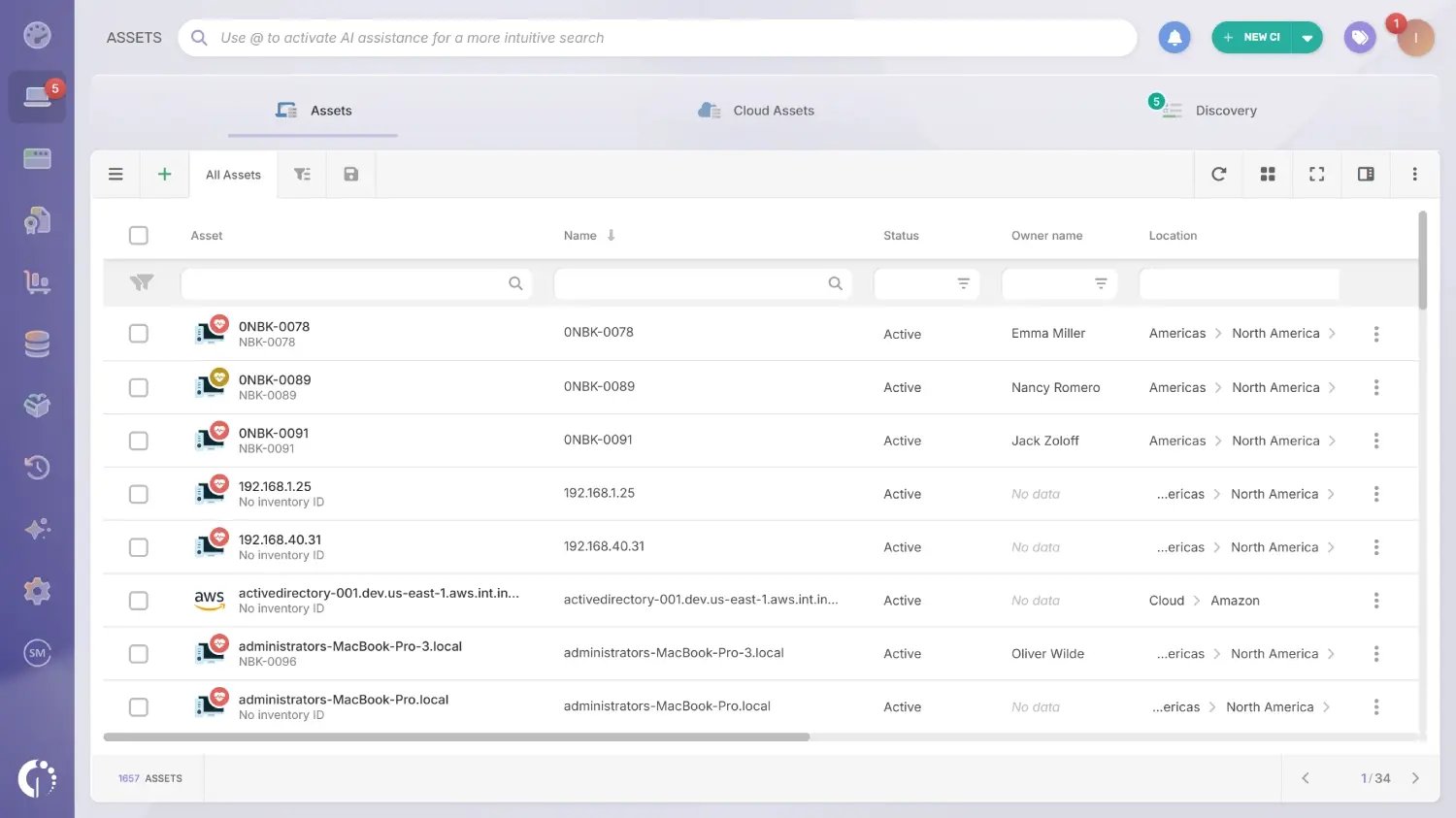 DaaS devices enter the inventory the same way as any other hardware: through the Agent, network discovery, integrations with Microsoft Intune, Jamf, Google Workspace, and SOTI MobiControl, or manual entry and CSV import of the provider's delivery list. For field fleets, the SOTI MobiControl integration also covers the rugged Android, Samsung Knox, and Zebra devices that field and warehouse teams carry.
Setting the acquisition type to Device as a Service separates these units from the hardware you bought, so explorers, filters, and exports tell them apart. Attachments on each asset keep the delivery receipt and, at the end of the term, the provider's data wipe certificate next to the device record.
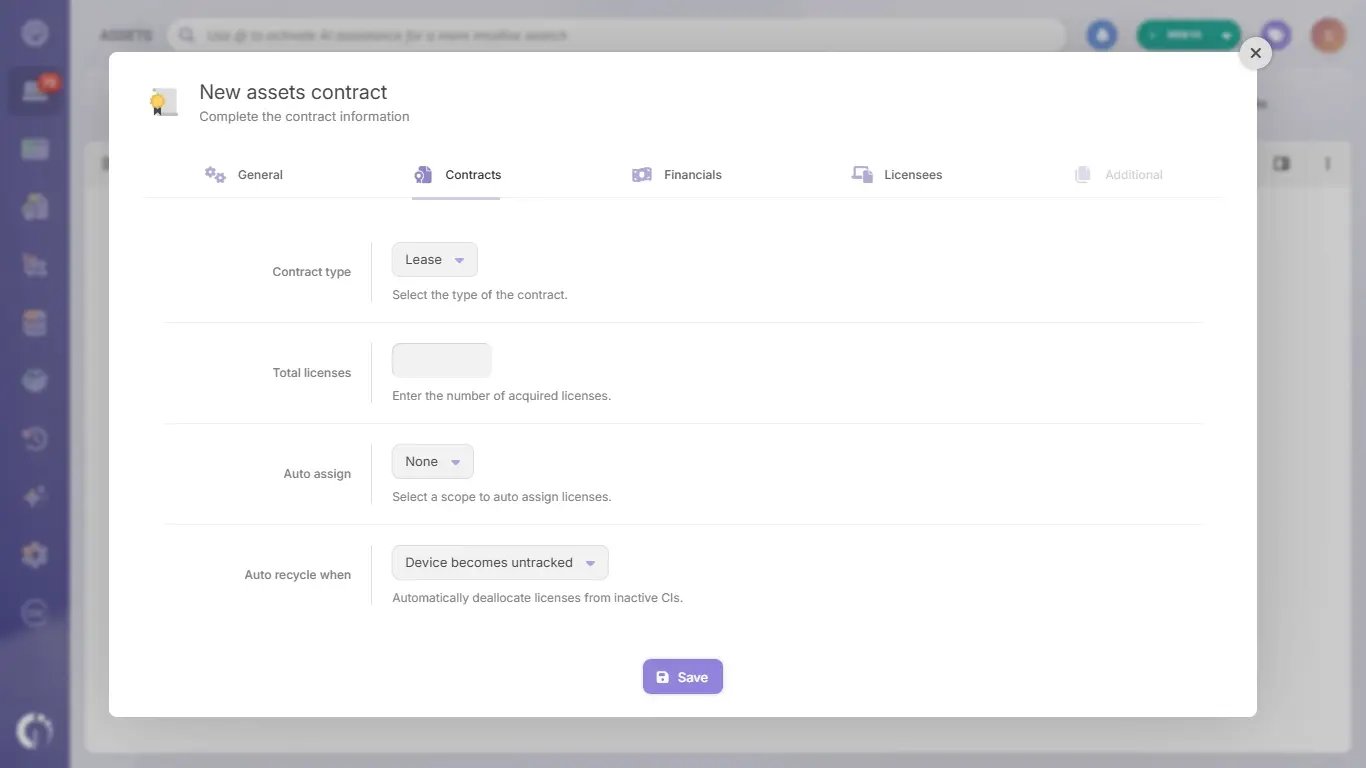
The agreement with the provider is recorded as an asset contract of type Lease, with the provider, cost center, start and end dates, and the devices it covers. With the Asset-Based Lease cost model, the contract records each device's monthly fee, term, and start date, and calculates the contract's monthly cost, the exit cost of ending early, and the price of a purchase option, updating them in real time whenever a device, fee, or term changes.
Each device also has its own status within the contract (active, expired, bought, or lost, stolen, or damaged), and only active devices add to the monthly cost. The device list in the contract's Licenses tab exports with every fee and term to check the provider's invoice device by device, every change is recorded in the activity log, and marking a device as bought after a buyout updates its acquisition type to a purchase.
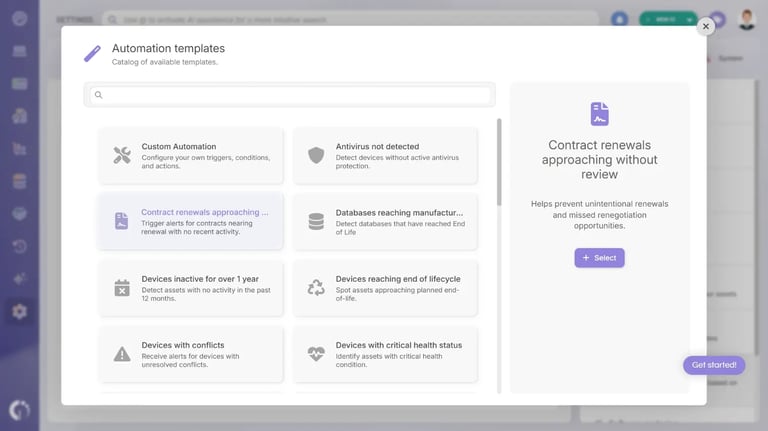 The ready-made template for contract renewals sends a scheduled report of the contracts that expire within the window you set. Within a lease contract, the lease end date of each device can trigger its own alert, for example 30, 60, or 90 days before it is due back, which leaves time to recover it, wipe it, and ship it before another billing cycle starts.
The same automations can notify your team when a device is marked as lost, stolen, or damaged, or send a monthly report on the financial status of every active lease contract. Before a return, a physical audit by QR code or radio-frequency identification (RFID) reader confirms which devices are actually on site, so the provider's pickup list matches what is in the room.
Custom dashboards can chart contract costs alongside the rest of the inventory, so DaaS spend sits in the same place IT and Finance already look. The Financial Planning & Refresh dashboard reads the value side of the hardware fleet: book value, depreciation, refresh spend, the split by cost center, and the devices due for replacement.
Read together at the next refresh, they show what your DaaS devices cost under their lease contracts against what owned devices are worth and how fast they lose value. That is the comparison Finance needs before deciding whether to renew the subscription, change providers, or buy the next batch of devices.
Device as a service turns laptops, tablets, and phones into a subscription, with the provider handling procurement, support, refresh, and secure disposal. The model works when the contract is clear on SLAs, coverage, and End of Life, and when your team keeps its own IT Asset Management record of every device it does not own.
InvGate Asset Management keeps DaaS devices, their contracts, and their renewal dates in one inventory, next to the hardware you own. Start a free trial to see it with your own fleet, or talk to Sales about tracking your DaaS fleet.
The answers below cover the four questions that come up most when teams first look into DaaS. Each one sums up a point the article develops in the sections above.
DaaS stands for Device as a Service, a subscription model in which a provider delivers laptops, desktops, tablets, or mobile devices together with provisioning, support, refresh, and secure disposal for a recurring fee. The same acronym also refers to Desktop as a Service, which delivers virtual desktops from the cloud.
A lease finances the hardware and leaves support, refresh, and returns to your IT team or a third party. DaaS bundles the devices with those lifecycle services in one subscription, so the provider handles provisioning, repairs, refresh, and data wiping at the end of the term.
A DaaS contract defines the device catalog, the fee per device or per user, the term, and the services included, such as provisioning, support, repairs, and refresh. It should also spell out SLAs, coverage by location, limits on scaling the fleet up or down, and what happens at the end of the term, including data wiping, returns, and any purchase option.
The provider keeps ownership of the device for the whole term, and your organization pays for its use. At the end of the term, devices are usually returned for refurbishment or recycling and replaced with new ones, and some contracts let you extend the term or buy the devices out instead.


