













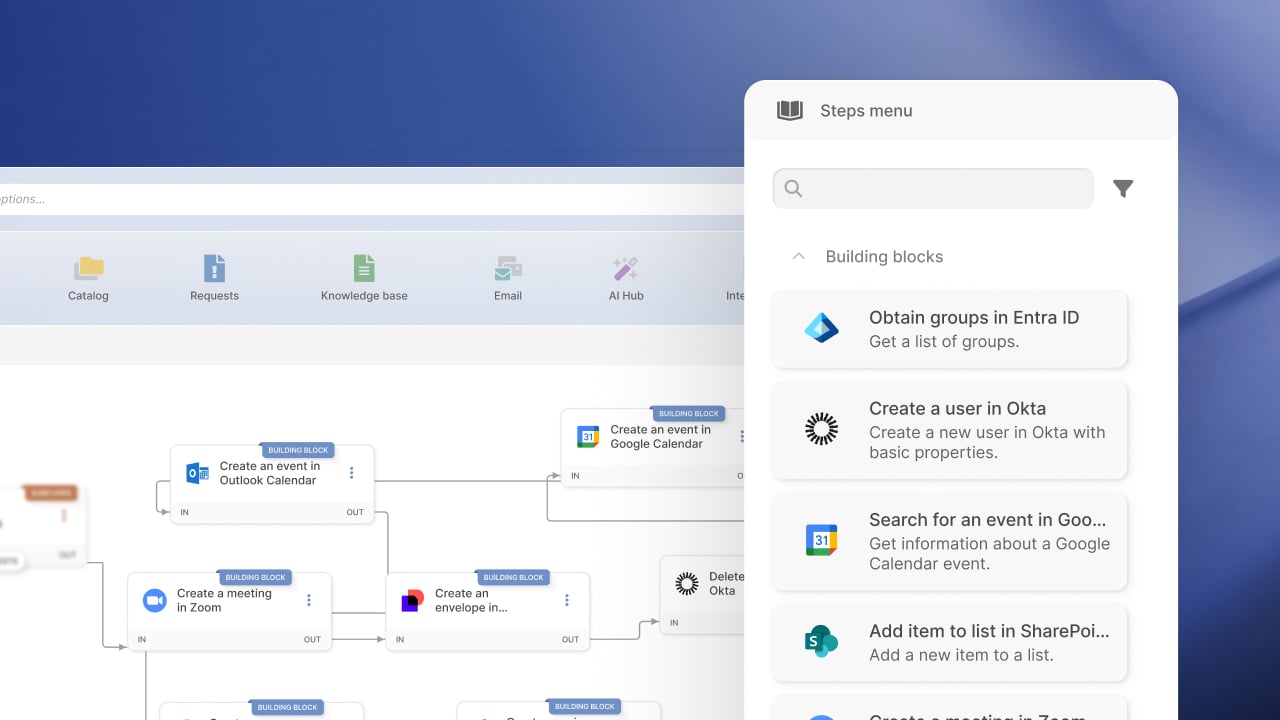

InvGate Service Management includes a no-code workflow builder that helps teams automate processes such as onboarding, access requests, and offboarding.
Built-in Action Connectors extend those workflows beyond the platform, allowing them to retrieve information from external tools or trigger actions in them instead of stopping when another system is involved. You can keep processes moving across the tools your teams already use, reducing manual steps and keeping related actions connected.
In this article, we’ll look at how Built-in Action Connectors work, what they can automate, and where they can help you build more complete workflows.
Built-in Action Connectors are pre-configured actions for third-party tools that live directly inside InvGate’s no-code workflow builder.
Each connector represents something concrete that a workflow can do in another system, like creating a user, adding them to a group, or scheduling a meeting. Rather than configuring web services from scratch, workflow designers drag these actions into the workflow and fill in a few parameters using simple form fields.
What’s left is defining when the action should run and what information it needs. And all of this happens using the same visual builder teams already rely on, without custom development or technical setup becoming a barrier.
InvGate Service Management gives teams a visual way to design workflows, route requests, and apply automation rules. Built-in Action Connectors build on that foundation and turn workflows into something closer to an execution layer, not just a coordination map.
Workflows move from “hand off the work” to “do the work,” without adding technical complexity for the people designing them.
Service requests rarely belong to a single system. Onboarding alone touches identity platforms, collaboration tools, calendars, and communication channels. The same holds for offboarding, access requests, maintenance announcements, and internal changes, which all cross tool boundaries.
In a traditional workflow builder, teams have two options:
Built-in Action Connectors remove that tradeoff. They are ready-to-use steps inside the InvGate Service Management workflow editor that link a process to external applications and services, with no integration built from scratch. Each connector either reads live data from a connected system or performs an action in it, and that step lives in the same place as approvals, conditions, and routing.
Because the actions come preconfigured, three things follow:
Connectors appear in the Steps Menu of the workflow editor. To add one, drag it into the diagram. If no credentials exist yet, a setup form opens for the required fields; once saved, the connector is live. If credentials already exist, select the one to use and enable "Reuse credential" so the same connection carries across every action in the workflow.
InvGate Service Management connects to the systems teams already run on, across identity, HR, collaboration, calendars, documents, project management, CRM, and IT operations. Each connector becomes a step you build into a workflow, reading live data from a system or carrying out an action in it, so a process can move across tools the same way it moves through approvals and routing.
Identity and access management
HR and people systems
Productivity and collaboration
Calendar and meetings
Documents, forms, and signatures
Project and work management
CRM
IT operations and security
Asset and hardware
The value shows up when a single workflow coordinates steps that would otherwise be handled by different people in different tools.


Built-in Action Connectors are about removing friction at the moment work needs to happen. Instead of stopping to configure web services or switching tools to finish a task, actions in external systems can now be added where they belong: inside the process.
The setup stays visual, the configuration stays simple, and teams don’t need technical expertise to make it work.
You can start using Built-in Action Connectors from the Workflows module in your InvGate Service Management instance, or explore them through a free trial and see how they fit into your everyday processes!


