













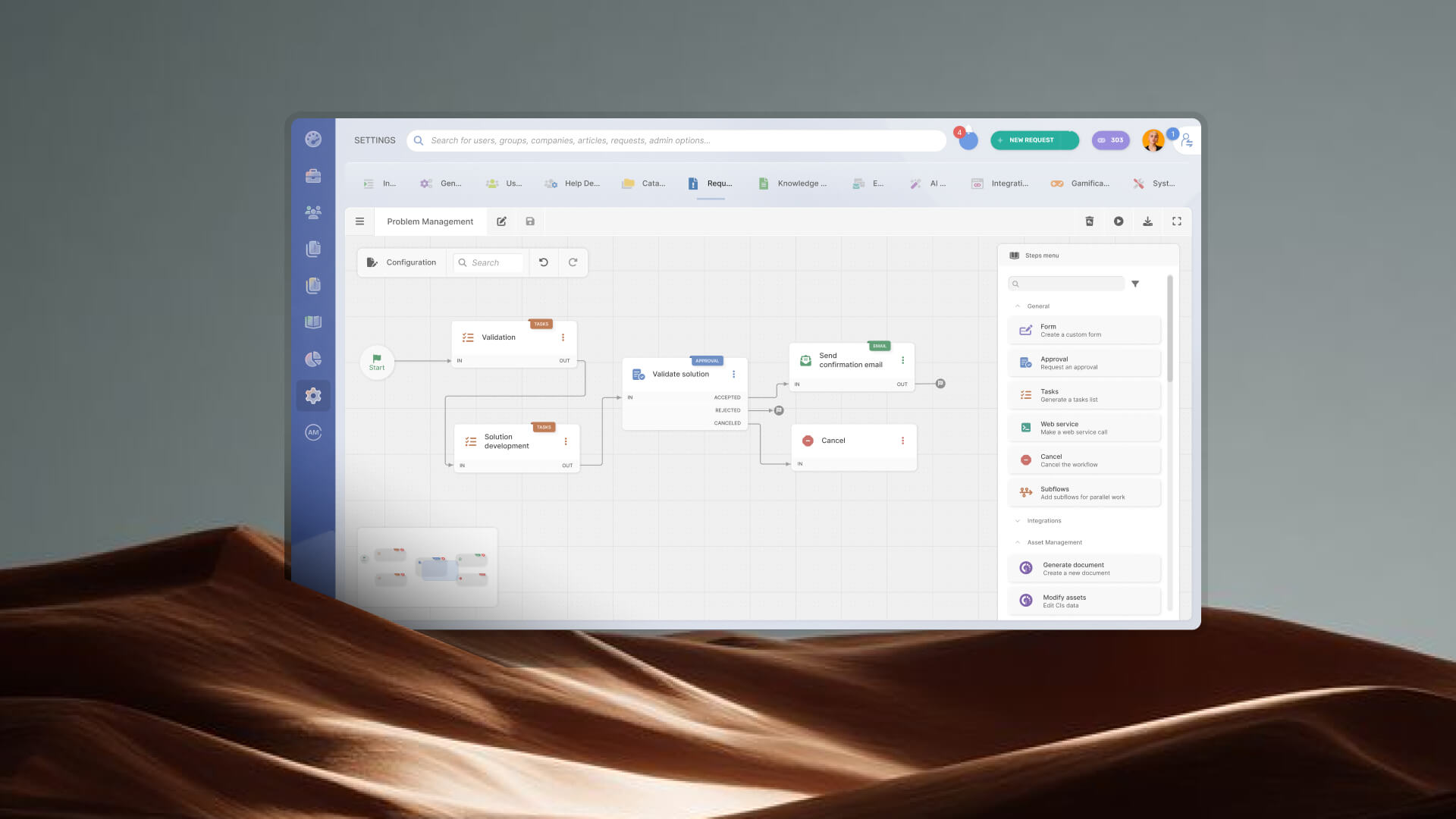

Help desk software with no-code workflow automation lets IT teams automate repetitive processes without writing code. Using visual workflow builders, administrators can create approval flows, ticket routing rules, escalations, notifications, and service request processes through a graphical interface.
In this guide, we'll compare the best help desk platforms with no-code workflow automation in 2026, including their key capabilities, strengths, and ideal use cases.
Key takeawaysWhen a ticket lands in your queue, someone — or something — has to decide where it goes, who approves it, what happens next, and when to escalate. In most service desks, that "something" is a mix of manual triage, email chains, and institutional memory. No-code workflow automation replaces that with logic you can build, test, and change without writing a single line of code.
It's worth distinguishing between two things that often get labeled "automation" but work very differently:
For teams dealing with complex processes — onboarding, change requests, parallel approvals — the distinction matters. A rule engine won't get you there. A visual workflow builder will.
In InvGate Service Management, help desk automation is built around this second model: a drag-and-drop builder where admins map multi-step workflows visually, configure conditions and approvals, and deploy without involving a developer.
Before comparing tools, it's useful to align on what "no-code workflow automation" actually means in practice — because vendors use the term loosely, and not every platform delivers the same depth.
These are the criteria and most important features to look for in Workflow tools.
The following eight platforms were evaluated against the criteria above: depth of the no-code builder, workflow complexity supported, ESM scope, integration ecosystem, and time-to-value. Each tool is presented with the same structure and the same level of detail — no tool receives preferential treatment.
Methodology note: This list was compiled by the InvGate content team based on publicly available product information, user reviews on G2 and Gartner Peer Insights, and hands-on knowledge of the ITSM market. InvGate develops and sells InvGate Service Management — one of the tools reviewed here. The same evaluation criteria apply to every vendor in the list. Some vendors in this article are our competitors. Even so, we aim to deliver accurate, honest, and practical information that helps you make the best decision.
InvGate Service Management is an ITSM and ESM platform built around a no-code visual workflow builder. It's designed for IT teams that need to automate complex, multi-step processes without depending on a developer — and for organizations that want to extend service management beyond IT into HR, Facilities, Finance, and other departments.
InvGate's no-code workflow builder uses a drag-and-drop canvas where admins assemble workflows from visual blocks: triggers, conditions, assignments, approvals, notifications, and escalations. No scripting. Workflows can be built from scratch or adapted from pre-built templates covering the most common ITSM and ESM processes: employee onboarding, offboarding, change requests, knowledge article review, and asset loan requests.
Key capabilities:
The two-week implementation figure is one of the more concrete time-to-value data points in this category. Most enterprise ITSM platforms quote months; InvGate's onboarding is structured to get teams to production fast, with guided setup and no mandatory professional services engagement to unlock automation features.
See InvGate Service Management in action with a 30-day free trial.
Freshservice is Freshworks' ITSM platform, positioned for mid-market and enterprise IT teams. Its workflow automation capabilities are built around a visual builder called the Workflow Automator, which supports multi-step sequences, conditional branching, and event-based triggers across tickets, changes, problems, and assets.
Key capabilities:
Freshservice is a strong fit for IT teams that want a polished out-of-the-box experience and are already in the Freshworks ecosystem.
Jira Service Management (JSM) is Atlassian's ITSM offering, built on the same infrastructure as Jira Software. It brings automation through a rules-based engine and, for more complex flows, through integration with Jira Automation — a no-code automation layer that supports multi-step rules with conditions, branches, and cross-project actions.
Key capabilities:
JSM is a natural fit for organizations already running Atlassian at scale, particularly engineering-heavy teams where development and IT workflows converge. Teams with no prior Atlassian footprint may find the learning curve steeper than alternatives, and the ITSM depth — particularly for ITIL-aligned processes — is generally lighter than dedicated ITSM platforms. For customer-facing or internal-facing service desks with complex, multi-department ESM needs, evaluating scope carefully is recommended.
TeamDynamix is an ITSM and PPM (Project Portfolio Management) platform built for higher education, government, and enterprise organizations. Its no-code workflow capabilities are centered on a visual flow designer that supports automated ticket routing, multi-step approvals, and escalations without scripting.
Key capabilities:
The built-in iPaaS layer is a differentiator: it allows workflow automation to trigger actions in external systems (ERP, HR platforms, identity providers) without a separate middleware tool.
TOPdesk is a Dutch ITSM platform with over 25 years in the market, known for its visual process builder and its flexibility across IT, HR, and Facilities Management. It's consistently positioned for mid-market organizations that want a broad ESM footprint without enterprise-level complexity.
Key capabilities:
TOPdesk's strength is its multi-departmental flexibility and relatively short implementation timeline for organizations that don't need heavy customization.
Disclaimer: All product names, logos, and brands are property of their respective owners. All company, product, and service names used on this site are for identification purposes only. Use of these names, trademarks, and brands does not imply endorsement. Comparisons are based on publicly available information as of April 2026 and are provided for informational purposes only. ServiceNow is a registered trademark of ServiceNow, Inc. InvGate is not affiliated with, sponsored by, or endorsed by ServiceNow.
Knowing that no-code automation is possible is one thing. Knowing exactly how to go from a manual process to a live automated workflow — in a real platform, in a realistic timeframe — is what actually changes how a team operates. Here's how it works in InvGate Service Management, step by step.
Start by mapping the current flow on paper before starting with the builder. Answer these questions:
The more clearly you can map the current manual process, the faster you'll be able to replicate and improve it in the visual builder. IGSM's interface mirrors the way you'd draw a flowchart — which means this pre-work translates directly into the drag-and-drop canvas.
For ideas on where to start, service desk automation ideas covers the most common high-ROI candidates: ticket routing, password resets, onboarding sequences, and change approval chains.
To get started, log in with an admin role and go to Settings > Requests > Workflows. You have two starting points:
The canvas opens as a drag-and-drop interface — no scripting console, no command line.
The workflow begins with the Start form, which is completed by the user when they submit a ticket tied to a category that triggers a workflow.
This form is both the entry point of the workflow and the primary source of information used for assessment and routing. You can add, remove, or modify fields, and decide which ones are mandatory.
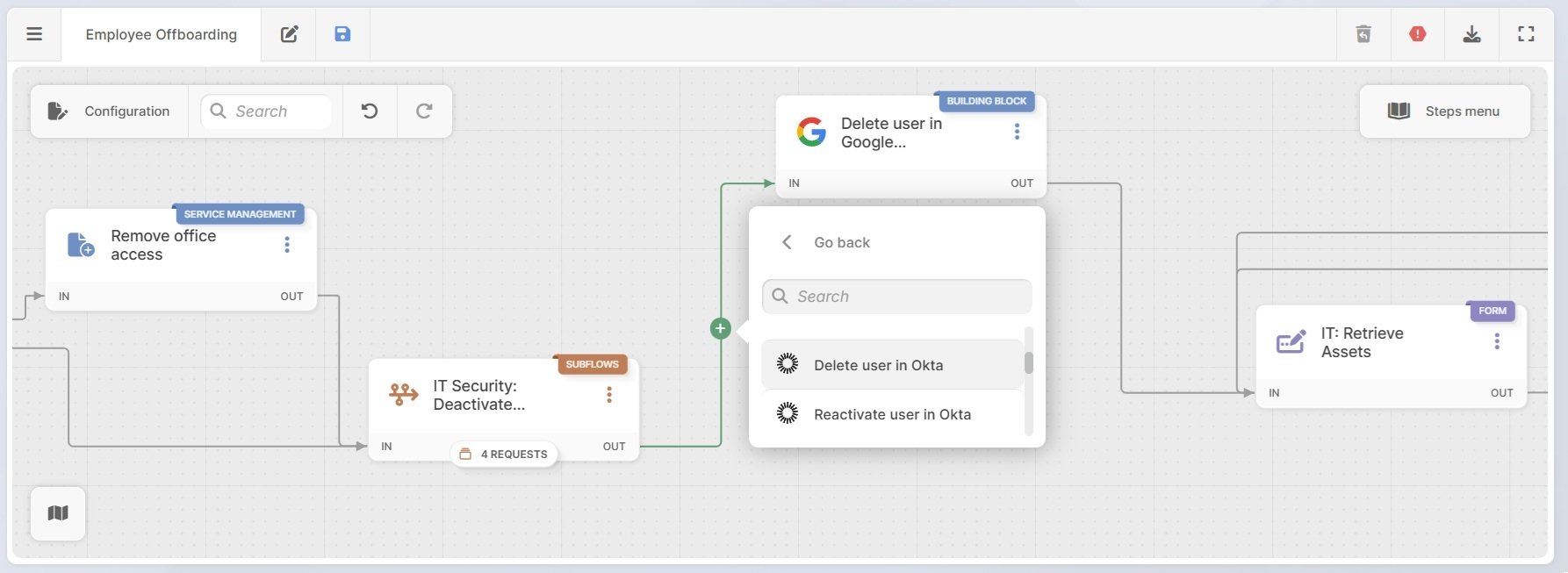
Drag blocks from the sidebar onto the canvas and connect them in sequence. Available action types include:
For more context on how these blocks come together in practice, help desk workflow examples shows real process patterns you can adapt.
Once the workflow is configured, activate it from the same admin panel. IGSM applies the workflow to new tickets matching the trigger criteria immediately.
Monitor performance through IGSM's dashboards: track how many tickets are flowing through the automation, where they're pausing or failing, and whether SLA targets are being met. If a condition isn't working as expected, open the builder, adjust the logic, and republish — no technical intervention required.
What is no-code workflow automation in a help desk?
No-code workflow automation in a help desk is the ability to design, build, and deploy multi-step automated processes — ticket routing, approvals, notifications, escalations — through a visual interface, without writing code. Instead of scripting logic in a backend console, admins use a drag-and-drop builder to define triggers, conditions, and actions in a graphical flow. The result is the same as a coded automation, built and maintained by any admin without developer involvement.
What's the difference between rule-based automation and a workflow builder in ITSM?
Rule-based automation handles single trigger-action pairs: "if X happens, do Y." It's fast to configure and effective for simple repetitive tasks — auto-assigning tickets by category, sending acknowledgment emails, updating fields. A workflow builder handles multi-step processes with branching logic: if X happens, check condition A; if true, do Y and wait for approval; if approval is granted, do Z; if not, escalate. For ITSM automation at any real complexity level — onboarding sequences, change management, parallel approvals — a workflow builder is necessary. Rule-based engines alone won't get you there.
How long does it take to set up automated workflows in a help desk?
It depends on the platform and the complexity of the process being automated. For a simple routing workflow — trigger, one condition, one assignment, one notification — most no-code builders allow setup in under an hour. For a multi-step process with parallel approvals and conditional branches, expect a few hours of configuration plus testing.


