The alternatives to complex service desk tools in this guide share one trait: your own team can set them up and run them, without calling a consultant for every change. Large platforms often tie routine work—a new workflow, an edited form, an added approval—to certified administrators or implementation partners, so the cost of ownership keeps climbing well after the purchase.
The six options below are compared by how each installs, who can make changes after go-live, how it deploys, where pricing starts, and the kind of team it suits best.
What makes a service desk tool complex (and expensive to run)
A service desk tool is complex when your own team can't change it, when routine adjustments, new capabilities, and version upgrades all route through a certified specialist or an outside partner. Before replacing one, it's worth checking whether the real problem is that you bought more platform than the team uses, because reconfiguring what you already own rarely closes that gap.
Four signs point to a tool that stays expensive long after the purchase:
- Changes run through certified specialists. Platforms built for large, complex deployments assume a certified administrator or an implementation partner owns configuration. ServiceNow's documentation advises teams to configure before customizing and notes that its Support does not troubleshoot custom code, so whoever builds a change owns it—and the skill floor to do that safely is a certification track. Reviewers on Gartner Peer Insights describe the platform as needing ongoing ownership rather than a one-off setup.
- Capabilities arrive as separate products you license. Enterprise suites are assembled from parts. BMC documents Helix ITSM as a set of applications—Incident, Change, Problem, Asset—layered with additional modules, and Ivanti's own materials describe Service Manager in terms of solution bundles and add-on modules. Pricing is quote-based, so the figure you are first quoted covers the pieces in scope, not the ones you add later.
- Upgrades skip your customizations. On ServiceNow, a customized record is skipped during an upgrade to keep your work from being overwritten, and an administrator then reviews each skipped record to retain, revert, or merge it. The more you have tailored, the more manual review every release brings—work that lands on your team or your partner each upgrade cycle.
- Deployment is a project, not a setup. Standing up these platforms is measured in months. Reviewers on Gartner Peer Insights describe ServiceNow implementation as time-consuming and ongoing, and that effort—the specialists, the services engagement, the time to go live—is the cost that never shows on the license.
If more than one of these sounds familiar, the tools below are built around the opposite assumption: that the team running the service desk can also change it.
6 Alternatives to complex service desk tools
Each of the six ITSM tools below can be set up and maintained by the team that uses it, without an implementation partner on retainer. They differ in how they deploy, where pricing starts, and the kind of team they suit. The table compares them on the two questions that matter most when you are leaving a consulting-heavy platform and each tool gets a closer look below.
Methodology: InvGate publishes this article and sells InvGate Service Management, one of the tools compared here. Entries draw on each vendor's official product and pricing pages and on verified user reviews from Gartner Peer Insights, G2, and Capterra. Prices were read from each vendor's pricing page on November, 2026; list prices change, so confirm the current figure before you buy.
InvGate Service Management
InvGate Service Management is an enterprise ITSM platform that a company's own team configures without code. It is built for large organizations—roughly 1,000 to 10,000 employees—that want the depth of an enterprise tool but do not want a certified administrator or an outside partner standing between the team and every change.
Features:
-
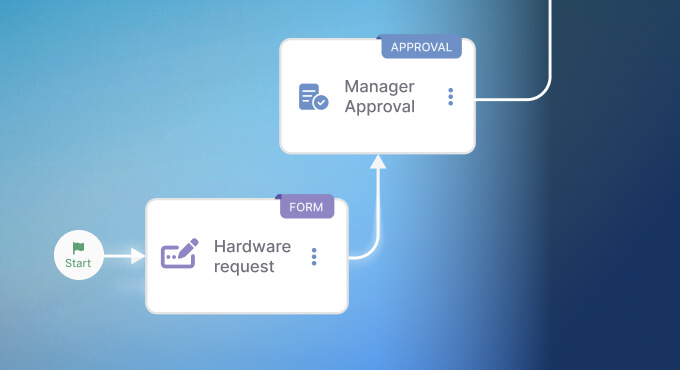
A no-code, drag-and-drop workflow builder lets the team design and change process flows without development work, and the same no-code approach covers the self-service portal, request forms, and service catalog, so the people who run the service desk configure it themselves and keep changing it without a consultant.
-
Pre-built workflow templates mean teams start from a working process rather than a blank canvas, and a guided setup walks admins through categories, SLAs, and agent assignments.
-
The
AI Hub comes on every plan at no added charge (agent assistance, proactive incident and problem detection, knowledge generation, and more) with nothing extra to buy or set up. The Virtual Service Agent resolves common requests through the self-service portal, Microsoft Teams, WhatsApp, and Slack from the Pro plan onward.
-
It runs in the cloud or on-premise, is designed to go live in a few weeks, and integrates natively with InvGate Asset Management.
Pricing: Starter is a flat $1,499 per year for up to five agents (about $24.98 per agent per month, billed annually); Pro is $500 per agent per year; Enterprise is custom. AI sits in the seat price, with no per-resolution or per-conversation metering. (Checked on InvGate's pricing page, November, 2026.)
Reviews:
- Gartner Peer Insights: 4.9
- G2: 4.6
- Capterra: 4.6
Best for: Large organizations that want the control and reporting of an enterprise service desk but need their own team to own configuration and keep changes moving. Teams leaving a platform where the first setup and every later change ran through consultants tend to weigh the shorter time to a working system most heavily.
Jira Service Management
Jira Service Management is Atlassian's service desk, built on the same platform as its software-development tools. It fits IT teams that already live in the Atlassian ecosystem or want their service desk tied closely to engineering work.
Features: Request and incident management, no-code automation rules, and a knowledge base come with the paid plans, with asset and configuration management included from Standard. Its defining strength is the link to Jira's development tools: a service ticket connects directly to the engineering issue behind it, which suits teams running IT support and software delivery on one platform. Change management, a virtual agent, and advanced incident management unlock at the Premium tier.
Pricing: A free plan covers up to three agents. Paid pricing is per agent and tiered by volume, so the per-agent rate falls as the team grows: Standard starts at $17.65 per agent per month and Premium at $44.27, with Enterprise quoted on request. The self-managed Data Center option is being retired. (Checked on Atlassian's pricing page, November, 2026.)
Reviews:
- Gartner Peer Insights: 4.4
- G2: 4.3
- Capterra: 4.5
Best for: IT teams that work alongside software development, especially those already using Jira and Confluence, where tying service requests to engineering work on a shared platform saves the most effort.
ManageEngine ServiceDesk Plus
ServiceDesk Plus is an ITSM tool that runs in the cloud or on your own servers, which is its main draw for teams that need to keep data on-premise. It covers the core ITIL processes and scales from a free five-technician help desk up to full enterprise service management.
Features: Three editions stack up the capabilities. Standard is the help desk—incident management, a knowledge base, and a self-service portal; Professional adds IT asset management with purchase and contract management; Enterprise adds change, release, and project management and a service catalog. It deploys in the cloud or on-premise, and a free Standard edition covers up to five technicians. Building more complex forms and workflows can call for some technical skill, which ManageEngine supports with its own training.
Pricing: Priced per technician, with end users free. Cloud Standard starts at $13 per technician per month billed annually, Professional at $27, and Enterprise at $67; the on-premise edition starts at $120 per technician per year. Professional and Enterprise also factor in the number of managed IT assets, and a free Standard edition covers up to five technicians. (Checked on ManageEngine's pricing page, November, 2026.)
Reviews:
- Gartner Peer Insights: 4.4
- G2: 4.2
- Capterra: 4.4
Best for: Teams that need an on-premise deployment, often for data-residency or compliance reasons, or that want to start on a free tier and grow into fuller ITIL coverage one edition at a time.
HaloITSM
HaloITSM charges one all-inclusive price per agent and gives every capability with it, with no separate fees for asset management, change control, or the self-service portal. It suits teams that want the full ITIL feature set without deciding, tier by tier, which capabilities to pay for.
Features: Everything comes in one license: incident, problem, and change management, asset and configuration management with a built-in CMDB, a self-service portal, a knowledge base, and AI tools for triage and suggested replies. Licenses can be named or concurrent at the same rate, end users are free, and it deploys in the cloud or on-premise.
Pricing: One all-inclusive price per agent, every module included, billed monthly or annually. Halo does not publish fixed tiers; the rate depends on agent count, deployment, and contract length, with volume discounts at scale, and reported starting figures sit around $49 per agent per month. You get a quote through Halo's pricing page, which runs an agent-count calculator. (Checked November, 2026.)
Reviews:
- Gartner Peer Insights: 4.6
- G2: 4.8
- Capterra: 4.7
Best for: Teams that want every ITIL capability (Asset Management, change control, CMDB) included in a single per-agent price, with no tier-by-tier feature gating.
SysAid
SysAid is an ITSM platform built around its AI, SysAid Copilot, which it positions less as an assistant and more as an agent that resolves requests on its own. It fits teams that want AI handling and automation at the center of the service desk rather than bolted on.
Features: Incident management, a self-service portal, a service catalog, asset management with a CMDB, and workflow automation, with SysAid Copilot running across all of it. Copilot covers an AI chatbot that lets end users self-resolve issues, ticket automation, case summarization, and solution suggestions surfaced from within tickets. It is cloud-based, and its pitch is that the AI acts on requests rather than only answering questions.
Pricing: SysAid quotes directly rather than publishing a full price list. Its Professional plan is listed from $89 per user per month, with unlimited AI included; Enterprise is a custom quote. (Figure from SysAid's pricing listing, checked November, 2026)
Reviews:
- Gartner Peer Insights: 4.6
- G2: 4.5
- Capterra: 4.5
Best for: Teams that want AI and automation at the center of the service desk, especially those looking to deflect and resolve routine requests before an agent has to touch them.
Freshservice
Freshservice is Freshworks' cloud-native ITSM tool, built for fast setup and a modern interface without months of implementation. It fits teams that want a service desk running quickly, with ITIL processes and AI available as they grow.
Features: Incident, problem, change, and request management with a no-code Workflow Automator, a self-service portal, and a knowledge base. It is fully cloud-based and known for quick deployment. IT asset management is sold as its own product to new customers, and Freddy AI—the agent-assist and AI-agent layer—is an add-on below the Enterprise plan rather than part of every tier.
Pricing: Per agent, billed annually, across four plans: Starter at $19, Growth at $49, and Pro at $99 per agent per month, with Enterprise quoted on request. Freddy AI Copilot is a $29-per-agent-per-month add-on on the plans that do not include it, and IT asset management is priced separately. (Checked on Freshworks' pricing page, November, 2026.)
Reviews:
- Gartner Peer Insights: 4.4
- G2: 4.6
- Capterra: 4.6
Best for: If a service desk your own team can run sounds like the fix, you can start a free trial of InvGate Service Management or talk it through with our team.
How to evaluate an alternative before you switch
Switching tools is worth it only if the new one fixes what the old one couldn't. Pressure-test your current setup first, then put the same questions to every vendor you shortlist.
Three questions about where you are now:
- How much of what you pay do you actually use? Map the capabilities your team touches against the ones on your contract. A platform you use a quarter of is a different problem from one that genuinely falls short.
- Have you tried to renegotiate, and what happened? A renewal is leverage. If you have not tested whether the price or scope can move, you may be shopping before you need to.
- Is the problem how it was implemented, or what you bought? A tool configured badly can often be fixed; a tool that was the wrong fit for your team's size and skills usually can't. Naming which one you have decides whether you reconfigure or replace.
Then five questions for any vendor on your shortlist:
- Who makes changes after go-live? Ask whether a routine change—a new workflow, an added approval—needs a certified admin or a partner, or whether your own team can do it.
- What does the license include? Get the full feature list in writing, and ask which capabilities are separate products or add-ons that get quoted later.
- How long does a typical implementation take for a team like yours? Ask for a range in weeks or months, and what that range depends on.
- Does the trial become production? If you can build during a free trial and keep that work when you buy, you can prove the fit before committing budget.
- How are updates applied? Ask what happens to your customizations when the platform upgrades—whether they carry forward or need manual review each release.
If the answers point to replacing rather than reconfiguring, narrow the field by the constraint that matters most to you. Some teams rule out anything that can't be run without outside consultants; others draw the line at tools that need an implementation partner to stand up; and for many, the deciding factor is simply how fast a platform can be live and working. Whichever constraint leads, the goal is the same: a service desk your own team can own.
If a service desk your own team can run sounds like the fix, you can start a free trial of InvGate Service Management or talk it through with our team.
Frequently Asked Questions
Why do some service desk tools need consultants? Platforms built for large, complex deployments assume configuration and upgrades run through a certified administrator or an implementation partner, so routine changes become specialist work. The skill floor, not the task, creates the dependency.
Can an enterprise run a service desk without an implementation partner? Yes. Several enterprise-grade tools are designed for a company's own team to set up and maintain, with no-code configuration and self-serve trials that carry into production.
What should I check before replacing a complex service desk tool? First decide whether the real problem is how your current tool was configured or that it was the wrong fit. Then ask each vendor who makes changes after go-live, what the license includes, and how upgrades affect your customizations.