














Ticket deflection is the metric IT leaders point to when they talk about AI chatbot ROI, and the knowledge base is the part of the equation that determines whether that number moves.
A chatbot can run natural language processing well and still deflect almost nothing if the content behind it is thin, outdated, or scattered across articles that don't match how people actually ask questions. Knowing how to use your knowledge base to increase AI chatbot deflection means treating content quality as the first lever, not an afterthought to chatbot configuration.
In this guide, we'll walk through a step-by-step process to turn your knowledge base into a stronger foundation for AI-powered self-service. You'll learn how to identify knowledge gaps, capture new resolutions as part of daily support work, and use AI to expand and maintain your knowledge base over time with InvGate Service Management.
AI chatbots make self-service easier because users can describe their issue in their own words instead of browsing categories or searching through documentation. They receive an answer in the conversation, often without ever opening a knowledge article or creating a ticket.
What determines how many requests the chatbot can actually deflect, however, is the quality of the knowledge behind it. Modern AI can generate responses from general knowledge, but request deflection depends on accurate, organization-specific information: your services, policies, procedures, and known resolutions. Without it, the chatbot has to rely on generic information that may be incomplete, outdated, or inconsistent with your internal processes. Even when those answers sound plausible, they introduce noise that makes users spend more time validating information instead of resolving their issue.
The challenge is that this content doesn't build itself. Knowledge bases tend to grow around whatever agents have time to document, leaving edge cases, workarounds, and newer resolutions buried in closed tickets. Converting that operational knowledge into reusable articles, and keeping them current as new issues appear, is where many request deflection initiatives lose momentum.
Before connecting a chatbot to a knowledge base, the content itself needs to meet a few conditions:
Meeting these conditions is what turns a knowledge base from a search archive into something a chatbot can actually rely on.
The process of closing these gaps follows a repeatable sequence: capture what agents already resolve, let AI surface what's missing from ticket history, connect the resulting content to the chatbot under human review, then measure what's working so the next round of content closes the right gaps.
Here's how each part of that sequence works inside InvGate Service Management.
Every ticket an agent closes contains a resolution that could help the next person with the same issue, and manually rewriting that resolution into an article rarely happens consistently under ticket volume.
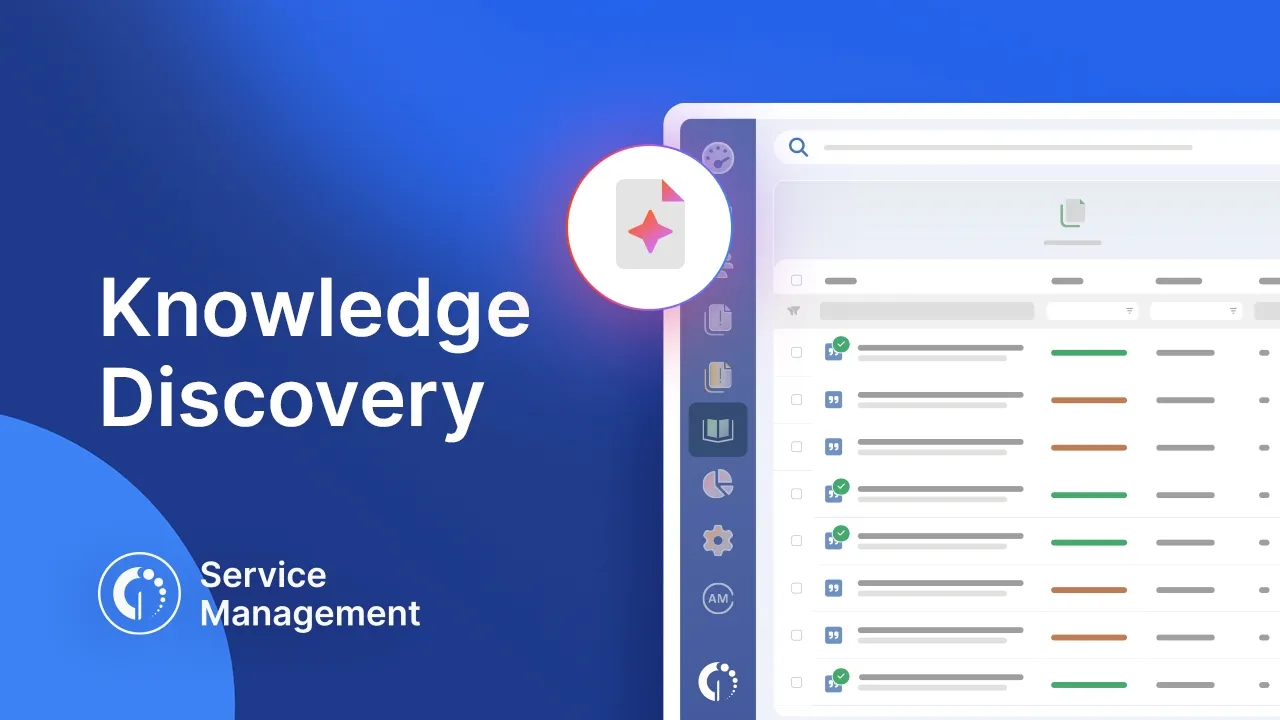
InvGate Service Management's AI Knowledge Article Generation feature removes that manual step. From an open or resolved ticket, clicking the "Generate" button in the dialog box above the ticket produces a knowledge article draft from the resolution details in under 30 seconds.
The agent can review it and publishes it from there. The feature lives in the AI Hub, accessible from Settings > AI Hub > Knowledge Article Generation, where it can be enabled.
Documenting new issues as they come in covers future tickets. It doesn't recover the resolutions already sitting in closed tickets from the last few months, and reviewing that backlog manually isn't realistic for most teams.
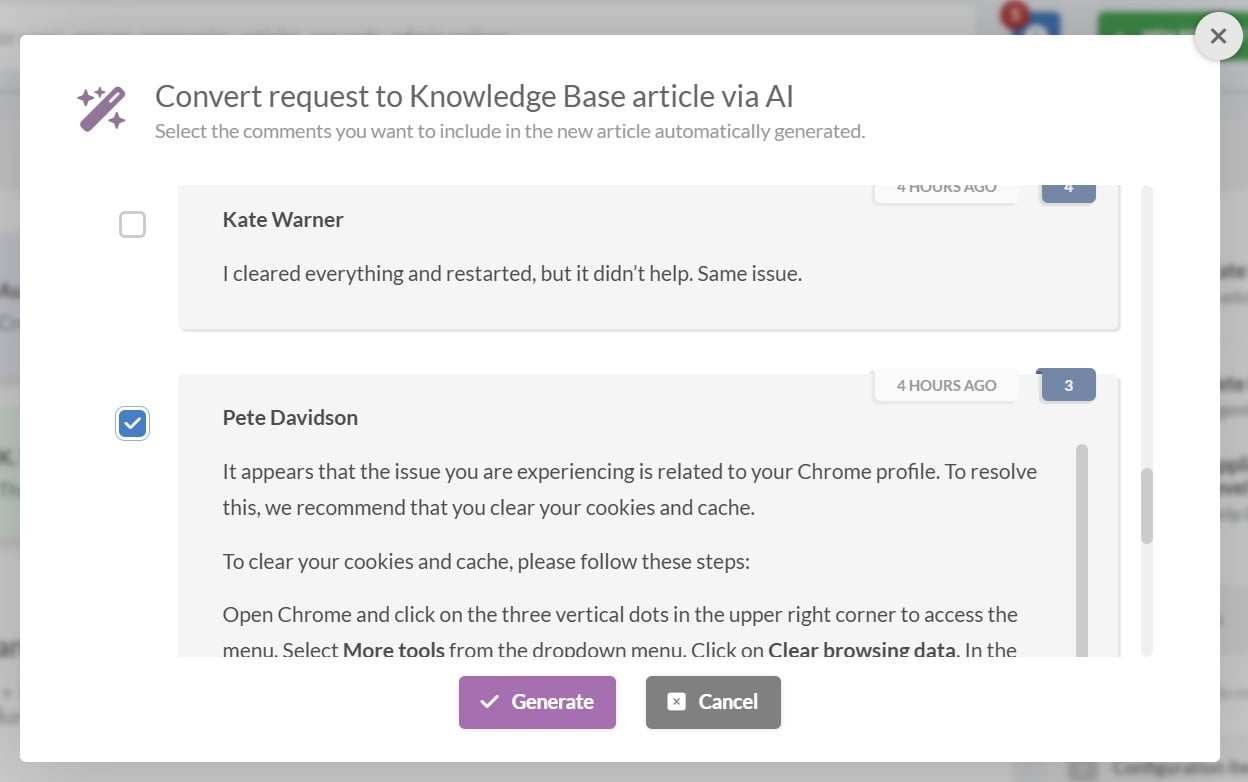
InvGate's Knowledge Discovery addresses that backlog directly. It analyzes the last three months of closed tickets, identifies recurring resolution patterns that aren't already documented, and generates structured knowledge fragments called Snippets from them. The knowledge base grows from operational history without anyone writing a new article.
None of this content should reach end users unreviewed. A knowledge base that powers an AI chatbot needs a governance step that keeps a human in control of what gets published.
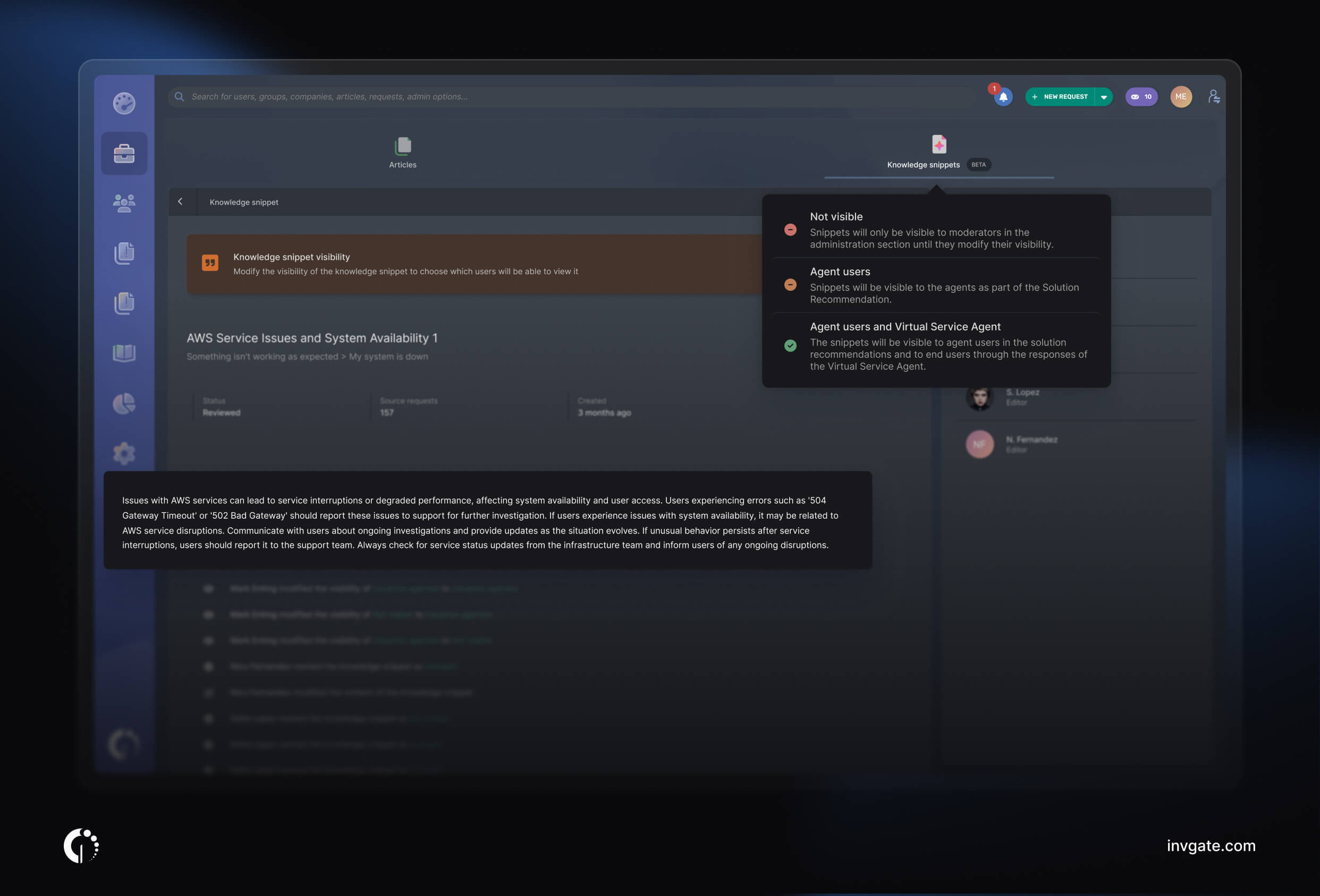
Knowledge Discovery follows a human-in-the-loop model for exactly this reason. Each Snippet starts in the administration section, where moderators can review, edit, approve, or reject it before it's published.
Once approved, a Snippet can be made available to different audiences. Setting its visibility to Virtual Service Agent allows InvGate's AI chatbot — available through the self-service portal, Microsoft Teams, Slack, or WhatsApp — to use that knowledge when answering end-user questions. The same approved knowledge can also power Solution Recommendations, which suggests relevant resolutions to agents while they're working on a ticket.
Teams don't have to publish everything at once. Snippets can be approved by service desk category, allowing organizations to validate content gradually before expanding coverage. Administrators can also configure the Virtual Service Agent to rely only on the internal knowledge base or allow additional external AI sources, depending on their governance requirements. This is configured under Integrations > Virtual Service Agent.
Enabling a chatbot and connecting a knowledge base to it is the setup. Whether that setup is actually reducing ticket volume is a separate question, and it's one that needs an ongoing answer, not a one-time assumption.
The Virtual Service Agent Report, found under Reports > AI Hub, tracks ticket deflection, conversation volume, and adoption across every channel the VSA runs on. It breaks conversations down by topic and flags the topics generating volume with no knowledge coverage at all, which points directly to where the next round of content should go.
The Knowledge in Conversations table within the report also surfaces frequently retrieved articles that correlate with low satisfaction, marking them as candidates for a rewrite. Feeding those findings into your knowledge base building process is what keeps deflection climbing as usage patterns shift, past the initial setup.
Ready to see how much of your own ticket history is sitting on undocumented answers? Start a 30-day free trial of InvGate Service Management, no credit card required.
A few habits determine whether deflection keeps improving after the initial setup or plateaus once the obvious gaps are closed:

