













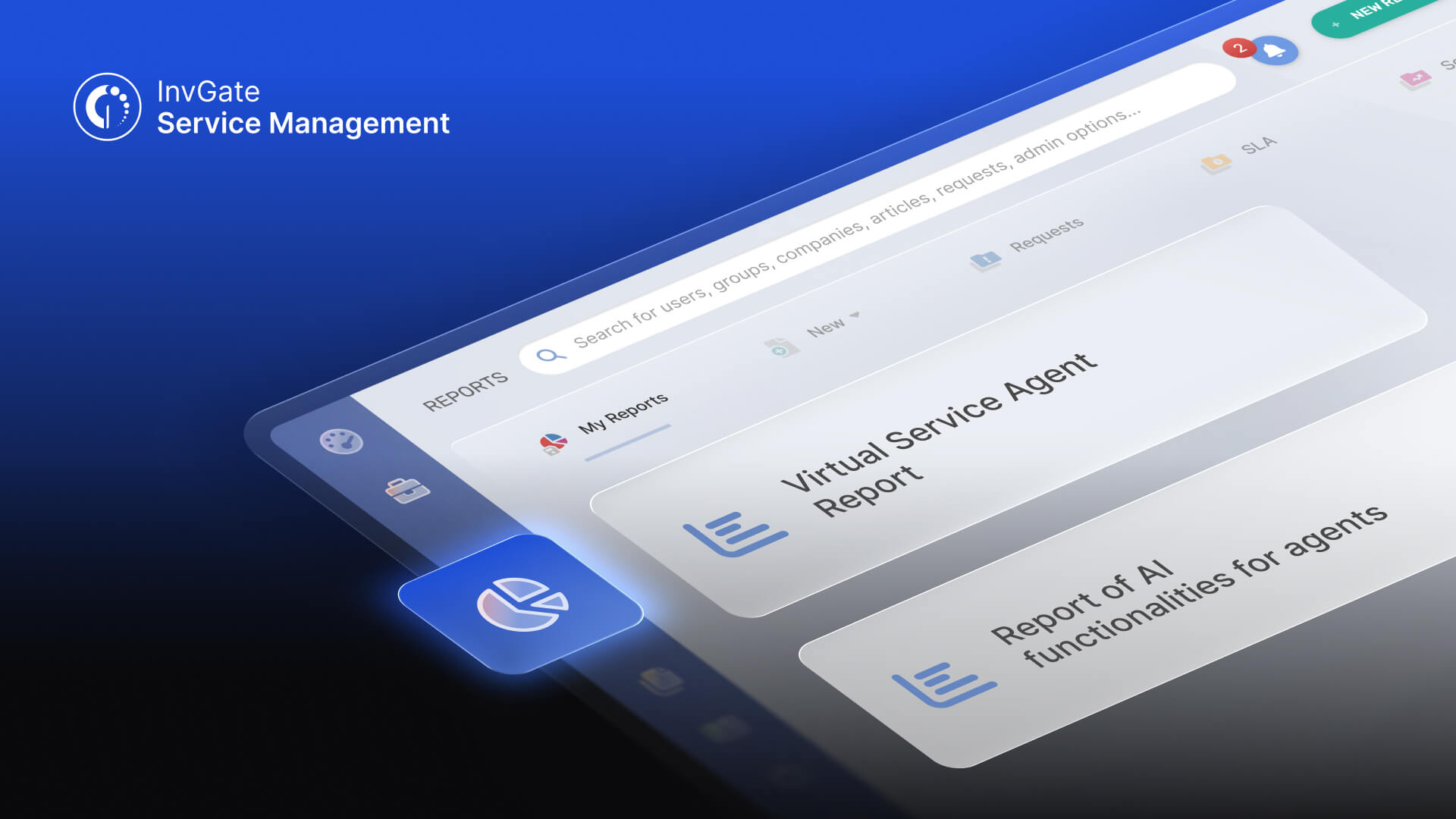

Most teams can confirm their AI features are turned on. Measuring how often employees use them, which requests get resolved without agent intervention, and where AI is helping support teams work more efficiently is a different question.
In InvGate Service Management, those capabilities live in AI Hub, a set of built-in AI features that includes the Virtual Service Agent, AI-assisted ticket resolution for agents, automated knowledge generation, and more. The VSA resolves common requests directly through a chat widget in your service portal, Microsoft Teams, or WhatsApp, while agent-facing tools surface likely fixes inside the ticket.
The next step is understanding how those capabilities perform together in day-to-day operations. AI Hub Reports gives IT teams a clearer view of adoption, usage, and outcomes across their AI-powered workflows.
Once InvGate's AI Hub is live, the open questions are all performance ones: is the VSA actually cutting ticket volume, are agents using the tools you gave them, and where are the gaps in your knowledge base that are quietly capping your results. Without visibility into those, AI Hub stays a feature you turned on instead of a program you can manage.
Two new reports, available now under Reports > AI Hub, turn AI Hub from something you enabled into something you can measure and improve.
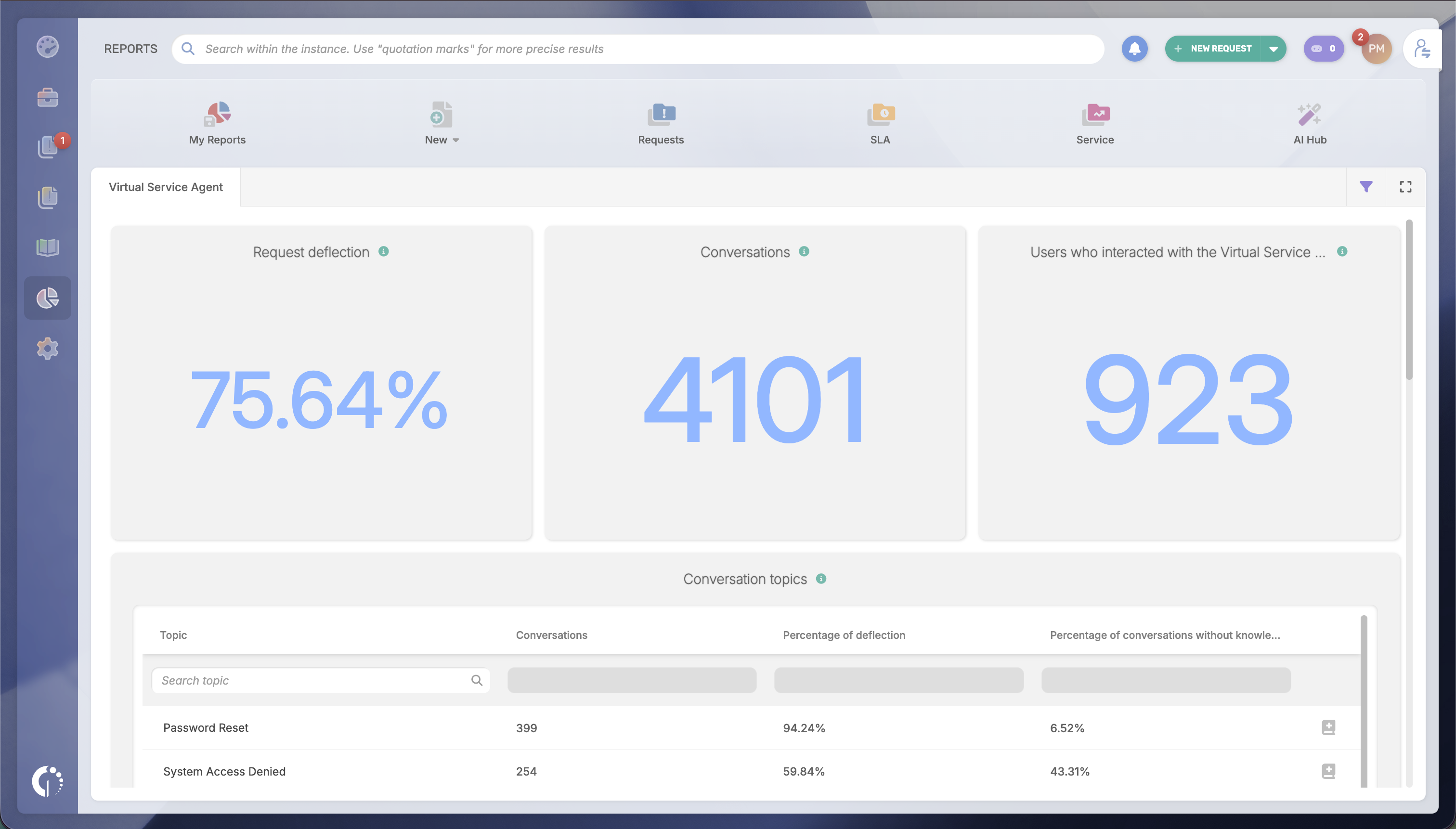
This report answers the question: Is the VSA actually reducing ticket load and resolving requests on its own? It tracks ticket deflection, conversation volume, and adoption across every channel the VSA runs on. It also breaks conversations down by topic, so you can see exactly where volume concentrates and where the VSA is pulling in knowledge that doesn't resolve anything.
Most usefully, it flags the topics that have no knowledge coverage at all and users are asking about, which is the most direct path to a higher deflection rate.
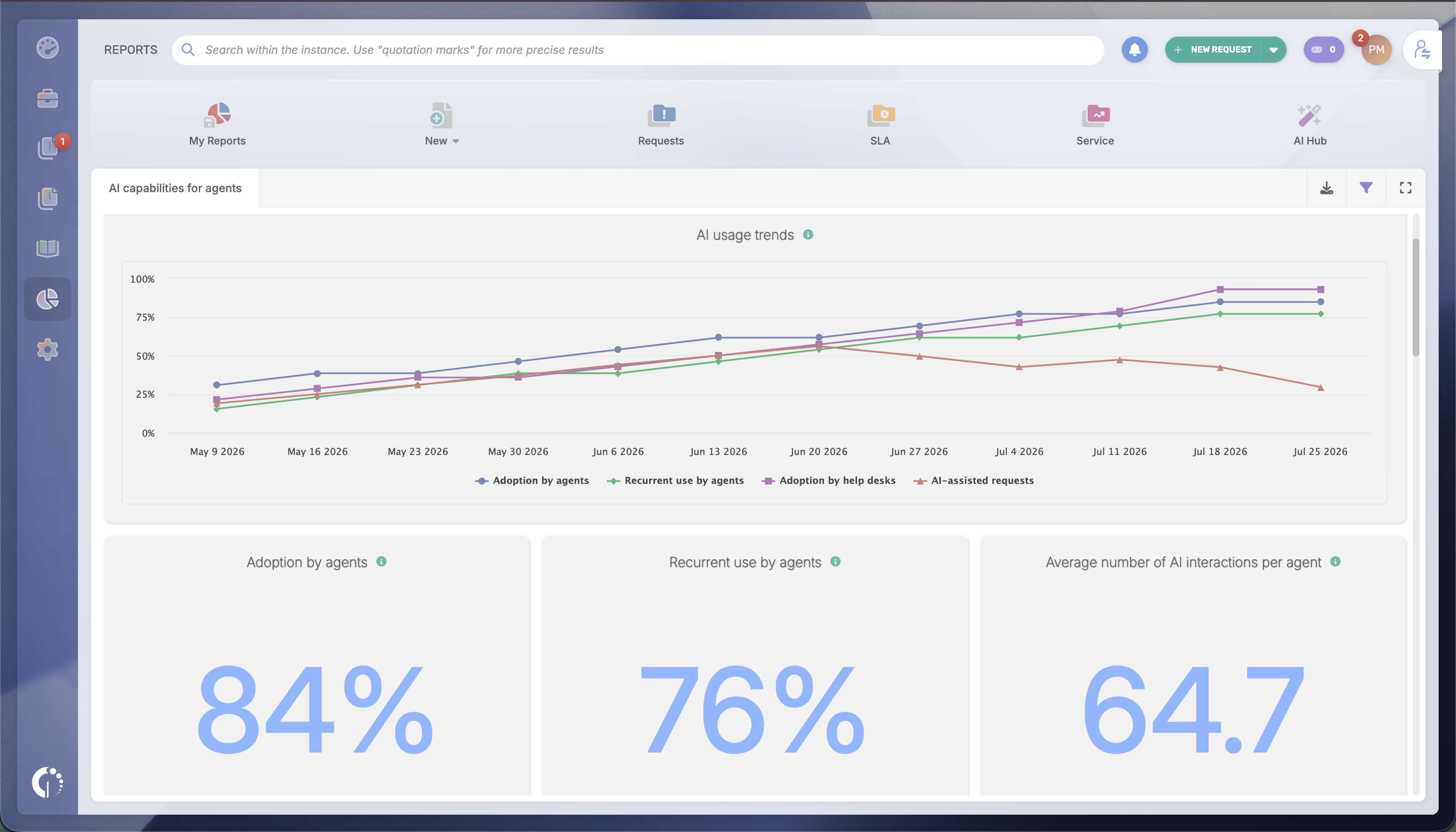
This report answers a different question: are agents actually adopting the AI tools you rolled out? It measures adoption (who tried a feature at least once) separately from engagement (who kept using it), tracks usage per agent and per help desk, and identifies which teams are lagging before that becomes a bigger enablement problem.
It also introduces a "With AI / Without AI" filter across existing dashboards, so you can compare resolution time and SLA compliance between assisted and unassisted requests.
Both reports filter by help desk, refresh every 24 hours, and are available on all tiers.
Of course, the value of AI Hub Reports isn't in the metrics themselves. It's in making it easier to decide where to invest your effort, which AI capabilities deserve to expand, and how to communicate results across the organization.
Service desk managers can use the reports to prioritize improvements, while IT leaders gain concrete data to demonstrate adoption and ROI to stakeholders.
Some examples include:
Closing VSA knowledge gaps. The Virtual Service Agent Report names the topics users are asking about with zero knowledge coverage. If "VPN access requests" generates frequent conversations but no coverage, you can create an article, publish it to the VSA, and track whether deflection improves over time.
Promoting what agents already use. The AI Functionalities Report shows where Solution Recommendation gets heavy, recurring use on a specific request category. That pattern is a signal to promote the underlying knowledge to the VSA, so it starts answering those requests directly instead of routing them to an agent every time.
Flagging lagging teams early. Adoption and engagement metrics are available per agent and per help desk, making it easy to distinguish between teams that never adopted an AI feature and those that tried it but stopped using it. That helps you target training and enablement where it will have the greatest effect.
Demonstrate AI's operational impact. The "With AI / Without AI" filter lets you check resolution time and SLA compliance for requests agents handled with AI support against those they didn't. Those comparisons provide evidence of AI's business value, helping you justify future investments and communicate results to leadership with operational data instead of anecdotes.
AI Hub Reports are available now on all InvGate Service Management tiers. Stop guessing how your AI is performing. Start measuring it. If you're not running AI Hub yet, you can try it — along with the rest of InvGate Service Management — free for 30 days, no credit card required.


