Executing a change without a structured process is one of the most reliable ways to cause an outage. Most post-incident reports trace disruptions back to a Change Management step that was skipped, poorly documented, or never reviewed — and the cost shows up fast in rollbacks, compliance gaps, and service degradation. The software behind the process plays a major role in preventing those failures.
A capable ITSM platform gives teams standardized workflows, approval paths, change calendars, risk assessments, audit trails, and tight integration with the CMDB, Incident Management, and Problem Management. Every change follows a consistent, measurable process.
In this guide, we've selected the best ITSM software for Change Management based on the capabilities that matter most: workflow flexibility, approval management, ITIL alignment, automation, reporting, and how well each platform supports change planning, execution, and continual improvement.
Key takeaways
- Uncontrolled changes are one of the leading causes of unplanned downtime — the right ITSM platform enforces structure from request to post-implementation review.
- The best ITSM tools for change management support standard, normal, and emergency change types with configurable approval flows, CAB routing, and risk assessment.
- ITIL alignment and no-code workflow configuration are the two features that separate mature platforms from basic ticketing tools.
How to choose the right ITSM tool for Change Management
Before comparing ITSM software vendors, align your evaluation on a short list of criteria that separates real Change Management capability from checkbox features. Review these four:
1. Does it support all three change types with distinct flows? Standard, normal, and emergency changes should each have their own workflow, approval logic, and routing rules — not a single generic "change type" field on a shared form. Verify how approval triggers are configured per type.
2. Is CAB routing configurable or fixed? A Change Advisory Board is only useful if it routes the right stakeholders to the right changes. Confirm whether CAB membership can be defined per change category, risk level, or service, and whether approvers can participate without a full agent license.
3. How does risk assessment work? Manual risk fields are table stakes. Look for rule-based scoring or AI-assisted prediction that surfaces risk signals before a change is approved — not after it fails.
4. Is there a native audit trail and change calendar with conflict detection? Audit trails support compliance and post-implementation reviews. A change calendar that flags scheduling collisions prevents two high-risk changes from landing on the same window.
The 5 best ITSM platforms for Change Management
Methodology note: InvGate builds and sells ITSM software, which makes us an active participant in this market — some vendors listed below are competitors. We've applied the same evaluation criteria to every platform in this list. Data comes from publicly available sources: vendor websites, official documentation, and user reviews on Gartner Peer Insights, G2, and Capterra.
1. InvGate Service Management
Best for: IT teams that need ITIL-certified change governance with no-code configuration and AI-powered risk assessment.
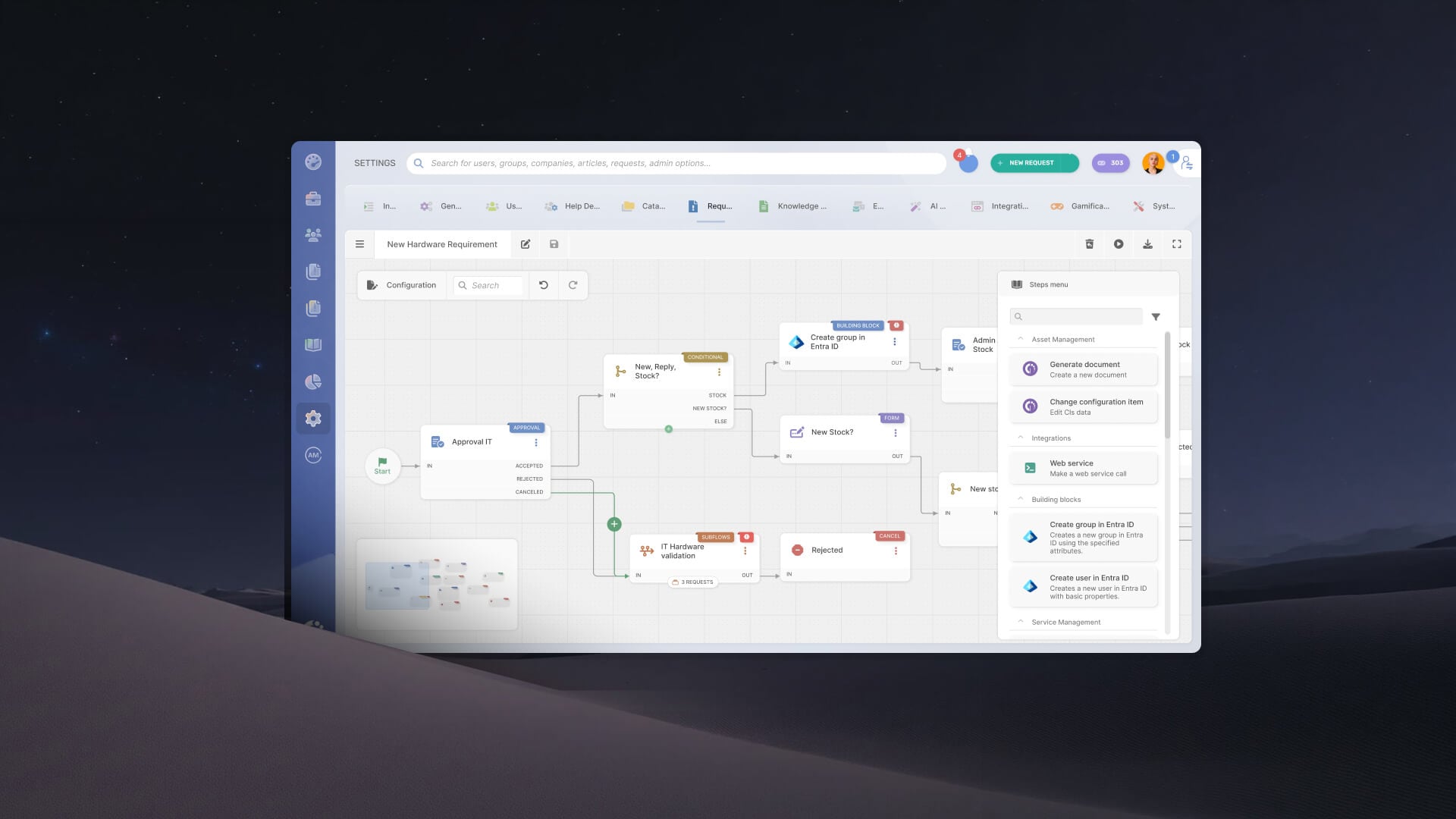
InvGate Service Management supports standard, normal, and emergency changes through separate configurable approval flows, CAB routing, a native change calendar, and a full audit trail. The platform includes Predictive Risk and Impact Analysis — an AI-powered feature that surfaces risk signals based on the scope and dependencies of a proposed change — alongside CMDB-based impact mapping. InvGate Service Management holds PeopleCert ITIL accreditation across 15 practices, including Change Enablement, and supports full change governance without requiring developer involvement.
For a step-by-step view of how these features work in practice, see how to build a change management workflow in InvGate.
Features:
- PeopleCert ITIL 4 accreditation across 15 practices, including Change Enablement.
- No-code workflow builder — approval flows and CAB routing configurable without developer involvement, including a change request template to standardize processes.
- AI-powered Predictive Risk and Impact Analysis.
- Approvers can participate in approval flows without a full agent license.
- The tool natively integrates with InvGate Asset Management, enabling incident records to be linked to configuration items (CIs) and other managed assets. Technicians can access asset details, ownership information, software inventory, and asset history.
Pricing: InvGate offers flexible pricing plans that scale to meet the unique needs of your organization.
- Starter: 24.98/agent/month billed annually and 5 agents minimum - $1499/year.
- Pro: $500/agent/year. 5-50 agents.
- Enterprise: Custom pricing for larger organizations.
You can also request a free trial, so you can try the platform before committing to a plan.
2. ServiceNow ITSM
Best for: Large enterprises with dedicated ITSM admin resources and complex, cross-domain change governance requirements.
ServiceNow® ITSM supports standard, normal, and emergency change types with configurable approval workflows, risk assessment and calculation, and conflict detection built in. The CAB Workbench allows teams to schedule and manage CAB meetings with a dedicated interface for reviewing proposed high-risk changes, including a change conflict calendar for visual scheduling. CMDB-based impact analysis and AI-driven risk scoring provide change context across the service catalog. As a unified platform, change management integrates with incident, problem, and release management in a single system of record.
Pros:
- CAB Workbench with conflict calendar and AI-assisted risk scoring
- Deep CMDB integration for service impact analysis
- Broad ecosystem for DevOps and CI/CD integration
Pricing: Custom pricing.
3. Jira Service Management
Best for: Organizations with a DevOps culture and an existing Atlassian stack looking to connect development workflows directly to Change Management.
Jira® Service Management provides ITIL-aligned change workflows with configurable approval flows, a native change calendar, and risk scoring through an automation-powered risk assessment engine. The Assets module (included in Standard and above plans) functions as a CMDB for dependency mapping, linking configuration items directly to change requests. A standout capability is the native CI/CD pipeline integration: teams can connect Bitbucket Pipelines or other CI/CD tools to automatically track changes and gate deployments based on approval status, eliminating manual ticket creation for engineering-led changes.
Pros:
- Native CI/CD pipeline integration for deployment gating and automatic change tracking
- Assets CMDB for dependency mapping linked to change requests
- Strong fit for organizations already on the Atlassian platform
- Competitive pricing relative to other enterprise ITSM tools
Pricing: Standard plan starts at approximately $20/agent/month (annual billing). Premium, which includes full Change Management capabilities and AI features, at approximately $51/agent/month. - Checked on: June 2026 (US), official web.
4. Freshservice
Best for: Cloud-first IT teams that want fast deployment, no-code workflow design, and ITIL-aligned change governance without the complexity of enterprise-tier platforms.
Freshservice® includes a no-code workflow designer for building change approval flows, a native change calendar, an integrated CMDB, and AI-driven risk predictions. The platform supports standard, normal, and emergency change types and automates approval routing based on change category and risk level. It deploys entirely in the cloud, which means no infrastructure overhead and faster time to first use compared to platforms that require significant admin setup.
Pros:
- No-code workflow designer for approval flows and CAB routing
- AI-driven risk predictions and native change calendar
- Fast cloud deployment with minimal setup overhead
- Clean interface with a lower learning curve than legacy enterprise platforms
Pricing: Starter at $19/agent/month (annual). Change Management requires the Pro tier at $99/agent/month (annual). Enterprise pricing is custom. - Checked on June 2026 (US) official website.
5. ManageEngine ServiceDesk Plus
Best for: Mid-sized organizations that need a full ITIL-aligned ITSM suite with integrated asset management at an accessible price point, including cloud and on-premises deployment options.
ManageEngine® ServiceDesk Plus provides ITIL-aligned Change Management with change templates, configurable approval workflows, CAB support, risk categorization, and change scheduling capabilities. The platform integrates with its asset and configuration management functions — the CMDB maps relationships between configuration items, so teams can evaluate the potential impact of planned changes before execution. It is available in both cloud and on-premises deployment models, which matters for organizations with data residency or compliance requirements that prevent full SaaS adoption.
Pros:
- ITIL-aligned change workflows with CAB support and risk categorization
- CMDB integration for impact analysis linked to change requests
- Cloud and on-premises deployment options
- Competitive pricing compared to ServiceNow and Freshservice Pro
Cons:
- Change Management is only available in the Enterprise edition — lower tiers do not include it
- User interface is frequently described as dated relative to modern ITSM platforms
- Initial configuration and ongoing customization have a steeper learning curve
Pricing: Enterprise edition starts at $67/technician/month (cloud, annual billing), which is the tier that includes Change Management. For the other tiers, the Change and Release Management module is an add-on that costs $3195 / year. - Checked on: June 2026 (US), official website.
Disclaimer: All product names, logos, and brands are property of their respective owners. All company, product, and service names used on this site are for identification purposes only. Use of these names, trademarks, and brands does not imply endorsement. Comparisons are based on publicly available information as of April 2026 and are provided for informational purposes only. ServiceNow is a registered trademark of ServiceNow, Inc. InvGate is not affiliated with, sponsored by, or endorsed by ServiceNow.
Why you need to incorporate Change Management in your ITSM processes (and platform)
Change Management is most effective when it operates as part of the broader ITSM system rather than as an isolated workflow. Every change affects services, infrastructure, users, and often other ITIL practices. Keeping Change Management inside the same platform as Incident Management, Problem Management, the CMDB, and Knowledge Management gives you the context needed to assess risk, coordinate execution, and maintain governance throughout the lifecycle.
For example, a Service Manager reviewing a change should be able to see recent incidents affecting the service, related problems that justify the change, the configuration items involved, previous changes to the same infrastructure, and any knowledge articles or implementation procedures without switching between tools. That context leads to better risk assessments, more informed CAB decisions, and faster troubleshooting if something goes wrong.
The value extends beyond implementation. Successful changes update the service record, unsuccessful ones can trigger incidents or problem investigations, and every completed change contributes to a historical record that helps teams identify recurring risks, measure change success rates, and improve planning over time. These relationships are difficult to maintain when each process lives in a separate application.
Platforms that treat Change Management as an add-on force teams to reconcile information manually and make governance dependent on process discipline alone. An ITSM platform designed around ITIL practices connects the underlying data and workflows so that approvals, impact analysis, audit evidence, reporting, and continual improvement all become part of a single operating model.