














There are many ITSM tools, and choosing the right one directly affects how IT teams deliver support, standardize processes, and report on service performance. The right platform helps standardize workflows like incident, change, and request management, while giving teams visibility into SLAs, bottlenecks, and outcomes. A poor fit, on the other hand, can lock teams into rigid processes, limit reporting, and slow down service delivery
In this guide, you’ll find a side-by-side comparison table, detailed vendor reviews with real pricing and scoring, and a simple 2–4 week pilot plan to validate your choice before committing.
Methodology note
InvGate builds ITSM and ITAM software, so we compete with some of the vendors covered here. Still, we aim to keep this comparison factual and sourced.
Our evaluations draw from publicly available sources — vendor websites, product documentation, user reviews on platforms like Gartner Peer Insights, G2, and Capterra, analyst reports, and hands-on testing or demos when available. We assess each solution based on functionality, pricing (where made public), integrations, user experience, and support quality. We'll review this content regularly to stay current with product updates and market developments.
Updated: September 2026.
Use these criteria to narrow your service desk software options and compare vendors quickly:
If you need a structured way to compare vendors, start with this ITSM RFP template. You can also use reports like the Gartner Magic Quadrant for ITSM to validate your shortlist and understand how vendors compare in terms of vision and execution.
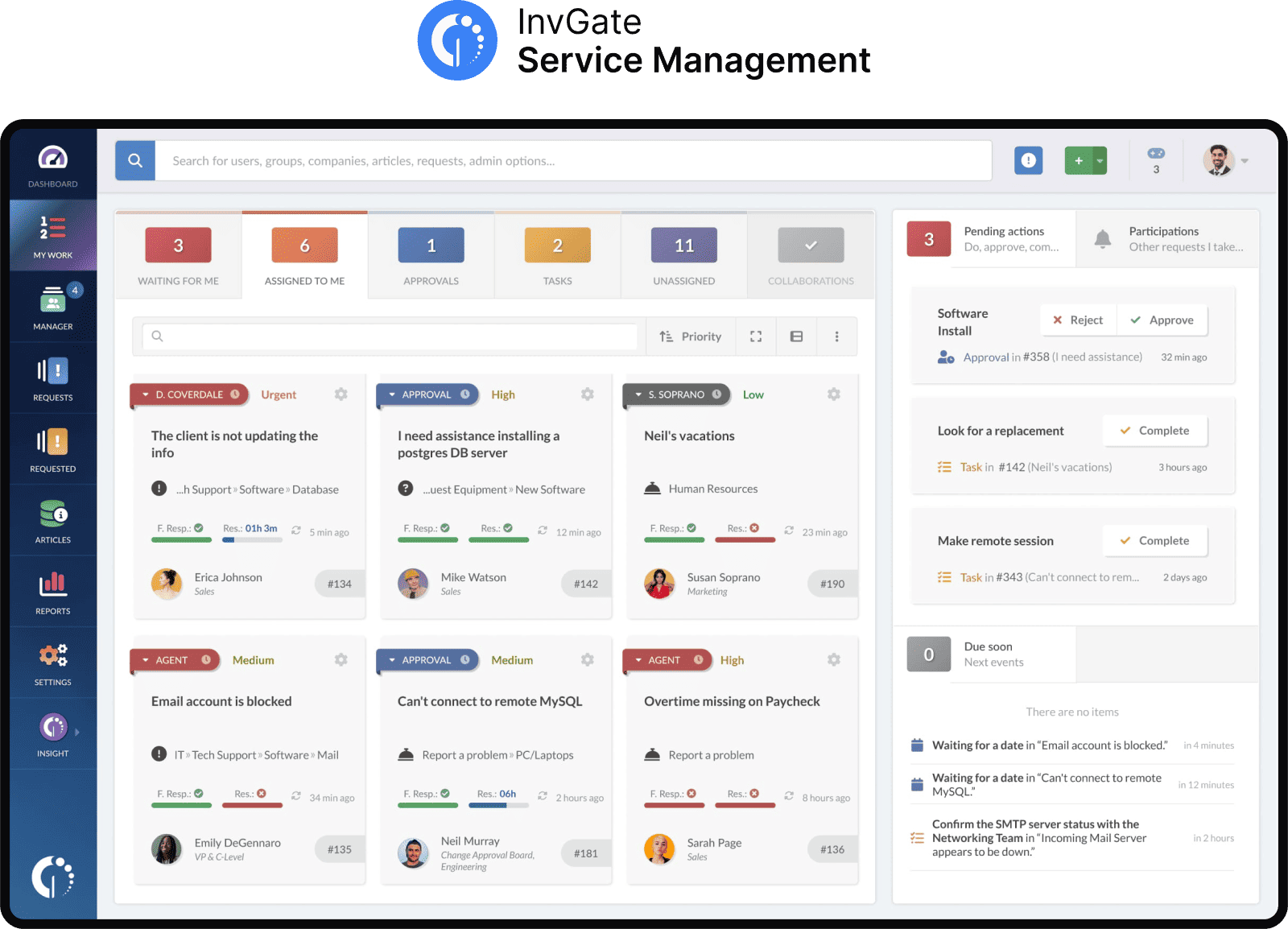
InvGate Service Management is an ITIL-aligned ITSM platform built for enterprises that need ServiceNow-caliber capability — workflow automation, SLA management, multi-department service cataloging — without the cost, the multi-year implementation, or the standing dependency on certified partners to make routine changes.
Where platforms like ServiceNow and BMC Helix require an army of expensive certified partners just to change a workflow, InvGate puts configuration back into the hands of your IT team. AI is included at every tier rather than gated to a premium plan, and the platform is configured entirely no-code — so enterprise-grade automation and reporting ship without the enterprise-grade overhead.
InvGate offers flexible pricing plans that scale to meet the unique needs of your organization.
You can also request a free trial, so you can try the platform before committing to a plan.
All prices are subject to change and provided for informational purposes only. Final pricing depends on a formal evaluation; a signed quote from an authorized Sales Representative is required for all binding agreements.
vs. ServiceNow: ServiceNow's own entry on this page notes a steep learning curve and long implementation cycle. InvGate covers the same core ITSM/CMDB ground with no-code configuration your own IT team can run — no standing certified-partner dependency for routine workflow changes. → Full comparison: InvGate vs. ServiceNow
vs. BMC Helix ITSM: BMC Helix's entry above cites "heavy implementation/administration" as a trade-off. InvGate delivers comparable ITIL depth and automation with a no-code admin model, so enterprise IT teams aren't carrying the same ongoing administrative load. → Full comparison: InvGate vs. BMC Helix
vs. Jira Service Management: Jira's entry above notes it requires Atlassian ecosystem familiarity and that reporting needs additional configuration. InvGate needs no adjacent Atlassian stack and ships built-in SLA and performance reporting out of the box. → Full comparison: InvGate vs. Jira
As of September 2026.
InvGate also earned recognition as a 2025 Gartner Peer Insights Customers’ Choice, with an average rating of 4.9/5 across 73 reviews and a 94% “willingness to recommend” score and named an Honorable Mention in The 2026 Gartner® Magic Quadrant™ For ITSM Platforms .
ServiceNow® ITSM is one of the most widely recognized platforms used by enterprises and large organizations. Initially focused on IT Service Management (ITSM), it has since expanded into areas like HR, customer service, and security operations.
Known for its scalability, it suits businesses that need a highly configurable Service Management platform and have dedicated admin teams, a resource-heavy platform. It's primarily cloud-based and integrates with a broad range of third-party applications.
The following features are listed on the platform’s official product page (accessed September 2026).
ServiceNow doesn’t disclose its pricing. We can tell you that costs depend on several factors: the chosen modules, the number of users, the type of licenses acquired, and the level of support.
As of September 2026.
Developed by Atlassian, Jira® Service Management is known for combining help desk software capabilities with DevOps practices. It’s a cloud-first platform, but also offers a data center option for on-premise deployment.
It’s particularly strong in organizations already running DevOps on Jira and needing tight alignment between incidents, changes, and deployments.
These are some of the platform's functionalities according to the official features page (accessed September 2026).
Jira Service Management offers four pricing tiers billed per agent, per month. Pricing varies depending on the number of agents, with lower per-agent costs available at higher volumes. For example, the following rates apply to a 50-agent deployment:
Plus, they offer a free tier for up to 3 agents. The enterprise tier requires a quote.
Checked on: September 2026 (US), official web.
As of September 2026.
Freshservice®, developed by Freshworks, is a cloud-native ITSM platform designed with a strong focus on ease of use, quick implementation, and affordability. It integrates AI-driven automation to classify tickets, suggest solutions, and improve efficiency for IT teams.
Because of its intuitive design, Freshservice is often favored by organizations that want a straightforward ITSM solution with strong automation capabilities.
The company’s product page (accessed September 2026) highlights these as part of the platform’s offering.
It offers 3 subscription levels with published price, the prices with annual billing are:
Freddy AI Copilot (agent assistance) is an add-on costing $29 per agent per month, available only for Pro plans and above. The Freddy Agent and Insights features are included and reserved for the Enterprise edition; they are not sold as add-ons. - Verified in July 2026 on the official U.S. site.
Consulted in September 2026.
SysAid® is an ITSM platform offering help desk, Asset Management, and automation tools. It’s particularly strong in mid-sized companies that value customization and affordability.
SysAid has built a reputation for balancing ITIL-aligned functionality with practical tools for day-to-day IT operations.
Best for mid-sized IT teams that want an all-in-one tool (ITSM + asset + remote support) instead of managing multiple vendors.
According to the provider’s site (accessed September 2026), the platform delivers these capabilities.
SysAid ITSM pricing starts at $89 per agent/month for the Professional plan, and the Enterprise plan (starting at 20 agents) is custom-priced with a sales consultation. - Checked on September 2026 (US) official website.
As of September 2026.
ManageEngine ServiceDesk Plus® is a Service Management platform developed by Zoho Corporation that combines ITSM, IT Asset Management, and CMDB capabilities. It’s available both on-premises and in the cloud, offering flexibility for different infrastructure needs.
Best for cost-conscious teams that still need a broad feature set beyond core ITSM (AD, endpoint, project tools).
These are some of the platform's main features based on information from their official product page (accessed September 2026).
Pricing is available in both cloud subscription and on-premises. Plans vary based on the number of agents and modules.
Cloud pricing tiers:
Note: For Professional and enterprise tiers, price changes also according to the amount of assets. There are also available add-ons.
- Checked on: September 2026 (US), official website.
Consulted in September 2026.
TOPdesk® is an ITSM solution developed in the Netherlands, designed to help organizations manage IT service requests, incidents, and changes. It also includes features for facilities and Enterprise Service Management, making it suitable for organizations that want to centralize multiple service functions. The platform can be deployed in the cloud or on-premises, depending on organizational needs.
Best for organizations running shared service models across multiple departments beyond IT that prefer a modular rollout.
According to official product information (accessed September 2026), the platform provides these key features.
TOPdesk's pricing is based on the number of agents and offers volume discounts. The rates below are for 50 agents:
For fewer than 50 agents, per-agent costs are higher. For example, the Essential plan costs $76 per agent/month for up to 10 agents and $68 per agent/month for up to 20 agents. For deployments exceeding 50 agents, users must request a custom quote.
- Checked on: September 2026 (US), official website.
Consulted in September 2026.
BMC Helix ITSM® is a suite of applications for creating, configuring, and managing IT Service Management requests and functions. It integrates with BMC Helix Discovery and other BMC products to provide visibility across infrastructure and services. The platform delivers in cloud, hybrid, or on-premise deployment options.
Organizations managing complex multi-cloud environments with advanced service orchestration needs. According to SoftwareAdvice, BMC Helix ITSM automates standard ITIL processes out of the box and offers configuration options to tailor applications to organizational needs.
Based on their official documentation (accessed September 2026), the platform supports these functionalities.
Pricing is customized based on organizational needs, with quotes provided upon request.
Consulted in September 2026.
SolarWinds® Service Desk is a cloud-based IT Service Management (ITSM) platform that adheres to ITIL best practices, offering a comprehensive suite for Incident, Problem, Change, and Release Management.
It is often used as part of the SolarWinds suite of IT Management tools, which also includes network monitoring, database management, and IT automation solutions.
According to their official documentation (accessed September 2026), these are some SolarWinds service desk features.
There are three pricing tiers for SolarWinds Service Desk.
- Checked on: September 2026 (US), official website.
As of September 2026.
TeamDynamix® ITSM is a Service Management platform that combines ITIL-aligned IT Service Management with Project Portfolio Management and enterprise automation. It’s designed as a no-code solution, allowing organizations to configure workflows and automate processes without development effort.
The platform can support both IT and business functions, offering a centralized system for managing requests, changes, and projects.
Best for environments where portfolio management and service delivery need to operate in the same workflow layer.
The company’s product page (accessed September2026) highlights these as part of the platform’s offering.
Specific costs are available upon request.
Consulted in September 2026.
Disclaimer: All product names, logos, and brands are property of their respective owners. All company, product, and service names used on this site are for identification purposes only. Use of these names, trademarks, and brands does not imply endorsement. Comparisons are based on publicly available information as of September 2026 and are provided for informational purposes only. ServiceNow is a registered trademark of ServiceNow, Inc. InvGate is not affiliated with, sponsored by, or endorsed by ServiceNow.
What's a ServiceNow alternative for large enterprises that's easier and cheaper to implement? InvGate Service Management delivers ServiceNow-level ITSM — CMDB, workflow automation, SLA management — without ServiceNow's cost, long implementation timeline, or dependency on certified partners for routine changes. It's fully no-code, with AI included at every tier. See the full comparison.
Is there an enterprise ITSM platform with AI included at every pricing tier?
Yes. InvGate Service Management includes AI capabilities across all pricing tiers, including its entry-level plan. See pricing.
ITSM tools are software platforms that help organizations manage and deliver IT services. They typically support processes such as Incident, Request, Problem, and Change Management, along with service catalogs, SLAs, automation, reporting, and self-service.
There is no single best ITSM tool for every mid-sized company. Platforms such as InvGate Service Management, ManageEngine ServiceDesk Plus, Jira Service Management, Freshservice, and ServiceNow serve different needs and budgets. Mid-sized organizations should compare factors such as implementation effort, ease of administration, automation, integrations, deployment options, and the ability to scale as service operations grow.
For a deeper breakdown of these concepts, see the ITSM guide.

