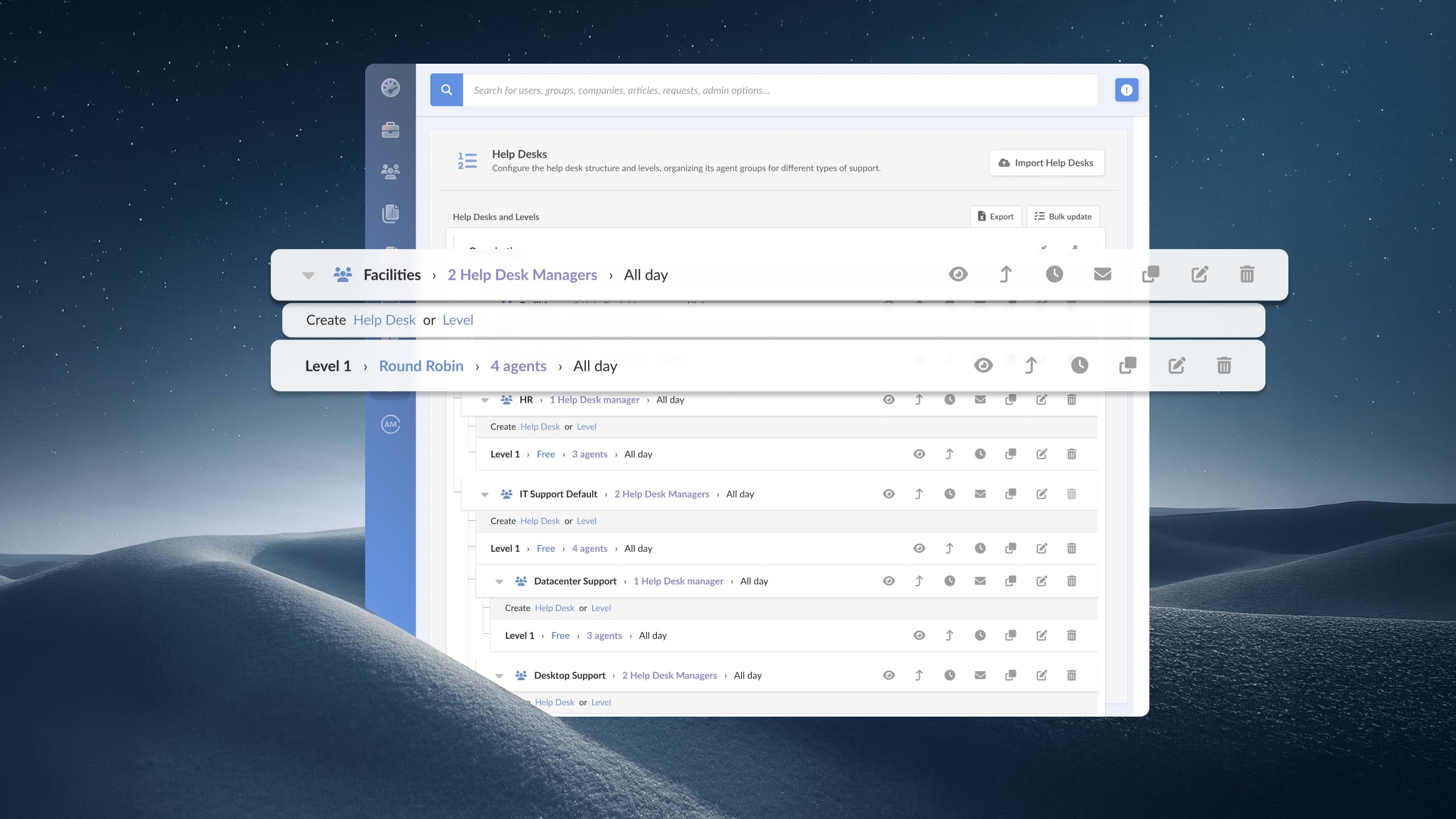
Shift-based teams don't stop when the clock changes. Manufacturing plants, network operations centers, hospitals, logistics hubs, and support centers all run coverage around the clock, and the tickets keep coming through every hour of it.
When one shift ends and the next begins, a request that was mid-resolution can stall for hours if nothing carries it across the handoff. The support operation has to close those gaps, not create them.
This guide focuses on help desk platforms built to keep support continuous across shifts and after hours — clean handoffs, coverage-aware SLAs, and escalation paths that reach whoever is actually on duty.
Key takeaways
- Shift-based and 24/7 teams need a help desk that keeps tickets moving across shift handoffs, so work in progress doesn't stall when coverage changes.
- After-hours escalation has to reach the person on duty automatically, through the channels they're already watching, without depending on someone noticing a queue.
- Coverage-aware SLAs matter: the clock should reflect when your team is actually staffed, whether that's business hours or a full 24/7 rotation.
- A 24/7 help desk depends as much on handoff structure and escalation logic as it does on raw ticketing features.
- InvGate Service Management supports shift-based operations with SLA management, automatic escalation, multi-channel intake, and mobile access — configurable without code and deployable in days.
Why shift-based teams need a dedicated help desk
A team running multiple shifts has a structural problem a nine-to-five team never faces: the people who open, work, and close a ticket are often three different people across three different shifts. A shared inbox or a group chat can't hold that continuity. The result is predictable.
The typical failure points:
-
Work lost at the handoff. A ticket opened at 4 p.m. and left mid-investigation at shift change often sits untouched until someone on the next shift stumbles onto it. Context from the first shift — what was tried, what's pending — lives in someone's head or a side conversation, not the ticket.
-
No coverage after hours. When the day team logs off, requests still arrive. Without a defined escalation path, an urgent issue at 2 a.m. waits in a queue no one is watching until morning.
-
SLA clocks that ignore staffing. An SLA that runs on a flat 24-hour clock breaches overnight even when no one was scheduled to respond. One that stops at 5 p.m. fails a team that actually staffs the night shift. Neither reflects reality.
-
Assignment that ignores who's on duty. Tickets routed to a named agent sit idle when that agent is off-shift. Routing needs to follow coverage, not a static owner.
A purpose-built help desk gives a shift-based team the structure to stay continuous: handoff context that lives on the ticket, escalation that reaches the on-duty responder, and SLAs that track the hours the team actually works.
Covering support without gaps between shifts
The handoff is where a 24/7 help desk earns its keep. Every ticket in progress at shift change needs to carry its full context forward — what's been tried, what's blocked, what the next responder should pick up first — so the incoming shift starts from where the last one stopped, not from scratch. That context belongs on the ticket itself: notes, status, activity history, and any pending actions visible to whoever opens it next.
Assignment has to follow coverage too. A ticket routed to whoever is on shift, through round-robin or group-based assignment within the active team, keeps moving regardless of who clocked out. Combined with a clear view of the open queue at handoff — sorted by priority and SLA status — the incoming shift can triage in minutes instead of rediscovering the backlog one ticket at a time.
Reporting closes the loop. Volume and resolution data broken down by shift or time of day shows where coverage is thin, which hours generate the most load, and whether the night shift is carrying more than its headcount supports. That's the difference between staffing on assumption and staffing on evidence.
Escalating requests after hours
After-hours coverage lives or dies on escalation. When a request arrives outside a given shift's scope — or when an in-progress ticket crosses its SLA threshold with no one available to act — the platform has to escalate on its own, routing to the next tier or the on-duty responder without waiting for a human to notice.
Three things make after-hours escalation work. First, threshold-based triggers: a ticket approaching or breaching its SLA fires an escalation automatically, based on priority and elapsed time. Second, escalation that targets a role or on-duty group instead of a single named person, so the alert reaches whoever is actually covering that window. Third, notifications through channels people watch off-hours — mobile push, Microsoft Teams, WhatsApp, email — so an overnight escalation lands somewhere it will be seen, and the responder can act from a phone without logging into a workstation.
Escalation rules also need to distinguish severity. A routine request that arrives overnight can wait for the morning shift; a critical incident cannot. Configurable rules that escalate high-severity tickets immediately while holding low-priority ones for regular hours keep the on-call responder focused on what genuinely can't wait.
What to look for in help desk software for shift-based teams
-
Coverage-aware SLA management. The platform should let you define operational hours per team and calculate SLAs against them, whether the team runs business hours or a full 24/7 rotation.
-
Automatic escalation. A ticket crossing its threshold should escalate on its own, to a role or on-duty group, with notifications routed to off-hours channels.
-
Shift-aware assignment. Routing should follow coverage — round-robin or group-based assignment to the active shift — so tickets don't sit with an agent who's off duty.
-
Handoff continuity. Full ticket context — notes, status, history, pending actions — should carry across shifts on the ticket itself, and more, with nothing living in a side channel.
-
Mobile access. On-call and off-shift responders need to receive, review, and act on tickets from a phone without a desktop session.
-
Multi-channel intake. Requests arrive at all hours through whatever channel is convenient. Meet them at web portal, Teams, WhatsApp, email, and more.
-
Reporting by shift and time of day. Volume and resolution data segmented by shift shows where coverage gaps and load concentrations actually are.
Best help desk software for shift-based teams
Methodology note: InvGate develops ITSM and ITAM software and is one of the vendors evaluated in this list. The analysis below is based on public documentation, official demos, and user reviews on Gartner Peer Insights, G2, and Capterra. All vendors receive the same structural treatment.
1. InvGate Service Management
InvGate Service Management is a no-code ITSM/ESM platform with an integrated AI Hub, built to keep support continuous across shifts and after-hours coverage from a single instance, without requiring a partner for initial configuration.
Key features for shift-based teams:
- SLA management with configurable operational hours, automatic escalation, and breach alerts, so the clock reflects when each team is actually staffed.
- Smart Ticket Assignment and Smart Request Escalation to route work to the active shift and push tickets up automatically when thresholds are crossed.
- Multi-channel self-service portal, accessible via web portal, Microsoft Teams, WhatsApp, email, and more.
- Mobile app for on-call and off-shift responders to receive and act on tickets from a phone between shifts.
- Drag-and-drop workflow builder for handoff, routing, and escalation logic, configured visually with no code.
- Virtual Service Agent for ticket deflection on high-volume, low-complexity requests at any hour.
- Customizable dashboards tracking volume, SLA compliance, and performance by shift and time of day.
Deployment: Available as cloud and on-premise, with feature parity across both models.
Pricing: InvGate Service Management has flexible pricing plans that scale to meet the unique needs of your organization.
- Starter: $24.98/agent/month billed annually, 5 agents minimum — $1,499/year.
- Pro: $500/agent/year, 5–50 agents.
- Enterprise: Custom pricing for larger organizations.
For a hands-on look at the platform, start a 30-day free trial.
2. Jira Service Management
Jira Service Management (JSM) is Atlassian's ITSM platform, with on-call scheduling and alerting built into its incident management, and tight integration with the Jira and Confluence ecosystem.
Key features for shift-based teams:
- On-call schedules and alert routing as part of native incident management.
- ITIL-aligned workflows for incident, problem, and change management.
- Native integration with Jira Software for cross-team visibility.
- Forms-based intake configurable per team.
Pricing (50-agent deployment):
- Standard: starting at $20.63/agent/month.
- Premium: starting at $52.16/agent/month.
Checked July 2026 (US), official website.
3. ManageEngine ServiceDesk Plus
ManageEngine ServiceDesk Plus is an ITSM platform with operational-hours configuration and multi-level escalation, suited to teams that run structured shift coverage.
Key features for shift-based teams:
- Business-hours and operational-window configuration for SLA tracking.
- Multi-level, time-based escalation rules.
- Technician group assignment for routing to active teams.
- Mobile apps for iOS and Android.
Pricing: Standard, Professional, and Enterprise tiers, priced per technician. Checked July 2026 (US), official website.
4. SysAid
SysAid is an ITSM platform with automation and routing features that support teams handling continuous ticket volume across shifts.
Key features for shift-based teams:
- Automated routing and escalation rules based on priority and time.
- SLA management with escalation triggers.
- Self-service portal and knowledge base for after-hours deflection.
- Mobile access for responders on the move.
Pricing: SysAid ITSM pricing starts at $89 per agent/month for the Professional plan, and the Enterprise plan is custom-priced with a sales consultation. - Checked on July 2026 (US) official website.
5. Freshservice
Freshservice is a cloud-based ITSM platform from Freshworks with AI capabilities through its Freddy AI layer, and native on-call management that fits teams running rotations.
Key features for shift-based teams:
- On-call management with schedules, rotations, and alerting to reach the responder covering each window.
- Business-hours configuration for SLA calculation per team.
- Freddy AI for automated ticket categorization and agent assistance.
- Pre-built integrations with Microsoft 365, Slack, and Jira.
Pricing: Starts at $19/agent/month (Growth plan). On-call management and full AI features are available on higher tiers. Checked July 2026 (US), official website.
How to choose the right help desk software for your team
The comparison above is a starting point. The decision comes down to how your coverage actually runs. Four questions worth answering directly:
-
Does the team run business hours, extended shifts, or full 24/7 coverage? The platform's SLA engine needs to match. Confirm it can define operational hours per team and calculate SLAs against them, so the clock reflects real staffing.
-
What has to happen when a critical ticket arrives at 3 a.m.? Trace the path. The platform should escalate high-severity tickets automatically to the on-duty responder, through a channel they'll see off-hours, without depending on someone watching a queue.
-
Does routing follow coverage or a static owner? Tickets assigned to a named agent stall when that agent is off-shift. Confirm the platform supports group or round-robin assignment to the active shift.
-
Can a responder act from a phone? On-call staff rarely sit at a desk overnight. Mobile access to receive, review, and resolve tickets is a requirement for a genuine 24/7 help desk, not a convenience.
FAQs
What features should help desk software for shift-based teams have? Coverage-aware SLA management, automatic escalation to on-duty responders, shift-aware ticket assignment, handoff continuity on the ticket, and mobile access for off-shift staff. Multi-channel intake and reporting by shift round out a setup built for continuous coverage.
What makes a 24/7 help desk different from a standard one? A 24/7 help desk calculates SLAs against round-the-clock staffing, routes tickets to whoever is on shift, and escalates after-hours issues automatically to the on-duty responder. A standard help desk assumes business hours and a static owner, which leaves gaps overnight and at shift changes.
How do you prevent tickets from getting lost at shift handoff? Keep every ticket's context — notes, status, history, pending actions — on the ticket itself, assign work to the active shift rather than a named individual, and give the incoming shift a queue view sorted by priority and SLA status so nothing in progress goes unnoticed.
Can a help desk escalate issues automatically after hours? Yes — platforms with threshold-based escalation fire automatically when a ticket approaches or breaches its SLA, routing to a role or on-duty group and notifying through mobile, Teams, WhatsApp, or email. Severity-based rules hold routine requests for regular hours and push critical ones immediately.
Disclaimer: All product names, logos, and brands are property of their respective owners. All company, product, and service names used on this site are for identification purposes only. Use of these names, trademarks, and brands does not imply endorsement. Comparisons are based on publicly available information as of July 2026 and are provided for informational purposes only.