













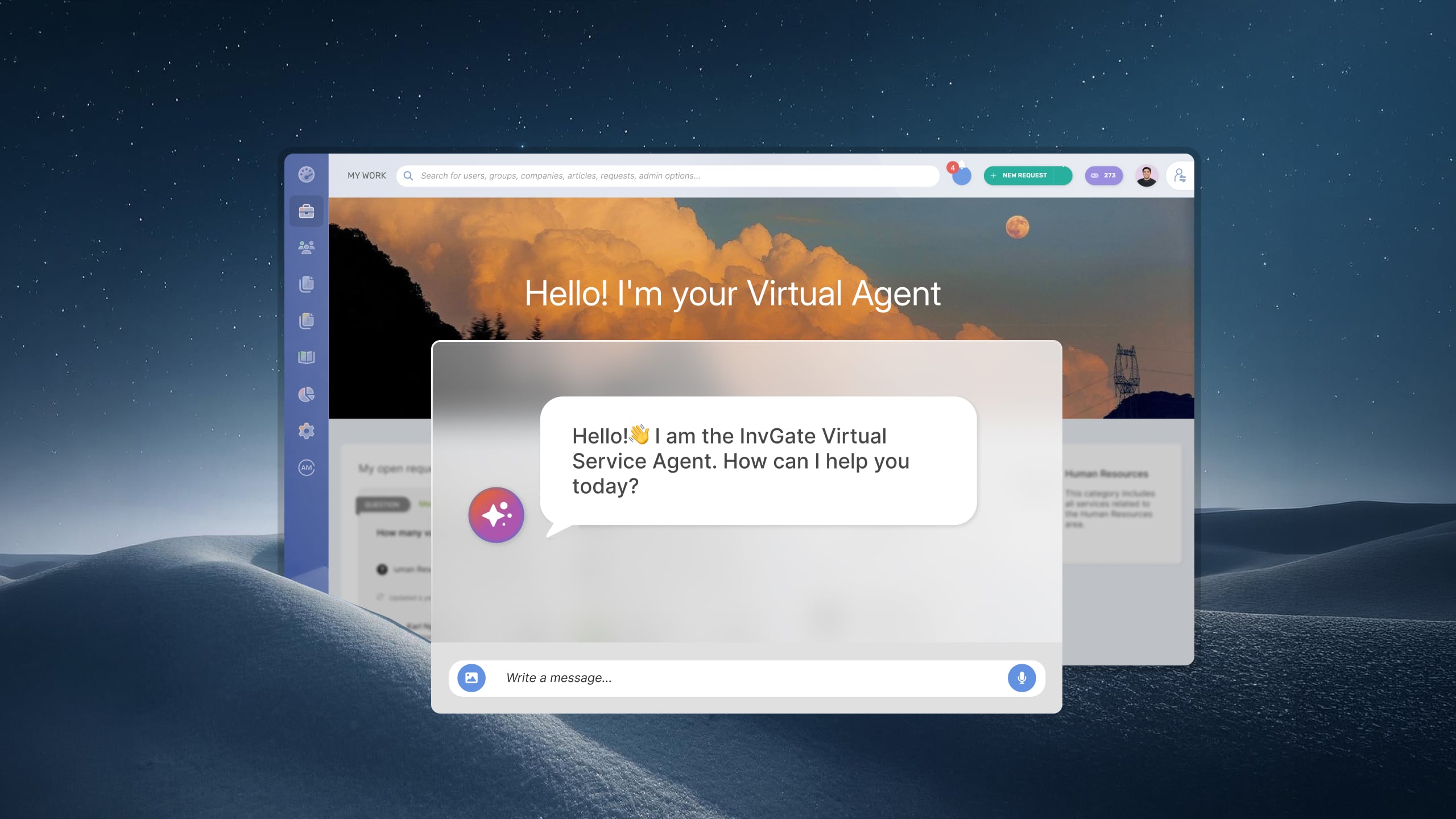

Your IT service desk AI chatbot is live. At first glance, things look good: fewer tickets are reaching the service desk and users are engaging with the virtual agent. But how do you know it's actually working? That's harder to answer than it seems. Looking at a single metric rarely tells the whole story. A high deflection rate, for example, can mask failed interactions where users gave up without resolving anything. Response times might improve while resolution rates stay flat. Without the right set of KPIs, it's difficult to tell whether your chatbot is reducing workload, helping users, or simply shifting where problems show up.
This post covers the AI-chtabot metrics that matter specifically for ITSM environments and how to track them inside InvGate Service Management.
Key takeaways
Turning on the virtual agent feels like the finish line. It's not. The day-to-day pressure on IT teams makes it easy to treat deployment as the milestone and skip the measurement phase entirely. Tickets seem to be coming in at a lower volume — that's good enough, right? Not quite.
Here's the gap: a high deflection rate tells you that users didn't open tickets. It doesn't tell you whether they solved their problems. In ITSM, those are two very different outcomes. A user who tries to reset a password through the chatbot, gets a response that doesn't work, and then just gives up — that's counted as a deflected ticket. But it's a failed interaction. The user's problem isn't solved, and the IT team has no visibility into it.
This is one of the most common blind spots in AI chatbot deployments: teams optimize for the metric they can see (volume reduction) and miss the signal they can't (resolution quality). The result is a chatbot that looks great on paper and quietly erodes user trust over time.
There's also a secondary risk: knowledge base decay. Most virtual agents in ITSM rely on a knowledge base to generate responses. If that content isn't reviewed and updated regularly, the chatbot's response quality degrades — but the containment rate may stay high because users are still being "contained" (the session closes without escalation), even if the answer they got was outdated or incomplete.
Understanding how to measure deflection rates is the foundation of any chatbot measurement program. But deflection is just one piece of the picture. What follows is the full set of metrics that give IT teams a complete view.
Before getting into the individual metrics, one important framing point: ITSM is not the same as general customer service, and the benchmarks don't transfer directly.
In customer service, queries tend to be open-ended and variable — returns, complaints, billing disputes. In IT, the intent space is significantly more constrained. Users come in with a specific, often deterministic need: reset my password, request VPN access, report a printer issue, unlock my account. That structural difference means IT chatbots can — and should — achieve higher containment and deflection rates than their customer service counterparts. Applying generic benchmarks to an IT environment will lead to incorrect conclusions about performance.
With that in mind, here are the core KPIs to track:.
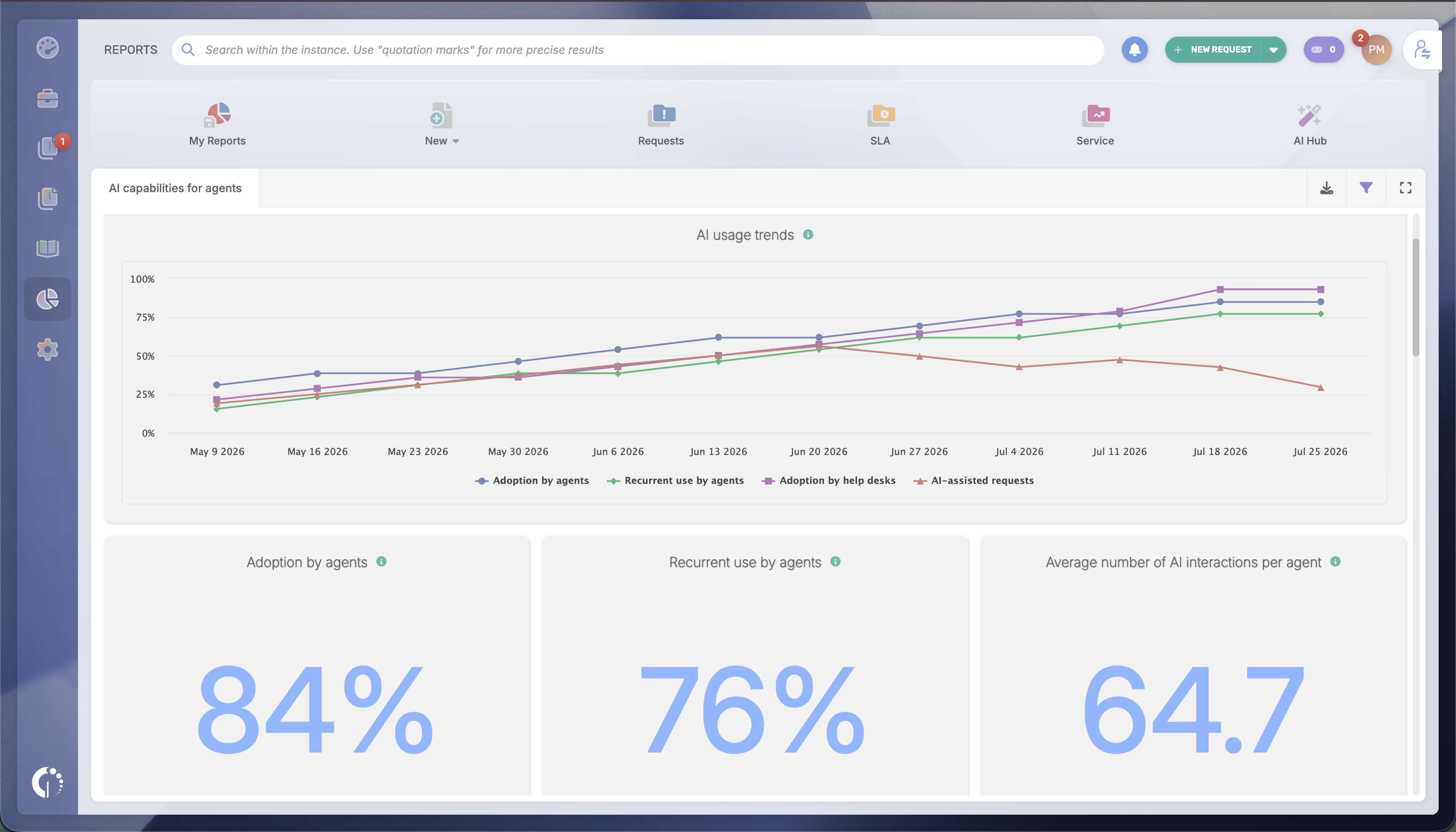
Tracking these KPIs doesn't require building custom reports from scratch or exporting data to external tools. InvGate Service Management surfaces chatbot-specific metrics directly under Reports> AI Hub > Virtual Service Agent Report.
InvGate's Virtual Service Agent report shows performance across all active channels — embedded chat, MS Teams, and WhatsApp. It's organized into three KPI cards and four tables.
The three KPI cards on the top will give an immediate read on the core chatbot health signals:
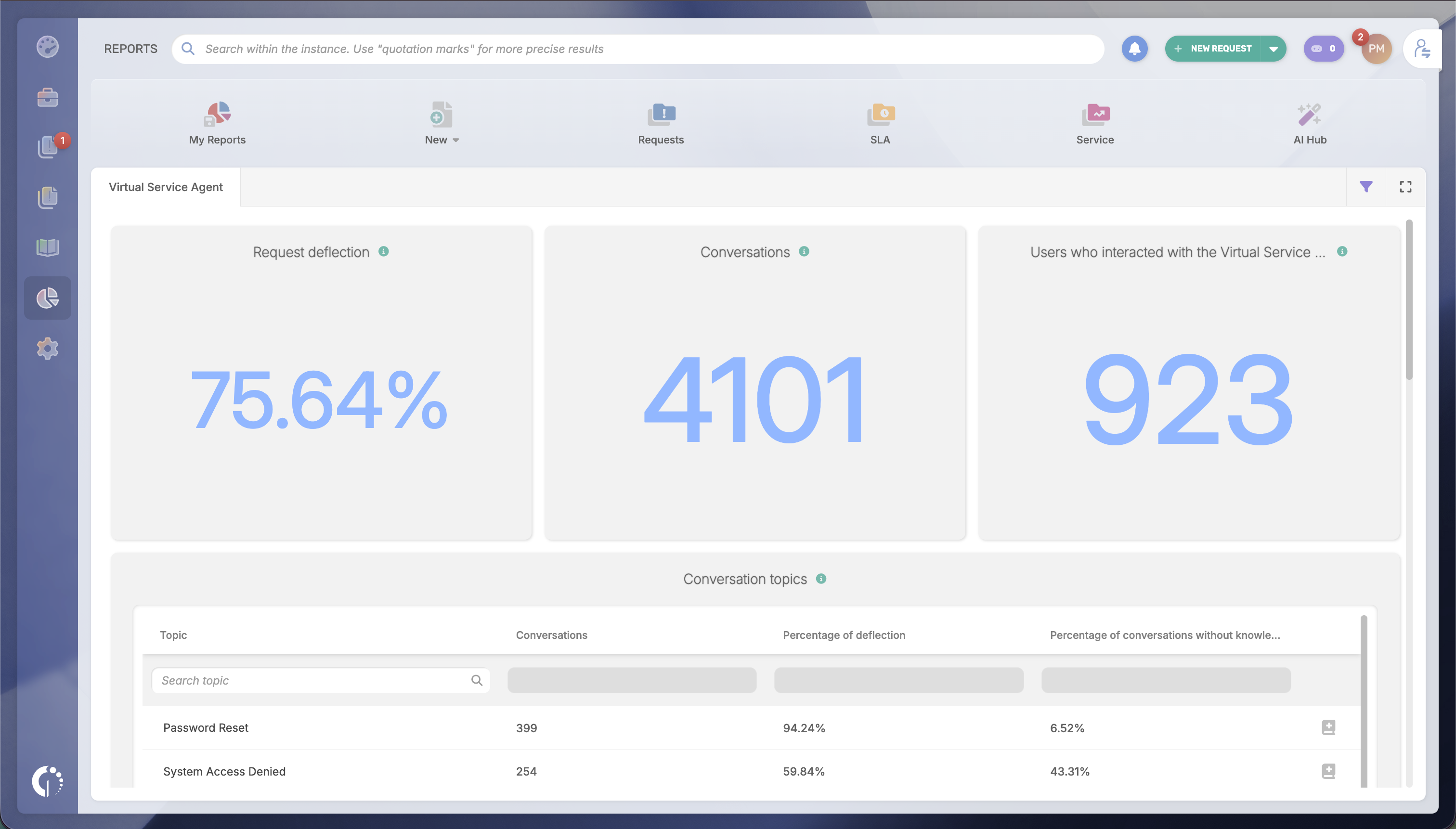
You can then go deeper with the tables that include:
TIP: Set a review cadence — weekly or biweekly.
The Reports and dashboards in InvGate are configurable and shareable with stakeholders who don't have agent licenses. Set a short review cycle: weekly or biweekly is enough to catch degradation early and iterate before it compounds.
InvGate also includes more than 150 built-in metrics accessible without additional modules. The AI Hub reports sit within that broader reporting layer, which means there's no separate analytics tool to manage.
Ready to get started? Claim a 30-day trial and have the AI Hub reports populated with real data from day one.
Numbers without context often point in the wrong direction. These patterns show up frequently in ITSM environments and help clarify what’s actually happening behind the metrics.
KPIs are not a destination. They're a mechanism for continuous improvement. Here's how to connect each signal to a concrete action inside IGSM:
Low knowledge base hit rate → create content from resolved tickets. If the VSA can't match user queries to existing KB articles, the gap is content, not configuration. The AI Knowledge Article Generation feature in the AI Hub generates draft articles directly from resolved tickets. This closes the loop between what agents are resolving manually and what the VSA can handle autonomously in the next cycle. The entry point is Settings > AI Hub > Knowledge Article Generation.
Low CSAT → audit the content feeding the VSA. When CSAT drops, the first place to look is the articles and snippets the VSA is actually using — not the whole knowledge base. Open the Knowledge in Conversations table in the VSA report and sort by deflection rate. Articles that are being retrieved frequently but correlate with low satisfaction are the candidates for rewrite. Check tone, completeness, and whether the resolution steps are still accurate.
High escalation rate on a specific ticket type → decide whether to train or route. Not all ticket types are worth teaching the VSA to handle. For complex issues — multi-step troubleshooting, requests that require approval, incidents with variable scope — a dedicated workflow with structured intake may serve users better than trying to contain them in a chatbot conversation. If the ticket type is inherently deterministic (step-by-step process, clear resolution path), the issue is usually content quality or query matching, not the bot's fundamental capability.
Deflection rate stagnant → audit channel coverage. If deflection hasn't moved in several review cycles and the VSA's KB is reasonably complete, check where the agent is deployed. The VSA report breaks down performance by channel — embedded chat, MS Teams, and WhatsApp. If a significant portion of your user base primarily reaches IT through a channel where the VSA isn't active, deflection will plateau regardless of how good the content is.
Low agent engagement → identify champions and focus enablement. If the AI Functionalities for Agents Report shows strong adoption but weak engagement, the tools didn't stick after the initial rollout. Use the "Agents with most AI interactions" ranking to identify internal champions — agents who've integrated AI into their daily workflow — and structure peer enablement around them rather than top-down training.
The improvement cycle works best when it's short: review KPIs, identify the highest-leverage gap, act on it (new content, workflow adjustment, channel expansion), and review again two weeks later.
What is a good containment rate for an IT chatbot?
In ITSM, structured and repetitive request types — password resets, access requests, account unlocks — can support containment rates between 70% and 90% for those specific categories. The relevant benchmark depends on query type: the more deterministic the request, the higher the achievable containment. Tickets that involve troubleshooting, multi-step diagnosis, or approval workflows will have lower containment rates by design, and that's appropriate. Use your own historical baseline, broken down by topic, rather than applying a single aggregate target.
What is the difference between deflection rate and containment rate for a service desk chatbot?
Deflection rate measures how many requests are resolved without creating a ticket. It reflects how often the chatbot fully handles an issue and removes work from the service desk. Containment rate measures how many conversations the chatbot completes without a human agent joining the interaction. It only applies when agents can join live conversations; if your model routes everything through tickets, containment and deflection will overlap.
How do I know if my IT chatbot is actually resolving issues or just deflecting them?
Cross-reference containment rate with CSAT and with follow-up ticket creation. If chatbot CSAT is low, or if users are creating tickets within 24–48 hours of a chatbot interaction, the deflection wasn't a genuine resolution. The Conversation Log in the IGSM VSA report lets you drill into individual transcripts and audit what the chatbot actually said — which is more reliable than interpreting aggregate metrics in isolation.
What KPIs should I report to leadership about my AI chatbot?
For leadership, the most relevant metrics are: deflection rate (volume reduction and cost avoidance), MTTR comparison between AI-assisted and non-AI-assisted tickets (efficiency), chatbot CSAT (experience quality), and estimated ROI expressed as cost per resolution via chatbot versus via human agent. The With AI / Without AI dimension in IGSM's dashboards provides the data to support the MTTR and resolution comparison directly, without requiring manual exports or custom calculations.

