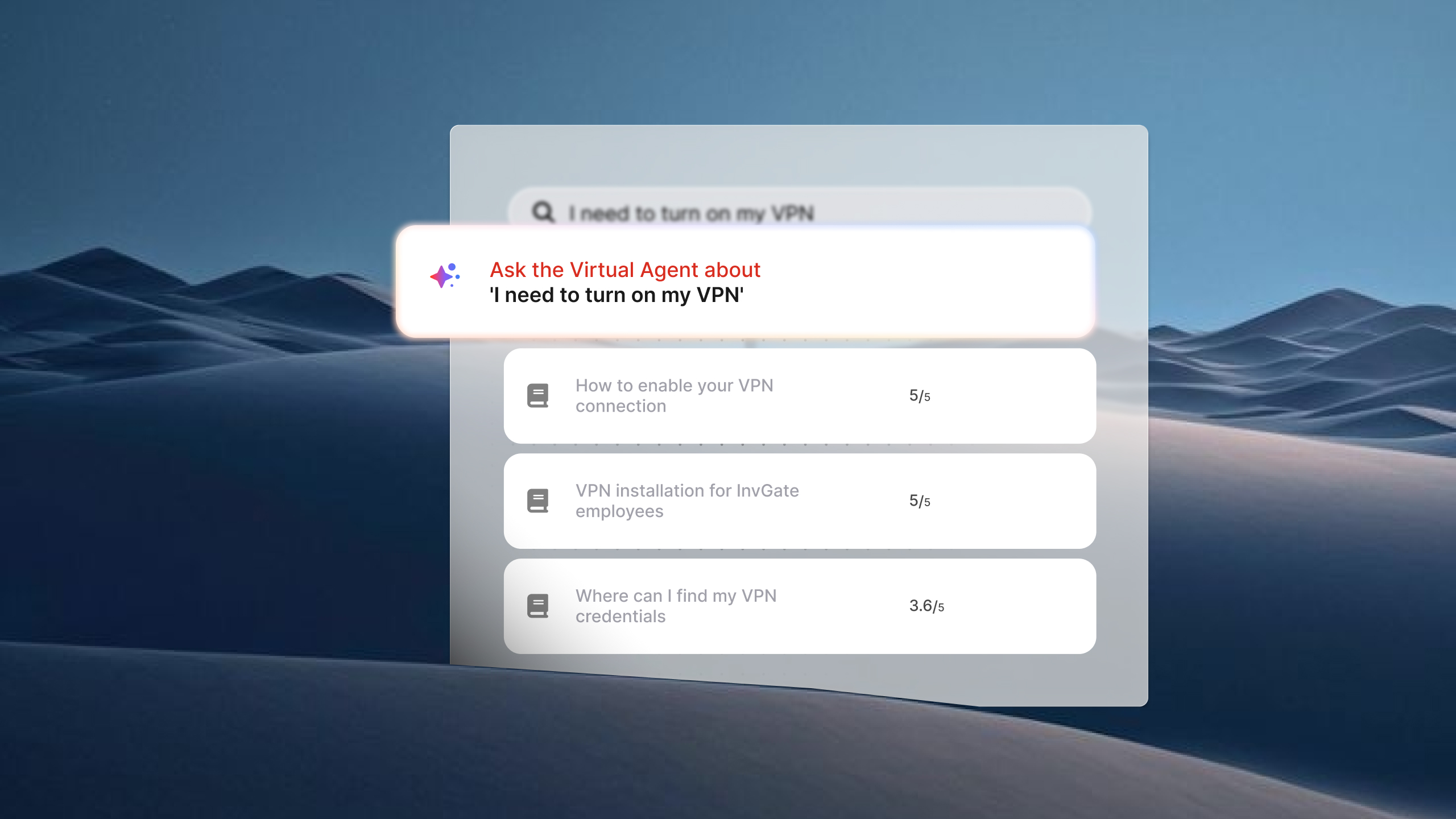
Service desk teams are under constant pressure to resolve tickets faster, but improving efficiency isn't only about handling requests more quickly. Another opportunity is reducing the number of tickets that need to be handled in the first place.
That's the role of ITSM request deflection. When users can solve routine issues through self-service, automation, or AI, they get immediate support without waiting for an agent, and the service desk can focus on work that requires human expertise. Here's how request deflection works in ITSM and how to improve it.
Key takeaways
- Request deflection in ITSM is the process by which a user resolves their need without a ticket ever being created — through self-service, the service catalog, or a virtual agent..
- A healthy deflection rate frees agents for higher-complexity work, reduces operational costs, and improves the employee experience.
- Improving deflection rate requires identifying coverage gaps — not just activating tools.
What is request deflection in ITSM?
In ITSM, request deflection (also called ticket deflection) is the process of resolving a user's need before a service request or incident ticket is created. Instead of contacting the service desk, users find the information they need, complete a task through self-service, or receive assistance from an AI assistant or chatbot. The issue is resolved without agent intervention, so no ticket enters the queue.
The idea is similar to customer service, but ITSM places it within a structured service delivery framework. Every request that reaches the service desk typically enters a defined process—such as Incident Management or Service Request Management — with routing, prioritization, SLAs, approvals, and reporting. Request deflection prevents routine work from entering those workflows when users can resolve it themselves or complete the task through automation.
That makes request deflection more than a way to reduce ticket volume. It helps preserve service desk capacity for incidents, non-standard requests, and issues that require investigation or decision-making, while routine requests—such as password resets, software access, VPN setup, or knowledge lookups—are resolved through self-service, automation, or AI.
Request deflection vs. automation vs. containment
These three concepts often appear in the same conversation, but they describe different outcomes:
-
Deflection is when the user resolves their need independently — either by finding an answer in the knowledge base, completing a self-service workflow, or getting a response from a virtual agent that closes the loop. No human agent is involved, and no ticket is opened.
-
Automation is when the system performs the work on the user's behalf. The user submits a request, and the system handles the execution — for example, automatically resetting a password or provisioning access without agent intervention. Automation can enable deflection (if the user never needed to open a ticket), but it can also operate inside a ticket workflow. The distinction matters: automation is about who does the work; deflection is about whether the ticket existed at all.
-
Containment is where it gets more nuanced, especially in ITSM. In customer service, containment typically refers to a conversation that stayed within the chatbot channel — even if the user didn't fully resolve their issue. In ITSM, the picture is different. If your virtual agent captures the user's request, helps them describe the issue accurately, and generates a structured ticket with full context, that's not a failure — it's a better ticket. Whether that interaction counts against your deflection rate or not is a measurement decision, not a process failure. First-contact resolution (FCR) measures something adjacent but different: whether the issue was resolved the first time it was handled, regardless of channel. In ITSM, FCR typically counts human resolutions; a virtual agent interaction that generates a ticket doesn't register as FCR even if it was handled efficiently.
The short version: deflection means no ticket. Automation means the system acts. Containment means the conversation stayed in channel, whether or not it resolved. All three can coexist in the same setup, and they're not interchangeable.
Why most IT queues have a deflection problem
The body of the average service desk carries a structural load of low-complexity, high-frequency requests: password resets, access requests, VPN issues, software installs. These requests are predictable, repeatable, and resolvable — and they consistently land in the queue anyway.
When that happens, the cost is not just time. Skilled agents spend their day on work that could have been self-served. The queue backs up. Users wait longer than the complexity of their request warrants. And the agents who should be handling incidents, managing changes, or supporting critical systems are instead processing access requests that a well-configured service catalog could have handled automatically.
The deflection problem is usually not a tooling problem. Most organizations that struggle with low deflection rates have a knowledge base, a service catalog, and some form of self-service portal. The gap is coverage: the right answer is not surfaced at the moment the user needs it, the catalog is organized around IT's internal logic rather than the user's language, or the virtual agent doesn't have enough content to resolve the requests it receives. The tools exist; the connections are missing.
The three mechanisms of request deflection
Request deflection doesn't happen through a single channel. There are three core mechanisms, each operating at a different point in the user's journey — ordered here from least to most proactive.
1. Knowledge base
The user searches for an answer before opening a ticket, finds a relevant article, and resolves the issue independently. Simple in theory; the execution depends on two conditions: the content exists, and it surfaces at the right moment.
The most effective knowledge base integrations don't wait for the user to navigate to a separate help center. In a well-configured IT self-service portal, article suggestions appear as the user begins describing their issue or selecting a category — right at the point of intent, before they complete the request submission. That timing is what converts a potential ticket into a deflected request. A knowledge base that lives in a sidebar no one visits doesn't deflect much.
2. Automated workflows via the service catalog
The user navigates the catalog, selects the right category, fills in the required fields — and the system handles the rest. If the request type has been configured with an automated workflow (provisioning access, resetting credentials, onboarding a new user), the ticket may never require agent involvement at all.
This mechanism's effectiveness depends almost entirely on how the catalog is structured. A catalog organized around IT's internal taxonomy — by team, by system, by technical category — makes users guess where their request belongs. A catalog organized around user language and need ("I need access to a system," "I'm having trouble with my computer," "I need to request equipment") has higher adoption and higher deflection rates, because users reach the right workflow on the first attempt.
3. Virtual chatbots and virtual service agents
A conversational agent intercepts the request in the channel where the user already works — the portal, Microsoft Teams, WhatsApp — responds using the knowledge base and closed ticket history, and escalates only when necessary, with context already captured. This is the most proactive mechanism: it doesn't wait for the user to know where to go.
There are two broad categories: rule-based chatbots, which follow decision trees and scripted flows, and AI-based virtual service agents, which use natural language understanding to interpret the user's request and match it to relevant content. Rule-based bots are predictable and easy to audit; they work well for high-volume, well-defined request types. AI-based VSAs handle a wider range of phrasing and intent, which matters in environments where users describe issues in their own words rather than selecting from a structured menu.
The practical difference at the deflection level: a rule-based bot deflects the requests it was explicitly programmed to handle. An AI-based VSA can deflect requests it wasn't pre-configured for, as long as the underlying knowledge content exists.
How to improve request deflection with InvGate Service Management
Understanding the mechanisms is step one. The operational question is: where do you start, and how do you move the number? Here's a practical sequence using InvGate Service Management.
Step 1: Identify where coverage is missing
You can't improve deflection rate without knowing which requests are falling through. In InvGate Service Management, the AI Hub's Virtual Service Agent Report shows topics with zero knowledge coverage: requests that users are already bringing to the VSA but for which no article exists. That list is the most direct input you have for prioritizing new content — it reflects real demand from your actual users, not assumptions about what they might search for.
This is the right starting point because it separates two failure modes: requests the VSA is handling well (deflecting) and requests the VSA is receiving but can't resolve (escalating to ticket). The second group is your immediate opportunity.
Step 2: Build and connect your knowledge base
Once you know the gaps, InvGate Service Management gives you a direct way to close them. Agents can turn resolved tickets into knowledge base articles with AI, and refine those articles in place with AI-assisted improvements for tone, length, and clarity.
Knowledge Discovery adds a proactive layer on top of this. The system analyzes recent closed tickets and generates Knowledge Snippets based on how similar requests were resolved in the past. Agents review and approve those snippets before anything goes live, so publishing stays governed and nothing reaches users without human approval. Once approved, the snippets appear as suggestions that add up to what the VSA can offer, which means gaps get surfaced and closed before they show up as a pattern of escalations.
This matters because a VSA is only as good as what it can reference. Knowledge Discovery keeps that content moving forward continuously, rather than depending on agents to catch every gap manually.
Step 3: Structure your service catalog around user language
A service catalog built around IT's internal organization — teams, systems, technical categories — is one of the most common and fixable causes of low deflection rates. When users can't identify where their request belongs, they submit to the wrong category, get rerouted, or skip the catalog entirely and email someone directly.
In InvGate Service Management, the service catalog is configurable without code. Categories, subcategories, custom fields, and routing logic can all be set up and adjusted by the IT team without development involvement. Structuring the catalog around the user's language and intent — what they're trying to accomplish, not which team handles it — increases adoption and routes requests to automated workflows more reliably. The catalog is also accessible directly from Teams, WhatsApp, and the VSA portal, so users encounter it in the channels they already use.
Step 4: Deploy the VSA across the channels where users already are
A self-service portal that users have to seek out will always have lower adoption than a virtual agent available inside the tool someone is already using. InvGate Service Management's Virtual Service Agent in InvGate Service Management operates in the self-service portal, Microsoft Teams, and WhatsApp.
It doesn't require manual training to get started: it connects to the knowledge base and closed ticket history from initial deployment. Requests intercepted in channel don't generate a ticket when the VSA resolves the need directly. When escalation is necessary, the context captured during the conversation carries over, so agents receive a structured ticket rather than an empty one.
Channel coverage matters here. A VSA that only lives on the portal intercepts requests from users who were already trying to self-serve. A VSA available in Teams intercepts requests from users who would otherwise have sent a message to the IT team directly — a segment that typically generates a disproportionate share of unstructured, hard-to-measure ticket volume.
Step 5: Track deflection rate by topic
Overall deflection rate tells you very little on its own. A single number can look healthy while hiding categories that never work.
Breaking deflection rate down by topic shows which types of requests get resolved reliably and which ones consistently end up with an agent. That's the real signal to act on.
When a category keeps escalating, there are usually two explanations. The content covering that topic is thin, which you can fix by expanding what the assistant knows. Or the request type isn't something a virtual agent can resolve on its own, since it needs human judgment, an approval, or access to a system the assistant can't reach.
Telling these two cases apart tells you where to keep improving and where to stop trying, and it's one piece of a larger set of KPIs to measure your virtual agent's performance that together show whether the assistant is actually earning its place in the workflow.
InvGate Service Management applies this directly to the Virtual Service Agent. Conversations are broken down by topic, with deflection rate calculated per category, so you can see exactly which topics the VSA handles well and which ones need attention.
Request a 30-day free trial to see how InvGate Service Management works in practice.
Frequently asked questions
There's no universal benchmark, and any specific percentage cited without a source should be treated skeptically. Deflection rate varies significantly by organization size, industry, tool maturity, and the share of low-complexity requests in the overall ticket mix. A more useful frame than a target number: track your deflection rate by topic over time, and measure whether it improves after specific interventions (new knowledge articles, catalog restructuring, VSA deployment). The trend matters more than the absolute value.
A virtual service agent intercepts requests at the point of submission — in the portal, in Teams, or in WhatsApp — and attempts to resolve them using knowledge base content and closed ticket history before a ticket is created. When it succeeds, no ticket is generated. When it can't resolve the request, it escalates with the context it captured, which improves ticket quality even when deflection doesn't occur. The key variable is knowledge coverage: a VSA without sufficient content will escalate most requests regardless of how sophisticated its underlying model is.
Yes. A well-structured knowledge base and a service catalog with automated workflows can deflect a significant volume of requests without any conversational AI involved. AI-based virtual agents expand the coverage — they handle a wider range of phrasing and can match requests to content even when the user doesn't know the right terminology — but the foundation is content and catalog structure. Teams that haven't addressed those two areas first tend to get limited value from AI-based deflection tools, regardless of the technology.
The core calculation is: deflected requests divided by total requests attempted, expressed as a percentage. In practice, the harder part is defining what counts as a "deflected request" — a user who read a knowledge article and closed the browser without submitting a ticket is difficult to measure without portal instrumentation. Virtual service agents make this more tractable: conversations that ended without generating a ticket are a direct, auditable measure of deflection. In InvGate Service Management, the AI Hub report surfaces this data by topic, so you can see not just your overall rate but which request categories are being deflected and which are escalating consistently.