













Summarize with
Table of contents
On-premise help desk software remains a requirement for many organizations in healthcare, finance, government, defense, and other regulated industries. While cloud deployment has become common, data residency rules, security frameworks, audit requirements, and internal governance policies often limit where service management tools can run and how data can be handled.
This guide compares leading on-premise help desk platforms, explains how to build a shortlist, and outlines the technical and operational factors that matter during evaluation and deployment — including infrastructure compatibility, security controls, customization options, integration requirements, and long-term maintenance considerations.
Key takeaways
Deployment architecture shapes far more than where the application runs. It determines how the help desk fits into the organization's infrastructure, what security controls can be enforced, how data moves between systems, and which team is responsible for maintaining the platform over time.
An on-premise deployment changes the evaluation process from the start. Instead of looking only at ticketing features, automation, and self-service capabilities, IT teams need to verify infrastructure compatibility, supported databases and operating systems, authentication methods, network requirements, high availability options, backup and disaster recovery strategies, upgrade procedures, and integration with existing monitoring, identity, Asset Management, and security tools.
Governance and compliance requirements add another layer to that assessment. Organizations may be required to keep service desk data within specific jurisdictions, operate in private or isolated networks, restrict administrative access, retain control over encryption keys, or document how ticket data is stored, processed, retained, and deleted throughout its lifecycle. Those requirements influence which products can realistically be deployed long before workflow design or service catalog configuration enters the discussion.
The solutions below were selected because they offer on-premise, self-hosted deployment alongside the Service Management capabilities organizations typically evaluate, such as incident and request management, workflow automation, reporting, integrations, and self-service.
In an on-premise deployment, the help desk application runs on infrastructure controlled by the organization, whether that consists of physical servers in a data center or virtual machines within a private environment. The organization determines where ticket data is stored, who can access the underlying systems, how backups are managed, and when updates are applied.
That definition matters because the market has blurred it. Vendors frequently use terms such as private cloud, dedicated instance, or single-tenant hosted deployment to describe environments that ultimately remain under the provider's operational control. While those models may offer greater isolation than a multi-tenant SaaS platform, the application still runs on infrastructure owned and managed by the vendor, subject to the provider's access controls, maintenance procedures, and operational policies.
For regulated organizations, the difference is significant. Requirements related to data residency, privileged access management, auditability, encryption key ownership, and network segregation depend on who controls the infrastructure rather than whether the environment is shared with other customers.
The verification question is straightforward: who owns and administers the systems where the application and its data reside? If the answer is the vendor, the deployment is hosted, regardless of the terminology used to describe it.
In a self-hosted help desk, data lives in four places, all inside the organization's environment: the application server, the database, the backup targets, and the log stores. On-premise deployment keeps each of these within a known physical or virtual boundary — a specific data center, region, or network segment — which is what data residency and data sovereignty requirements are written to enforce.
That physical location determines several things at once. It sets which jurisdiction's laws govern the data. It defines which teams hold the encryption keys. It fixes where backups are written and how long they are retained. It establishes which network segments the data traverses. In a hosted model, some or all of these controls sit with the provider; in a self-hosted deployment, they sit with the organization.
For a bank subject to national data localization rules, a hospital storing electronic health information, or a government agency operating under data sovereignty mandates, storage location functions as a documented control. Auditors ask where the data is, who can reach it, and how that is proven. On-premise deployment answers all three from infrastructure the organization already governs.
Organizations operating under strict data governance requirements often need to control and document every external access path into their environment. For that reason, evaluating an on-premise deployment should go beyond where the software runs and include how the vendor interacts with the system after implementation.
Ask vendors:
The answers help determine whether the deployment model aligns with the organization's security, audit, and compliance requirements.
Cloud deployment is a viable option for organizations that can delegate infrastructure management and data hosting to a provider. Regulated industries must first determine whether their compliance obligations allow that level of delegation.
Healthcare organizations handle support requests related to electronic health record systems, clinical applications, medical devices, identity management, and patient-facing services. As a result, service desk records frequently fall within the scope of HIPAA security controls.
Key requirements include:
Organizations that keep service desk data within their own environment gain direct control over these requirements and avoid introducing additional third-party hosting considerations.
Financial institutions use help desks to manage incidents, access requests, system changes, and operational issues involving regulated systems. Those records frequently become part of internal audits, compliance reviews, and security investigations.
Key requirements include:
The deployment model affects how those controls are implemented and how audit evidence is collected, retained, and produced.
Government agencies and defense organizations frequently operate within highly restricted environments where external connectivity, third-party access, and data location are tightly controlled.
Key requirements include:
In classified, restricted, or mission-critical environments, cloud deployment may not be permitted regardless of feature set.
Organizations operating under GxP requirements must maintain control over systems that support regulated processes. Software changes, upgrades, and operational procedures often require documentation, testing, approval, and validation.
Key requirements include:
On-premise deployment allows organizations to determine when changes occur and how they are validated before reaching production environments.
Educational institutions, public sector organizations, legal firms, critical infrastructure operators, and research organizations may face similar requirements around data governance, access controls, auditability, and third-party risk management.
Universities and research institutions often manage student records, financial information, identity systems, and sensitive research data. Utilities, energy providers, transportation operators, and telecommunications companies frequently operate within highly segmented environments where external connectivity and vendor access are tightly controlled. Legal organizations must protect confidential client information and maintain strict controls over who can access operational records.
While the regulations differ across industries, the evaluation criteria remain largely the same: where data is stored, who can access it, how changes are managed, and whether the organization can demonstrate compliance during audits, reviews, and security assessments.
Once you've confirmed on-premise is the right deployment model, the evaluation criteria shift. Feature-level comparisons matter less than deployment-level requirements. Here are the six areas that deserve scrutiny before signing:
Most organizations in regulated industries face the same dilemma: the on-premise tools available are either legacy platforms that lack modern workflow automation, or modern platforms that don't support true on-premise deployment. The result is either a help desk that passes compliance review but creates operational friction, or a capable tool that fails the security audit.
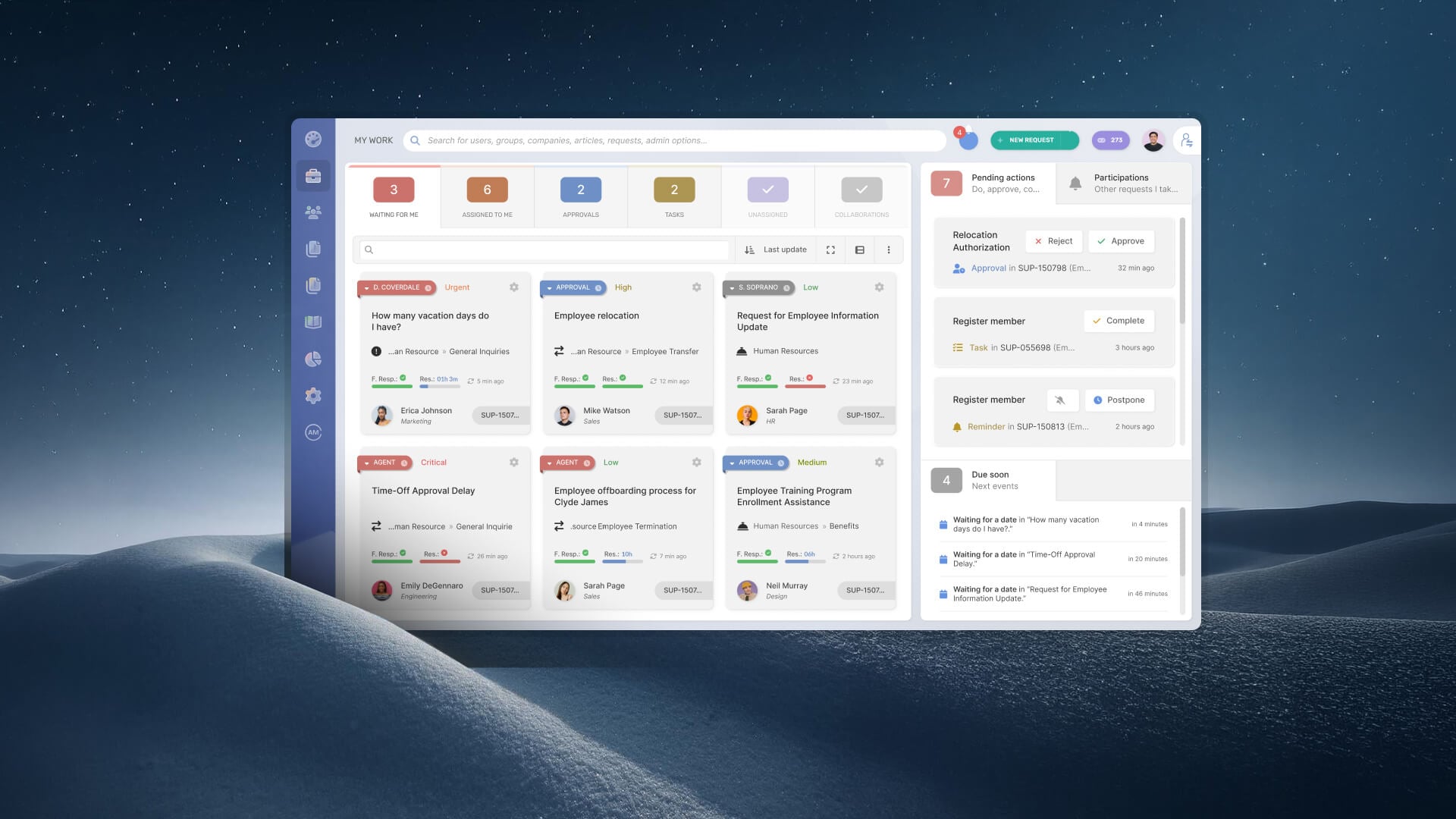
InvGate Service Management addresses both sides of that problem. It supports genuine on-premise deployment — data inside your infrastructure, on your terms — while providing the no-code workflow automation, ITSM process coverage, and self-service capabilities that modern IT teams expect.
Here's how the deployment works in practice:
1. Deployment on Windows or Linux. InvGate Service Management installs on your own server infrastructure running Windows or Linux. The application, database, and all ticket data remain within your network. There's no mandatory connectivity to InvGate's cloud infrastructure for the service desk to function.
2. Active Directory and LDAP integration. The platform authenticates end users against one or more LDAP servers, including Active Directory, as well as Microsoft and Google corporate accounts. This means user provisioning, deprovisioning, and access control flow through your existing identity management system. SSO and MFA are available, aligning with identity requirements common in regulated environments.
3. Role-based access control. Permissions in InvGate Service Management are configurable by group, role, and assignment. You can restrict which agents access which ticket categories, which departments' requests are visible to which teams, and what actions different roles can take. This granularity matters when different support queues touch data of varying sensitivity — for example, separating HR service requests from IT infrastructure tickets in a healthcare setting.
4. Audit trail. Every action on a ticket is logged: creation, status changes, assignments, comments, approvals, and access events. The audit trail is available for internal review and can be exported for external audits. For organizations subject to SOX, PCI DSS, or internal compliance requirements, this means the help desk can serve as a documented control, not just an operational tool.
5. No-code workflow builder. InvGate Service Management includes a visual workflow builder that allows teams to configure approval chains, escalation rules, SLAs, and Change Management processes without writing code. Multi-level approval workflows — common in regulated Change Management processes where changes to production systems require sign-off from multiple stakeholders — are configurable through the interface. This means the platform can enforce your compliance-required process controls without a development engagement every time a workflow needs to change.
6. Implementation timeline. On-premise deployment of InvGate Service Management typically runs 2-4 weeks, including authentication configuration, workflow setup, and service category definition. That's faster than most enterprise ITSM alternatives in this category, and it reduces the window during which teams work around an incomplete tool.
If your organization is evaluating InvGate Service Management for on-premise deployment, request a demo with the team to walk through the deployment model and configuration options for your specific environment.
If your organization hasn't fully closed on deployment model yet, the choice doesn't have to be made by committee or consensus. It can be driven by three direct questions:
Does your regulatory framework explicitly mandate data residency or data sovereignty? Many data localization laws contain provisions that restrict where certain data can be processed or stored. If the answer is yes — or if your legal team's interpretation tends toward conservative — on-premise gives you the clearest audit trail for residency compliance.
Does your security team require control over patches, backups, and network access? In regulated environments, security and compliance teams may require direct control over automatic updates from external sources or that back up data to vendor-controlled storage. On-premise puts those decisions in your hands: you decide when patches are applied, where backups go, and who can access the network segment the tool runs on.
Do you operate in air-gapped environments or with restricted external connectivity? Some environments — classified government systems, critical infrastructure OT networks, isolated research environments — can't maintain reliable connectivity to external services. Cloud help desks require it. On-premise doesn't.
If none of these requirements apply, cloud deployment becomes a much simpler decision to justify. In that scenario, factors such as implementation speed, infrastructure overhead, and operational efficiency may carry more weight than deployment architecture.
InvGate Service Management supports both models — organizations that don't operate under the constraints above can use the same platform in cloud deployment and access the same workflow and ITSM capabilities. For organizations that need to extend the help desk model beyond IT into HR, facilities, legal, and other departments, Enterprise Service Management capabilities are available in both deployment modes.
Is on-premise software more secure than cloud for regulated industries?
Not necessarily in absolute terms — but in regulated environments, what matters is control: specifically, control over where data resides, who can access it, and when updates are applied. On-premise deployment provides that control in full. Cloud security, at the infrastructure level, is often strong — but it's the vendor's security posture, not yours. For industries where your compliance team needs to own that posture directly, on-premise is the cleaner answer.
What regulations typically require on-premise or internal deployment?
HIPAA in healthcare, SOX in financial services, and FedRAMP in U.S. federal government create the clearest cases. GDPR doesn't require on-premise, but it restricts cross-border data transfers and places obligations on data processors that some organizations satisfy more cleanly by keeping data on internal infrastructure. Sector-specific data localization laws in various national jurisdictions — covering telecommunications, energy, and government services — may also restrict which infrastructure can host certain categories of data.
Does InvGate Service Management support on-premise deployment?
Yes. InvGate Service Management installs on Windows or Linux servers within your own infrastructure. Data remains inside your network. Authentication integrates with Active Directory and LDAP, RBAC is configurable at the group and role level, and a complete audit trail is available for internal and external review. For current information on specific compliance certifications, contact the InvGate team directly.
How complex is the implementation of an on-premise help desk?
It depends significantly on the vendor. InvGate Service Management on-premise implementations typically complete in 2-4 weeks, covering server installation, authentication configuration, workflow setup, and service category definition. The no-code configuration model means most of that time is setup and testing, not custom development. The InvGate implementation team supports the process throughout.
Are on-premise and air-gapped the same thing?
No. On-premise means the software runs on your servers — but those servers may still have standard network connectivity, including internet access. Air-gapped means the servers have no connectivity to external networks at all: no internet, no vendor update feeds, no outbound telemetry. InvGate Service Management supports on-premise deployment in both configurations, including environments with no external connectivity.
Clear pricing
No surprises, no hidden fees — just clear, upfront pricing that fits your needs.
View PricingEasy migration
Our team ensures your transition to InvGate is fast, smooth, and hassle-free.
View Customer ExperienceService Management
Learn
Compare With

