A service desk manager evaluates ITSM software differently than an IT director, CIO, or procurement team. Daily responsibility sits closer to operational performance: ticket backlogs, SLA compliance, workload balancing, escalation management, reporting accuracy, and agent productivity.
The wrong platform creates administrative work, inconsistent processes, limited visibility into service performance, and reporting gaps that make it difficult to identify recurring issues. Feature lists alone rarely reveal those problems during an evaluation.
In this guide, we'll examine the capabilities service desk managers should prioritize, the operational requirements that matter after deployment, and the best ITSM software options for managing modern service desk operations at scale.
Key takeaways
- The features that matter most for managers: team-level dashboards, SLA breach alerts, no-code workflow configuration, and reporting that travels up to a director or CIO without manual work.
- Tools that let managers configure routing rules, SLA policies, and escalation paths without opening a support ticket with the vendor are what separate functional platforms from administrative burdens.
- This list covers platforms built for the full scope of service desk management: not just ticket intake, but process control, visibility, and team performance.
- No single platform is best for every team — use the evaluation criteria here before shortlisting.
How to evaluate ITSM software as a service desk manager
Most ITSM evaluations are written for buyers who want a ticketing system. Service desk managers need something different: a platform that gives them a management layer on top of what agents use day to day.
What a service desk manager does is fundamentally about operating a function, not just resolving tickets. That means controlling how work flows, knowing where the team stands at any moment, and producing data that makes sense to a CIO or director — without spending two hours assembling a spreadsheet before every weekly meeting.
Three dimensions drive whether an ITSM platform actually works for a manager:
-
Configuration autonomy. Can the manager change a routing rule, update an SLA policy, or add an escalation step without filing a ticket with the vendor or waiting on a developer? Platforms that require professional services for every configuration change create a dependency that defeats the purpose of running an agile service desk.
-
Operational visibility. Does the platform surface team-level performance — not just individual ticket status? FCR trends, SLA compliance by category, backlog by agent, resolution time by request type — these are manager metrics, not agent metrics. If pulling them requires an export and a pivot table, the platform is working against you.
-
Stakeholder reporting. Directors and CIOs don't need ticket counts. They need service health, SLA compliance trends, and cost-per-resolution signals. The right platform makes this view available directly, without manual data wrangling.
-
SLA management and breach alerts: Can the system set different SLA targets by ticket category, priority, or department? Does it alert you before a breach happens — not after? Does it reassign or escalate automatically when a threshold is crossed? Reactive SLA tracking is table stakes. Proactive alerting with automated escalation is the bar.
-
Reporting for stakeholders: Can you produce a clean service health report for a director or CIO without assembling it manually? Look for configurable dashboards that can be filtered by audience, exported on a schedule, and shared with stakeholders who don't have agent licenses.
The best ITSM software for service desk managers: our picks
Methodology note: InvGate develops and sells InvGate Service Management, one of the products included in this comparison. The same evaluation criteria apply to every platform listed. Features and review scores are sourced from public product pages, official documentation, and verified review platforms (Gartner Peer Insights, G2, Capterra).
1. InvGate Service Management
Best for: Mid-market and enterprise teams that need no-code ITSM with strong ESM expansion potential and fast time to value.
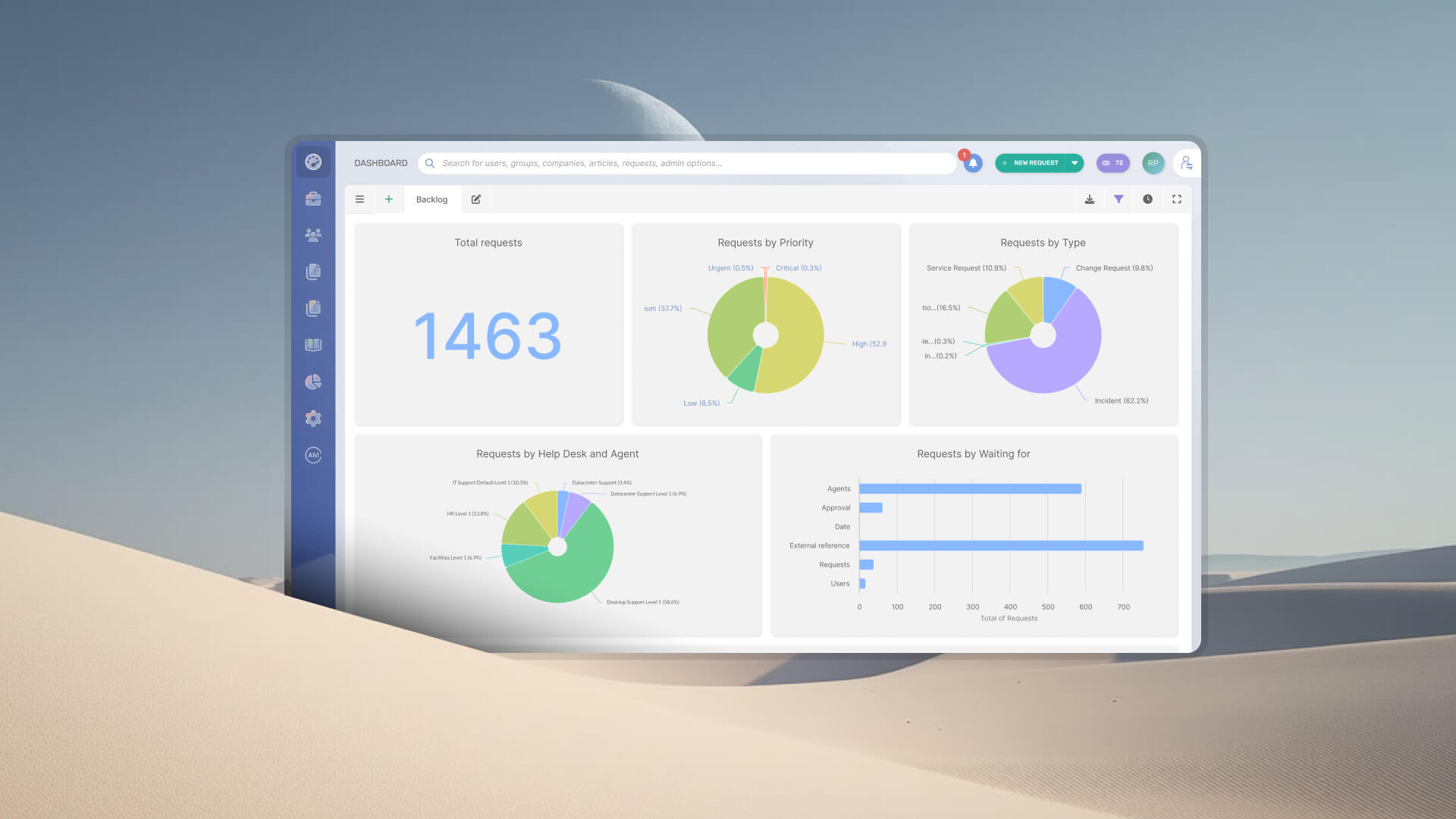
Key manager-facing features: InvGate Service Management is built around the premise that IT and operations teams should be able to configure their own processes. The Visual Workflow Builder lets managers create and modify workflows, routing rules, SLA policies, and escalation paths with a drag-and-drop interface — no scripting, no vendor involvement. Dashboards are configurable with over 150 metrics, covering resolution times, SLA compliance, backlog by category, and agent workload. Reports and dashboards can be filtered by audience and shared with non-IT stakeholders, including directors and CIOs, without requiring additional licenses. The platform includes a self-service portal with a knowledge base and an AI service desk with 18 native AI capabilities — a Virtual AI Service Agent, ticket categorization, and response suggestions — included across all plans. SLA management is embedded directly into workflows: timers, escalations, and status changes trigger automatically, and aggregated views are available for leadership without manual reporting cycles.
SLA & reporting: Multi-policy SLA management with automatic escalation and breach alerts. Configurable dashboards shareable with stakeholders without agent licenses. Aggregated executive views focused on trends and service health.
Gartner Peer Insights score: 4.8/5
ServiceNow IT Service Management
Best for: Large enterprises with dedicated platform admin teams and complex, multi-department service operations.
Key manager-facing features: ServiceNow is the widest-deployed ITSM platform in the enterprise segment. It enables the management of incidents, requests, problems, changes, and configurations in a centralized platform, with analytics and AI-powered workflows. Reporting depth is significant at enterprise scale, and the platform's configurability allows highly tailored workflows across departments. Its Now Assist AI engine integrates multiple LLMs for generative AI capabilities.
SLA & reporting: Robust reporting with advanced filters. SLA management across complex environments. Stakeholder dashboards configurable, though typically requiring admin involvement to build.
Gartner Peer Insights score: 4.3/5
Freshservice
Best for: Teams that want fast deployment, clean UX, and strong automation without heavy admin overhead.
Key manager-facing features: Freshservice no-code Workflow automator handles routing, escalation, and fulfillment without technical involvement. SLA policies can be configured per service category with separate response and resolution targets. Freddy AI, natively embedded, helps agents resolve issues faster and gives leaders insights for decision-making. Analytics includes SLA trend tracking, agent performance dashboards, ticket volume analysis, and workload distribution.
SLA & reporting: Native analytics layer with SLA trend tracking and agent performance dashboards. ESM capabilities allow expansion to HR, Facilities, and Finance without a separate platform.
Gartner Peer Insights score: 4.4/5
Jira Service Management
Best for: Teams running a DevOps or Atlassian toolchain who need tight alignment between service desk and development workflows.
Key manager-facing features: Developed by Atlassian, Jira Service Management combines help desk capabilities with DevOps practices. It's a cloud-first platform with a data center option for on-premises deployment. Managers can configure customizable workflows, automate routine tasks, and access real-time reporting. Its native integration with Jira Software and Confluence keeps service work connected to development and documentation without requiring separate tool access.
SLA & reporting: Reporting surfaces SLA compliance rates, backlog trends, and team performance metrics. Automation builder handles routing, escalation, and fulfillment with no-code configuration.
Gartner Peer Insights score: 4.5/5
SysAid
Best for: Teams that want deep AI integration throughout the service management experience, including an AI chatbot for both end users and agents.
Key manager-facing features: SysAid positions itself as a comprehensive ITSM platform with generative AI implemented throughout the service experience. SysAid Copilot includes an AI Chatbot for End Users that enables self-resolution around the clock, and an AI Chatbot for Agents that prioritizes tickets and surfaces response suggestions from the knowledge base. The platform includes an asset management module, self-service portal configuration, and reporting tools. It serves organizations ranging from small businesses to enterprise across 140 countries.
SLA & reporting: SLA management and reporting included. The platform includes tools for tracking performance and service quality.
Gartner Peer Insights score: 4.4/5
ManageEngine ServiceDesk Plus
Best for: Mid-sized to large organizations that need broad ITSM functionality across incident, problem, change, and asset management at a cost-effective price point.
Key manager-facing features: ServiceDesk Plus is an IT service management platform that covers incident management, problem resolution, asset tracking, change management, and a self-service portal. It supports workflow automation, knowledge base creation, SLA management, and reporting and analytics for monitoring performance metrics. The software can support multiple teams beyond IT — operations, QA, and facilities — through multi-department workflows.
SLA & reporting: SLA management with workflow-level automation. Reporting and analytics for performance monitoring. Advanced reporting and integration scenarios may require additional configuration.
Gartner Peer Insights score: 4.4/5
BMC Helix ITSM
Best for: Large enterprises requiring ITIL-aligned service management with strong AI agent capabilities and multi-cloud deployment flexibility.
Key manager-facing features: BMC Helix ITSM supports incident, problem, change, asset, and service request management with workflow automation, knowledge management, ticketing, and self-service portals. The platform has invested in AI agents — including a virtual agent chatbot — that route low-level tickets and support automation of repetitive tasks. It's designed for cloud and hybrid environments and supports compliance with ITIL practices. Multi-user collaboration, built-in and custom workflows, and templates help standardize service delivery.
SLA & reporting: Service performance tracking and compliance reporting. Dashboard functionality exists but some users report limitations in dashboard flexibility at scale and slow performance with large data volumes.
Gartner Peer Insights score: 4.4/5
SolarWinds Service Desk
Best for: Teams that need fast deployment and core ITSM coverage without heavy customization requirements.
Key manager-facing features: SolarWinds Service Desk is a cloud-based ITSM platform covering incident management, problem management, change management, and asset management. It includes a configurable service catalog and self-service portal. Workflow automation handles service requests and repetitive tasks. The platform provides centralized visibility and reporting for IT operations. Users consistently note its ease of adoption and clean interface as strengths — staff can log requests without significant training.
SLA & reporting: Centralized reporting and visibility for IT operations. Core ITSM SLA management included. Some users report that reporting lacks depth and flexibility for advanced manager use cases.
Gartner Peer Insights score: 4.3/5
Disclaimer: All product names, logos, and brands are property of their respective owners. All company, product, and service names used on this site are for identification purposes only. Use of these names, trademarks, and brands does not imply endorsement. Comparisons are based on publicly available information as of April 2026 and are provided for informational purposes only. ServiceNow is a registered trademark of ServiceNow, Inc. InvGate is not affiliated with, sponsored by, or endorsed by ServiceNow.
How to choose the right ITSM platform as a service desk manager
The right platform depends less on feature lists and more on the operational reality of your team and where you need to report.
Manager with a small team and urgency to ship: Prioritize no-code setup, fast time to value, and SLA management that works out of the box. Platforms with pre-built workflows and templates reduce the time between purchase and a functioning service desk from weeks to days. Avoid platforms where basic configuration requires a professional services engagement.
Manager growing toward ESM: Prioritize platforms that can expand to HR, Facilities, or Finance without a second implementation. The cost isn't just the re-implementation project — it's retraining the team, migrating data, and rebuilding stakeholder reporting. Evaluating ESM potential upfront is cheaper than switching later. For a size-specific evaluation, see best ITSM software for mid-market companies.
Manager reporting to a CIO or director: Prioritize configurable dashboards, exportable reports, and audit trails. The platform should make it easy to show SLA compliance trends, service health, and cost signals without manual assembly. If a vendor can't demo stakeholder-ready reporting in the sales process, assume it requires significant configuration work to produce.
When presenting a shortlist to a director or CIO, lead with outcomes rather than features. Frame the evaluation around three questions: What does this platform change about how we respond to SLA breaches? What does the reporting layer give leadership that they don't have today? What can we configure ourselves if the business changes in six months? Those questions surface the management layer — and that's where the real differentiation between platforms lives.
FAQs
What is the best ITSM software for service desk managers?
The best ITSM platform for a service desk manager is one that gives control at the management layer: no-code configuration of workflows, SLA policies, and routing rules without vendor dependency; team-level dashboards that surface FCR, SLA compliance, and backlog data in real time; and reporting that reaches directors and CIOs without manual assembly. The right answer varies by team size, IT maturity, and ESM expansion plans — which is why the evaluation criteria in this guide matter more than any single ranking.
What features should a service desk manager look for in ITSM software?
The five features that most directly affect how a manager operates: no-code workflow configuration (so you can iterate independently), team-level dashboards (FCR, SLA compliance, backlog, resolution time), SLA management with automatic breach alerts and escalation, AI-powered ticket routing to reduce manual triage, and stakeholder-ready reporting that can be shared with directors or CIOs without manual data wrangling.
Is ServiceNow a good choice for service desk managers?
ServiceNow is a strong platform for large enterprises with dedicated admin teams and complex cross-department service operations. For a service desk manager who needs to configure and iterate independently — adjusting SLA policies, routing rules, or escalation paths without involving a specialized consultant — the platform's configuration complexity is a real constraint. It's well-suited to organizations with the resources to support it; it can be a poor fit for managers who need operational agility without vendor dependency.
How is ITSM software different from a basic help desk for managers?
A basic help desk gives a team a place to receive and track tickets. An ITSM platform gives a manager a layer on top of that: process control, SLA enforcement, team-level performance visibility, and reporting that goes beyond ticket counts. The difference is between a tool that handles incoming work and a platform that lets you run the function — including knowing where the team stands, where SLAs are being missed, and what to show a director when they ask how the service desk is performing.