Managing IT support across multiple locations adds a layer of complexity that most service desk tools aren't built to handle well. When each site has different coverage hours, different teams, and different service expectations, a single global SLA policy and a shared ticket queue stop being enough. You need a platform that can enforce location-specific rules, route requests automatically, and give central IT visibility across all sites — without requiring a separate deployment for each one.
This article breaks down the ITSM platforms best suited for multi-site environments: for each tool, we cover how it handles multi-location support specifically to help you compare.
Key takeaways
- Multi-site IT support fails when the ITSM platform treats all locations the same. The right tool supports per-site SLA policies, independent help desks, and location-aware ticket routing from a single instance.
- The most relevant evaluation criteria for distributed organizations are: multiple help desk configuration, automated routing by site, cross-location reporting, omnichannel intake for field workers, and ESM scalability.
- Enterprise platforms like ServiceNow handle multi-site at scale but carry significant cost and admin overhead. Mid-market alternatives close most of that gap without the implementation complexity.
- The best choice depends on number of sites, ticket volume per location, IT team size, and whether ESM expansion across non-IT departments is a requirement.
Why standard ITSM setups break down at multi-site organizations
A single office IT setup is forgiving. Everyone is in the same building, tickets go to the same team, and SLA hours match the same working schedule. Add a second location — or a tenth — and the cracks appear.
The structural problems are predictable:
- Tickets without location context. When users submit requests without site information baked in, agents route manually. That adds time, creates errors, and scales poorly.
- Uniform SLA policies across different realities. A warehouse in a different time zone has different coverage hours than a corporate office. An SLA that ignores this will breach constantly — or be set so loosely it's meaningless everywhere.
- No local visibility, no central reporting. Local IT leads can't see what's happening in their queue without digging. Central IT management can't compare site performance without exporting data manually.
- Field workers locked out of the portal. Employees on a warehouse floor or a retail counter don't sit in front of a computer. If the only intake channel is a web portal, they don't file tickets — or they call, which creates untracked work.
- One critical site incident = operational stoppage. Without routing logic that understands site priority or escalation paths by location, a single incident at a distribution center can stall operations while IT figures out who owns it.
What to look for in ITSM software for multi-site companies
Before evaluating vendors, define the capabilities that actually matter for distributed IT operations. These are the criteria applied consistently across every platform in this comparison. For a detailed walkthrough of how to configure these in practice, see multi-site support with InvGate Service Management.
-
Multiple help desk configuration. The platform should allow independent help desks per site — each with its own SLA, business hours, agent assignments, and service catalog — within a single instance. Separate instances per site create data silos and multiply admin overhead.
-
Automated routing by location. Ticket assignment should happen based on the user's location, the affected asset's location, or both. Manual routing at scale is a liability.
-
Per-site SLA policies. Service commitments need to reflect the actual coverage capacity of each site — different time zones, different staffing, different business criticality. A single global SLA is a fiction.
-
Cross-location reporting. Dashboards should allow comparison across sites: ticket volume, SLA compliance rate, backlog, CSAT. Without this, central IT management is flying blind.
-
Omnichannel intake for distributed workers. Users in the field need to open tickets from Teams, Slack, WhatsApp, or email — without requiring portal access. This isn't a nice-to-have for field-heavy organizations; it's a prerequisite.
-
ESM scalability. If Facilities, HR, or Maintenance at each location also need structured support workflows, the platform should extend to those departments without requiring a separate implementation.
-
Deployment flexibility. Some organizations have network restrictions or data residency requirements at certain locations. Cloud-only platforms may not be viable everywhere.
Best ITSM software for multi-site companies: 5 platforms compared
Methodology note: InvGate is an active vendor in this market. Several of the platforms evaluated below are direct competitors: even so, we aim to deliver accurate, honest, and practical information that helps you make the best decision. This comparison is based on publicly available documentation, official vendor resources, and verified review scores from Gartner Peer Insights, G2, and Capterra. All evaluations apply the same structure and criteria.
InvGate Service Management
InvGate Service Management is a no-code, ITIL-aligned platform built for IT teams that need to run multi-site or multi-department service operations without deploying separate instances per location. A single instance supports multiple help desks by location, each with its own calendar, time zone, and agent team — avoiding the confusion that arises when requests need to be resolved within local hours. Beyond IT, the platform connects processes and data across departments while still allowing each team to operate with its own structure, permissions, and workflows.
Multi-site capabilities:
- Multiple independent help desks within one instance, each with its own SLA policies, business hours, agent teams, and service catalog.
- Automated ticket routing based on user location or asset location, eliminating manual assignment at scale.
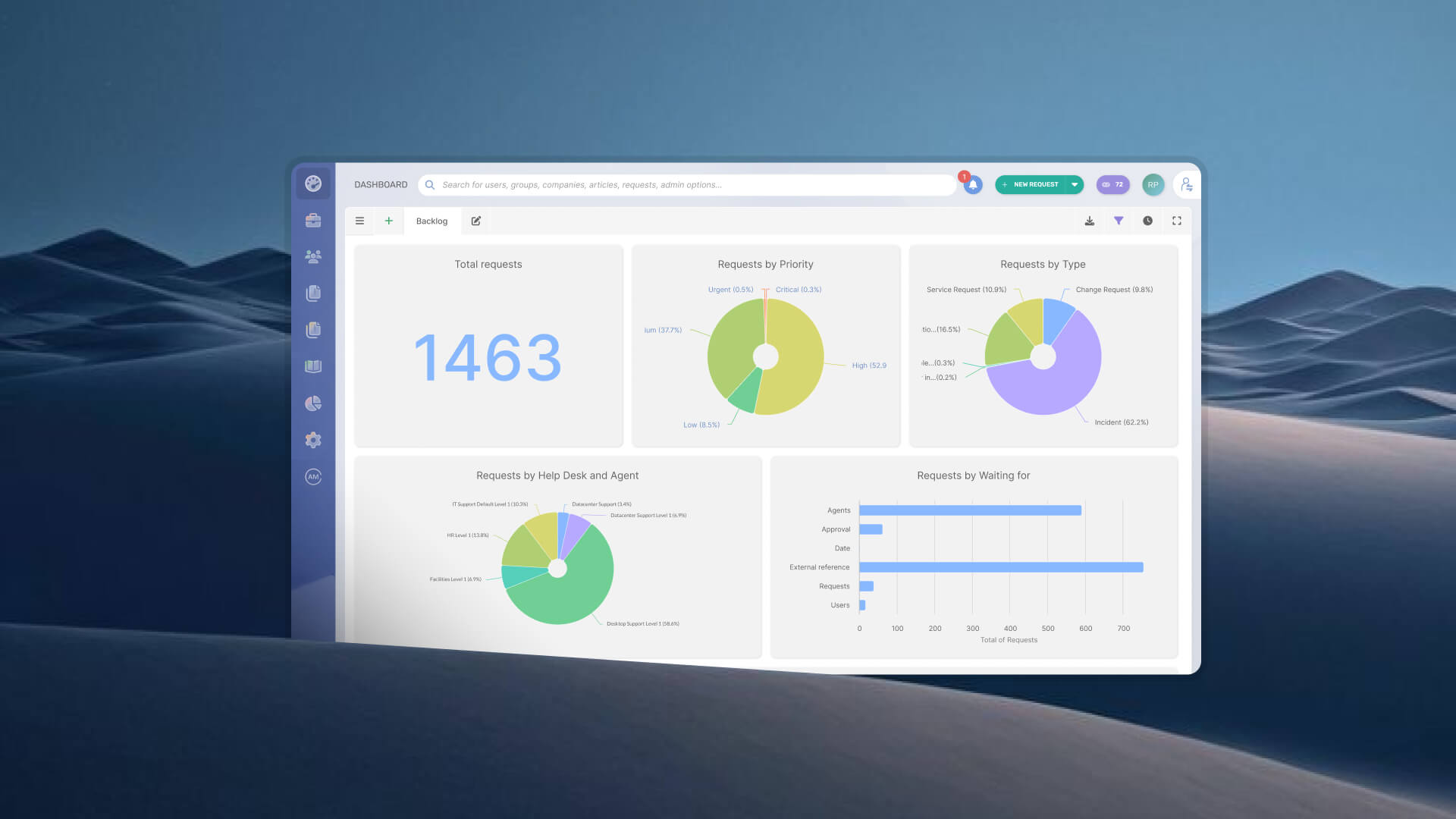
- Comparative dashboards across sites: ticket volume, SLA compliance, backlog, and CSAT per location — all accessible from a central view.
- AI Virtual Agent available in Microsoft Teams and WhatsApp, so field workers and employees without portal access can submit and track tickets from the tools they already use.
- No-code workflow builder that lets local IT teams adjust processes for their site without depending on central IT or external consultants.
- Available as cloud (SaaS) and on-premises, with feature parity across both deployment modes — relevant for organizations with network restrictions or data residency requirements at certain sites.
- ESM-ready: the same model extends to Facilities, HR, and Maintenance at each location without a separate implementation.
- Native integration with InvGate Asset Management: it lets agents access asset data, relationships, and incident history directly from the ticket without switching tabs.
Pricing:
InvGate offers flexible pricing plans that scale to meet the unique needs of your organization.
- Starter: 24.98/agent/month billed annually and 5 agents minimum - $1499/year.
- Pro: $500/agent/year. 5-50 agents.
- Enterprise: Custom pricing for larger organizations.
Approvers don't require a full license, which keeps costs manageable as the platform scales across additional sites.
You can also request a free trial, so you can try the platform before committing to a plan.
ServiceNow
ServiceNow is the reference platform for large enterprises managing complex, multi-departmental operations from a single instance. Its CMDB provides a centralized view of all configuration items across the organization, and its workflow engine handles cross-functional processes at a scale few platforms match. Domain separation — the mechanism for segmenting data, processes, and administration into logical groupings — is used by global companies that need to customize the platform per geography or division, as well as by Managed Service Providers hosting multiple clients on one instance.
Multi-site capabilities:
- Domain separation segments data, processes, and admin tasks per geography or division within a single instance.
- Each domain has its own records, business rules, UI configuration, and users, while sharing the same subscription and admin team.
- Service catalog, SLAs, and workflows configurable per domain, supporting location-specific service delivery.
- Single instance can run ITSM, HR, CSM, and custom apps side by side, acting as a unified system of record.
- Now Assist AI features (ticket summarization, knowledge generation, virtual agent) deployable per domain in separated environments.
- Full ESM across IT, HR, Facilities, Legal, and Finance with cross-functional workflow automation.
Pricing: Not published — requires a quote.
Gartner Peer Insights: 4.3/5
Freshservice
Freshservice is a cloud-native ITSM platform from Freshworks built around ease of use and fast time-to-value. IT admins can create multiple workspaces within a single account, enabling business teams like HR, Finance, and Facilities to securely manage their own data and settings while delivering services through a shared platform. It is primarily positioned at mid-market organizations that prioritize quick onboarding and low administrative overhead.
Multi-site capabilities:
- Multiple workspaces in one account, each with its own SLA policies, business hours, workflows, and form fields.
- SLA policies configurable at global or workspace level — workspace-level policies take precedence when conditions match.
- Workspace admins manage their own configuration — SLAs, workflows, notifications — independently of central IT.
- Omnichannel intake via email, portal, Slack, and Microsoft Teams, centralized across all workspaces.
- ESM modules for HR, Finance, and Facilities with departmental workspace templates to accelerate setup.
Gartner Peer Insights: 4.4/5
Pricing:
- Starter: $19 per agent, per month.
- Growth: $49 per agent, per month.
- Pro: $99 per agent, per month.
The fourth tier, Enterprise, requires a quote. - Checked on June 2026 (US) official website.
ManageEngine ServiceDesk Plus
ManageEngine ServiceDesk Plus is an ITSM platform from Zoho Corporation combining help desk, IT asset management, and CMDB in one product. Its ESM model lets organizations spin up unique service desk instances for each business function, managing deployment and administration of multiple service desks from a central directory. It is available both cloud and on-premises, and is a recurring option in mid-market evaluations.
Multi-site capabilities:
- Separate service desk instances per department or location, all managed from a central ESM directory.
- Unified enterprise portal where users can raise tickets, search knowledge articles, and view announcements across all instances from one place.
- Sites can be configured specific to each instance, with the basic site information set at the ESM directory level.
- CMDB with relationships between configuration items, supporting visibility of assets by site and department.
- Drag-and-drop workflow builder for automating business processes; low-code script builder available for more complex operations.
Gartner review score: 4.4/5
Pricing: Pricing tiers for cloud edition:
- Standard: Starts from $13 / technician / month
- Professional: Starts from $27 / technician / month
- Enterprise: Starts from $67 / technician / month
Note: For Professional and enterprise tiers, price changes also according to the amount of assets. There are also available add-ons.
- Checked on: June 2026 (US), official website.
Jira Service Management
Jira Service Management is the natural choice for organizations already running on the Atlassian ecosystem. It supports multi-team service delivery through a project-based structure with configurable queues, SLAs, and automation rules, with tight integration into Jira Software and Confluence. When supporting multiple teams or departments, organizations typically either consolidate into a single project with multiple queues, or split service teams into separate projects — each approach offering different tradeoffs around permissions, SLA differentiation, and reporting clarity.
Multi-site capabilities:
- Multi-project structure — each department or team can have its own service project with separate permissions, SLAs, and queues.
- Configurable queues per project using JQL filters, giving teams a focused view of their own incoming requests.
- Multiple help centers supported on Premium and Enterprise plans, allowing different portal experiences per team or client.
- SLA policies configurable per project, with rules triggered by request type, priority, or custom fields.
- Automation rules for routing, assignment, and escalation, configurable at project or global level.
- Deep integration with Jira Software and Confluence — incidents, changes, and postmortems link directly to development projects.
Gartner review score: 4.5/5
Pricing: The following rates apply to a 50-agent deployment.
- Standard: Starting at $20.63 per agent / per month.
- Premium: Starting at $52.16 per agent / per month.
Plus, they offer a free tier for up to 3 agents. The enterprise tier requires a quote.
Checked on: June 2026 (US), official web.
Disclaimer: All product names, logos, and brands are property of their respective owners. All company, product, and service names used on this site are for identification purposes only. Use of these names, trademarks, and brands does not imply endorsement. Comparisons are based on publicly available information as of April 2026 and are provided for informational purposes only. ServiceNow is a registered trademark of ServiceNow, Inc. InvGate is not affiliated with, sponsored by, or endorsed by ServiceNow.
How to choose the tight ITSM platform for your multi-site setup
No platform is the right fit for every distributed organization. These are the decision axes that matter most:
Number of sites and ticket volume per location. A company with three offices and 200 employees has different complexity than a retail chain with 80 locations. Platforms with heavy configuration overhead penalize smaller or mid-sized deployments.
IT team size. Enterprise platforms assume a dedicated admin team. Mid-market platforms are designed for teams of 3 to 10 people who manage everything themselves. Matching the platform to the team that will run it is as important as matching it to the use case.
Deployment model. If certain locations have network restrictions, air-gapped environments, or data residency requirements, a cloud-only platform won't work there. Verify deployment options before evaluating features.
ESM scope. Is the multi-site challenge limited to IT, or do Facilities, HR, and Maintenance also need structured workflows at each location? If the answer is the latter, ESM scalability becomes a hard requirement, not a differentiator.
Total cost of ownership. License cost is only part of the equation. Implementation, configuration, training, and ongoing administration add up — especially for platforms that require external consultants to stay operational. Factor in TCO, not just the per-agent price.