














Slack is where a huge share of internal work already happens, which makes it a natural place for employees to ask for IT help. Instead of opening a portal or sending an email, people can raise a request, get an answer, or check on a ticket without leaving the conversation they're already in.
Slack integration means different things depending on the help desk platform. Some solutions offer a conversational experience where employees create tickets, check request status, and interact with an AI-powered agent directly in Slack. Others use Slack mainly for notifications, or route ticket creation through a slash command that agents trigger.
In this guide, we'll compare the best help desk software with Slack integration, looking at what each platform actually supports, its standout capabilities, and pricing so you can choose the option that best fits your service desk.
Not every "Slack integration" works the same way. Before evaluating platforms, get clear on what you actually need:
One more criterion worth flagging: whether the integration is native to the platform or relies on a third-party connector (Zapier, Twilio, and similar). Both can work; they differ on governance, reliability, and maintenance overhead.
Methogolody note: InvGate builds and offers IT Service Management and IT Asset Management solutions, making us an active player in this software market. Some vendors in this article are our competitors. Even so, we aim to deliver accurate, honest, and practical information that helps you make the best decision.
Our evaluations draw from publicly available sources — vendor websites, product documentation, user reviews on platforms like Gartner Peer Insights, G2, and Capterra, analyst reports, and hands-on testing or demos when available.
If your team needs Slack as a full self-service intake channel — conversational, with AI deflection and a shared queue — InvGate Service Management and Jira Service Management are the most direct options. Freshservice and Zendesk cover strong ticket-creation and collaboration workflows, with AI deflection gated to higher tiers. ManageEngine ServiceDesk Plus is a solid fit for teams on its cloud edition that want request logging and updates inside Slack.
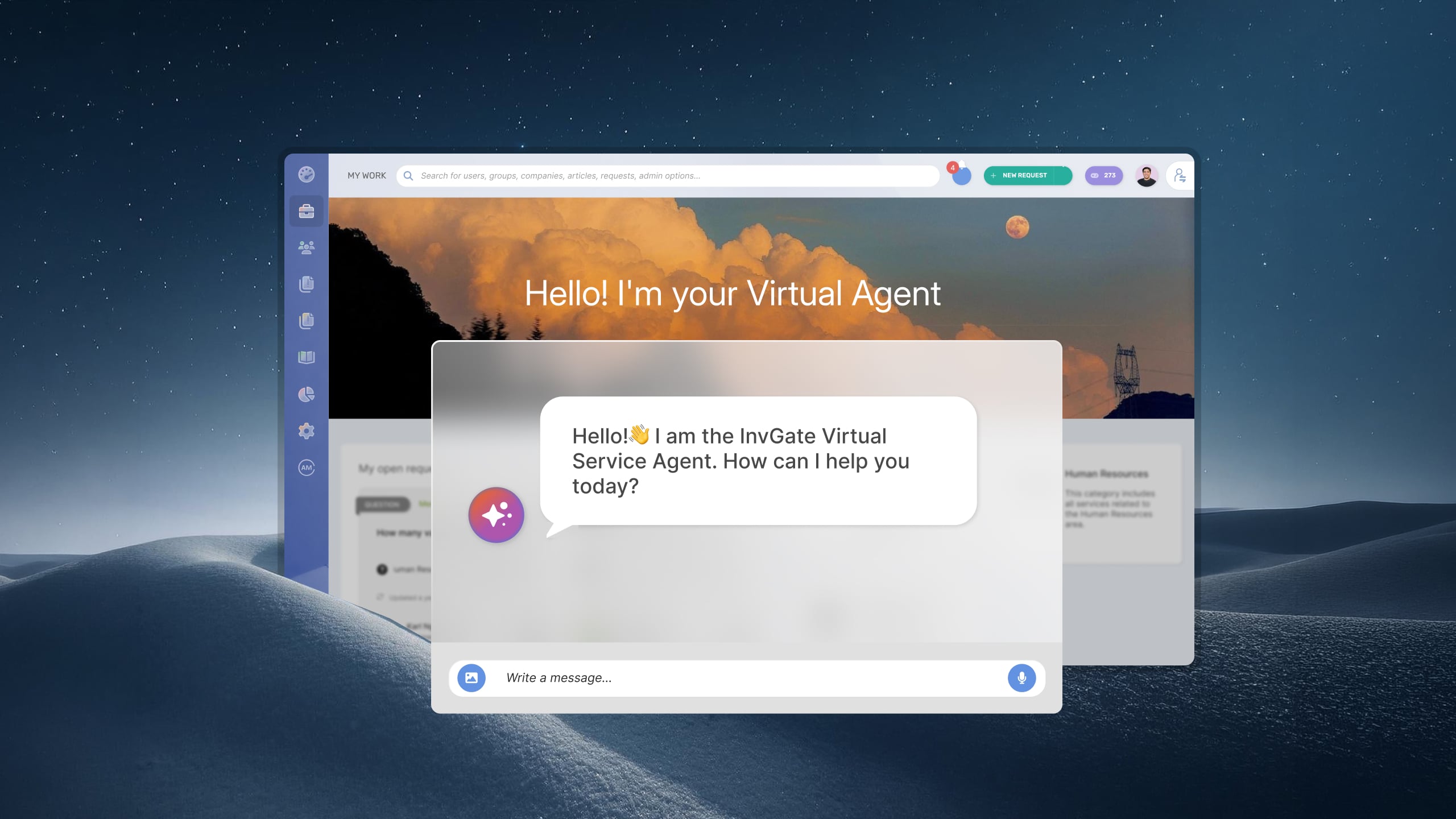
InvGate Service Management is an ITSM and Enterprise Service Management platform designed for organizations that want to provide support across multiple channels without adding complexity. It offers a native Slack integration through its AI Virtual Service Agent — no third-party connector required.
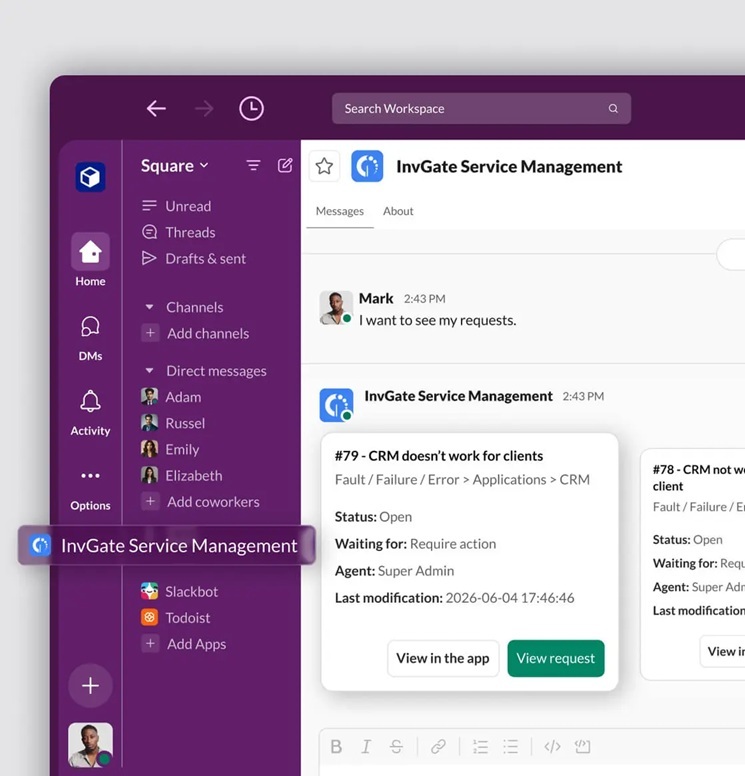
The integration turns Slack into a working service channel. Employees reach the Virtual Service Agent through a direct message and, using natural language, can get automated assistance, find knowledge base content, submit and update requests, check ticket status, and be transferred to a technician when needed — all without leaving Slack. Because there is one Virtual Service Agent and one knowledge base behind every channel, an answer you improve for the self-service portal benefits Slack too, with no second bot to maintain and no separate content to write. The agent's conversational answers and routing are powered by the InvGate AI Service that comes with your instance, so there's no separate AI plan to buy and no external connector to wire up.
Key capabilities
These are some of the capabilities of InvGate Service Management's Slack integration:
Configuration lives under Applications and mirrors the existing Teams and WhatsApp integrations, so turning it on is a short, no-code setup.
Pricing
InvGate Service Management offers flexible pricing plans that scale to meet the unique needs of your organization.
You can also request a 30-day free trial, so you can try the platform before committing to a plan.
Freshservice connects to Slack through ServiceBot, Freshworks' official app on the Slack Marketplace. ServiceBot acts as a virtual agent inside Slack, letting employees and agents handle common service desk tasks without opening the Freshservice portal.
The integration turns a Slack conversation into a Freshservice ticket, routes approvals to managers in Slack, and surfaces knowledge base answers so some questions never become tickets at all. Conversational AI deflection is available on the Enterprise plan.
Key capabilities
These are some of the capabilities of their Slack integration according to their official documentation:
/freshservice-ticket slash command.Pricing
Freshservice publishes four per-agent tiers, billed annually:
ServiceBot is included on all plans; conversational AI deflection requires Enterprise. — Checked July 2026 (US), official website.
Jira Service Management provides its Slack experience through two native components: Atlassian Assist, which handles conversational ticketing and approvals in Slack, and the Virtual Service Agent, which adds AI-driven resolution on top. Together they let employees raise requests in a Slack DM or channel and have common questions answered before a human agent is involved.
Requests created in Slack sync back to Jira Service Management, keeping the platform as the system of record while employees stay in Slack.
Key capabilities
These are some of the capabilities of their Slack integration according to their official documentation:
Pricing
Jira Service Management is priced per agent, billed annually (list pricing; per-agent rates decrease at higher agent volumes):
— Checked July 2026 (US), Atlassian pricing page.
ManageEngine ServiceDesk Plus offers a native Slack app that lets users work with the service desk from inside Slack. Rather than switching to the portal, users maintain a single interface and manage help desk tasks through slash commands.
The app is designed around everyday actions — logging requests, viewing request updates, and running common operations — and is available for the cloud edition of ServiceDesk Plus.
Key capabilities
These are some of the capabilities of their Slack integration according to their official documentation:
Pricing
Cloud pricing tiers, per technician:
Note: For the Professional and Enterprise tiers, price also changes according to the number of assets, and add-ons are available. — Checked July 2026 (US), official website.
Zendesk provides a native Slack app, built by Zendesk, that connects its ticketing system to Slack. Employees and agents can create tickets from any channel, get ticket notifications, and collaborate on issues without leaving Slack.
The app pairs ticket creation with bot-based deflection, in-Slack approvals, and side conversations — a linked Slack thread that lets an agent pull in the right people while keeping everything attached to the original ticket.
Key capabilities
These are some of the capabilities of their Slack integration according to their official documentation:
Pricing
Zendesk publishes per-agent Suite pricing, billed annually:
Zendesk also sells a separate Employee Service track for internal IT and HR desks, priced independently. AI add-ons and per-resolution charges apply on top of the base plan. — Checked July 2026 (US), official website.
Here's what the flow looks like when Slack is connected through the Virtual Service Agent:
On governance: the ticket is the system of record, and conversation data stays within the platform. Because the same Virtual Service Agent and knowledge base sit behind Slack, WhatsApp, Microsoft Teams, and the portal, there's no separate bot to train and no duplicate content to maintain.
A Slack help desk integration lets employees request support without leaving the collaboration tool they already use while ensuring every interaction follows the same processes as requests submitted through the self-service portal or email. Instead of creating another support channel, it extends your existing service desk into Slack.
That consistency is important for IT operations. Requests can be routed to the right team, assigned the appropriate priority, tracked against SLAs, and included in reporting regardless of where they originated.
Common use cases include:
With a Slack integration, the conversation stays in Slack while the work stays in the service desk. Employees get a familiar support experience, and IT teams keep the visibility, automation, and reporting they need to manage requests consistently.
Yes. InvGate Service Management includes a native Slack integration through its AI Virtual Service Agent, which handles NLP, queries your existing knowledge base, and creates requests automatically. It's powered by the InvGate AI Service included with your instance, so there's no external connector to set up and no separate AI plan to purchase. Configuration lives under Applications and follows the same pattern as the Teams and WhatsApp integrations.
A Slack notification is outbound: the platform sends an alert into a channel or DM about a ticket that already exists in the system. A Slack ticketing integration is bi-directional: the user starts a conversation in Slack, the platform interprets that message, and a request is created and tracked from that channel. Several tools cover notifications and slash-command ticket creation; InvGate Service Management covers self-service intake through resolution, without leaving Slack.
It depends on what's behind it. Slack works well as a support channel when it's connected to a service desk with a shared queue, SLA policies, and routing rules, so requests are tracked and handled the same way as any other channel. Without that structure, it's just a chat thread: conversations get lost, there's no audit trail, and technicians handle requests informally with no visibility for the team. The channel itself is sound; the question is whether the help desk platform behind it is structured enough to make it work.

