













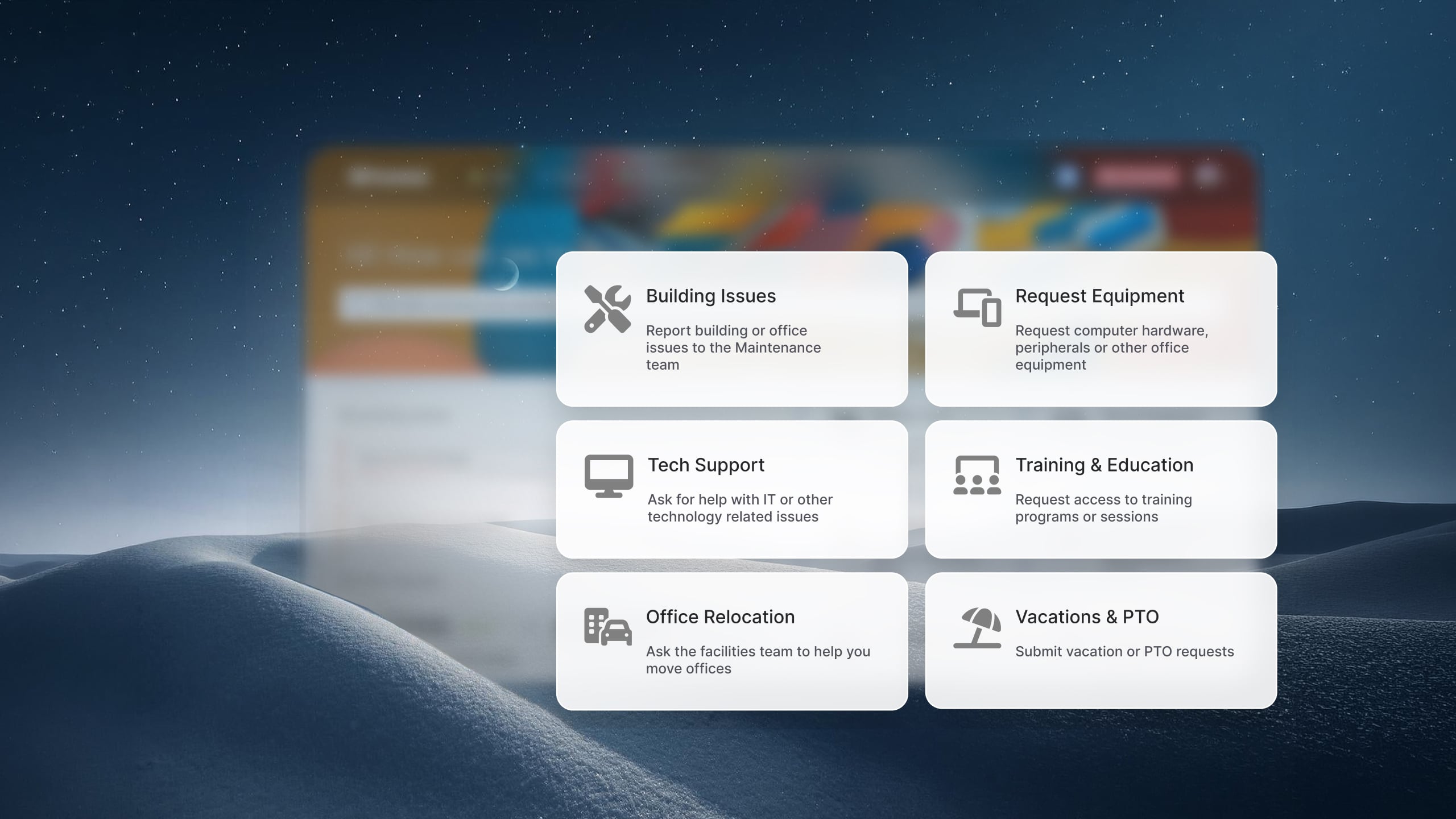

Help desk software that includes a self-service portal helps organizations shift routine support away from the support team. Employees can find answers, request services, and complete common tasks without opening a ticket.
That matters because a large share of IT support work is repetitive. Meanwhile, the cost of helping the hundredth employee with a common issue is nearly the same as helping the first. Self-service portals reduce that repetition by making support available at scale.
In this article, we'll compare the best help desk platforms with self-service portals and the features that help them drive adoption.
Key takeawaysA self-service portal is the layer of a help desk platform that end users actually interact with. It's where employees search for answers, submit requests, track ticket status, and browse available services — all without having to contact the support team directly.
The concept sounds simple, but the execution varies widely. At the basic end, a self-service portal is little more than a knowledge base and a submission field. At the other end, it's a structured environment with a service catalog organized by department, an AI assistant that interprets natural language, role-based visibility, and real-time request tracking. That gap — between a portal that exists and a portal that actually works — is the difference that determines whether your team deflects tickets or just routes them differently.
Before comparing tools, it's worth understanding how to build and manage an IT self-service portal — because the platform you choose shapes what's possible.
The self-service portal is the feature that actually reduces ticket volume. Self-service makes support more scalable because the cost of helping the hundredth employee with a common issue is nearly the same as helping the first. .
Tier 0 support addresses this problem by giving employees a way to resolve those issues themselves through a self-service portal. When the portal is easy to use and contains relevant information, employees often prefer it over waiting for an agent response.
The benefits extend beyond fewer tickets:
One of the most overlooked insights about Tier 0 support is that adoption matters more than content volume. Many organizations build large knowledge bases that employees rarely use. A smaller portal with accurate articles, clear service catalog items, and strong search functionality often produces better results than hundreds of poorly organized documents.
Organizations that successfully drive self-service adoption typically see gains in both efficiency and satisfaction because employees value speed and convenience just as much as resolution quality. When finding an answer takes less effort than opening a ticket, self-service becomes the default behavior.
InvGate Service Management is designed to attack exactly this problem. The portal integrates the knowledge base, service catalog, and Virtual Service Agent into a single access point. When a user needs help, they can search an article, submit a structured request, or ask the AI agent — without switching tools or contacting the team.
See how InvGate Service Management's self-service portal works — request a free trial.
Methodology note: InvGate builds and offers IT Service Management and IT Asset Management solutions, making us an active player in this market. Some vendors in this article are our competitors. Even so, we aim to deliver accurate, honest, and practical information that helps you make the best decision.
Our evaluations draw from publicly available sources — vendor websites, product documentation, user reviews on platforms like Gartner Peer Insights, G2, and Capterra, analyst reports, and hands-on testing or demos when available. We assess each solution based on functionality, pricing (where made public), integrations and user experience. We'll review this content regularly to stay current with product updates and market developments.
InvGate Service Management is a no-code ITSM/ESM platform built for organizations that need ITIL-aligned processes, multidepartmental service delivery, and a self-service portal that goes beyond a knowledge base page. It fits midsize to large organizations where IT isn't the only team using the platform.
Portal features:
Best fit: Organizations moving from a basic ticketing system to a governed ITSM environment, teams running ESM across multiple departments, and IT leaders who look for AI deflection without a dedicated bot development project.
Pricing:
Zendesk is a widely adopted customer and employee service platform. Its self-service capabilities are organized around a Help Center — a branded, searchable knowledge base — combined with a customer/employee request portal for ticket submission and tracking.
Portal features:
Best fit: Organizations that primarily support external customers and want a mature, well-integrated help center. For internal IT and HR use cases, Zendesk's Employee Service Suite adds structure, but the ITSM depth is shallower than purpose-built ITSM platforms.
Pricing: Suite plans for employee service start at $29/agent/month (billed annually) for the Team tier. The self-service employee portal and service catalog are available from the Growth tier at $59/agent/month (billed annually). AI and advanced features are add-ons or available on higher tiers. - Checked on: June 2026 (US), official website.
Freshservice is Freshworks' ITSM-focused platform — as distinct from Freshdesk, which targets external customer support. For IT help desk use cases, Freshservice is the relevant product.
Portal features:
Best fit: Midsize IT teams looking for an ITSM platform with a clean end-user experience, structured service catalog, and strong mobile support.
Pricing:
The fourth tier, Enterprise, requires a quote. - Checked on June 2026 (US) official website.
Jira Service Management (JSM) is Atlassian's ITSM platform, built on the Jira foundation. The self-service portal is structured around "request types" — configurable categories that determine what information employees submit and how requests are routed.
Portal features:
Best fit: IT and DevOps teams already embedded in the Atlassian ecosystem. The portal works well for dev-adjacent teams, but organizations without existing Atlassian tooling face higher integration complexity and cost.
Pricing: Free plan for up to 3 agents. Standard plan from approximately $21/agent/month (annual, for 10 agents). Premium from approximately $48/agent/month, which is required for the virtual agent and advanced Incident Management features. - Checked on: June 2026 (US), official web.
Zoho Desk is a customer-facing help desk platform with a self-service portal built around a knowledge base and Zia, Zoho's AI assistant. While primarily positioned for external customer support, it is used for internal IT support in smaller organizations.
Portal features:
Best fit: Small to midsize teams managing customer-facing support or light internal IT support, already in the Zoho ecosystem. Less suited for organizations that need a structured ITSM service catalog or deep ITIL process coverage.
Pricing:
- Checked on: June 2026 (US), official website.
ServiceNow® is the dominant enterprise platform for ITSM and broader enterprise service management. Its self-service portal capabilities are delivered through the Service Portal framework (legacy), Employee Center (current standard), and Now Mobile for mobile access.
Portal features:
Best fit: Large enterprises with complex, multi-department service delivery needs and the internal resources (dedicated admins, implementation partners) to configure and maintain the platform.
Pricing: Pricing isn't public; contact the vendor for a quote.
SysAid is an ITSM platform with a long track record in IT service desks. Its self-service portal covers the core use cases — ticket submission, knowledge base access, and request tracking — with an AI chatbot that can be set as the default entry point for end users.
Portal features:
Best fit: IT teams in midsize organizations looking for a solid, established ITSM platform with a customizable portal and AI chatbot without the complexity of enterprise platforms.
Pricing: Pricing isn't public; contact the vendor for a quote.
ManageEngine ServiceDesk Plus is an ITSM platform serving small to enterprise organizations, with a self-service portal available from the entry-level Standard plan. It covers incident management, a knowledge base, and — on higher tiers — a full service catalog.
Portal features:
Best fit: IT teams that need a structured help desk with a self-service portal without the cost of enterprise platforms. Organizations that need both IT help desk and Asset Management in one place will find the Professional tier well-suited.
Pricing: Standard plan from $13/technician/month (cloud). Professional from $27/technician/month. Enterprise from $67/technician/month. For Professional and enterprise tiers, price changes also according to the amount of assets. There are also available add-ons. - Checked on: June 2026 (US), official website.
Disclaimer: All product names, logos, and brands are property of their respective owners. All company, product, and service names used on this site are for identification purposes only. Use of these names, trademarks, and brands does not imply endorsement. Comparisons are based on publicly available information as of April 2026 and are provided for informational purposes only. ServiceNow is a registered trademark of ServiceNow, Inc. InvGate is not affiliated with, sponsored by, or endorsed by ServiceNow.
Not all portals are equal. When comparing help desk tools specifically for their self-service capabilities, these are the six dimensions worth examining:
1. Portal configurability. Can the team modify categories, custom fields, and request flows without involving a developer? A no-code portal is one the operations team can actually maintain and improve over time.
2. Knowledge base integration. Are articles surfaced automatically when a user starts typing in the search bar or fills out a request? Or is the knowledge base a separate section users have to navigate to intentionally?
3. Service catalog depth. Does the catalog allow services to be structured with required fields, approval workflows, and defined delivery times? A flat list of categories is not the same as a governed catalog.
4. AI and chatbot support. Is there a virtual agent that understands natural language and can deflect tickets before they're created — or is "AI" limited to keyword suggestions?
5. Multichannel access. Can employees reach the portal or agent from Microsoft Teams, Slack, WhatsApp, or mobile — or only from a browser-based portal URL?
6. Ticket tracking for end users. Once a request is submitted, can the employee see its status, add comments, and follow up — without contacting the service desk?
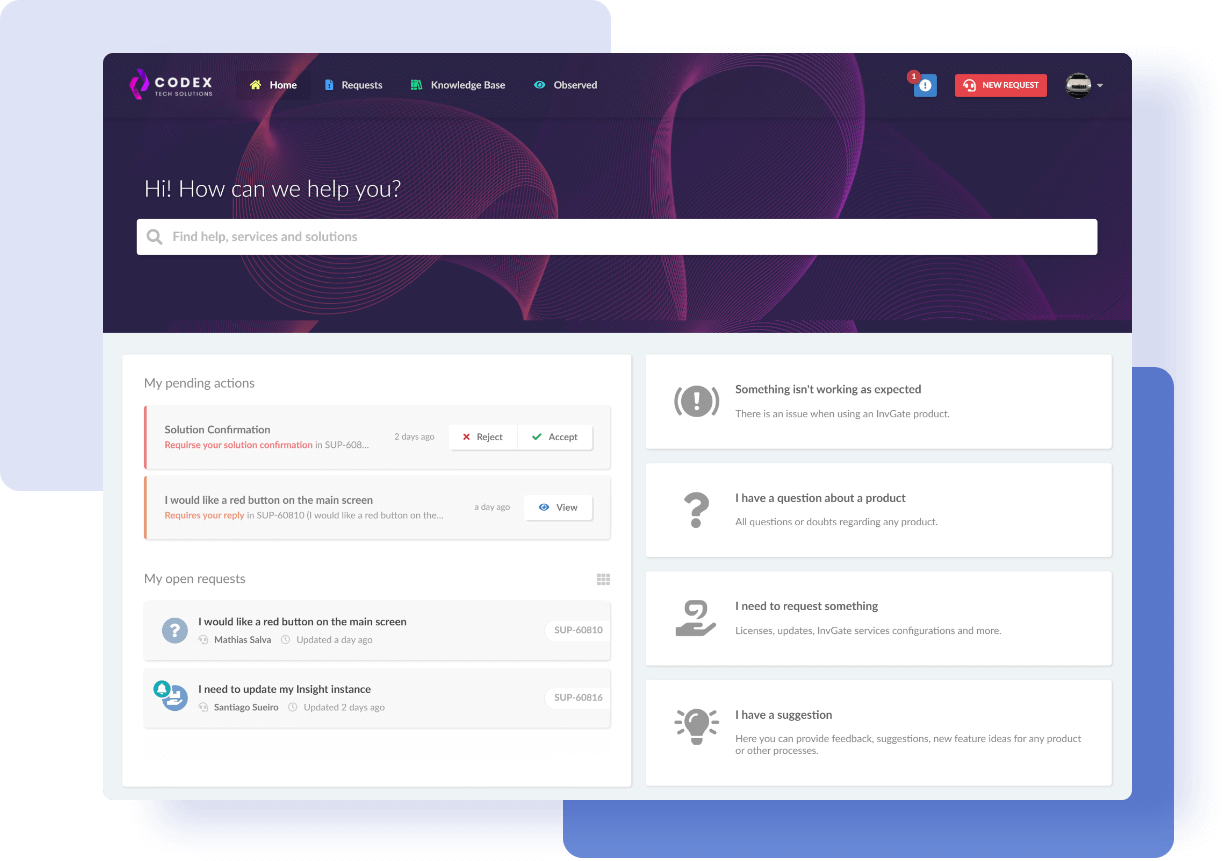
Getting a self-service portal live with InvGate Service Management doesn't require a development project or a dedicated configuration team. The platform is designed to be configured by the people who run the service desk — without code.
Here's how the setup works end to end:
Step 1: Enable the portal for end users. Access the Self-Service Portal module in InvGate Service Management and activate it for your organization. The portal is immediately accessible to users once enabled, with a clean interface that works from any browser.
Step 2: Configure the service catalog. Create service categories by department — IT, HR, Facilities, Finance — and define the data required for each request type using custom fields. Assign ownership per category and set expected delivery times. Role-based visibility ensures users only see the services that apply to them.
Step 3: Connect the knowledge base. Create or import articles and activate automatic article suggestions — when a user types in the portal's search bar, relevant articles surface in real time. Resolved tickets can be converted into knowledge articles with AI assistance, so the knowledge base grows alongside the service desk without additional authoring effort.
Step 4: Activate the Virtual Service Agent. Enable the VSA in the portal and in the messaging channels your organization already uses — Microsoft Teams, WhatsApp, or both. The VSA connects to the existing knowledge base and past ticket history thorugh the Knowledge Discovery feature. There's no manual training required: the agent operates within the workflows, approval rules, and governance mechanisms already configured in the platform.
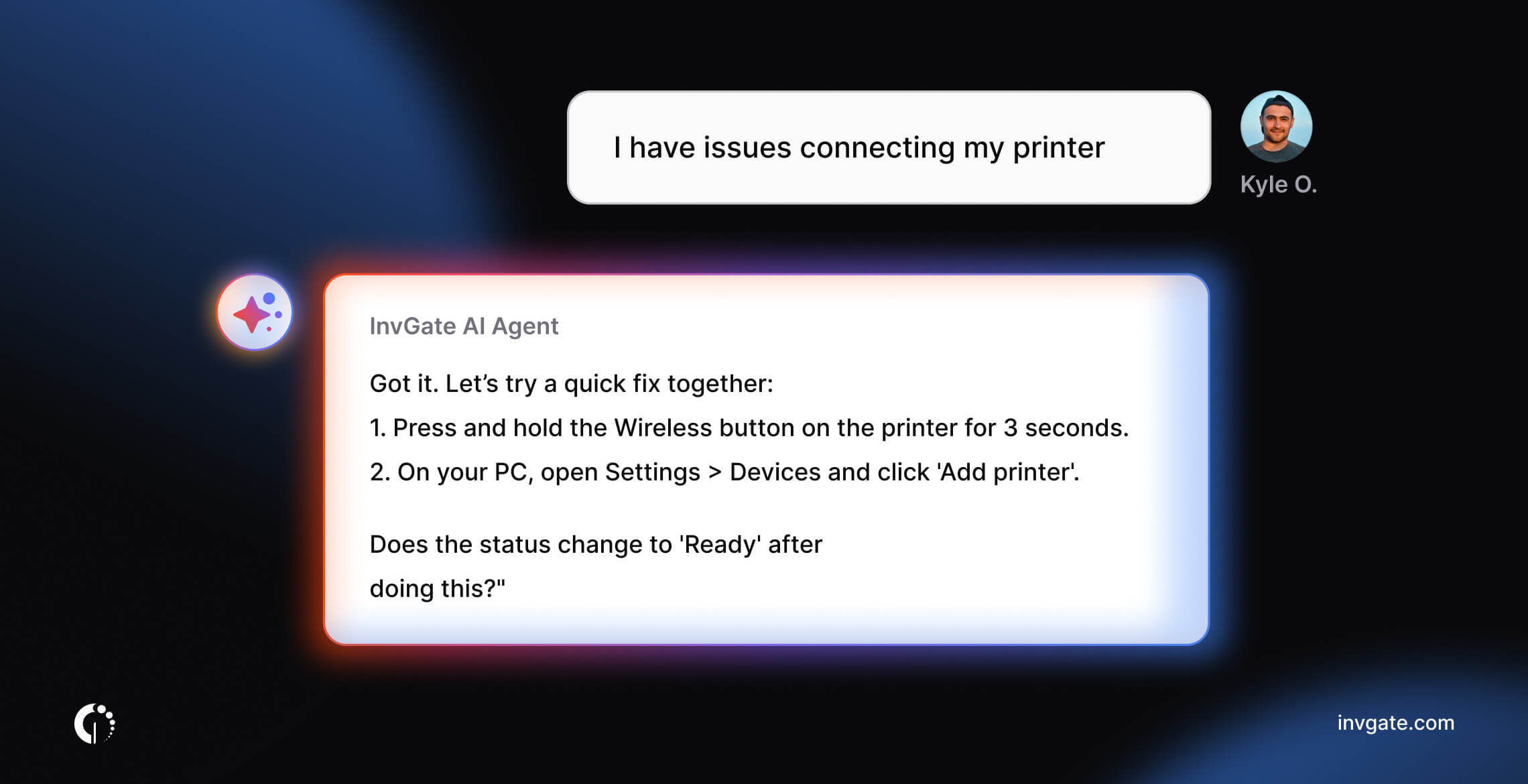
Step 5: Monitor deflection analytics. Once the portal is live, track which requests are resolved without creating a ticket. Use that data to identify knowledge gaps and update articles accordingly. The feedback loop between deflection data and knowledge base content is what keeps the portal effective over time.
Following established service desk best practices around portal adoption — communicating the portal to users, making it the primary contact point, and keeping the knowledge base current — is what determines whether deflection rates improve sustainably.
Ready to see it in action? Request a demo.
What is a self-service portal in help desk software? A self-service portal is the end-user interface of a help desk platform. It allows employees to search the knowledge base, submit service requests, track ticket status, and access the service catalog — without contacting the support team directly.
What's the difference between a basic self-service portal and a full one? A basic portal typically offers a knowledge base and a ticket submission form. A full portal adds a structured service catalog with approval workflows, an AI virtual agent for deflection, role-based visibility, real-time ticket tracking, and multichannel access.
Does a self-service portal actually reduce ticket volume? Yes — when configured correctly. Portals reduce volume for repetitive, predictable requests (password resets, software access, onboarding tasks) by letting employees resolve them without agent involvement. The key factors are knowledge base quality, catalog structure, and whether there's an AI layer to guide users before a ticket is created.
Which help desk tools are best for internal IT self-service? Purpose-built ITSM platforms — InvGate Service Management, Freshservice, Jira Service Management, SysAid, ManageEngine ServiceDesk Plus, and ServiceNow — are designed for internal IT use cases with structured ITIL processes.
Does the self-service portal work for departments outside IT? It depends on the platform. InvGate Service Management, Freshservice, and ManageEngine ServiceDesk Plus all support ESM scenarios — where HR, Facilities, Finance, and other departments run their own service desks on the same platform, accessible from the same portal. This is increasingly the standard for organizations that want to centralize service delivery beyond IT.


