














IT service expectations often differ across departments. Finance may expect a locked account to be restored within minutes, a new hire needs their laptop ready on day one, and users may have different interpretations of what qualifies as an urgent request. Without agreed service targets, these differences can lead to inconsistent expectations and disputes over IT performance.
An internal Service Level Agreement (SLA) establishes clear commitments between IT and the departments it supports. It defines the requests covered, expected response and resolution times, and the actions to take when a target is at risk. This guide explains what to include in an internal SLA, provides example response and resolution times by priority, and outlines how to establish service tiers and monitor performance over time.
An internal SLA is the agreement between an IT team and the departments it supports inside the same company — HR, Finance, Sales, Operations, and anyone else who files a ticket. It uses the same structure as a service level agreement signed with an outside vendor, but the parties are internal and no money changes hands. What it buys you is shared expectations: what IT will respond to, how fast, and what happens when a target is at risk.
Unlike a contract with penalties, an internal SLA runs on accountability rather than legal enforcement. Its job is to turn vague promises like "we'll get to it" into numbers both sides have agreed on in advance.
The three terms overlap, which is why they get swapped around. The short version:
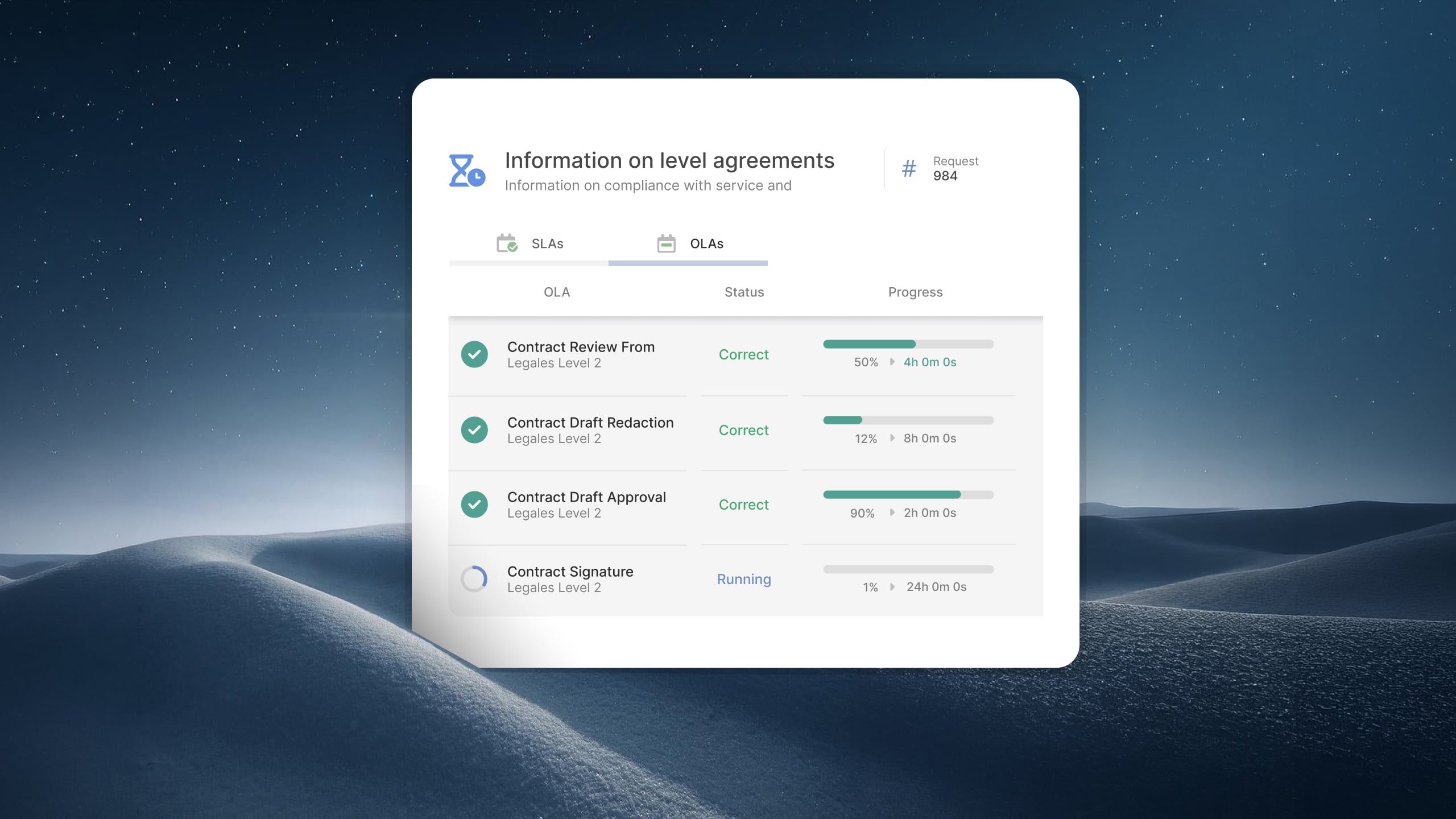
The distinction most often blurred is the one between an SLA and an OLA. If your help desk promises a four-hour fix but needs the networking team to act first, that dependency belongs in an OLA sitting underneath the SLA — not in the number you show the business. Getting that layering right keeps you from committing to something another team never signed up for.
A workable internal SLA is short and specific. These are the parts worth defining:
Keep the list of commitments tight. Everything you write down becomes something you're measured against, so it helps to separate the targets you're truly accountable for from the numbers you only watch.
The table below is a starting point, not a standard to copy. Use it to see the shape of a tiered SLA, then set your own numbers against what your team can realistically deliver today.
Unless you run a 24/7 service desk, measure these during your stated service hours — a P3 logged at 4:55 p.m. shouldn't breach overnight. The right targets are the ones you can hit consistently, so start a little conservative and tighten them once the data backs you up.
If you're starting from nothing, resist the urge to design the perfect scheme on paper. Build it from what you already do.
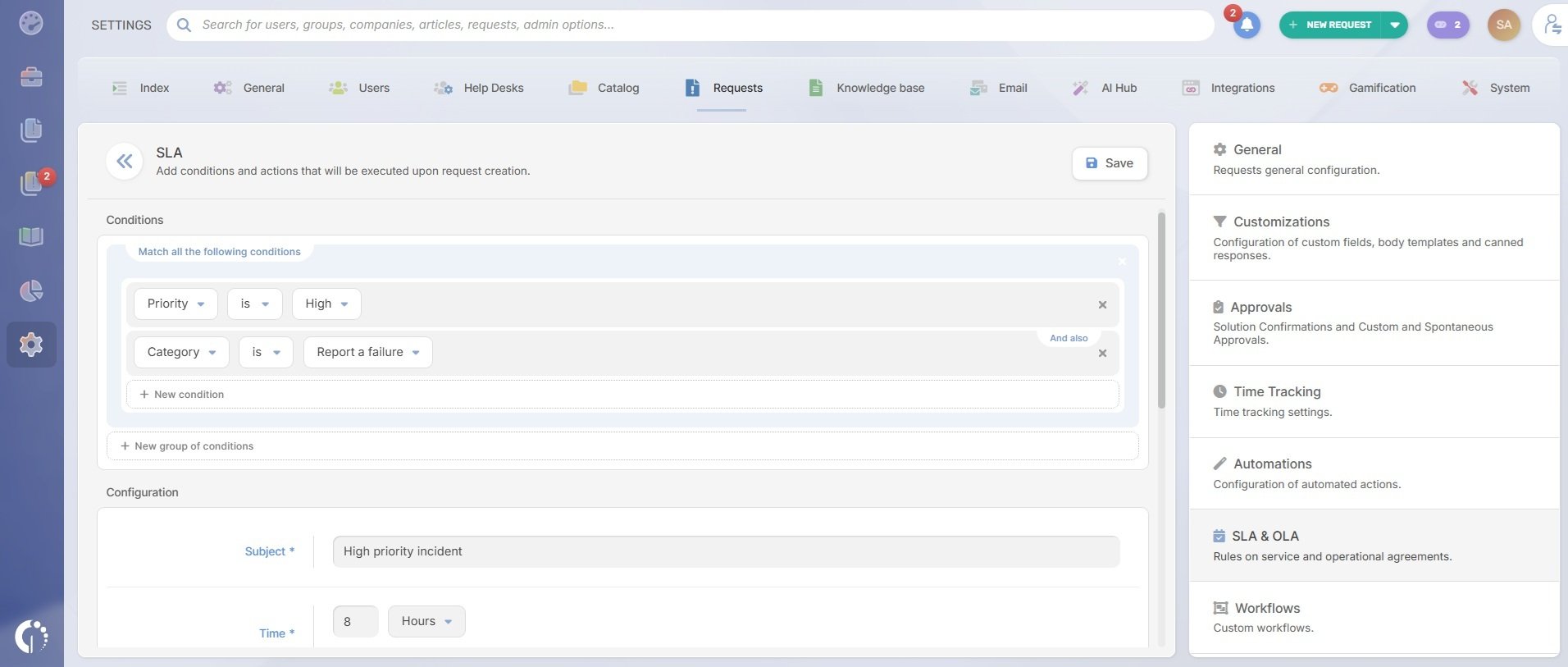
Once the targets exist, they have to run on their own or they'll quietly drift. In InvGate Service Management, SLA policies attach first-response and resolution targets to tickets automatically through business rules — by category, priority, help desk, or custom attributes — so a Finance access request can carry different targets than a company-wide outage without anyone starting a timer by hand. Configuring an SLA follows a short, repeatable process: pick the SLA type, set the conditions that assign it, and define the timing, pausing, and escalation rules.
Most organizations won't have one set of targets for everyone, which is why you can run several SLA policies side by side, each scoped to the area or service it covers. The clock follows your working hours and holiday calendars, pauses automatically while a ticket waits on the requester, and can show that requester an estimated resolution time.
When a target nears its threshold or breaches, the policy escalates the way you defined, and everything rolls up into the way you manage service levels across the board — so the SLA becomes something you can report on, not just a document in a drawer.
The internal commitments that sit underneath those targets are covered too. InvGate Service Management supports Operational Level Agreements natively, so you can set and enforce targets for each team or escalation level in a multi-team resolution — the layer that makes a customer-facing resolution time realistic in the first place.
If you're writing internal SLAs for the first time, or cleaning up ones that have drifted, you can try it free for 30 days and watch the engine run against your own priority levels. Or schedule a call with our team.
It's the agreement between IT and the other departments it supports in the same company, setting how quickly IT will respond to and resolve their requests. It runs on mutual accountability rather than the penalties you'd find in a vendor contract.
Not always formally. A small team with a light ticket load may do fine on shared norms. The value of a written SLA shows up as you scale: it makes expectations explicit, gives you something to measure against, and settles the "why hasn't this been done yet" conversations before they start.
An internal SLA is IT's promise to the business — the response and resolution times a requester sees. An OLA is the set of supporting commitments between internal teams that make that promise deliverable. The SLA faces the requester; the OLA sits underneath it.
Start with two or three, and rarely go past four. The number should match how you actually triage work, not how precise you'd like to appear. Too many tiers get applied inconsistently, which defeats the purpose.

