













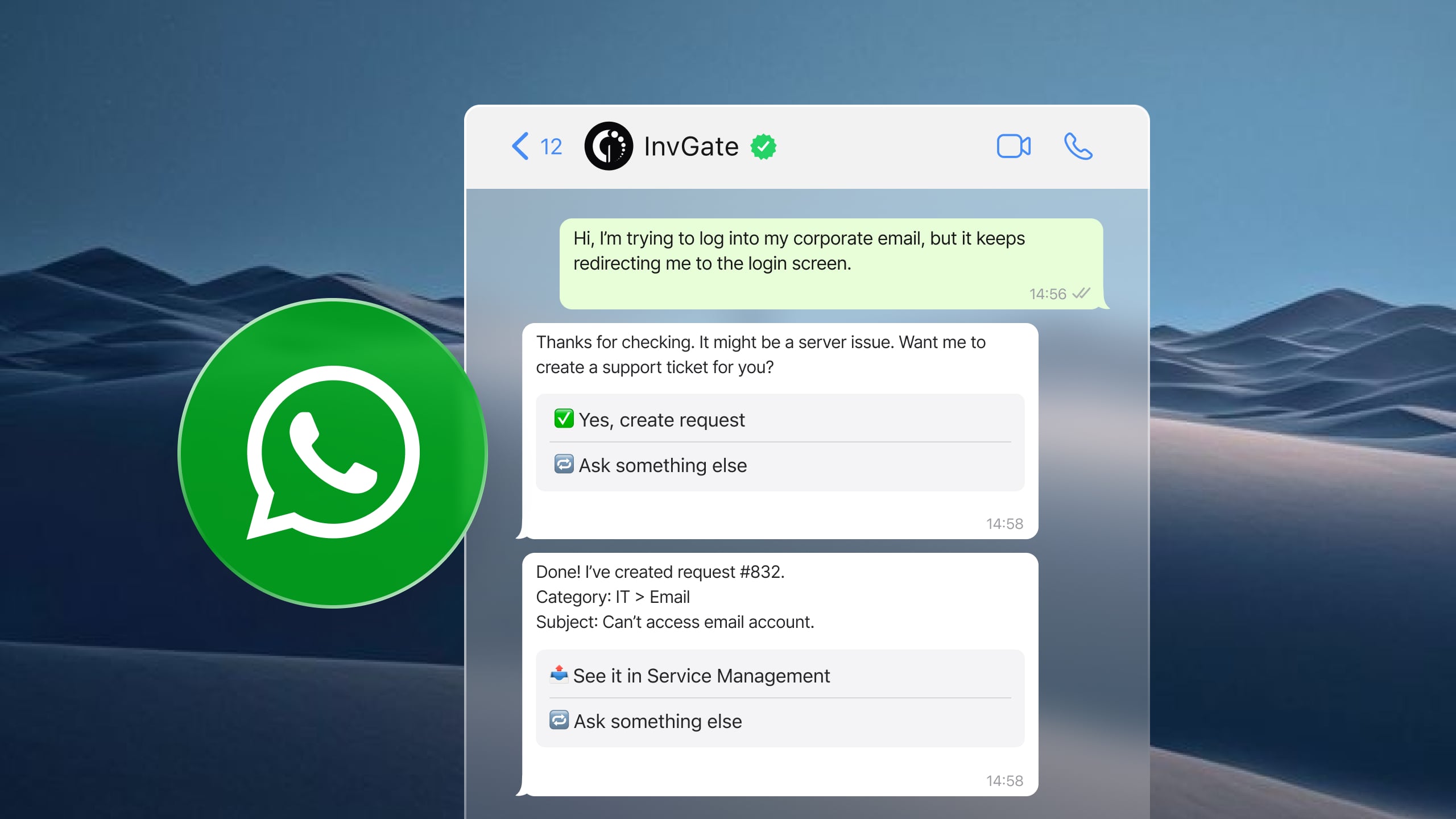

WhatsApp is one of the most widely used communication channels in the workplace, making it an attractive option for IT support teams looking to meet employees where they already are. Instead of asking users to log into a portal or send an email, service desks can let them submit requests, receive updates, or communicate with technicians directly from the app.
That said, WhatsApp integration means different things depending on the ITSM platform. Some solutions offer a native conversational experience where users can create tickets, check request status, and interact with AI-powered virtual agents. Others limit WhatsApp to notifications or require third-party services like Twilio or Zapier to connect the platform.
In this guide, we'll compare the best ITSM software with WhatsApp integration, looking at what each platform actually supports, its standout capabilities, and pricing so you can choose the option that best fits your service desk.
Most IT teams already know the problem: an employee messages a technician directly on WhatsApp asking for a password reset, a laptop replacement, or access to a system. The technician replies. The issue gets resolved — or doesn't. Either way, there's no ticket, no SLA clock running, no audit trail, and no way for the team lead to know it happened.
When support happens in group chats or personal messages, it's invisible to the service desk. Requests get dropped. Technicians handle things informally that should go through approval workflows. And there's no data to analyze recurring issues or staffing load.
The real question is: which ITSM platform lets you turn WhatsApp into a structured support channel — same queue, same SLAs, same routing rules as email and portal?
InvGate Service Management includes a native WhatsApp Virtual Service Agent built for exactly this.
Not every "WhatsApp integration" works the same way. Before evaluating platforms, clarify what you actually need:
One more criterion worth flagging: whether the integration is native to the platform or requires a third-party connector (Zapier, Twilio, Autom Mate). Both can work, but they differ on governance, reliability, and maintenance overhead.
If your team needs WhatsApp as a full intake channel — bi-directional, with AI deflection and a shared queue — InvGate Service Management and ManageEngine ServiceDesk Plus are the most direct options. HaloITSM is a viable alternative for teams willing to manage a Twilio connector. SysAid and Freshservice cover narrower use cases: outbound alerting and agent notification, respectively — not end-user self-service via WhatsApp.
InvGate builds and offers IT Service Management and IT Asset Management solutions, making us an active player in this software market. Some vendors in this article are our competitors. Even so, we aim to deliver accurate, honest, and practical information that helps you make the best decision.
Our evaluations draw from publicly available sources — vendor websites, product documentation, user reviews on platforms like Gartner Peer Insights, G2, and Capterra, analyst reports, and hands-on testing or demos when available. We assess each solution based on functionality, pricing (where made public), integrations, user experience, and support quality. We'll review this content regularly to stay current with product updates and market developments.
InvGate Service Management is an ITSM and Enterprise Service Management platform designed for organizations that want to provide support across multiple channels without adding complexity. It offers a native WhatsApp integration through its AI Virtual Service Agent — no third-party connector required.
The integration turns WhatsApp into a fully functional service channel where users can interact with the service desk using natural language. They can submit requests, check ticket status, receive automated assistance, access knowledge base content, and be transferred to a technician when needed — all without leaving WhatsApp.
Key capabilities
These are some of the capabilities of InvGate's WhatsApp integration:
Pricing
InvGate offers flexible pricing plans that scale to meet the unique needs of your organization.
You can also request a free trial, so you can try the platform before committing to a plan.
ManageEngine ServiceDesk Plus includes a native integration with WhatsApp that allows end users and technicians to communicate with the service desk directly from the messaging app. Rather than acting only as a notification channel, the integration supports request management, technician conversations, authentication, and bot-based interactions.
The feature set is designed to let users perform common service desk tasks without opening the ServiceDesk Plus portal.
Key capabilities
These are some of the capabilities of their WhatsApp integration according to their official documentation:
Pricing
Cloud pricing tiers:
Note: For Professional and enterprise tiers, price changes also according to the amount of assets. There are also available add-ons.
- Checked on: June 2026 (US), official website.
HaloITSM supports WhatsApp through its partnership with Twilio. Instead of providing a built-in WhatsApp channel, HaloITSM connects to the WhatsApp Business Platform via Twilio, creating a bi-directional messaging experience between users and the service desk.
Messages sent through WhatsApp automatically appear within HaloITSM, allowing technicians to manage conversations without switching between applications.
Key capabilities
These are some of the capabilities of their WhatsApp integration according to their official documentation:
Pricing
Doesn’t disclose its pricing. Specific details are available upon request.
SysAid does not offer a native WhatsApp support channel. Instead, it provides WhatsApp notifications through Zapier using a prebuilt integration template. The integration is intended for alerting users about ticket activity rather than enabling conversations with the service desk.
Organizations can configure notifications based on ticket criteria, making it useful for updates on selected requests.
Key capabilities
These are some of the capabilities of their WhatsApp integration according to their official web:
Pricing
Doesn’t disclose its pricing. Specific details are available upon request.
Freshservice offers WhatsApp integration specifically for on-call management rather than as a general IT support channel. The integration is part of its incident management capabilities and is designed to notify on-call responders during critical incidents.
Agents receive incident notifications through WhatsApp and can acknowledge, escalate, or resolve incidents directly from the messaging platform. The feature is intended for operational response workflows rather than employee service requests.
Key capabilities
These are some of the capabilities of their WhatsApp integration according to their official documentation:
Pricing
It offers 3 subscription levels with published price, the prices with annual billing are:
The fourth tier, Enterprise, requires a quote. - Checked on June 2026 (US) official website.
Here's what the actual flow looks like when WhatsApp is connected through the WhatsApp Virtual Service Agent:
On governance: WhatsApp conversations are not used to train external models. The ticket is the system of record. Conversation data stays within the platform.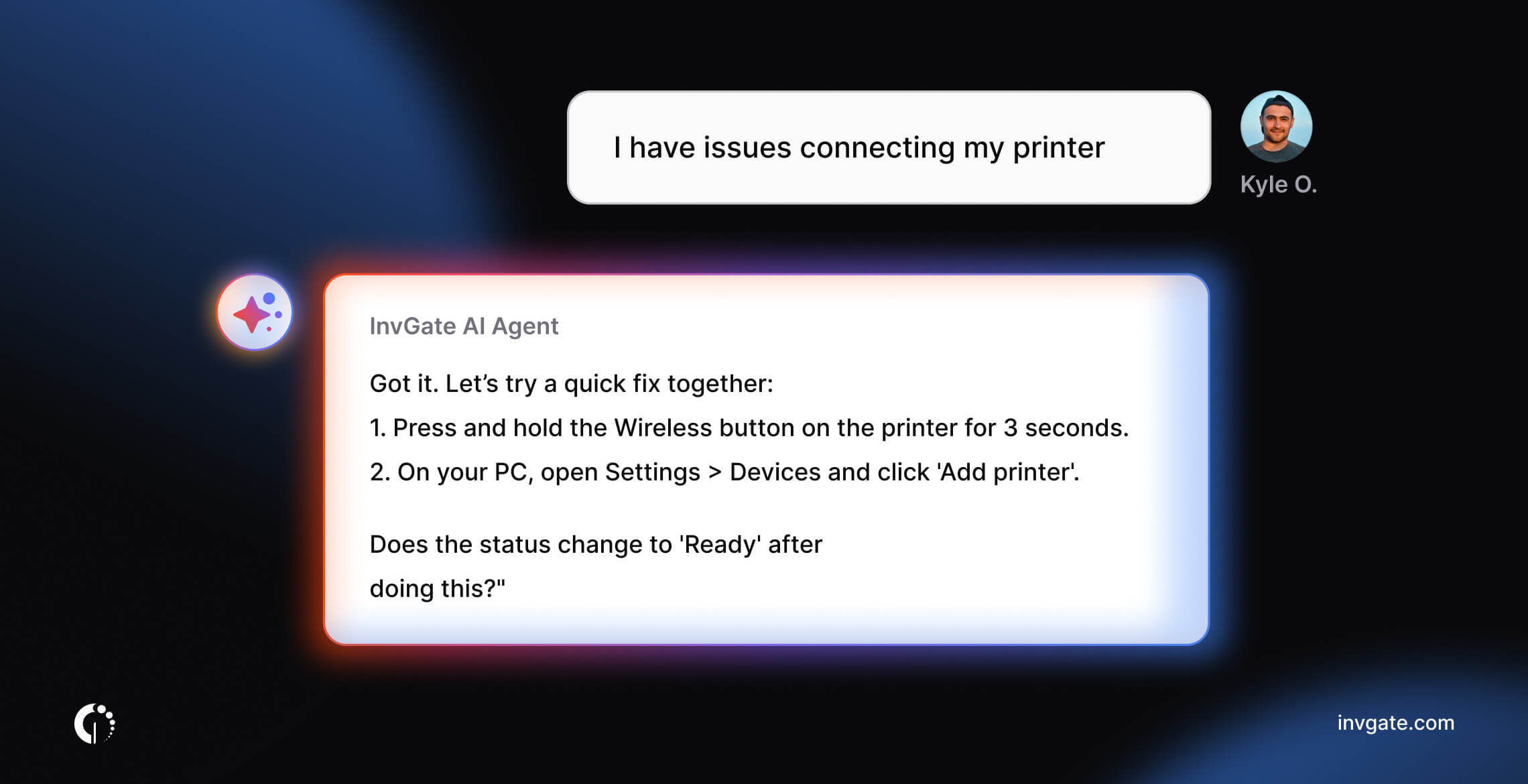
FAQs
Does InvGate Service Management support WhatsApp integration?
Yes. InvGate Service Management includes a native WhatsApp integration through its AI Virtual Service Agent, which handles NLP, queries the existing knowledge base, and creates tickets automatically — no manual bot training required before go-live. The integration is available on cloud instances only; on-premise deployments are not supported.
What's the difference between a WhatsApp notification and a WhatsApp ticketing integration?
A WhatsApp notification is outbound: the platform sends an alert to a user or agent about a ticket that already exists in the system. A WhatsApp ticketing integration is bi-directional: the user initiates a conversation in WhatsApp, the platform interprets that message, and a ticket is created and tracked from that channel. SysAid, for example, covers the first scenario through Zapier. InvGate Service Management covers the second — from intake through resolution, without leaving WhatsApp.
Is WhatsApp a good channel for IT support?
It depends on what's behind it. WhatsApp works well as a support channel when it's connected to a service desk with a shared queue, SLA policies, and routing rules — so requests are tracked and handled the same way as any other channel. Without that structure, it's just a chat thread: conversations get lost, there's no audit trail, and technicians handle requests informally with no visibility for the team. The channel itself is sound; the question is whether the ITSM platform behind it is structured enough to make it work.


