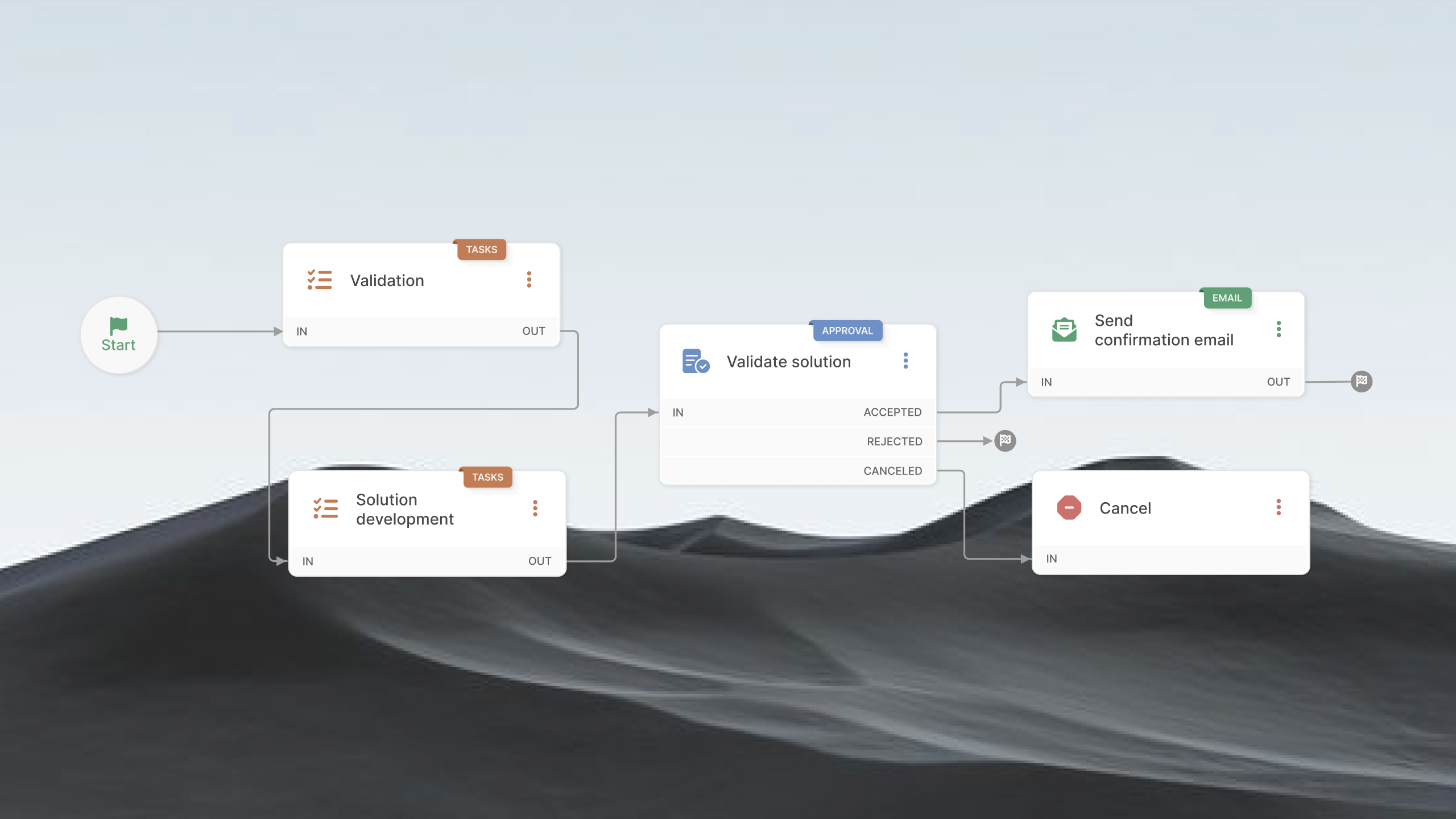
When a support ticket requires development work, Azure DevOps can handle what happens on the development side. The challenge is keeping that work connected to the service desk, where the original request, user communication, and ticket lifecycle still live.
A useful ITSM and Azure DevOps integration needs to do more than create a work item from a ticket. Support teams need visibility into development progress, developers need the right context to work on the issue, and updates need to move between both systems without creating extra work.
That also raises a practical question: how much should Azure DevOps handle, and what should remain in the ITSM platform?
This guide explains what to look for in an Azure DevOps integration, which capabilities matter for support and development teams, and how to set up the connection so both systems work together without duplicating work.
What Azure DevOps covers — and where the gap begins
Azure DevOps is Microsoft's platform for planning, building, testing, and shipping software. Its five core services cover different parts of the development lifecycle: Azure Boards for work tracking, Azure Repos for source control, Azure Pipelines for CI/CD, Azure Test Plans for testing, and Azure Artifacts for package management.
For development teams, Azure Boards is the part that comes closest to ITSM. Teams use work items to track epics, features, user stories, tasks, and bugs, organize them into backlogs and sprints, and move them across Kanban boards. A work item can hold the technical context developers need to investigate and deliver a fix, including its description, status, assignee, related code, and builds.
That overlap is where the distinction can get blurry. A bug in Azure Boards can represent a problem reported by a user, and a development team can use a work item to track the fix. A change implemented through a pipeline can also be part of a broader IT change process. Azure DevOps can therefore support parts of an ITSM workflow when the work reaches the development team.
The difference is what happens before and around that development work. Azure DevOps is built around software delivery, not the management of IT services for an organization's employees and customers. It doesn't provide the service desk capabilities needed to receive and manage user requests, such as a service catalog, self-service portal, ITSM-specific incident and request workflows, support SLAs, or an employee-facing knowledge base.
So the issue isn't that Azure DevOps can't track an incident, request, or change. It can track the development work associated with one. The gap appears when you need to manage the service process itself: a user reports an outage, support assesses its impact, the request is prioritized against service commitments, the right team is assigned, users receive updates, and the eventual fix is connected back to the original ticket.
In practice, Azure DevOps answers a question like “What does the development team need to build or fix?” An ITSM platform answers “What does the user need, who owns the service issue, and how do we manage it through resolution?”
That distinction is what makes an integration useful. Azure DevOps can remain the system where developers manage their work, while the ITSM platform remains the system where support teams manage the service experience.
How a ticket-to-work-item integration works
This kind of ITSM integration closes the gap by creating a direct link between a support request and the work item that tracks its fix. The idea is straightforward: from inside a ticket, an agent attaches the relevant Azure DevOps work item, and the ticket then surfaces key details from that work item — typically its ID, its title, and its current status — pulled live from Azure DevOps.
A few design points shape how these integrations behave in practice:
- A read-only reference. Link-and-view integrations pull work item data into the ticket for visibility. They do not push ticket changes back into Azure DevOps, so the development backlog stays under the development team's control.
- No developer license required to view. Support agents read the linked work item's status from within the ITSM tool. They don't each need an Azure DevOps seat to stay informed.
- Scope and permission controls. Well-built integrations let you decide which kinds of requests can link to work items and which roles can create or view those links, keeping development data visible only where it belongs.
The outcome is a closed loop. When a developer moves a work item forward, the linked ticket reflects it. The agent answers the user with current information, and the connection between the reported problem and the work being done stays intact from open to resolution.
Connect the two worlds with InvGate Service Management
InvGate Service Management includes a native Azure DevOps integration that puts development context directly inside your service desk. Once it's set up, authorized agents link Azure DevOps Work Items — the features, requirements, bugs, and development issues your engineers track — to InvGate Service Management requests.
Here's what that gives you on the request:
- Live status, ID, and title for the linked Work Item, read directly from Azure DevOps, so the ticket always reflects the current state of the fix.
- A title that links out to Azure DevOps, or opens the full detail view inside InvGate Service Management for users with permission.
- No Azure DevOps license needed for agents to view a linked Work Item.
- Category-gated linking, so Work Items attach only from the service catalog categories you enable.
- Role-based permissions that control who can link Work Items and who can view their details.
- A read-only, link-and-view connection, not a two-way sync, so your development backlog stays under the development team's control.
Linking Work Items to requests is just one path. Azure DevOps is also available as a built-in action connector in the InvGate Service Management no-code Workflow builder, so admins can pull live development data into a process without custom code — using actions such as get a work item, list projects, list builds, list repositories, and more. For example:
- A Change Enablement process for a software release can surface the status of a related Work Item or the latest builds at the review stage.
- A Problem Management record tied to a code defect can pull in the Work Item tracking the fix.
The setup is straightforward:
- Generate a personal access token in Azure DevOps with read permission for Work Items and Graph.
- Add and configure the integration in InvGate Service Management under Settings > Integrations > Applications — name it, choose the service catalog categories, paste the token, and set the roles that can link and view Work Items.
Keeping development and support connected
A good Azure DevOps and ITSM integration is about more than moving tickets into another system. It should make the handoff between support and development easier to manage without creating a second process for either team.
A few practices make the difference:
- Keep each system the source of its own work. Azure DevOps stays the system of record for development; the ITSM platform stays the system of record for the service request and its relationship with the user.
- Define closure separately. A closed work item shouldn't automatically close the ticket — support may still need to validate the fix, update the user, or finish the request.
- Automate the handoffs with clear rules. Creating work items, passing context, and syncing status updates are good candidates for automation once the rules are unambiguous.
The goal isn't to make Azure DevOps and your ITSM platform behave like the same tool. It's to give each team the system built for its work, and keep the information that connects them available where it's needed.
When that connection is designed well, a development issue doesn't disappear into the backlog after an agent escalates it. The ticket, the work item, the teams working on them, and the user waiting for a resolution stay part of the same thread.