








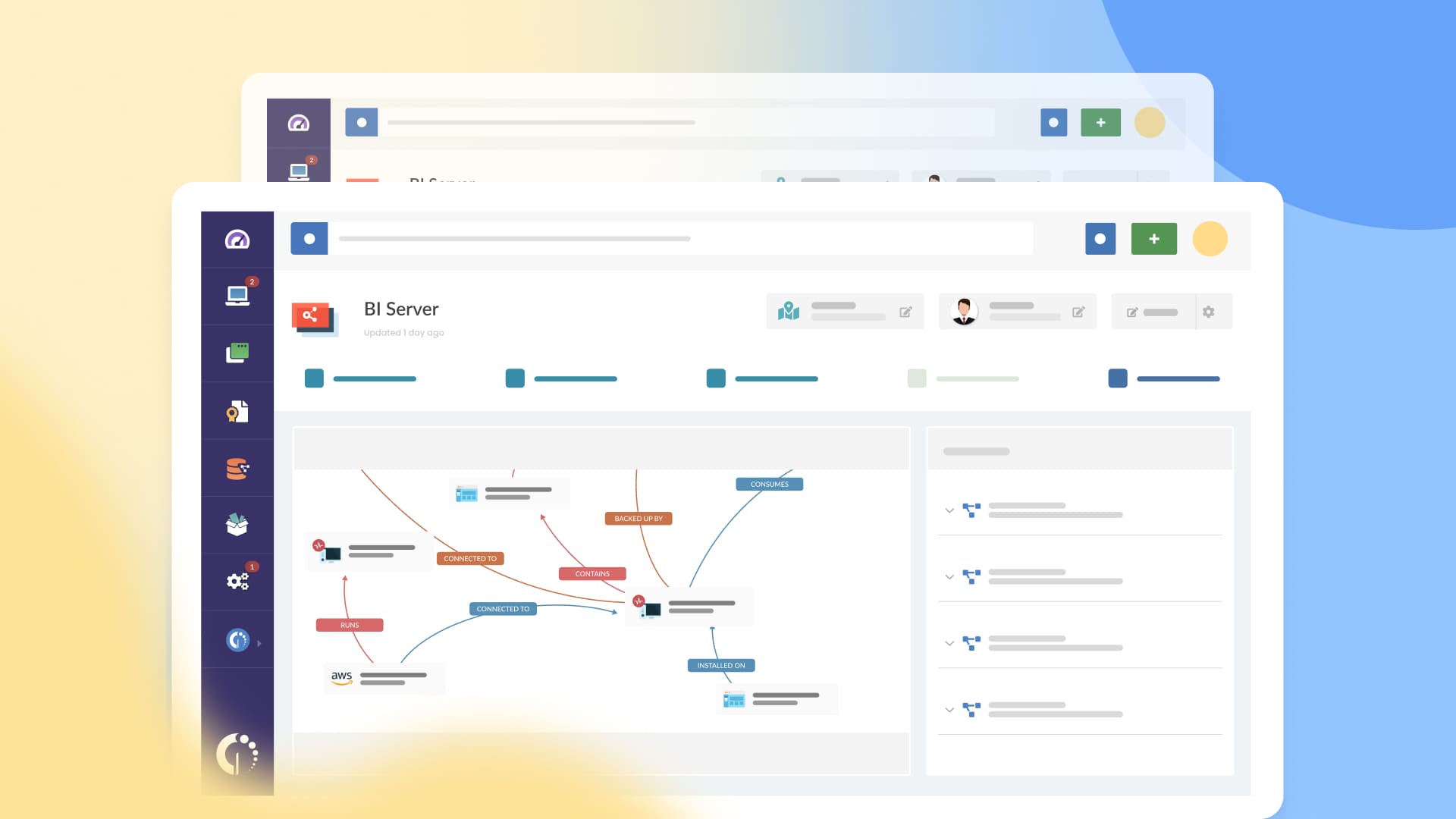

An open source Configuration Management Database (CMDB) is a software solution that allows organizations to document Configuration Items (CIs), their attributes, and their relationships using publicly available source code that can be inspected, modified, and distributed under an open source license.
Open source CMDB tools give IT teams control over how they implement and customize their configuration management environment. However, the cost of maintaining accurate configuration data depends on several factors, including infrastructure, discovery capabilities, integrations, and ongoing technical support.
In this guide, we compare five open source CMDB tools and one commercial alternative, InvGate Asset Management, to help you determine which approach fits your organization's configuration management requirements.
What is an open source CMDB?
An open source CMDB is a centralized repository for documenting IT infrastructure, applications, business services, and the relationships between them. Its source code is available under a license that allows organizations to use, modify, and distribute the software according to the terms of that license.
Like a commercial CMDB, an open source solution helps IT teams understand how infrastructure components interact. For example, documenting the relationships between an application, its database, and its underlying servers can help administrators assess the potential impact of a configuration change or infrastructure failure.
The main advantages of using an open source CMDB include:
- Access to source code: Organizations can inspect the software and modify its functionality within the terms of the applicable license.
- Customization: IT teams can adapt configuration item classes, attributes, relationships, and integrations to their operational requirements, depending on the platform.
- Lower initial licensing costs: Several open source CMDB tools are available without software licensing fees.
- Deployment control: Self-hosted implementations allow organizations to manage the infrastructure on which their CMDB operates.
However, the absence of licensing fees does not eliminate the operational costs of running a CMDB. Organizations should account for installation, server infrastructure, database administration, security updates, backups, customization, and technical support.
Asset discovery is another important consideration. Some open source CMDB tools provide automated inventory capabilities through agents and plugins. Others rely on external discovery solutions to collect infrastructure information and synchronize it with the CMDB. The availability and licensing of these integrations should be part of the initial evaluation.
Open source CMDB tools at a glance
The following table compares five open source CMDB solutions and InvGate Asset Management as a commercial alternative. It distinguishes native discovery capabilities from integrations that import configuration data collected by other systems.
| Tool | Best for | License | Discovery | Deployment |
|---|---|---|---|---|
| InvGate Asset Management | Enterprise ITAM and automated configuration management | Proprietary commercial license | Native agent-based and agentless discovery; AI-assisted relationship mapping | Cloud and on-premise |
| i-doit | Structured IT infrastructure documentation | Open source (Open edition; specific license: [FALTA DATO]); proprietary commercial edition | External discovery and automated imports available in i-doit Pro | Self-hosted (Open); cloud and on-premise (commercial) |
| iTop | Configuration management integrated with ITIL processes | Open source (Community edition; specific license: [FALTA DATO]); commercial subscriptions available | External data collectors and synchronization engine | Self-hosted; commercial SaaS available |
| GLPI | Integrated IT inventory and service desk operations | GNU GPL v3 | GLPI Agent and GLPI Inventory plugin | Self-hosted and commercial cloud |
| CMDBuild | Custom configuration and asset management applications | GNU Affero General Public License (AGPL) | External discovery and inventory connectors, with subscription requirements | Self-hosted |
| Ralph | Data center and back-office asset management | Apache License 2.0 | [FALTA DATO] | Self-hosted, including Docker deployment |
Commercial subscriptions and additional modules may be necessary to access certain capabilities. Check which features are included in the specific edition you intend to deploy before comparing implementation costs.
The 6 best open source CMDB tools
The following comparison examines six configuration management solutions, including five open source platforms and one commercial alternative. Each approach offers different options for collecting configuration data, documenting dependencies, and maintaining infrastructure records.
1. InvGate Asset Management (commercial alternative)
Overview: InvGate Asset Management is a commercial IT Asset Management (ITAM) platform that combines automated asset discovery, centralized inventory, lifecycle management, and configuration management. It supports environments of up to one million IP devices, making it suitable for large enterprises with distributed infrastructure. Its CMDB capabilities help IT teams maintain configuration records and understand the relationships between assets and business applications.
Key features:
- Automated asset discovery: Collects hardware and software information through agents for Windows, macOS, and Linux, agentless network discovery using protocols such as SNMP, WMI, and SSH, and integrations with cloud and virtualization platforms.
- AI-assisted CMDB mapping: Automatically establishes software relationships and suggests infrastructure dependencies for administrator approval through its CMDB Auto-Mapping capabilities. AI-assisted mapping is available with the Pro and Enterprise plans.
- Asset lifecycle management: Maintains hardware and software inventories alongside asset ownership, locations, lifecycle status, contracts, and warranties. Configurable Health Rules help identify assets that require attention.
- ITSM integration: Connects configuration items and asset records with incidents and service requests through a native integration with InvGate Service Management, which is licensed separately.
Deployment: Cloud and on-premise. On-premise deployment is available with the Enterprise plan.
Pricing: According to the official pricing page, the Starter plan costs $1,499 per year for 500 IP devices. The Pro plan, which includes AI-assisted CMDB mapping, starts at $2,500 per year. The Enterprise plan starts at $12,000 per year, with final pricing determined by organizational requirements.
Best for: Large enterprises that need automated infrastructure discovery, configuration relationship mapping, and centralized IT Asset Management without maintaining a separate open source CMDB application.
2. i-doit
Overview: i-doit is an IT documentation and configuration management solution developed by i-doit GmbH in Düsseldorf, Germany. Its open source edition, i-doit Open, provides basic infrastructure documentation and CMDB capabilities. The commercial i-doit Pro edition extends these capabilities with advanced data management, integrations, automation, and professional support.
Key features:
- IT infrastructure documentation: Maintains centralized records of IT components and the relationships between them, providing a structured alternative to spreadsheet-based documentation.
- Configuration data visualization: The commercial edition provides graphical CMDB exploration and additional tools for documenting infrastructure relationships.
- Discovery integrations: i-doit Pro supports automated data collection through integrations with external inventory tools. The i-doit and JDisc Discovery Bundle combines configuration management with automated network discovery.
- Data management and access control: The Open edition provides basic permissions management, while Pro adds granular access controls, CSV imports, bulk editing, and advanced reporting, as detailed in the official edition comparison.
Deployment: i-doit Open can be installed on an organization's own infrastructure. Commercial i-doit editions are available for on-premise and cloud deployment.
Pricing: The open source edition is available for download. According to the official pricing page, commercial i-doit licensing starts at €619 per year for up to 1,000 objects, excluding VAT. Cloud deployment, additional support options, and certain add-ons may involve additional costs.
Best for: IT departments that prioritize structured infrastructure documentation and want the option to extend their CMDB through commercial integrations and support.
3. iTop
Overview: iTop is an open source IT Service Management and configuration management solution developed by French software company Combodo. It combines a customizable CMDB with ITIL-aligned service management processes. Its Community edition provides core functionality, while commercial subscriptions offer additional features and professional services.
Key features:
- Customizable configuration data model: Supports predefined configuration item types, including servers, virtual machines, and hypervisors, as well as custom CI classes.
- Impact analysis: Provides graphical representations of configuration relationships and calculates dependencies to support incident and change impact assessments.
- Data synchronization: Consolidates configuration information from external systems through its synchronization engine, REST API, and data collectors for solutions such as OCS Inventory, VMware, and Microsoft Azure.
- ITIL process integration: Connects configuration management with service catalog management, incidents, service requests, problems, and changes, as documented on the official features page.
Deployment: Self-hosted for the Community edition. Commercial offerings also include SaaS deployment and vendor-supported on-premise installations.
Pricing: The Community edition is free and open source. Commercial Atelier and Forge subscriptions provide additional capabilities and support services. Pricing on request, according to the official offers and services page.
Best for: Organizations that want to integrate configuration management and ITIL-aligned service management while retaining control over their configuration data model.
4. GLPI
Overview: GLPI is an open source IT Asset Management and IT Service Management platform distributed under the GNU General Public License version 3 (GPL v3). It combines hardware and software inventory with configuration records, administrative asset information, and helpdesk operations. Additional functionality is available through its plugin ecosystem.
Key features:
- Automated endpoint inventory: Collects hardware and software information through the GLPI Agent, including operating systems, installed applications, and device characteristics.
- Network discovery: The GLPI Inventory plugin extends inventory capabilities with network discovery, SNMP inventory, additional data collection, and remote software deployment tasks.
- Configuration and asset relationships: Documents connections between infrastructure components, applications, and associated assets, with support for administrative information such as contracts, licenses, and locations.
- Integrated service desk: Links assets to support tickets and provides incident management, service requests, and Service Level Agreement (SLA) management through its ITSM capabilities.
Deployment: Self-hosted on-premise or vendor-managed cloud, including public and private cloud options.
Pricing: The open source software is available without licensing fees. According to the official pricing page, GLPI Network Public Cloud starts at €19 per IT agent per month, excluding VAT. Professional subscriptions for self-hosted installations start at €100 per month, excluding VAT.
Best for: Organizations looking for an open source platform that combines automated IT inventory, configuration management, and service desk functionality.
5. CMDBuild
Overview: CMDBuild is an open source web-based platform for creating customized asset and configuration management applications. Distributed under the GNU Affero General Public License (AGPL), it separates its core application code from configurable business logic. Organizations can use it to build their own data models and management processes or evaluate the preconfigured CMDBuild READY2USE application for IT governance.
Key features:
- Configurable data model: Allows administrators to define database classes, attributes, and relationships according to the organization's infrastructure and asset management requirements.
- Workflow configuration: Provides mechanisms for designing business processes and managing changes to asset records throughout their lifecycle.
- External data integration: Supports connectors that synchronize information from inventory, monitoring, cloud, and virtualization platforms. The official connector catalog includes OCS Inventory, VMware vCenter, and AWS through annual subscriptions, with additional connectors available under Premium licensing.
- Reporting and visualization: Supports configurable reports, dashboards, asset relationship documentation, and geographical asset information.
Deployment: Self-hosted through a web server, with a Java-based server architecture and PostgreSQL database. The application is accessed through a web browser.
Pricing: The open source core is available through the official download page under its AGPL license. Commercial subscriptions provide additional connectors, maintenance, upgrade assistance, and technical support. Pricing on request through the official support services page.
Best for: Organizations with specific configuration management requirements and the technical resources to design, configure, and maintain a customized CMDB application.
6. Ralph
Overview: Ralph is an open source Asset Management, Data Center Infrastructure Management (DCIM), and CMDB application developed by Allegro. It focuses on managing data center equipment and back-office assets throughout their lifecycle. The project is distributed under the Apache License 2.0 and is maintained under a source-code publication model without guaranteed support from Allegro.
Key features:
- Asset purchasing and lifecycle tracking: Maintains records of asset acquisitions and their progression through different lifecycle stages.
- Configurable lifecycle workflows: Provides a flexible workflow system for managing changes in asset status throughout their operational life.
- Data center and back-office management: Supports the management of infrastructure equipment and office IT assets within the same application.
- Data center visualization: Includes built-in visualization capabilities for documenting data center infrastructure.
Ralph's current native automated discovery capabilities: [FALTA DATO]. Organizations that require automated infrastructure scanning should verify how configuration data will be collected and updated before selecting the platform.
Deployment: Self-hosted. The official repository includes a Docker Compose configuration for deploying the application and its supporting services.
Pricing: Free under the Apache License 2.0. The official project documentation does not publish commercial support pricing. Organizations must account for their own hosting, implementation, maintenance, and support arrangements.
Best for: IT teams with the technical resources to maintain a self-hosted solution focused on data center infrastructure and back-office asset lifecycle management.
When a commercial CMDB makes more sense
An open source CMDB can be a suitable option when an organization has the technical resources to manage its deployment, integrations, and ongoing maintenance. For large enterprises, the evaluation should also consider the amount of work required to collect configuration data, maintain relationships, and support the application in production.
Three requirements can make a commercial CMDB worth considering:
- Automated discovery across a large IT environment: Maintaining configuration records manually becomes more resource-intensive as the number of managed assets increases. A commercial platform with integrated discovery can reduce the number of separate tools required to collect and update infrastructure information. Compare discovery coverage across endpoints, network devices, cloud resources, and virtual infrastructure before making a decision.
- Relationships between assets and business services: A useful CMDB needs to explain how infrastructure components support applications and business operations. Evaluate how each solution identifies dependencies, suggests relationships, and handles infrastructure changes. Integrated relationship mapping can reduce the work involved in creating and maintaining configuration models, particularly in distributed enterprise environments.
- Professional support and ongoing maintenance: A production CMDB requires application updates, security maintenance, integration management, and technical troubleshooting. Commercial licensing can provide access to vendor-backed implementation assistance and support services. Several open source vendors also offer these services through paid subscriptions, so compare the actual support commitments rather than relying on the licensing model alone.
InvGate Asset Management addresses these requirements through integrated asset discovery, AI-assisted CMDB mapping, and vendor-provided implementation and support services. Its commercial model allows enterprise IT departments to manage configuration information alongside their broader asset management processes.
When comparing open source and commercial solutions, calculate the total cost of ownership using your actual infrastructure size, discovery requirements, internal technical resources, and support needs. A free software license may reduce the initial investment, but the ongoing effort required to maintain reliable configuration data remains part of the cost.
For a broader comparison of commercial and open source options, consult our guide to CMDB tools and software.
FAQ
Is there a free open source CMDB?
Yes. iTop Community, GLPI, CMDBuild, and Ralph provide open source software that organizations can deploy without purchasing a commercial software license. However, hosting, implementation, maintenance, discovery integrations, and professional support may generate additional costs. Some platforms also reserve advanced capabilities for commercial editions or subscriptions.
Which open source CMDB includes discovery?
GLPI provides automated inventory through the GLPI Agent and network discovery through the GLPI Inventory plugin. iTop supports automated data collection through external collectors and a synchronization engine, while CMDBuild offers integrations with external inventory and discovery systems through commercial subscriptions. i-doit also provides automated discovery integrations through its commercial Pro edition. Organizations that require integrated agent-based and agentless discovery can evaluate InvGate Asset Management as a commercial alternative.
Can GLPI be used as a CMDB?
Yes. GLPI includes configuration management capabilities that allow organizations to document IT assets, infrastructure components, and their relationships. Its automated inventory capabilities and integrated service desk also allow IT teams to associate configuration records with incidents and service requests.
What is the difference between a CMDB and IT asset management?
A CMDB focuses on configuration items, their technical characteristics, and the relationships that determine how infrastructure supports IT services. IT Asset Management (ITAM) covers the broader lifecycle of assets, including acquisition, ownership, financial information, software licensing, maintenance, and disposal. Platforms such as InvGate Asset Management combine both disciplines, allowing IT teams to manage asset lifecycles and configuration relationships within a centralized environment.