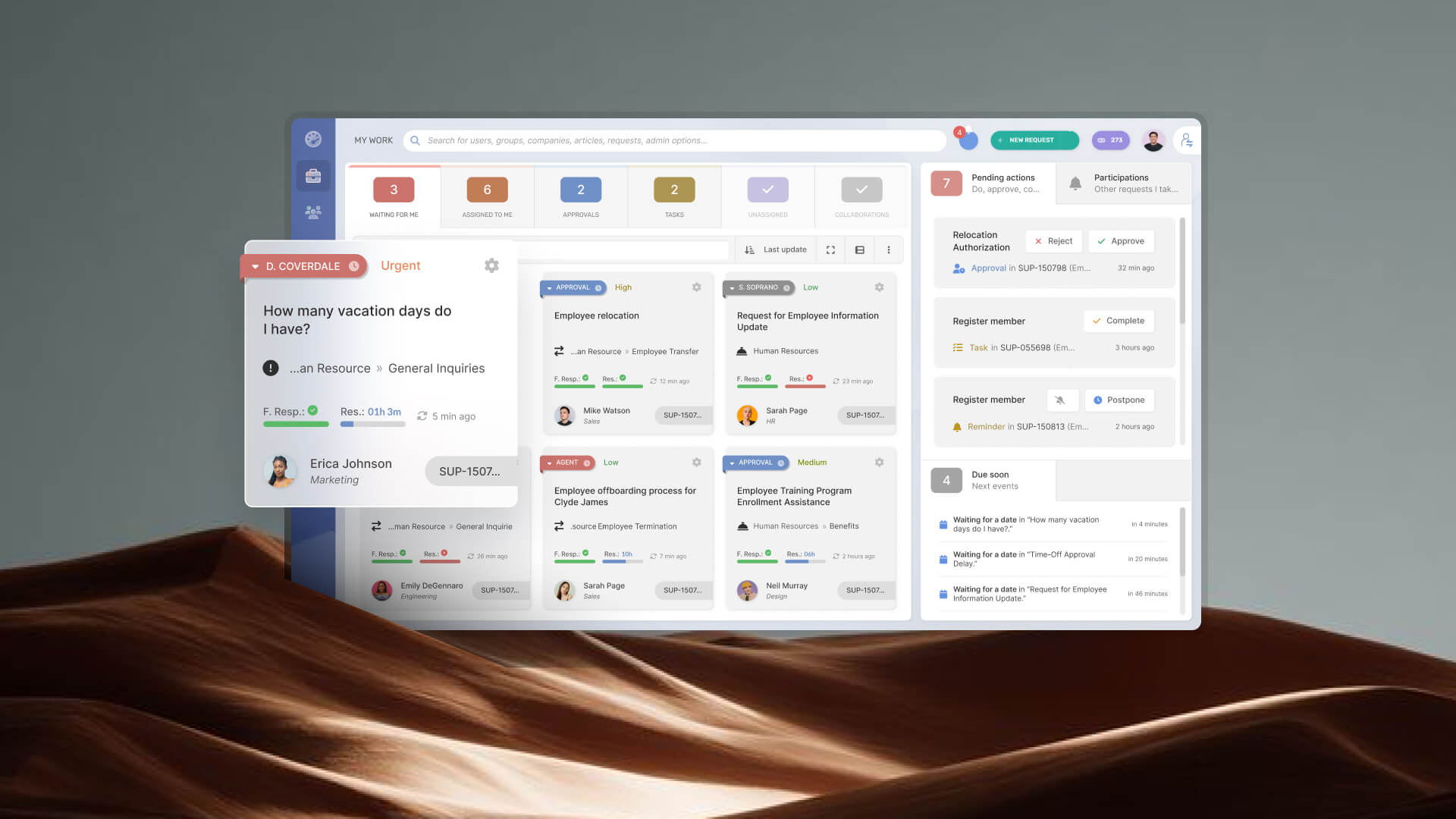
Remote or distributed IT teams have a structural problem that a basic ticketing tool can't fix. When your agents are in three time zones, and your users are spread across offices, home setups, and co-working spaces, teams must manage service operations beyond basic Incident and Request Management: including need asset visibility, automation, self-service capabilities, flexible routing rules, and reporting that reflects the realities of a distributed workforce.
In this guide, we'll examine the capabilities that matter most for remote IT operations and compare the best ITSM software options for supporting remote and hybrid teams.
Key takeaways
- IT teams supporting distributed employees need more than a ticketing tool: SLAs per time zone, automatic routing, and async self-service are the capabilities that most impact real coverage.
- Generic customer support platforms aren't built for the ITSM processes distributed IT teams manage, such as incident management, change management, and service catalogs.
- InvGate Service Management lets you configure multiple help desks by location with individual SLAs and no-code routing rules.
- A self-service portal reduces the volume of repetitive tickets and keeps support available outside of IT working hours.
What to look for in help desk software for remote Teams
Before looking at options, it helps to define what makes a help desk actually work for a distributed IT team. These criteria are what separates a platform built for this context from one that's been adapted to it.
-
Multi-SLA and location-aware SLA policies. Service agreements need to reflect the actual coverage hours of each team, not a single global standard. A ticket opened by a user in Singapore at 9 AM shouldn't run against the same SLA window as one opened in São Paulo at the same clock time.
-
Automatic ticket routing. Assignment by location, request category, or urgency level needs to happen without manual intervention. In a distributed setup, manual triage doesn't scale and creates a single point of failure when the person doing the triage is offline.
-
Self-service portal and knowledge base. Level-0 support — users resolving issues without opening a ticket — is what keeps the queue manageable outside of core IT hours. A good self-service portal reduces volume for predictable issues and keeps users unblocked when agents are asleep.
-
Multi-help desk configuration. The ability to run separate help desks per location, business unit, or department — each with its own catalog, agents, and rules — under a single platform instance. This matters as soon as you're supporting more than one region or more than one internal team.
-
Channel integrations. Microsoft Teams, Slack, and email as intake channels. In distributed environments, users shouldn't have to change tools to report a problem. Omnichannel intake reduces the informal traffic (direct messages, WhatsApp) that bypasses the queue entirely.
-
Reporting by site or team. Global performance metrics obscure real problems. A team in one region might be well within SLA while another is consistently breaching it. Location-level reporting makes that visible.
InvGate Service Management covers all of these. If you want to see how it fits your specific setup, request an IGSM demo.
The best help desk software for remote teams: 5 options compared
A note on methodology: InvGate builds and offers IT Service Management and IT Asset Management solutions, making us an active player in this software market. Some vendors in this article are our competitors. Even so, we aim to deliver accurate, honest, and practical information that helps you make the best decision.
Our evaluations draw from publicly available sources — vendor websites, product documentation, user reviews on platforms like Gartner Peer Insights, G2, and Capterra, analyst reports, and hands-on testing or demos when available.
The tools below were selected based on their relevance to IT teams (not customer support platforms), their documented support for features critical to distributed environments — multi-SLA, routing automation, self-service, and communication channel integrations — and their presence in the mid-market ITSM category.
1. InvGate Service Management
InvGate Service Management is a no-code ITSM platform built for IT and enterprise service management. For distributed teams, its multi-help desk architecture is the most direct answer to the structural problem described at the top: one instance, multiple help desks, each with its own SLAs, catalog, routing rules, and agent assignment.
The platform covers the full ITIL-aligned process set — Incident Management, Problem Management, Change Management, service requests — plus a workflow builder that requires no coding to configure or modify. Ticket intake works through email, Teams, Slack, and the portal. SLAs are fully configurable by location, department, and priority, and apply automatically.
What works well for remote teams: The combination of multi-help desk, no-code routing automation, and location-aware SLAs in a single platform addresses the distributed IT problem without requiring separate tools or custom development. The native integration with InvGate Asset Management adds another layer of value for remote environments. Service desk agents can view device ownership, hardware details, software inventory, and asset history directly from tickets, reducing the time spent tracking information across systems.
Pricing:
InvGate offers flexible pricing plans that scale to meet the unique needs of your organization.
- Starter: 24.98/agent/month billed annually and 5 agents minimum - $1499/year.
- Pro: $500/agent/year. 5-50 agents.
- Enterprise: Custom pricing for larger organizations.
You can also request a free trial, so you can try the platform before committing to a plan.
2. Freshservice
Freshservice is an ITIL-aligned ITSM platform from Freshworks, covering incident management, change management, problem management, asset management, and a service catalog. It supports separate workspaces per team, with adjustable business hours per workspace — which makes it a workable option for distributed teams that need differentiated SLA windows by location.
What works well for remote teams: The workspace model lets teams set different business hours, which affects SLA calculation. Workflow automation is available from the Growth plan upward, including approval workflows and ticket routing. Microsoft Teams and Slack integrations are available on higher tiers.
Considerations: The key ITSM capabilities — change management, problem management, round-robin assignment, and Slack integration — are locked behind the Pro plan ($99/agent/month annually). Advanced analytics and AI features are add-ons even at Pro. Teams on lower tiers may hit feature limits that are significant for distributed operations.
Pricing: Starter from $19/agent/month (annual), Growth $49/agent/month, Pro $99/agent/month. Enterprise pricing under consultation. - Checked on June 2026 (US) official website.
3. Jira Service Management
Jira Service Management (JSM) is Atlassian's ITSM platform, built on the same infrastructure as Jira Software. It's a strong choice for organizations already running development workflows on Atlassian tools and wanting tight alignment between incidents, changes, and development sprints.
What works well for remote teams: Full ITSM feature set with SLA management, on-call scheduling, and multi-channel intake. The free plan supports up to 3 agents, making it accessible for small teams. CMDB and Asset Management are available at Premium tier.
Pricing: Pricing varies depending on the number of agents, with lower per-agent costs available at higher volumes. For example, the following rates apply to a 50-agent deployment:
- Standard: Starting at $20.63 per agent / per month.
- Premium: Starting at $52.16 per agent / per month.
Checked on: June 2026 (US), official web.
4. Xurrent
Xurrent (formerly 4me) is an enterprise ITSM platform that positions itself around multi-provider service management and native AI integration. It is built for organizations with complex service chains — where multiple teams, external vendors, or managed service providers need to exchange tickets and maintain SLAs across organizational boundaries.
What works well for remote teams: ITIL-aligned workflows with low-code configuration, an AI virtual agent available on all plans, and a self-service portal that handles requests through Slack, Teams, and the web. SLA management is included across tiers. The platform's multi-account architecture makes it particularly relevant for organizations with multiple subsidiaries or external service providers.
Pricing: Available under consultation.
5. HaloITSM
HaloITSM is an ITIL-aligned platform with a single-tier pricing model: one license per agent, all modules included, no feature gating by plan. That structure makes total cost of ownership more predictable and avoids the upgrade pressure common in tiered competitors.
What works well for remote teams: Full ITSM feature set, including incident management, problem management, change management, CMDB, and asset management, all accessible from the base license. Available as cloud or on-premises. Self-service portal, knowledge base, and integrations with Slack, Microsoft Teams, and Azure AD are all included.
Pricing: Not publicly listed.
Disclaimer: All product names, logos, and brands are property of their respective owners. All company, product, and service names used on this site are for identification purposes only. Use of these names, trademarks, and brands does not imply endorsement. Comparisons are based on publicly available information as of April 2026 and are provided for informational purposes only. ServiceNow is a registered trademark of ServiceNow, Inc. InvGate is not affiliated with, sponsored by, or endorsed by ServiceNow.
How to choose the right tool for your team
The right choice depends on a few variables that are specific to your setup, not on which platform has the longest feature list.
-
Team size and ticket volume. A 5-person IT team supporting 200 users has different economics than a 40-person team supporting 5,000. Platforms with per-agent pricing scale differently, and the cost gap between entry and mid tiers can be significant in both Freshservice and JSM once you need the distributed-specific features (routing automation, change management, separate SLAs per location).
-
Full ITSM vs. structured ticketing. If your IT team manages incidents, problems, changes, and a service catalog with formal workflows, you need a platform certified to ITIL practices — not a general-purpose ticketing tool. Platforms like Freshservice (Pro), JSM (Premium), InvGate Service Management, HaloITSM, and Xurrent cover this. Entry tiers of Freshservice and JSM don't.
-
Multi-location or fully remote. If you have distinct sites with different coverage hours and different IT ownership, multi-help desk architecture matters. InvGate Service Management and Xurrent are designed around this model. Freshservice's workspace model provides partial coverage. JSM supports it at Enterprise tier through multiple instances.
-
Existing stack alignment. Already running on Atlassian tools for software development? JSM reduces the integration overhead significantly. Already in Microsoft 365 with heavy Teams adoption? All five platforms offer Teams integration, but the depth and the tier at which it's available vary.
-
Licensing model. Per-agent pricing (Freshservice, JSM, HaloITSM) is predictable at small team sizes and compounds at scale. Platform-based or custom pricing (InvGate, Xurrent) requires a direct conversation but may offer better economics at larger agent counts. HaloITSM's all-inclusive approach avoids the module-gating problem that affects tiered competitors.
FAQs
What is remote help desk software?
Remote help desk software is a platform that lets an IT team receive, track, and resolve support requests from users regardless of physical location. It centralizes ticket intake from multiple channels — email, chat, web portal — and provides tools to assign, route, and escalate tickets across a distributed team. For IT organizations specifically, this typically includes SLA management, a service catalog, and ITIL-aligned workflows for incidents and service requests.
What features should help desk software have for remote teams?
The most critical features for distributed IT teams are: multi-SLA policies configurable by location or time zone, automatic ticket routing based on attributes like location or category, a self-service portal that works outside IT business hours, multi-channel intake (Teams, Slack, email, portal), and per-site or per-team reporting. Platforms that don't support these natively require workarounds that don't scale.
Can help desk software support multiple time zones?
Yes — platforms designed for enterprise or multi-location use support location-aware SLA policies that apply different response and resolution windows depending on the time zone or business hours associated with a given ticket or user. In InvGate Service Management, SLA conditions are configured per help desk and applied automatically based on ticket attributes, without manual selection at the agent level. Not all platforms support this natively; some require workarounds at the rule level.